MV-9_Chapter 5. Teaching.pdf - 第152页
MV -9 Use r Manual 5- 152 [Figure 5- 181 Creation of chip component inspection wi ndow] 2) T eaching example of repres ent ative compo nent [Figure 5- 182 T eachin g example of chip component inspection window] 3) Parame…
错误!使用“开始”选项卡将 제목 2 应用于要在此处显示的文字。错误!使用“开始”选项卡将 제목 2 应用
于要在此处显示的文字。 .
5-151
color
inspection
pixel ratio
inspection
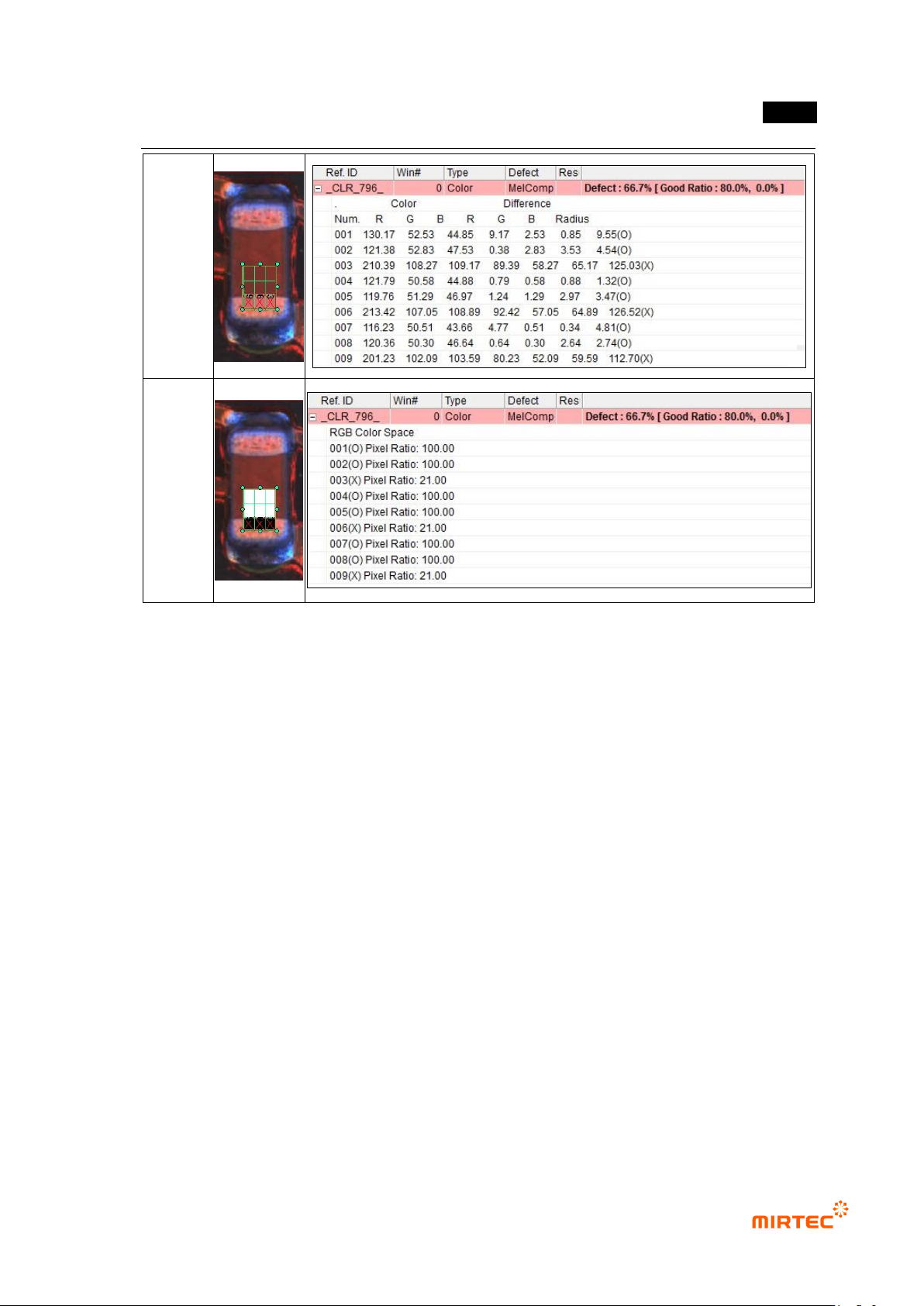
[Figure 5-180 RGB color inspection window – grid inspection result]
5.3.8 Chip component inspection window
- Chip component inspection window is used to inspect position secession, non-mounting
and wrong mounting and lead amount of resistance and capacitor among components
mounted on PCB. Hence, one mounting inspection window and 2 solder amount
inspection windows will be group to configure one chip component inspection window.
1) Teaching method
① Click <chip component inspection window> button among operating buttons.
② Draw inspection window according to the size of chip component to be inspected. At this
point, 2 solder amount inspection windows will be automatically created. set creation
position in „chip‟ tap of „component inspection window setting‟ in „Config.‟
③ For more information of setting of mounting inspection and solder amount inspection, refer to
setting of individual inspection window.
MV-9 User Manual
5-152
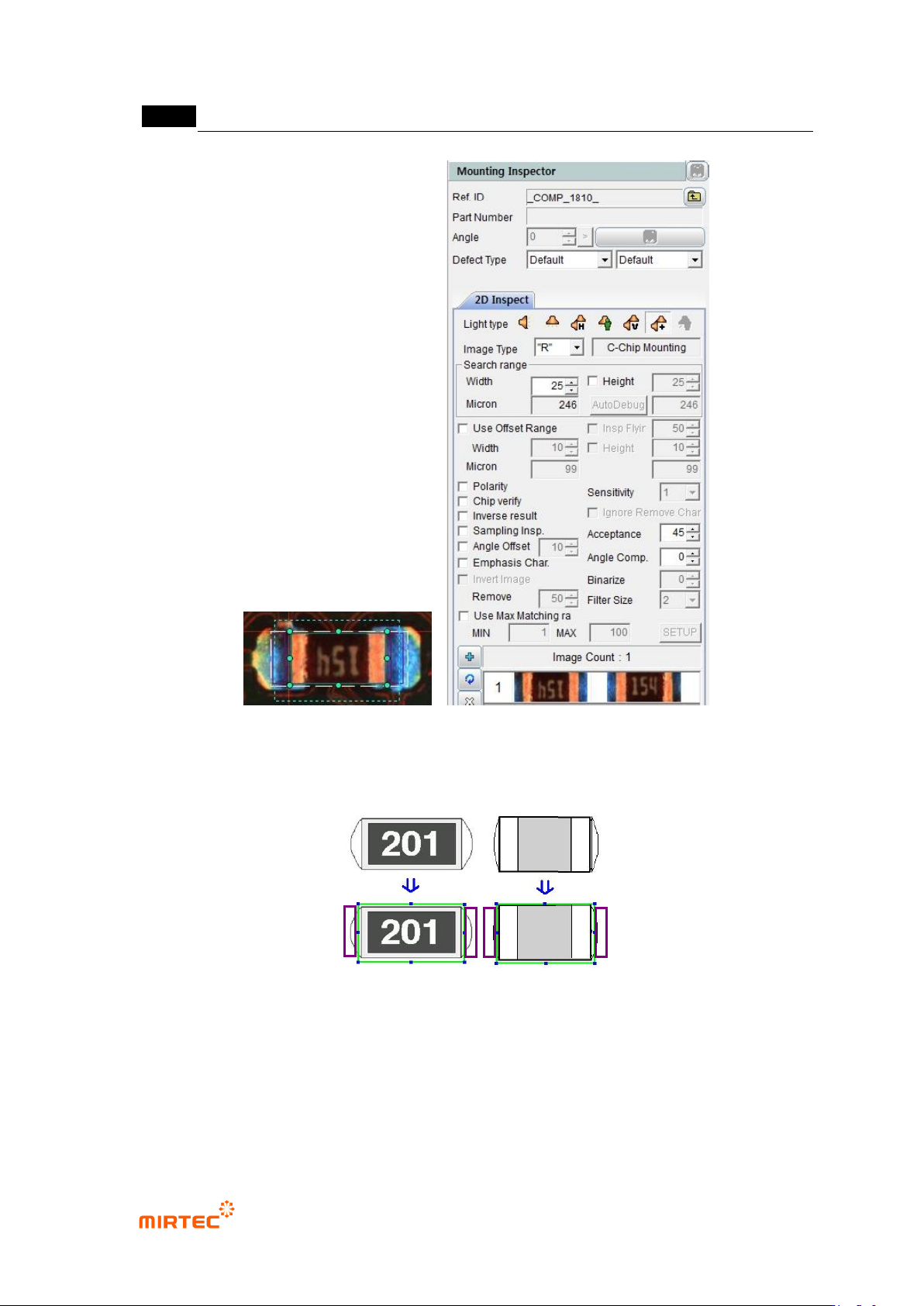
[Figure 5-181 Creation of chip component inspection window]
2) Teaching example of representative component
[Figure 5-182 Teaching example of chip component inspection window]
3) Parameter of chip component inspection window
错误!使用“开始”选项卡将 제목 2 应用于要在此处显示的文字。错误!使用“开始”选项卡将 제목 2 应用
于要在此处显示的文字。 .
5-153
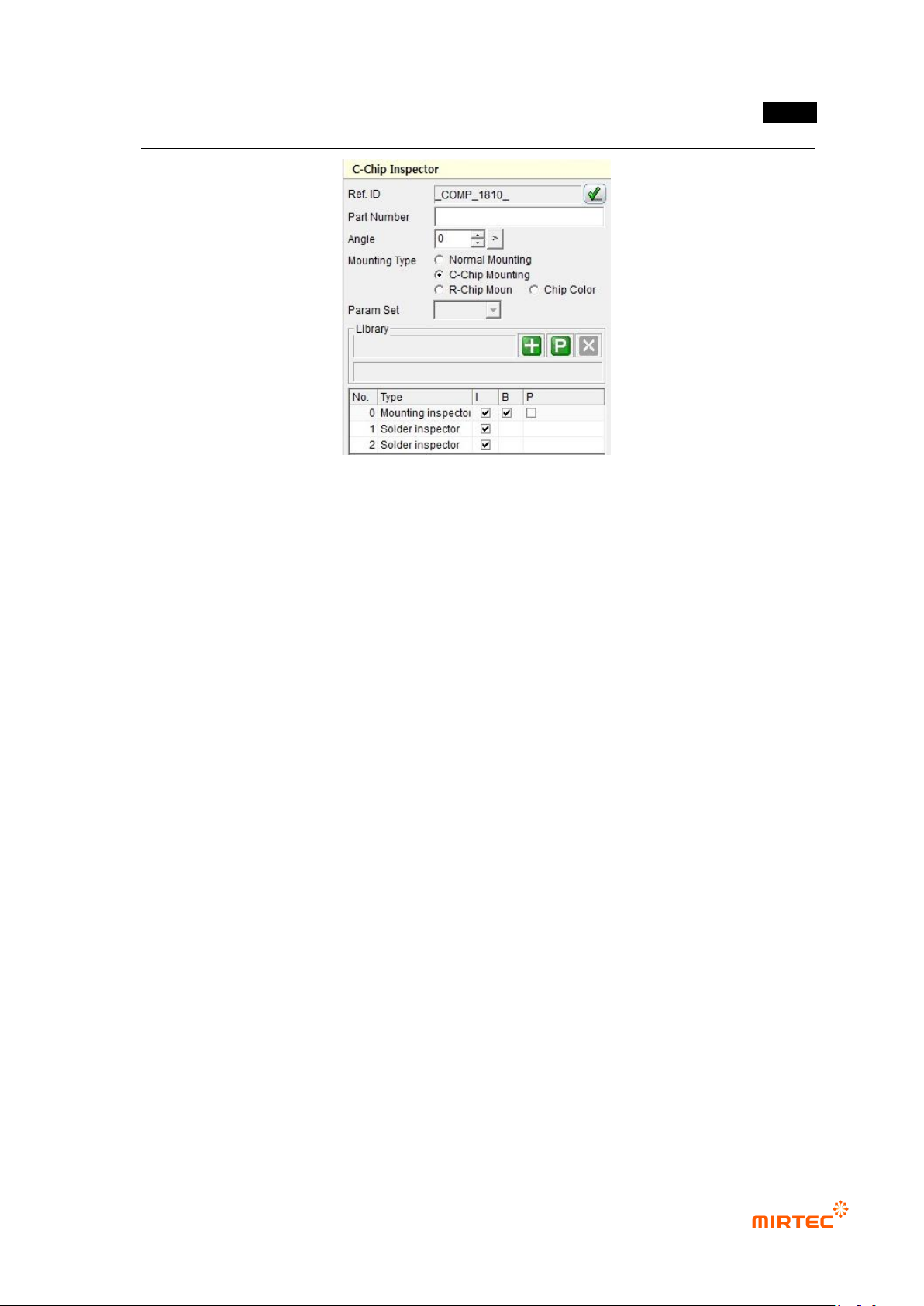
[Figure 5-183 chip component screen]
Reference name
- Refer to „reference name in „5.3.1 mounting inspection type
- Name is created in „_COMP_1_‟ format. „COMP‟ means Component, and the number
means creation order of lifted inspection window.
Component name
- Refer to „component name in '5.3.1 mounting inspection window
Rotation angle
- Refer to „rotation angle in '5.3.1 mounting inspection window
Mounting inspection type
- type of component that completed teaching found during window creation will be displayed.
If it is set not like the selected component, user can manually set the type according to
component. However, „general mounting‟ can‟t be selected.
- General mounting: In case of general mounting component excepting resistance and
capacitor, automatically selected.
- C-Chip mounting: If component that completes teaching is capacitor, select it to auto.
- R-Chip mounting: If component that completes teaching is resistance, select it to auto.