MV-9_Chapter 5. Teaching.pdf - 第264页
MV -9 Use r Manual 5- 264 30 Ex a mple for Poor Quality <3D Model > <Resul t G ra ph> <Inspection Review> * Result Graph - Red Region: The region h i gher than the Max Height. - Sky-Bl ue Region: The re…
错误!使用“开始”选项卡将 제목 2 应用于要在此处显示的文字。错误!使用“开始”选项卡将 제목 2 应用
于要在此处显示的文字。 .
5-263
5.8.9 Inspection Results
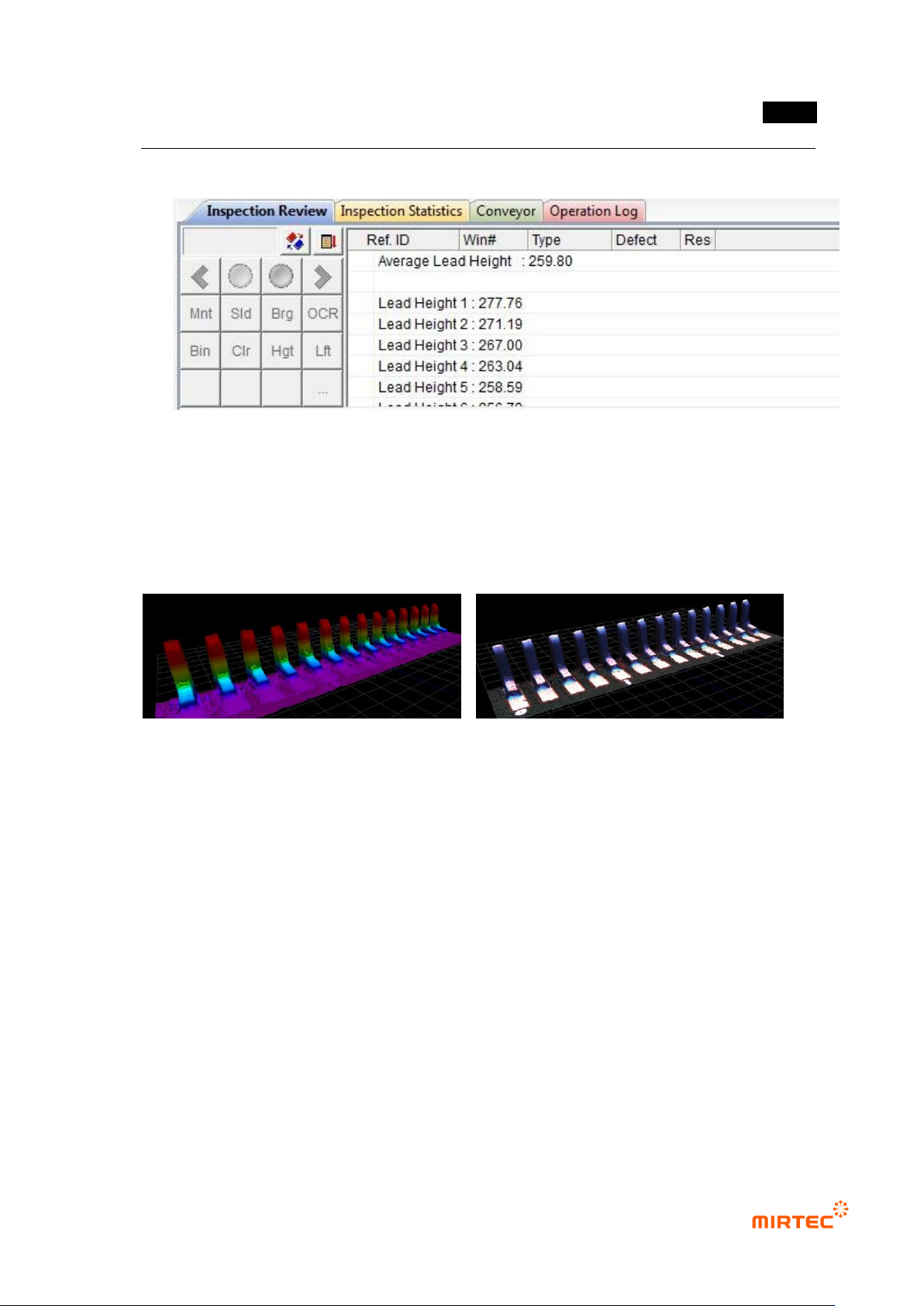
28 Inspection Review
- Display the average height of leads.
- Display the height of each lead (The number of leads is the same as the number
displayed on the image.)
29 3D Viewer
<Color Map> <Texture Mapping>
MV-9 User Manual
5-264
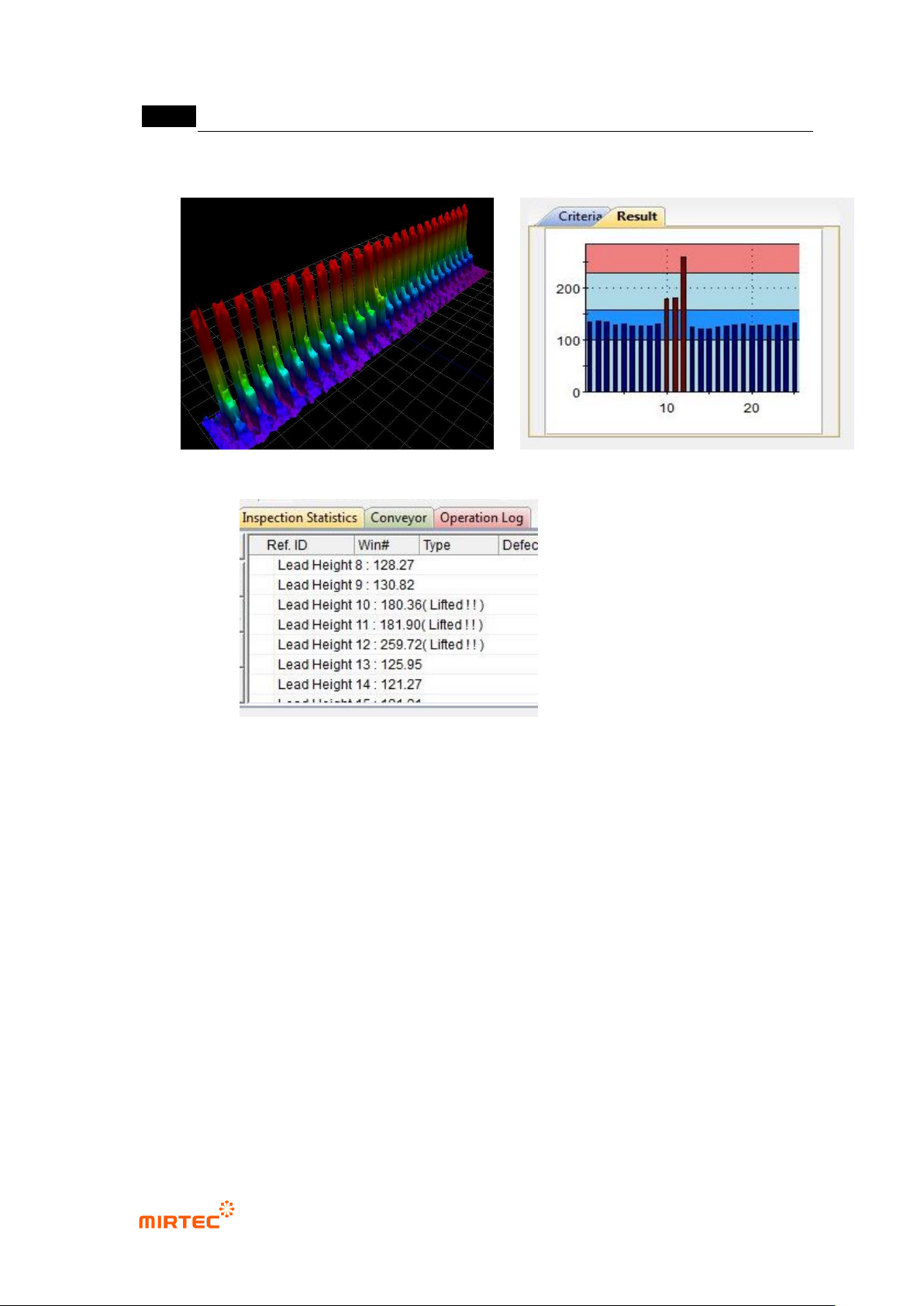
30 Example for Poor Quality
<3D Model> <Result Graph>
<Inspection Review>
* Result Graph
- Red Region: The region higher than the Max Height.
- Sky-Blue Region: The region where the deviation of the average lead height is
greater than the Deviation.
- Blue Region: The region with normal lead height.
错误!使用“开始”选项卡将 제목 2 应用于要在此处显示的文字。错误!使用“开始”选项卡将 제목 2 应用
于要在此处显示的文字。 .
5-265
5.9 BLU
The objective is to inspect the Shift, Rotation, Lift, and Polarity of BLU.
5.9.1 Selection of Window for Mounting Inspection
With the window button, select and add the window for mounting inspection..( ).
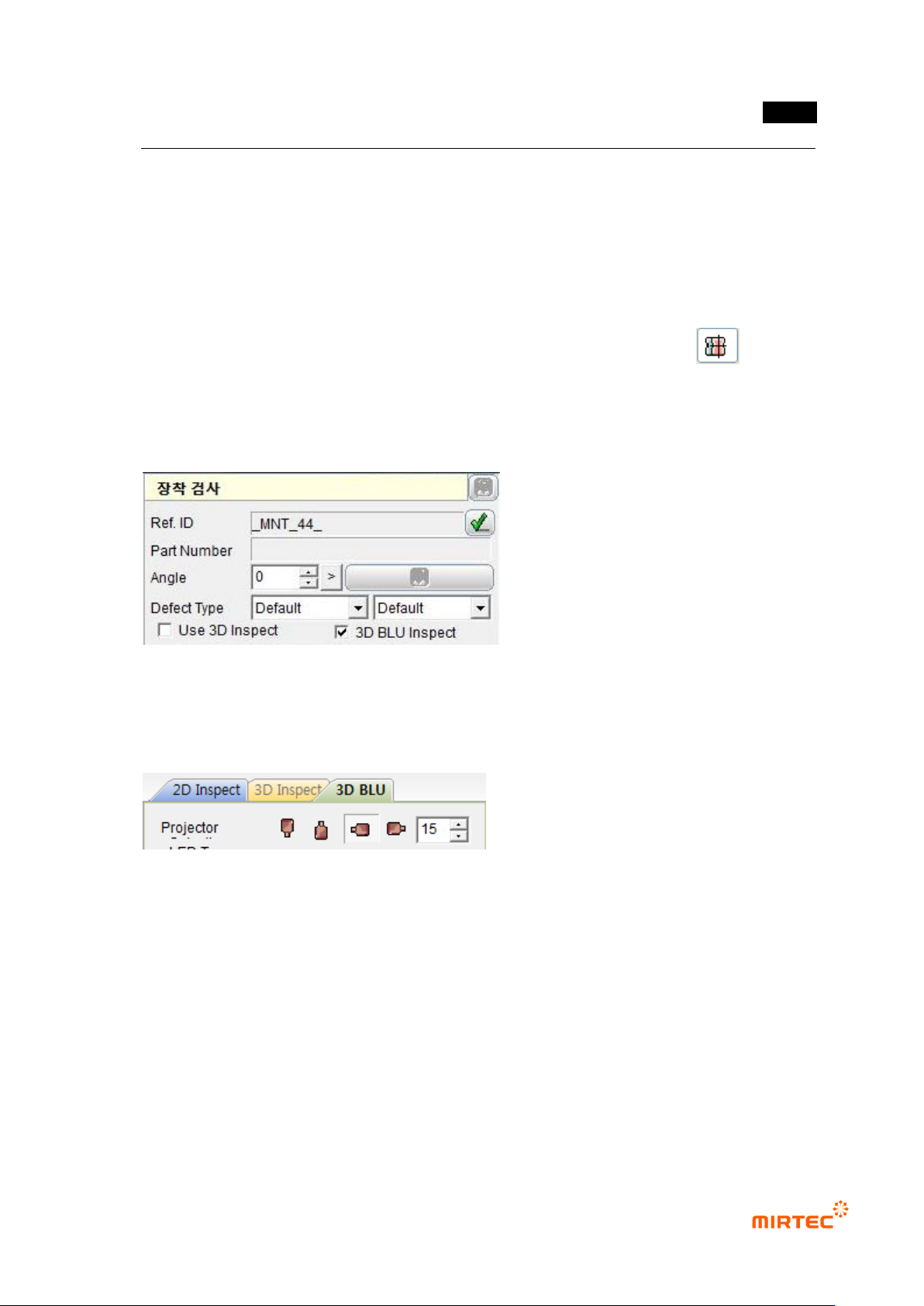
5.9.2 Selection of “3D BLU Inspect “ Option
Check “3D BLU Inspect” item in the parameters for the mounting inspection window.
5.9.3 Projector Selection
Select the projector used in the inspection.
- In general, two 3D projectors are installed in 7-SB, the BLU inspection equipment..
- It is a basic set value to use only one projector in BLU inspection..
- Reduce the shadow using the reliability.