MV-9_Chapter 5. Teaching.pdf - 第64页
MV -9 Use r Manual 5- 64 5.3.4. Optical character inspection window Optical charac ter i nspect i on window i s used to inspect wrong m ounti ng or non- m ounti ng of com ponen t with character (nu m b er and upper chara…
错误!使用“开始”选项卡将 제목 2 应用于要在此处显示的文字。错误!使用“开始”选项卡将 제목 2 应用
于要在此处显示的文字。 .
5-63
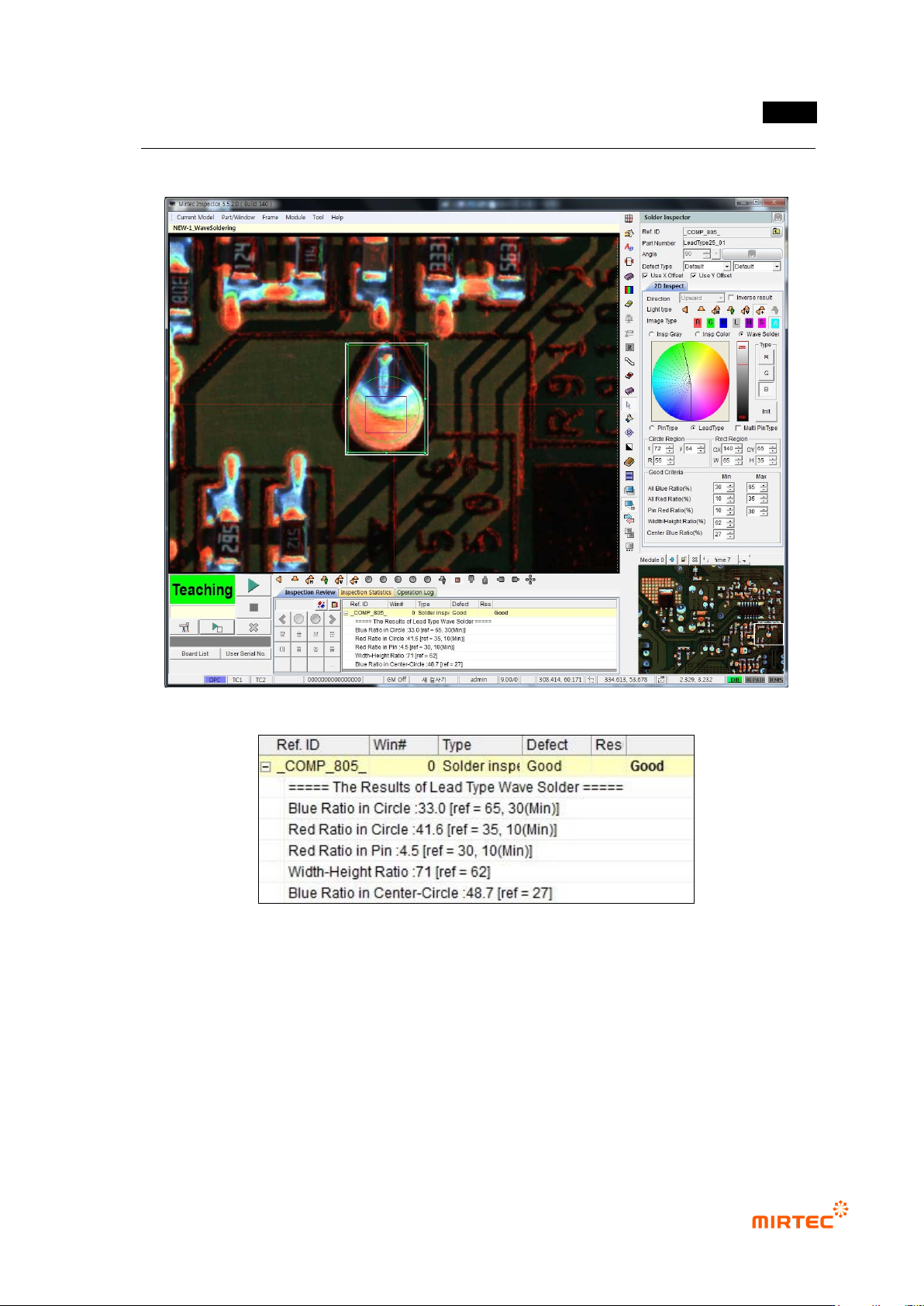
6) Inspection result in status screen
[Figure 5-68 Inspection result in status screen]
MV-9 User Manual
5-64
5.3.4. Optical character inspection window
Optical character inspection window is used to inspect wrong mounting or non-mounting of
component with character (number and upper character of alphabet).
1) Teaching method
① Click <OCR inspection window> button among operating buttons.
② Select light for the inspection to clearly display character on component in light change tap
on the bottom of frame image screen. In general, horizontal light is recommended.
③ Draw inspection window in character part of interesting component. At this point, create
window that has with same size with character string.
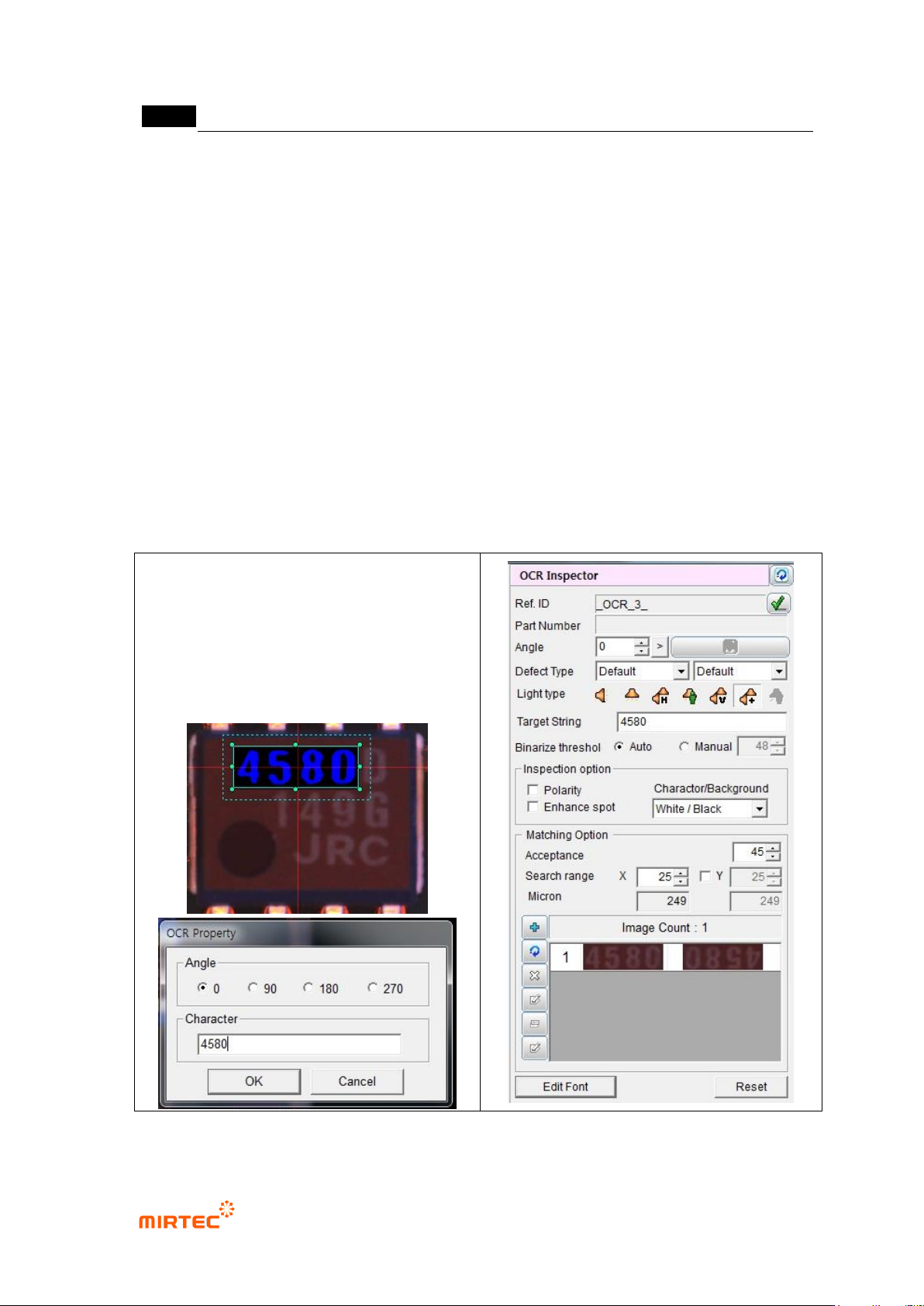
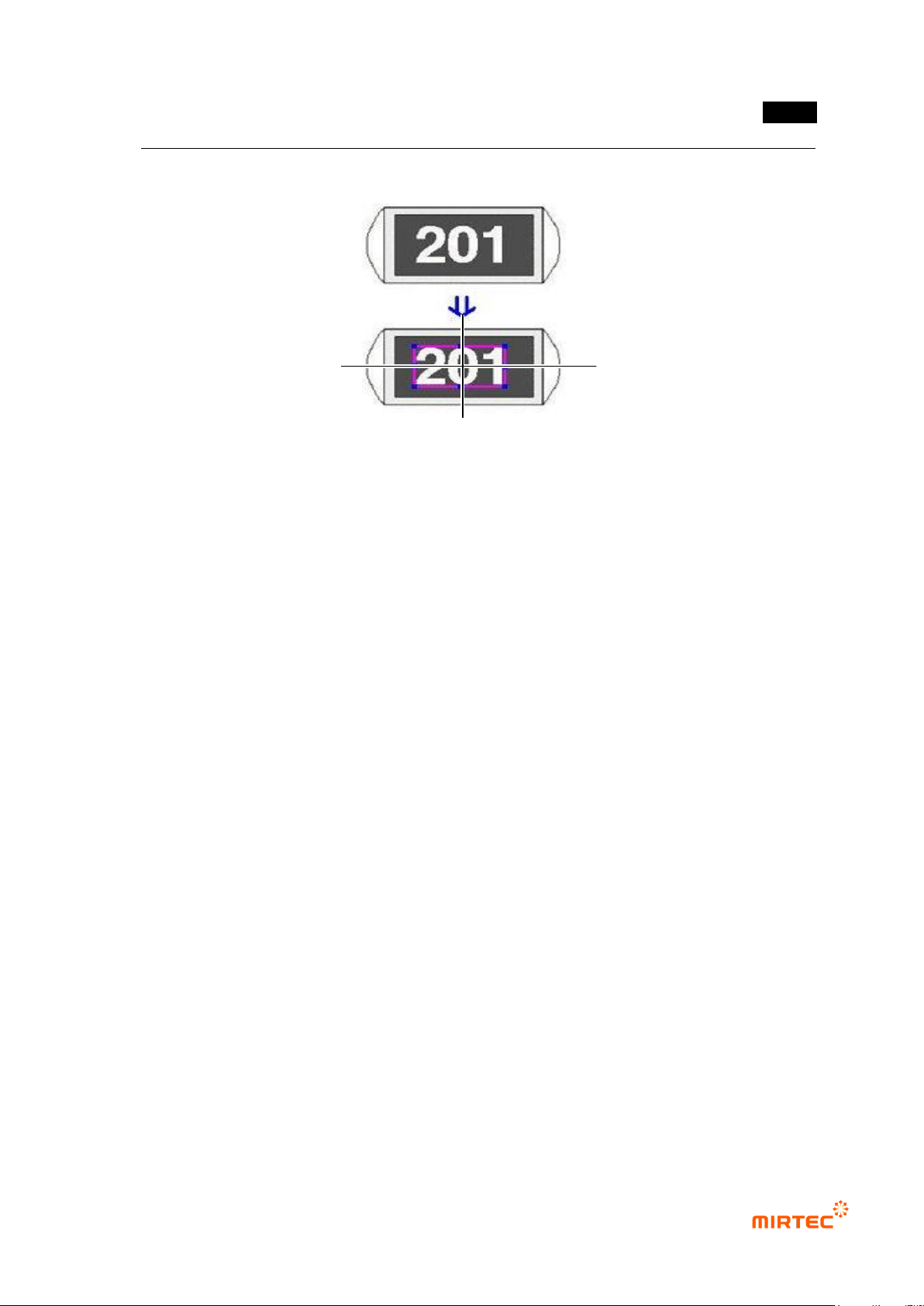
④ Enter character of character string for inspection window and select angle (Based on CCW).
[Figure 5-69 Character string and angle setting in optical character inspection window]
错误!使用“开始”选项卡将 제목 2 应用于要在此处显示的文字。错误!使用“开始”选项卡将 제목 2 应用
于要在此处显示的文字。 .
5-65
2) Teaching example of representative component
[Figure 5-70 Teaching example in optical character inspection window]
3) Parameter of optical character inspection window
Reference name
- Refer to „reference name (page5-21)‟ in „5.3.1 mounting inspection window‟ excepting
shape.
- Created in „_OCR_0_‟ format. „OCR‟ means Optical Character Recognition and number
means creation order of optical character inspection window.
Component name
- Refer to „component name (page5-21)‟ in '5.3.1 mounting inspection window‟.
Rotation angle
- Refer to „rotation angle (page5-22)‟ in '5.3.1 mounting inspection window‟.
Defect type
- Refer to „defect type (page)‟ in '5.3.1 mounting inspection window‟
Light type
- Refer to „light type (page5-22)‟ in '5.3.1 mounting inspection window‟.
Target character string
- Comparison character string for optical character inspection. Character string that is
entered during creation of inspection window will be displayed.
Binarization boundary value
- Auto level is used to automatically set binarization value for image binarization.
- Manual level is used to manually set binarization value for image binarization.
0°
90°
180°
360°