MV-9_Chapter 5. Teaching.pdf - 第284页
MV -9 Use r Manual 5- 284 reference position is the red window . 5.10.5 Inspec tion M ode Sett ing Set the inspection m ode. ① Middle V alu e : Inspect i t by using the m i ddle val ue of the m e asured he i ghts and the…
错误!使用“开始”选项卡将 제목 2 应用于要在此处显示的文字。错误!使用“开始”选项卡将 제목 2 应用
于要在此处显示的文字。 .
5-283
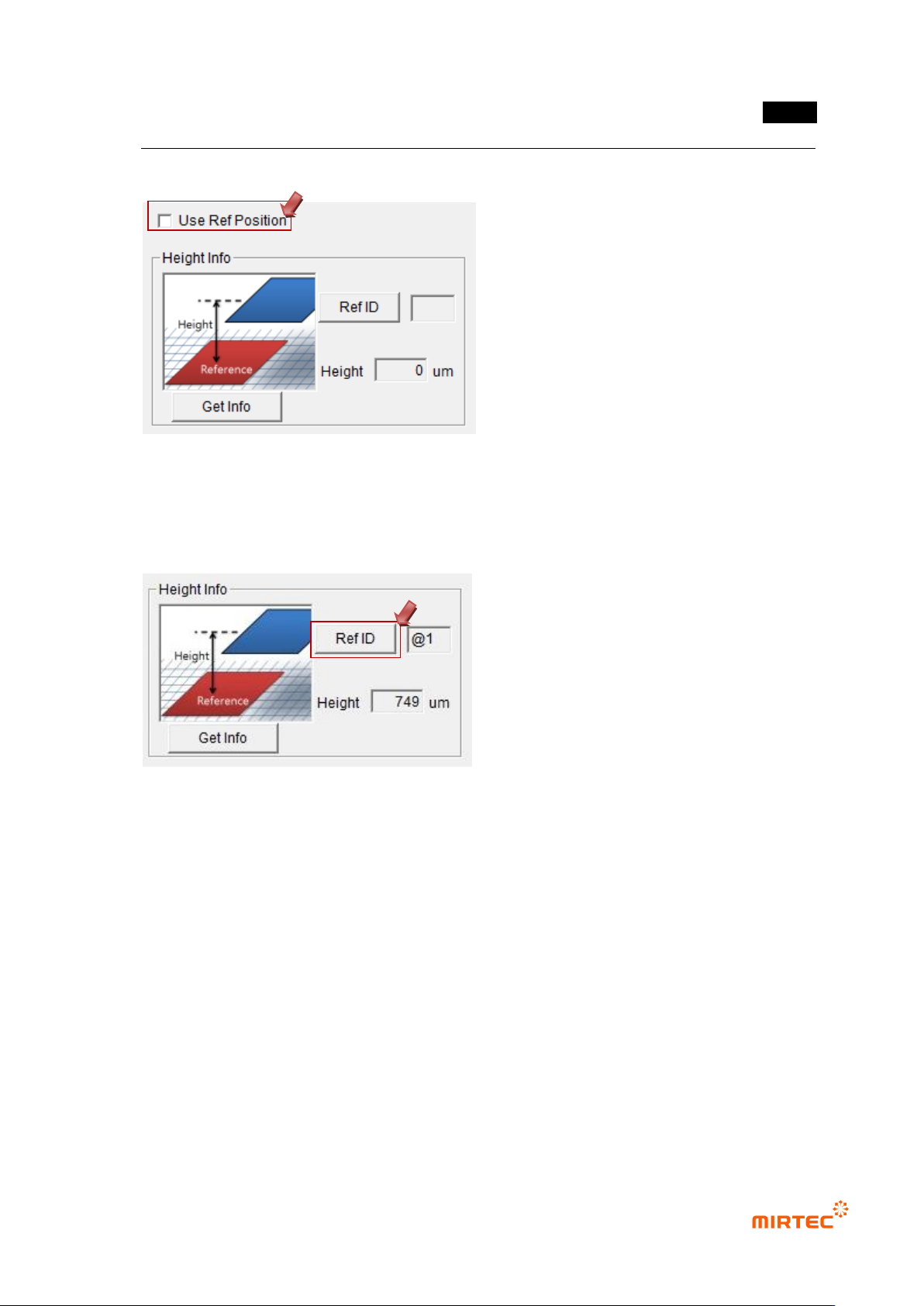
5.10.3 Selection of Reference Position
Select the reference position window and select “Reference Position” on the parameter
window..
5.10.4 Designation of Reference Position
① Select the height inspection window and the reference position window, and tie them
into one part.
② Select the tied part and enter „Edit‟ mode.
③ Select the height inspection window and click “Reference ID” on the parameter
window.
④ Click the reference position window and designate the reference position. .
⑤ The ID of the window designated next to “Reference ID” is displayed.
Example) The window selected in the figure below is the height inspection window and the
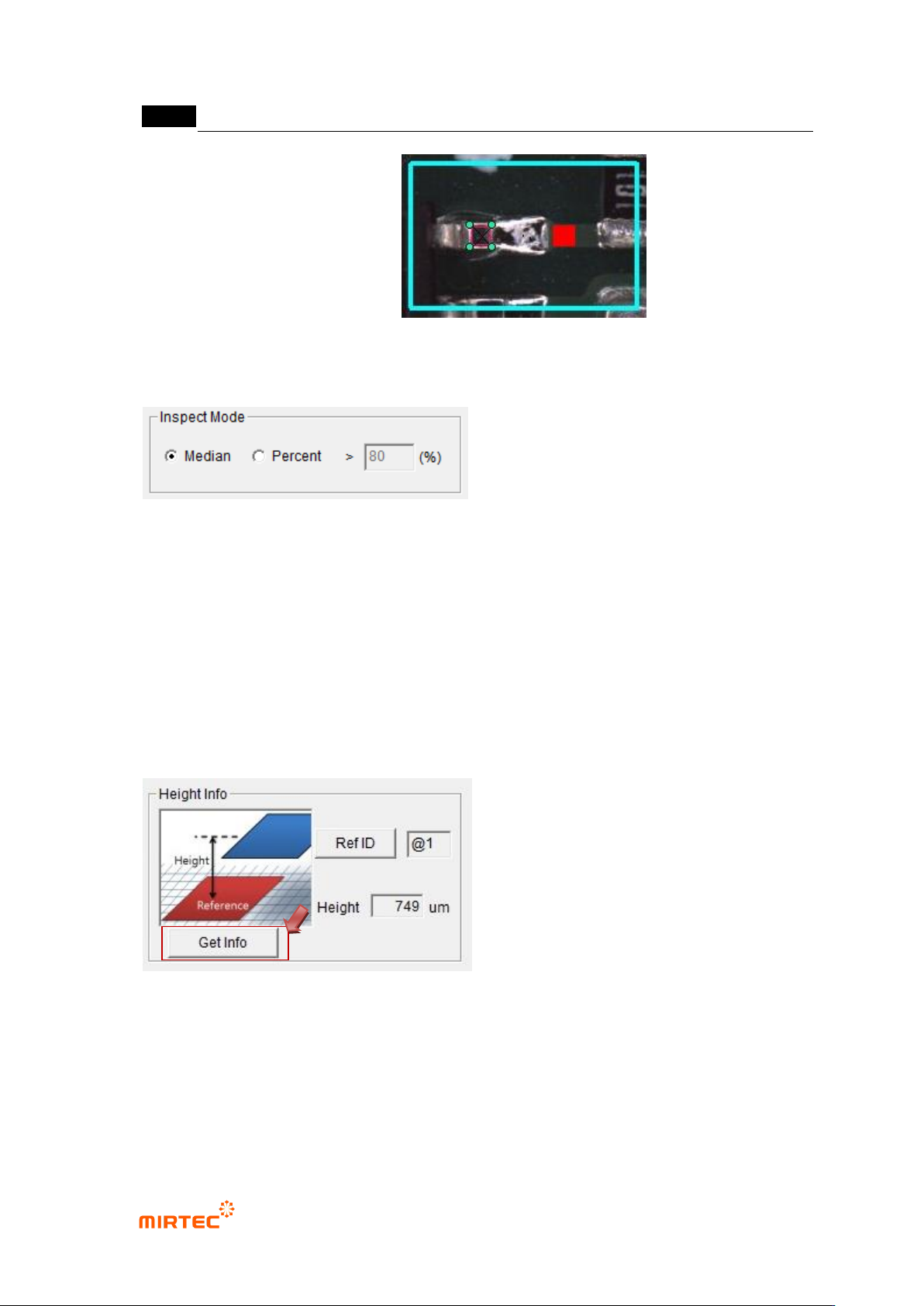
MV-9 User Manual
5-284
reference position is the red window.
5.10.5 Inspection Mode Setting
Set the inspection mode.
① Middle Value: Inspect it by using the middle value of the measured heights and the
inspection standards.
② Percentage: Inspect it by using the ratio of the heights satisfying the inspection
standards.
- Conduct the ratio-based inspection with the data satisfying the minimum and maximum
heights.
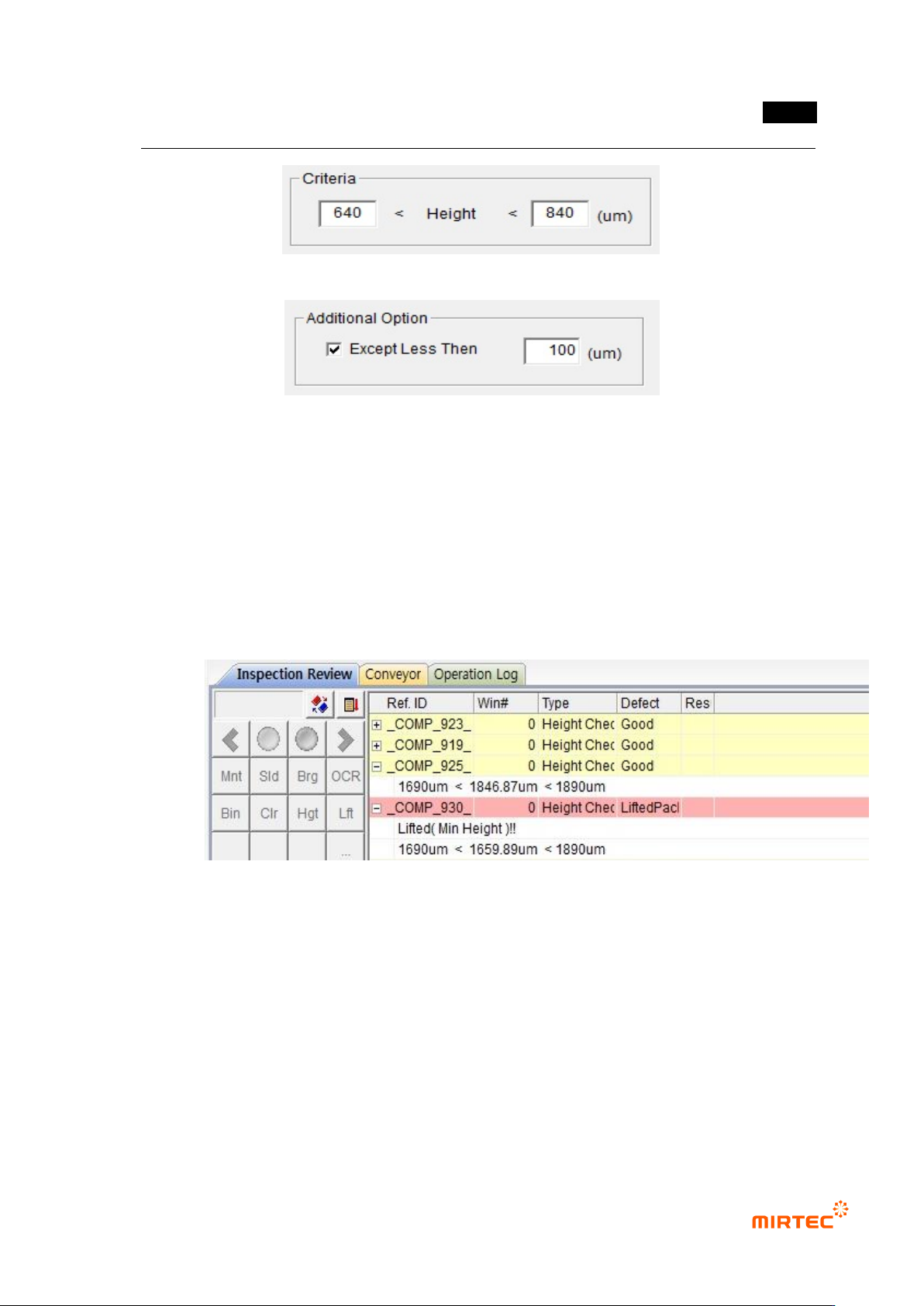
5.10.6 Criteria Setting
① Click “Measure”
- Measure and display the height.
② Inspection Standard Setting
- Set the reference value of the minimum and maximum heights in reference to the
measured heights.
错误!使用“开始”选项卡将 제목 2 应用于要在此处显示的文字。错误!使用“开始”选项卡将 제목 2 应用
于要在此处显示的文字。 .
5-285
Setting of Additional Options
+
- They are activated during the inspection of middle values.
- During the height measurement, exclude the heights lower than the designated height.
5.10.7 Inspection Results
① Results for Middle Value Mode
- The inspection results of the height are displayed in the form of “Minimum Height <
Inspection Result Height < Maximum Height”.
- In case of detecting the poor quality, „Lifted Package‟ is displayed..
② Results for Percent Mode
- The inspection results of the height are displayed in the form of “Reference Value <
Current Percentage”.
- In case of detecting the poor quality, „Lifted Package‟ is displayed.