MV-9_Chapter 5. Teaching.pdf - 第149页
错误 ! 使用“开始” 选项卡将 제목 2 应用于要在此处显示的文字。 错误 ! 使用“开始”选项卡将 제목 2 应用 于要在此处显示的 文字。 . 5- 149 Col o r is RGB color of the current inspection ta rget . Color difference is RGB color difference betw een reference model and inspectio…
MV-9 User Manual
5-148
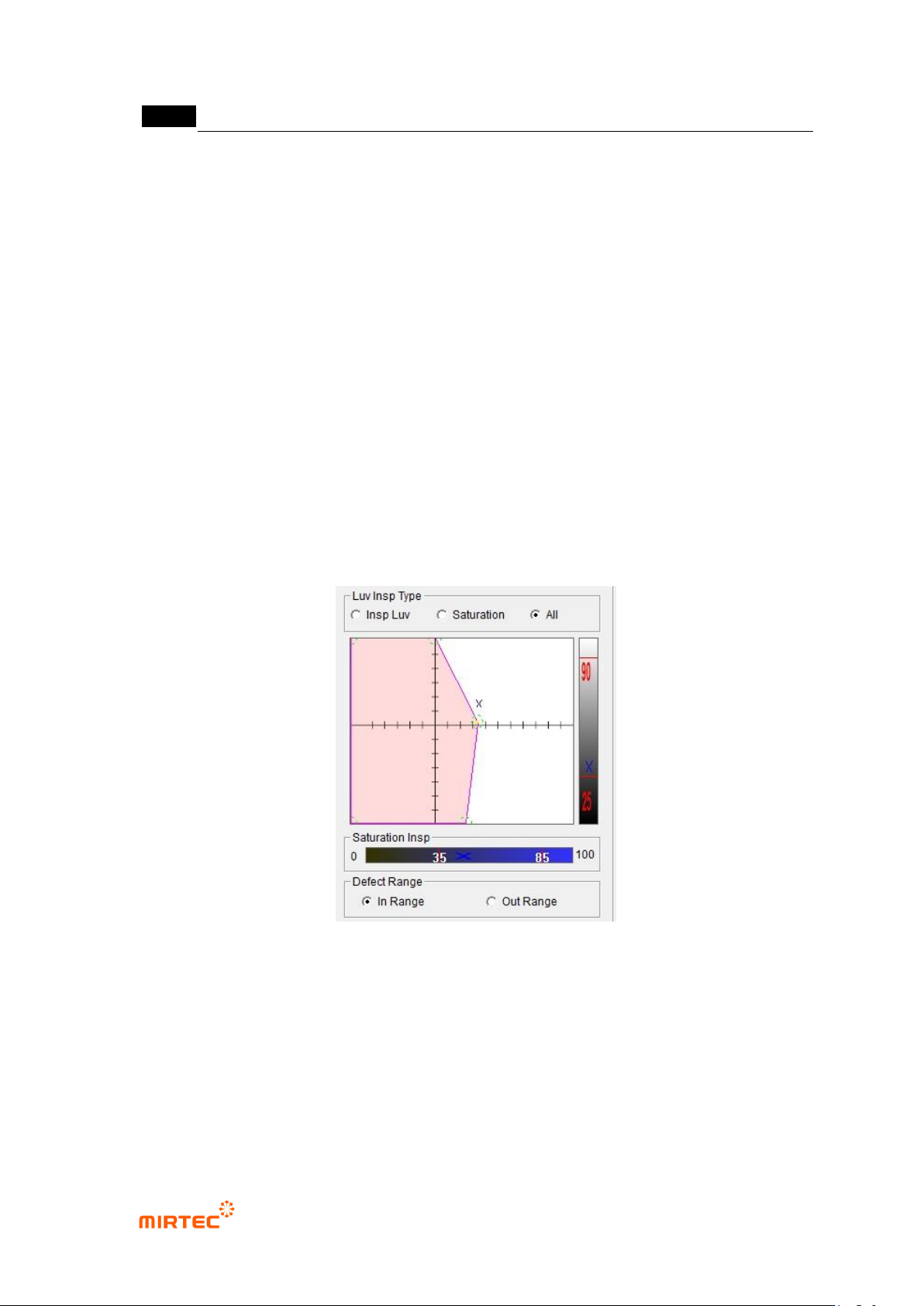
Inspection algorithm and normal range
- Luv
Conduct for inspection for uv value and L.
Normal range can be changed by changing position of polygonal apex on
coordinate plane, and normal range (min-max) of luminance bar can be designated.
- Saturation:
This is to conduct saturation inspection.
Normal range (min-max) can be designated in saturation bar. Coordinate plane and
luminance bar can‟t be modified.
- Total inspection
This is to conduct both of Luv inspection and saturation inspection.
All of coordinate plane, luminance bar and saturation bar can be set.
[Figure 5-177 parameter of LUV color inspection window]
7) Inspection result in status screen
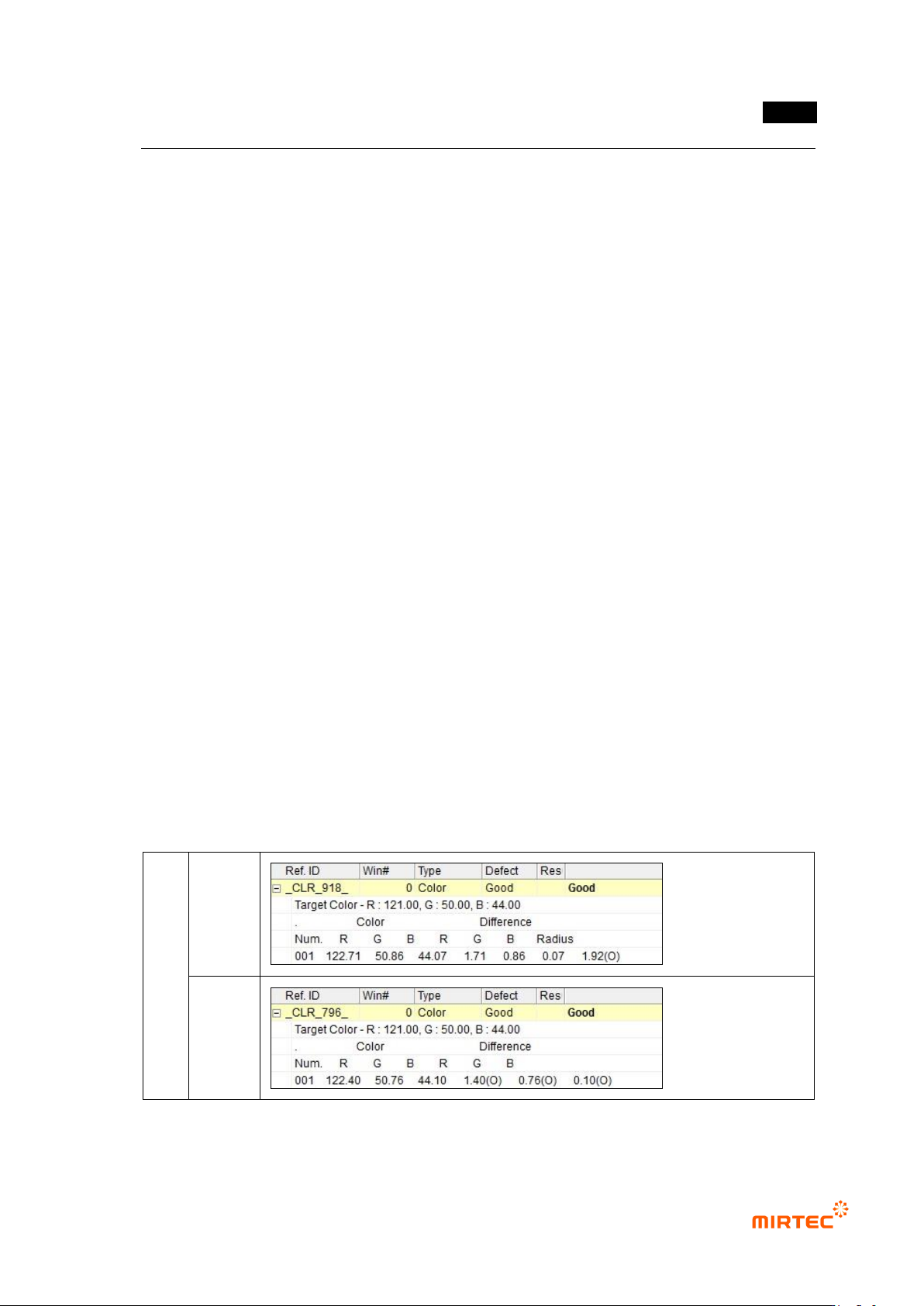
RGB color inspection result
- Inspection color: RGB value of reference model.
- Color and color difference
错误!使用“开始”选项卡将 제목 2 应用于要在此处显示的文字。错误!使用“开始”选项卡将 제목 2 应用
于要在此处显示的文字。 .
5-149
Color is RGB color of the current inspection target. Color difference is RGB color
difference between reference model and inspection target.
If each value of RGB color in inspection area is within normal range, judge as good.
- Distance
Distance is displayed when sphere is selected for normal range, and distance
between color of reference model and color of the current inspection target. This
will be excluded for cubic type selection.
If distance value of color of inspection area is within normal range, judge as good.
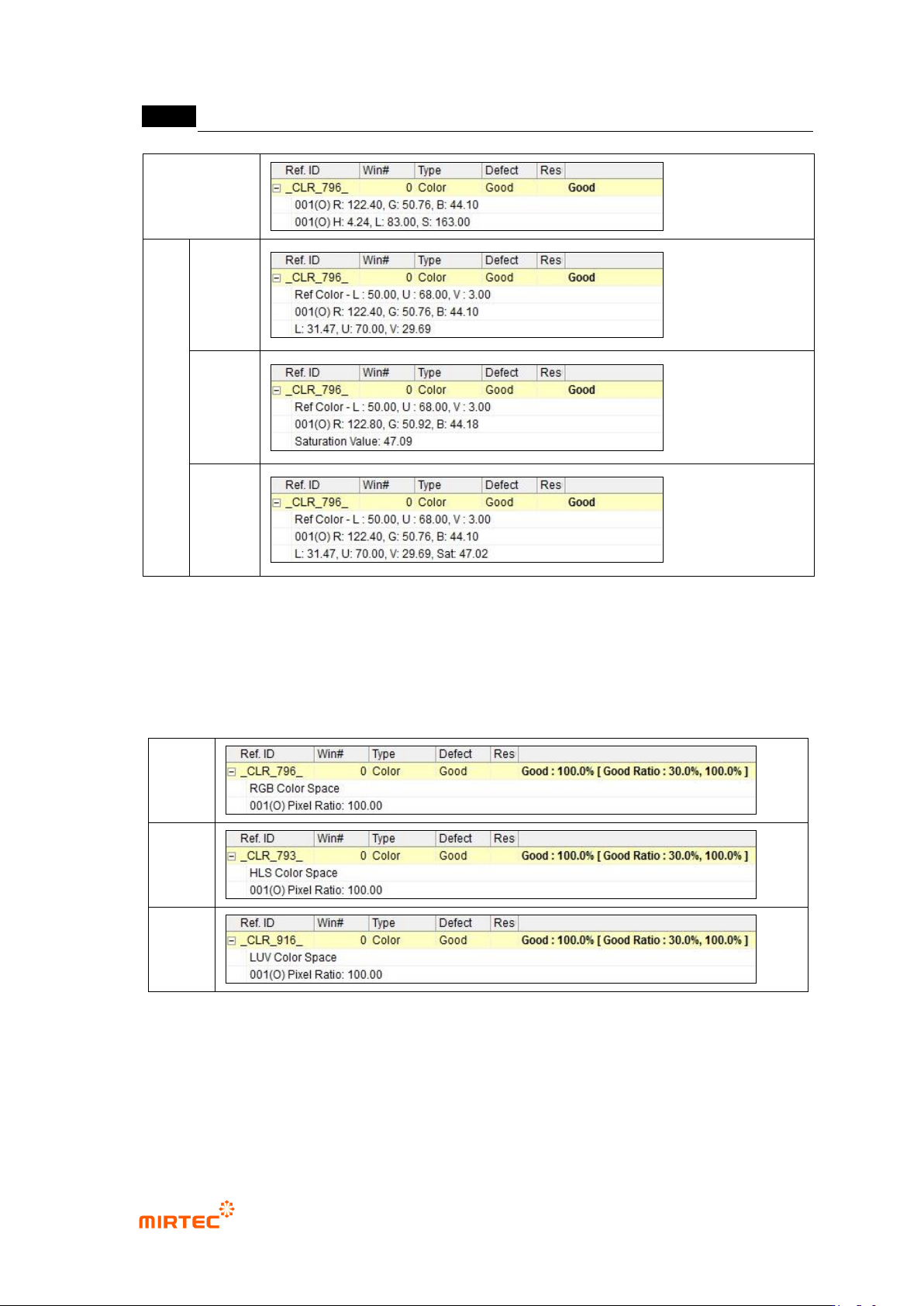
HSV color inspection result
- RGB value and HSV value of the current inspection target will be displayed.
- If color and luminance of inspection area is within normal range, judge as good.
LUV color inspection result
- Reference color: LUV value of reference model.
- Luv
RGB value and LUV value of the current inspection target.
If both of uv value and L value are within normal range, judge as good.
- Saturation
RGB value and Saturation Value of the current inspection target.
If saturation value is within normal range (min-max), judge as good.
- Total inspection
RGB value, LUV value and saturation value of the current inspection target.
If any of Luv inspection result and saturation inspection result is normal, final
inspection result will be judged as normal. In other words, if 2 inspections are all
defects, final inspection result will be judged as defect.
RGB
Sphere
Cubic
type
MV-9 User Manual
5-150
HSV
LUV
Luv
saturation
total
inspection
[Figure 5-178 Color inspection window – color inspection result]
Pixel ratio inspection result
- Color Space: display selected color coordinator.
- Display pixel ratio in inspection area. If pixel ratio is above entered criteria, judge as good.
RGB
HSV
Luv
[Figure 5-179 Color inspection window – pixel ratio inspection result]
Grid inspection result
- Color inspection or pixel ratio inspection result will be equally displayed according to the
selected color coordinator, and result will be displayed as many as the number of grid.
- If ratio number of normal grid to total number of grid is above reference value, judge as
good.