MV-9_Chapter 5. Teaching.pdf - 第232页
MV -9 Use r Manual 5- 232 7) Current model related function [Figure 5- 303 current model menu] This is used t o edit i nf ormation like light luminance value or NG marking use of currently op ene d PCB m odel or change P…
错误!使用“开始”选项卡将 제목 2 应用于要在此处显示的文字。错误!使用“开始”选项卡将 제목 2 应用
于要在此处显示的文字。 .
5-231
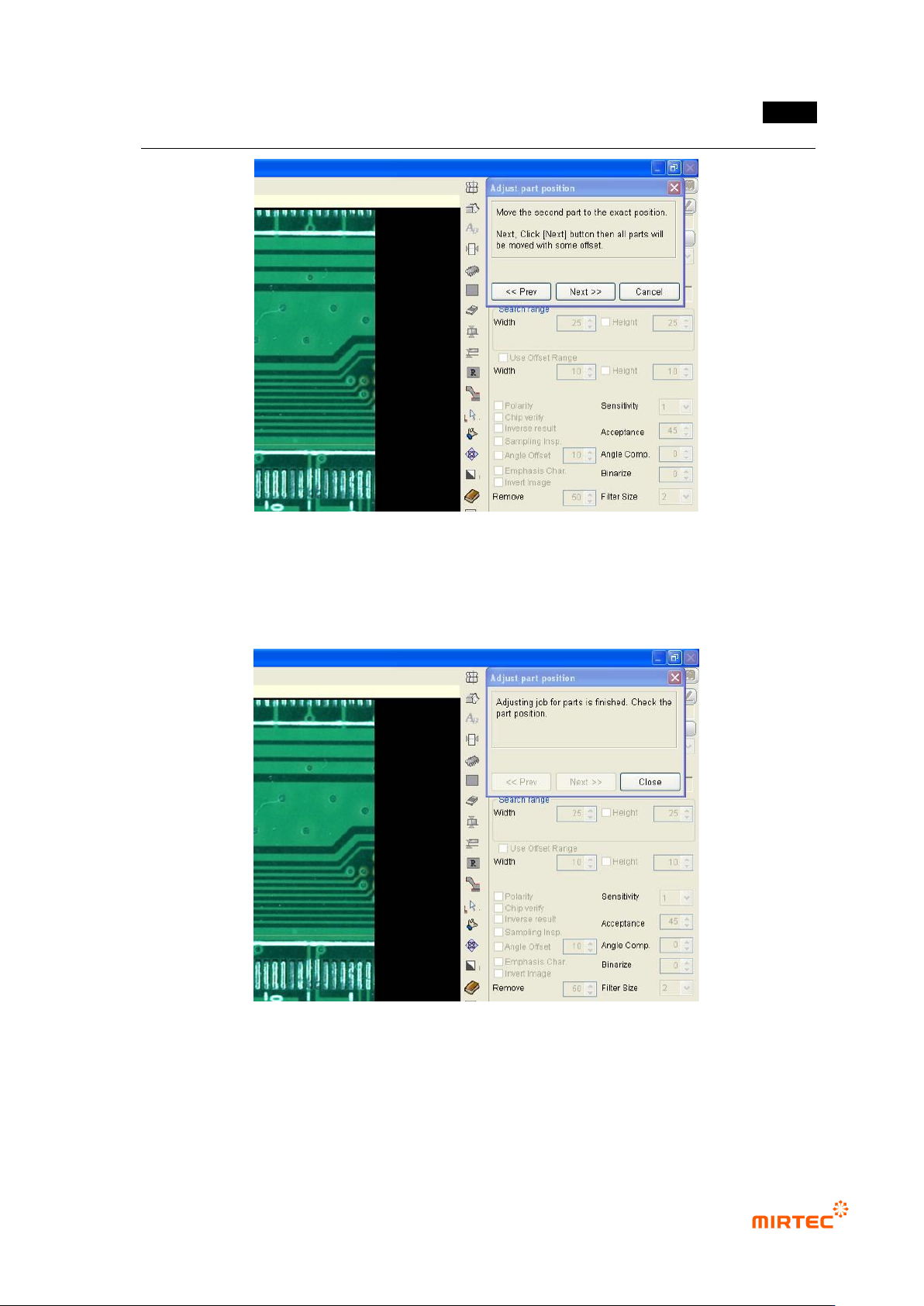
[Figure 5-301 Module coordinate compensation stage 3 - move to position twisted window
component position]
④ Compensation value is internally calculated and the position of all inspection windows in
module will be compensated. Click <Close> button in „component position compensation‟
screen to finish module coordinate compensation.
[Figure 5-302 Completing module coordinate compensation]
Component position re-adjustment
Component position re-adjustment function is to re-adjust component position in each frame
using pattern matching method when component position in the currently selected module is
gradually twisted.
MV-9 User Manual
5-232
7) Current model related function
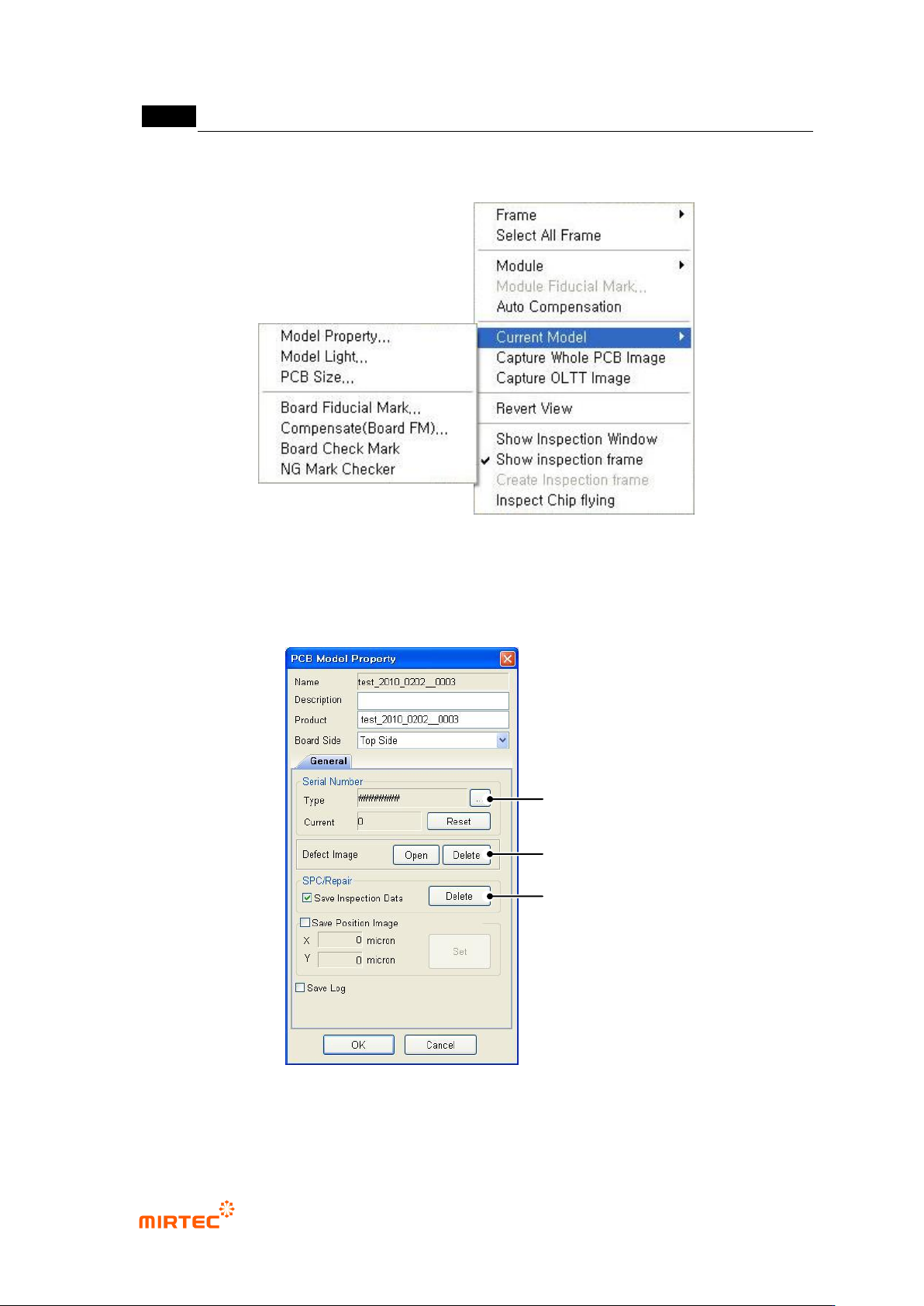
[Figure 5-303 current model menu]
This is used to edit information like light luminance value or NG marking use of currently opened
PCB model or change PCB size.
PCB model information ‘General’ tap
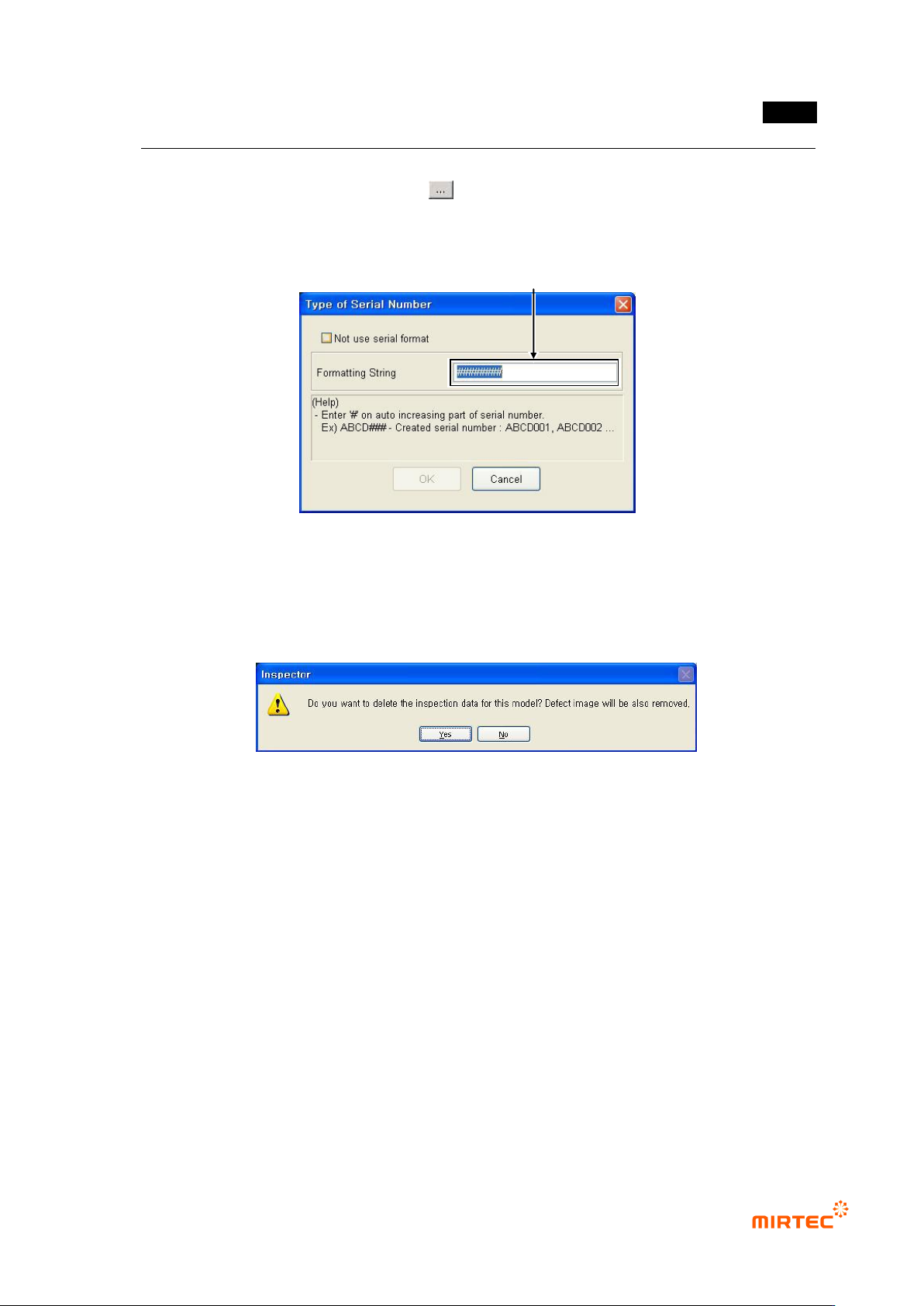
[Figure 5-304 PCB model information-general tap]
Serial No
Serial
Number
SPC & Repair
Improper Image
Folder
错误!使用“开始”选项卡将 제목 2 应用于要在此处显示的文字。错误!使用“开始”选项卡将 제목 2 应用
于要在此处显示的文字。 .
5-233
This is used to change format of serial No used during inspection and to re-set serial No.
To change serial No format, click < > button.
Change format character in serial No format as shown in the figure below and click <OK>
button.
[Figure 5-305 serial No format setting screen]
Default value
This is used to ignore serial No until now and reset serial No to „0‟. The screen below will
be displayed.
[Figure 5-306 DB data deletion selection]
Click <Yes (Y)> button to delete inspection DB data and defect image inspected so far
and reset serial No to „0‟. Click <No (N)> button not to delete inspection DB data but to
reset serial No to „0‟.
Defect image folder
Click <Open> button to open search screen as defect image save folder position of
current inspection model and to display or delete saved defect image. Click <delete>
button to delete all saved defect images.
SPC & repair
To display statistics data or defect information in SPC and repair program, SPC and repair
related option and „Save inspection result‟ option must be setting at „Config.‟ Click
<delete> button to remove DB data and defect image of all SPC and repair inspection
saved until now.
PCB model information ‘NG marker’ tap
Edit Type of Serial Number to Change.