MV-9_Chapter 5. Teaching.pdf - 第219页
错误 ! 使用“开始” 选项卡将 제목 2 应用于要在此处显示的文字。 错误 ! 使用“开始”选项卡将 제목 2 应用 于要在此处显示的 文字。 . 5- 219 - Result Ce nter Po i nt (X, Y): display di st ance from re ference point to Center of LED package in um uni t. - Result O ffset (X, Y): d…
MV-9 User Manual
5-218
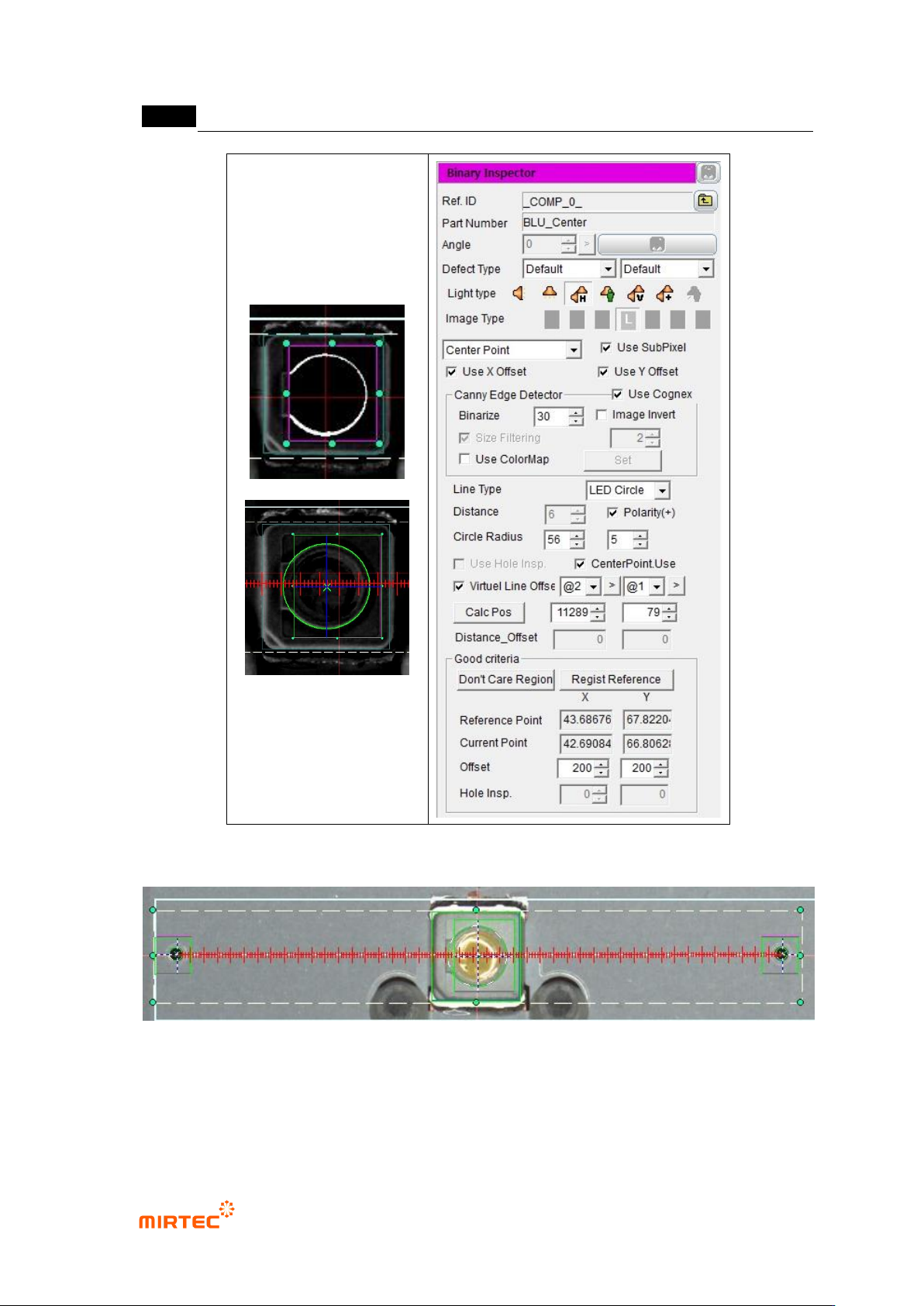
[Figure 5-277 binary inspection-component center search inspection setting and preview image]
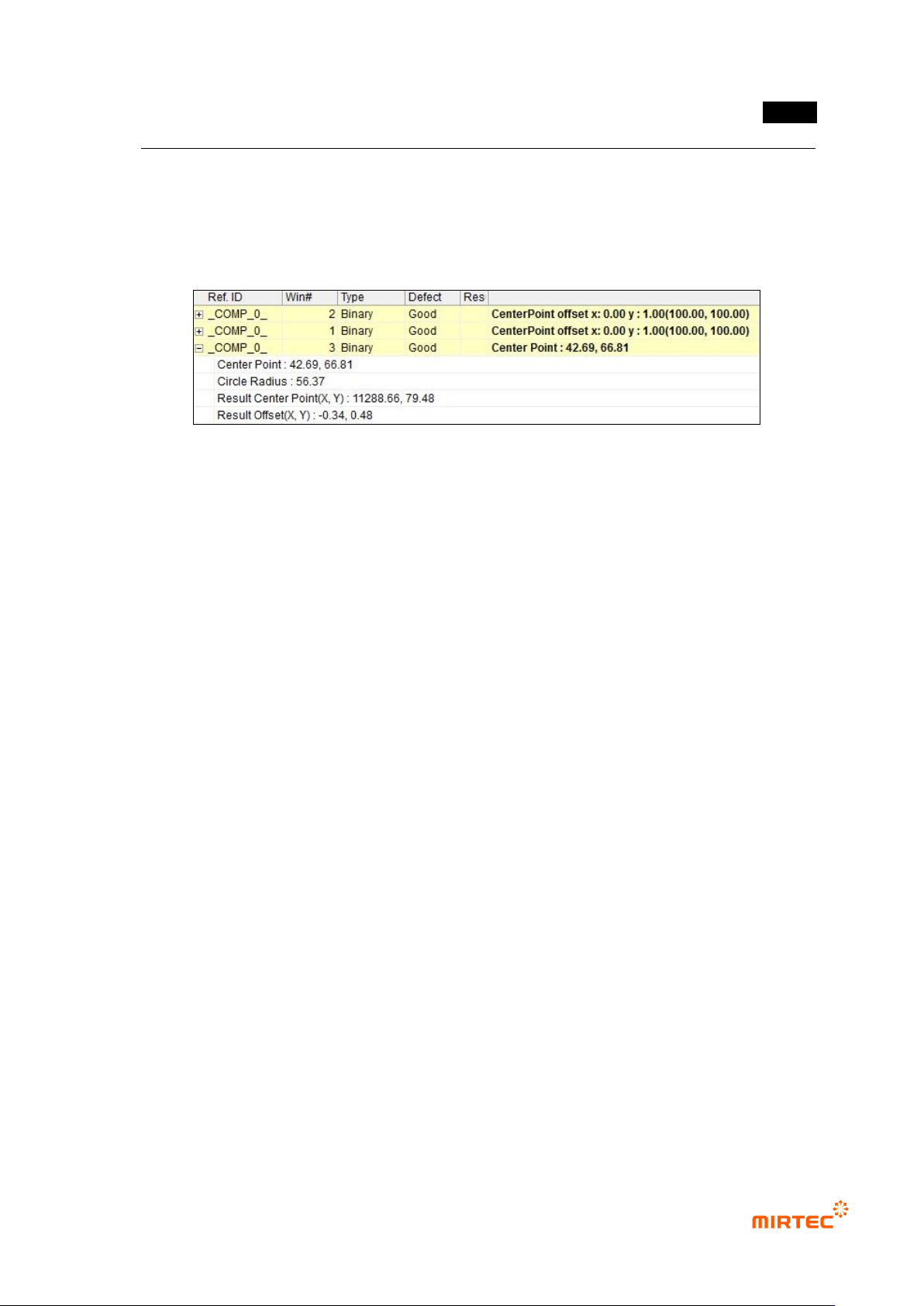
[Figure 5-278 center of binary inspection-component search result image]
- Center Point: position of hole center in inspection window.
- Circle Radius: radius of detected circle.
错误!使用“开始”选项卡将 제목 2 应用于要在此处显示的文字。错误!使用“开始”选项卡将 제목 2 应用
于要在此处显示的文字。 .
5-219
- Result Center Point (X, Y): display distance from reference point to Center of LED package
in um unit.
- Result Offset (X, Y): display difference value between position calculation value (reference
value) and Result Center Point in um unit.
[Figure 5-279 center of binary inspection-component search result]
MV-9 User Manual
5-220
5.5 Additional teaching function
5.5.1 Functions in whole PCB image screen
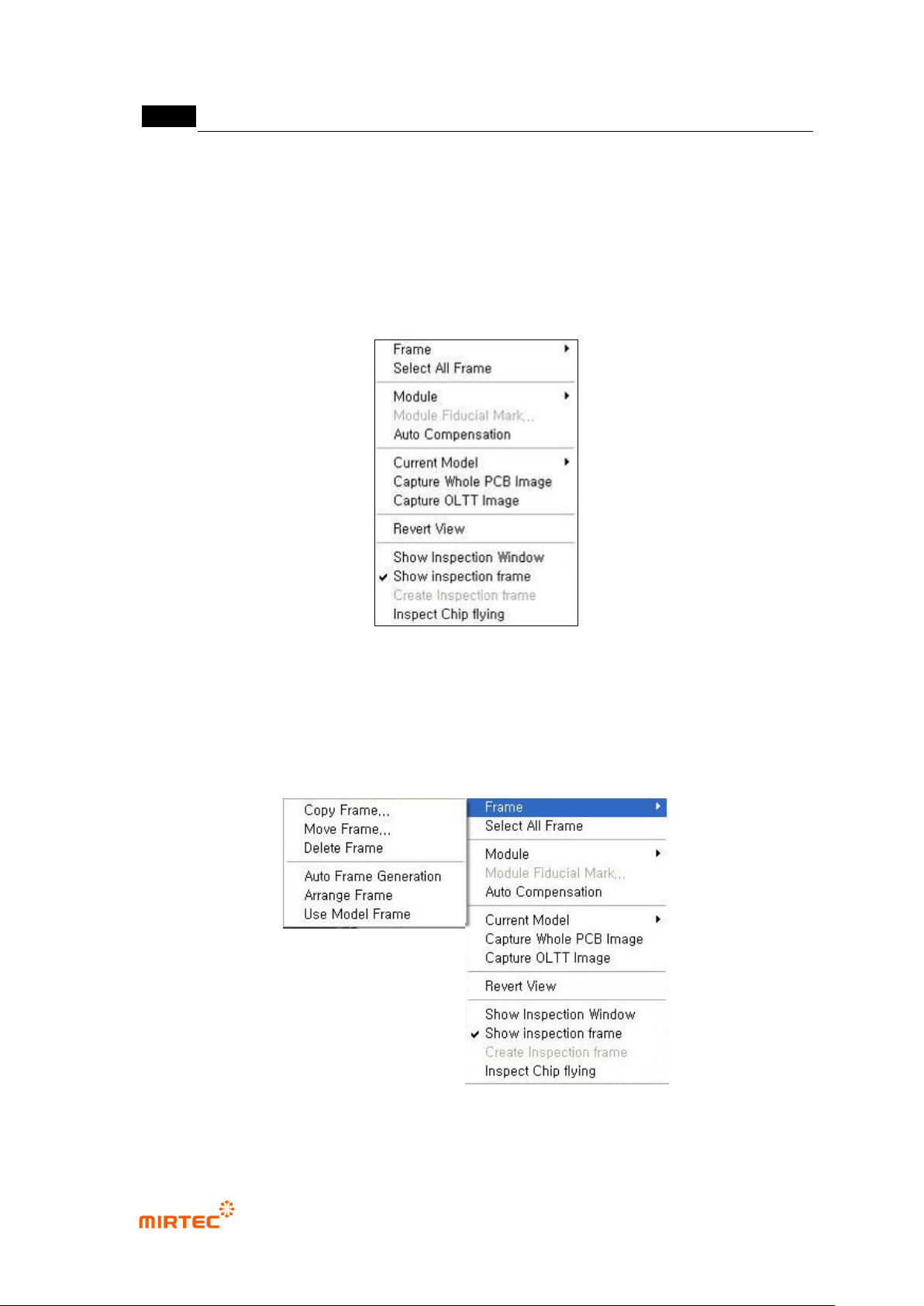
In this chapter we describe about popup menu displayed by clicking right button of the mouse
that can be used in whole image screen.
[Figure 5-280 frame related function menu_1]
5) Frame related functions
This is about the functions like create, copy and move of frame in PCB model that completed
teaching. Clear normal frame image is achieved by imaging every time of frame change.
[Figure 5-281 Frame related function menu_2]