MV-9_Chapter 5. Teaching.pdf - 第71页
错误 ! 使用“开始” 选项卡将 제목 2 应用于要在此处显示的文字。 错误 ! 使用“开始”选项卡将 제목 2 应用 于要在此处显示的 文字。 . 5- 71 [T able 5-5 Binary inspection – stripe width det ecti on type] Detection type Description Widt h dete ction type Measure width of whi te …
MV-9 User Manual
5-70
3) Stripe width inspection
- This algorithm is to measure area width and to inspect component shift.
① Teaching method
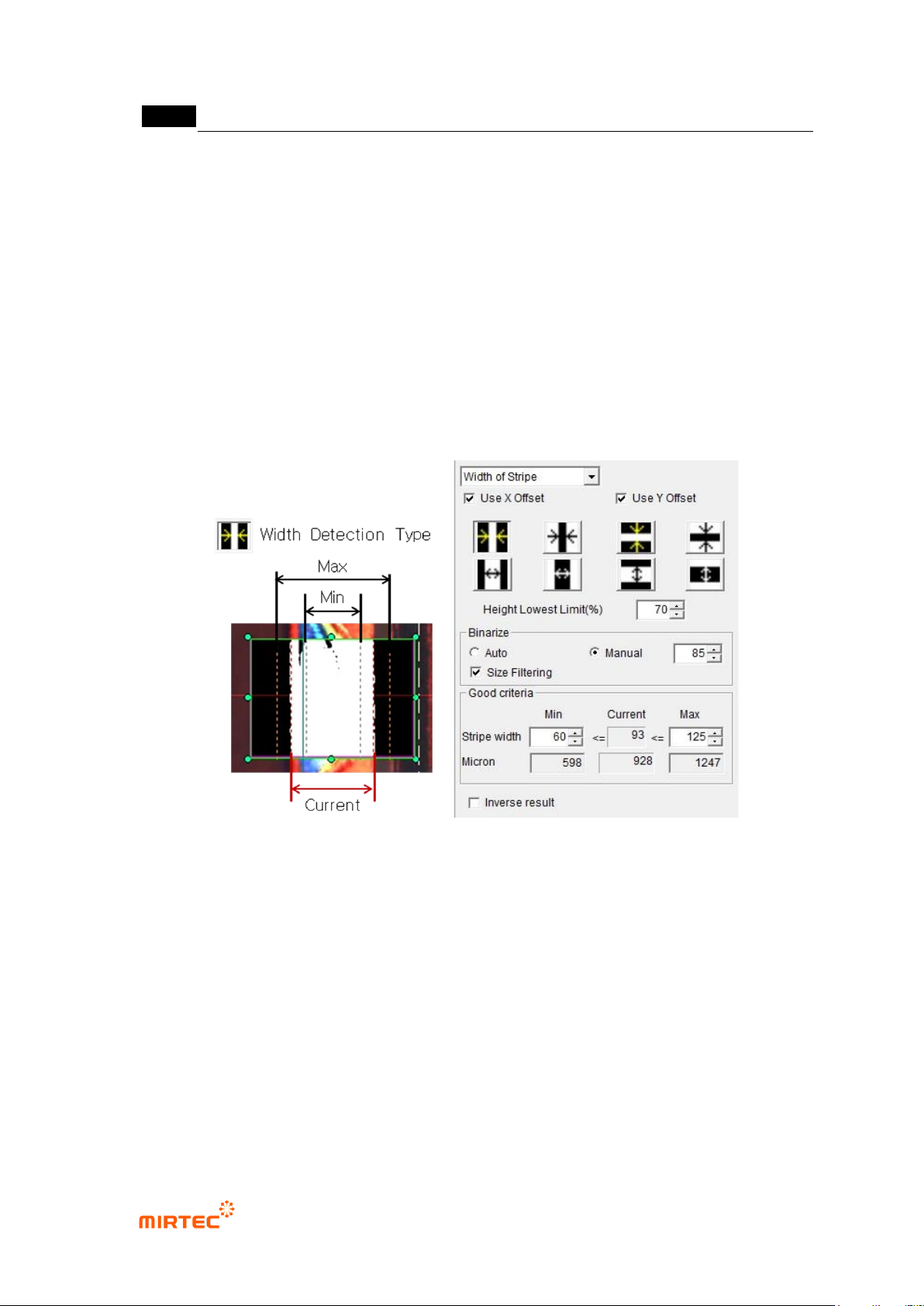
(a) Draw binary inspection window in inspection area and select stripe width for inspection
type.
(b) Select detection type.
(c) Enter lowest height limit.
(d) Set binarization method and binarization value checking preview image
(e) Enter normal criteria.
[Figure 5-77 Teaching example of stripe width inspection window]
错误!使用“开始”选项卡将 제목 2 应用于要在此处显示的文字。错误!使用“开始”选项卡将 제목 2 应用
于要在此处显示的文字。 .
5-71
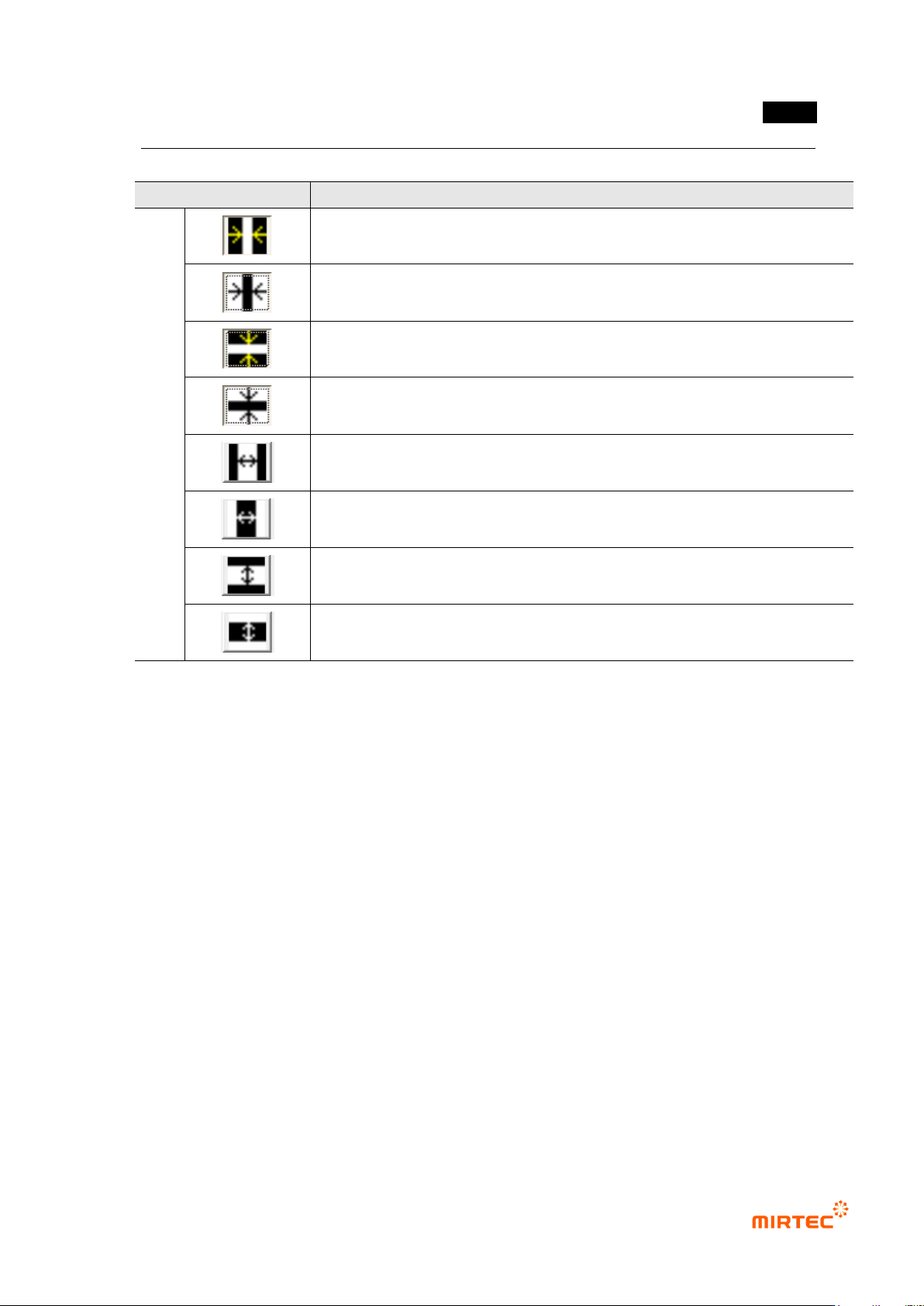
[Table 5-5 Binary inspection – stripe width detection type]
Detection type
Description
Widt
h
dete
ction
type
Measure width of white height direction stripe on black background from
outside to inside.
Measure width of black height direction stripe on white background from
outside to inside.
Measure height of white width direction stripe on black background from
outside to inside.
Measure height of black width direction stripe on white background from
outside to inside.
Measure width of white height direction stripe on black background from
outside to inside.
Measure width of black height direction stripe on white background from
outside to inside.
Measure height of white width direction stripe on black background from
outside to inside.
Measure height of black width direction stripe on white background from
outside to inside.
② Parameter description
Width detection type
Select detection type of same shape referring to preview image.
Arrow direction is a direction to search edge.
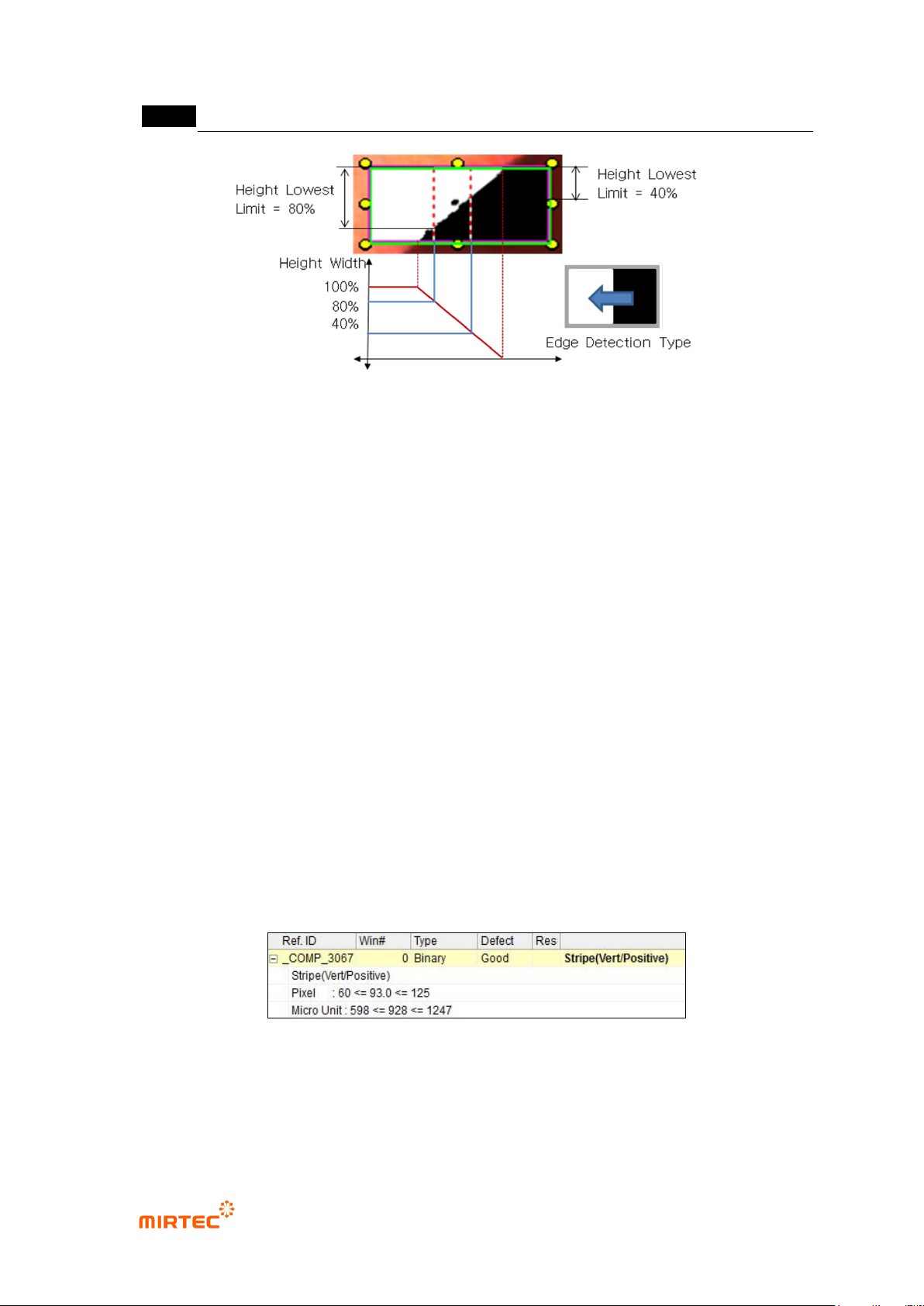
Lowest height limit (%)
- Lowest height limit is a setting to judge as edge. Select the first position that is larger
than setting value as edge toward search direction.
- As shown in [Figure 5-67], lowest height limit is defined by ratio of width of white area to
width of position inspection window. If height of inspection area is 100% in [Figure 5-67],
width of white area will gradually reduce from 100%. White area width position relevant to
the value (ratio) set at lowest height limit will be displayed as detected edge.
MV-9 User Manual
5-72
[Figure 5-78 Example of lowest height limit (%)]
Binarization
- Select auto or manual for binarization method.
- If „manual‟ is selected, adjust binarization value to well create edge in preview.
Size filtering
- This function is to apply filtering to remove noise from binarized image.
Normal criteria
- Min: Enter min value of stripe width to judge as good
- Current: Stripe width measured in inspection will be displayed.
- Max: Enter max value of stripe width to judge as good.
③ Inspection result in status screen
- Stripe (Vert/Positive): measurement of stripe width. Edge that finds „Vert‟ is vertical edge.
Positive means to find edge toward white area direction in black area.
- Pixel: stripe width expressed in number of pixel, min-current-max.
- Micro Unit: information displayed when real unit information view is selected in [Config.-
default setting-view], real length relevant to pixel.
[Figure 5-79 inspection result]