MV-9_Chapter 5. Teaching.pdf - 第141页
错误 ! 使用“开始” 选项卡将 제목 2 应用于要在此处显示的文字。 错误 ! 使用“开始”选项卡将 제목 2 应用 于要在此处显示的 文字。 . 5- 141 [Figure 5- 167 pixel ratio inspection result] [Figure 5- 168 IC average ratio insp ect ion result] 5.3.7 Color inspection window - Color i…
MV-9 User Manual
5-140
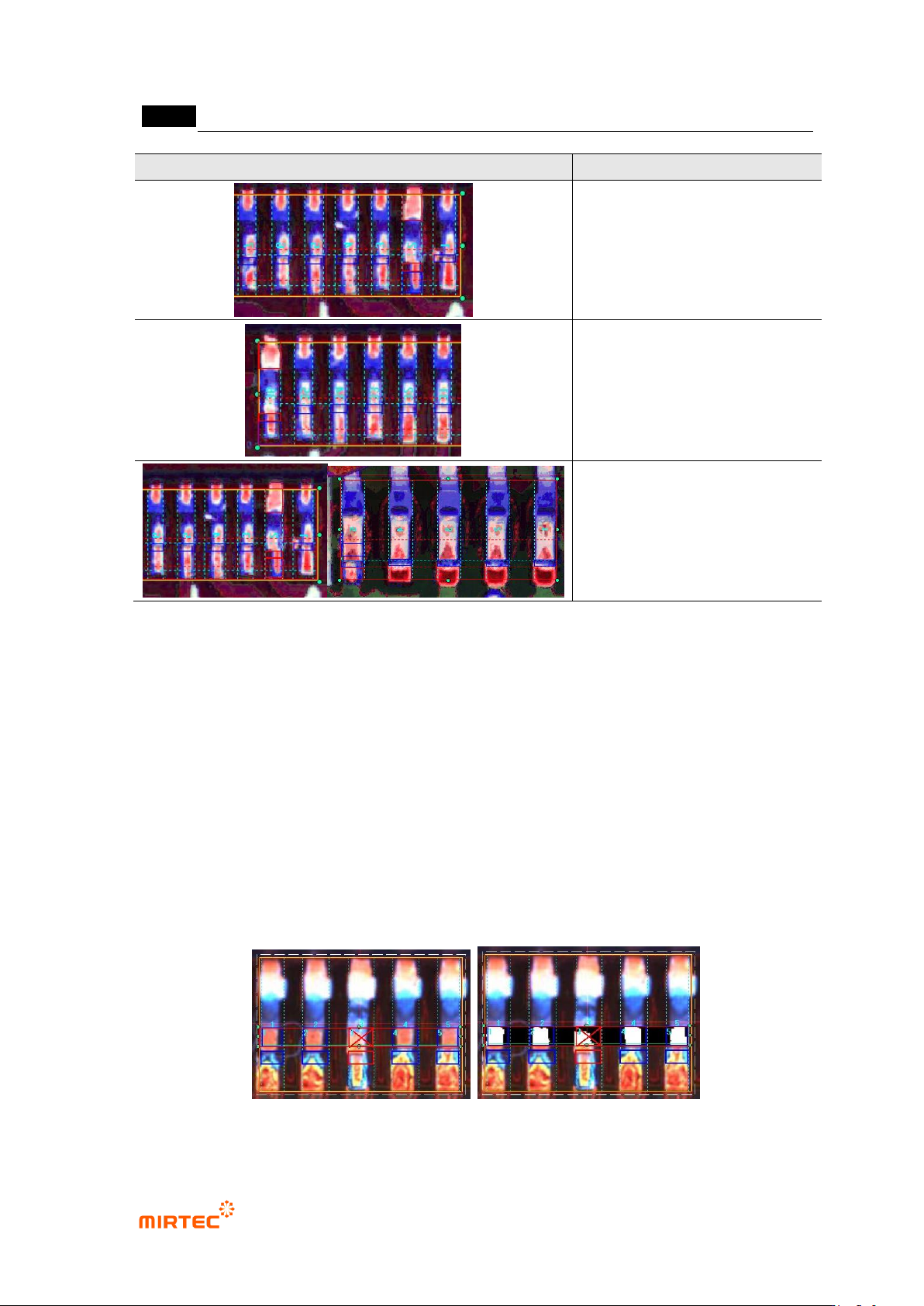
Screen
Description
Defect due to blue pixel ratio of
fillet area and red pixel ratio of
shoulder
Defect due to red pixel ratio of
lead tip distance and shoulder
Defect when red pixel ratio of pad
area is below reference value
IC color result
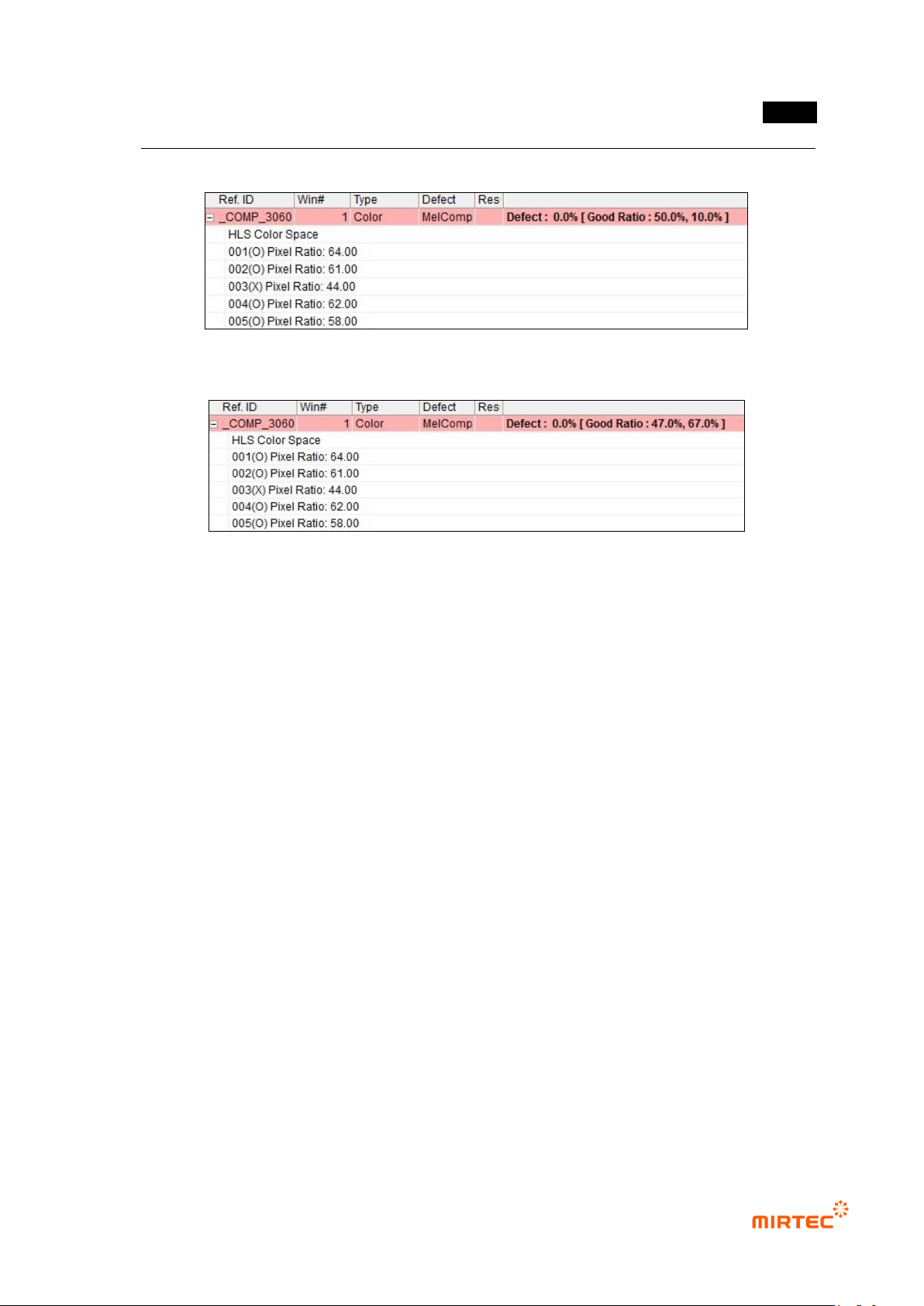
- Pixel ratio inspection
Pixel ratio of color inspection area is displayed in each lead. If it is above normal
ratio, judge as good.
Normal ratio: the first value is value entered in pixel ratio. Min value to judge as
good.
- IC average ratio inspection
Pixel ratio of color inspection area is displayed in each lead. If it is within normal
ratio range, judge as good.
Normal ratio: average value and pixel ratio of lead, calculated by IC average ratio
inspection input value.
[Figure 5-166 Solder amount inspection (advanced inspection) result image and preview image]
错误!使用“开始”选项卡将 제목 2 应用于要在此处显示的文字。错误!使用“开始”选项卡将 제목 2 应用
于要在此处显示的文字。 .
5-141
[Figure 5-167 pixel ratio inspection result]
[Figure 5-168 IC average ratio inspection result]
5.3.7 Color inspection window
- Color inspection window is used to inspect items like non-mounting and/or wrong mounting
of component using difference of color of mounted component.
1) Teaching method
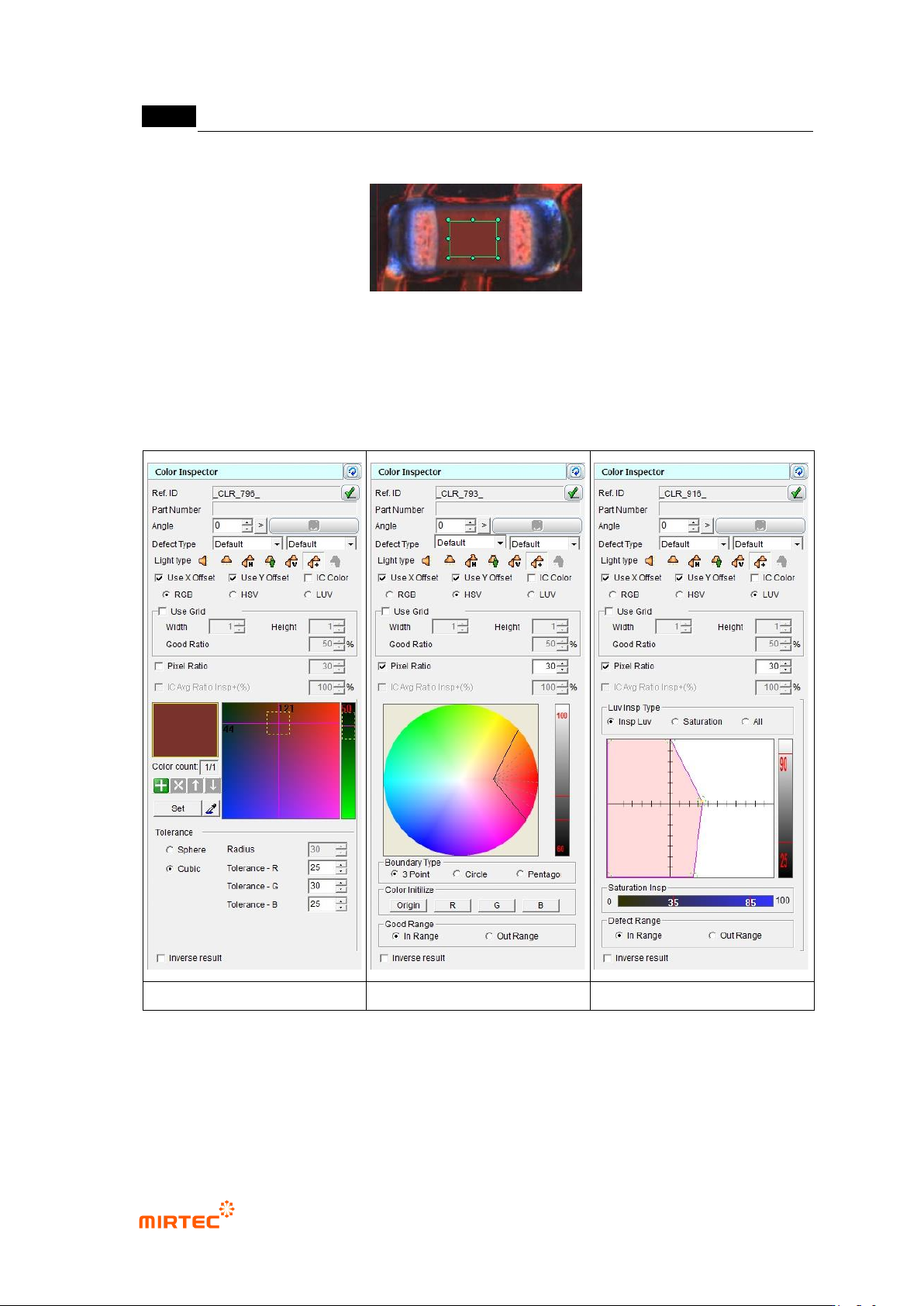
① Click <color inspection window> button among operating buttons and draw inspection
window in inspection target area. position for color in inspection window will be automatically
displayed at color coordinator.
② Horizontal + vertical light will be selected for light type. Position for color in inspection
window will be automatically refreshed at color coordinator.
③ Select whether to conduct X coordinate compensation, Y coordinate compensation.
④ Select one of color coordinators (RGB, HSV, LUV) for color inspection.
⑤ Select whether to conduct grid inspection, and enter number of grid width and height. To use
grid inspection, enter normal ratio for good/defect judgment.
⑥ select whether to conduct pixel ratio inspection not color inspection (ratio of pixel that has
color designated in inspection area, displayed by white pixel when preview is selected.).
⑦ Enter normal range.
⑧ Select whether to judge as good when defect is detected.
MV-9 User Manual
5-142
[Figure 5-169 color inspection window creation screen]
RGB color coordinator
HSV color coordinator
LUV color coordinator
[Figure 5-170 Color inspection parameter according to color coordinator]
2) Teaching example of representative component