MV-9_Chapter 5. Teaching.pdf - 第89页
错误 ! 使用“开始” 选项卡将 제목 2 应用于要在此处显示的文字。 错误 ! 使用“开始”选项卡将 제목 2 应用 于要在此处显示的 文字。 . 5- 89 [Figure 5- 94 T eachin g example of multiple tap i nsp ect ion windo w ] ① Parameter desc ription V ertical ta p inspection - Check at th…
MV-9 User Manual
5-88
7) Multiple tap inspection
- This inspection algorithm is to detect foreign material and solder ball in tap area. Separate
area between tap area and tap from inspection area to inspect foreign material in each
area.
- Conduct teaching not to get off the tap area for inspection window.
a) Teaching method
(a) Draw inspection window in inspection area.
(b) Select preview in operation window, and select „for preview – tap separation‟ in
parameter.
(c) Select light type and image type for tap separation.
(d) Set binarization method and binarization value for tap separation checking preview
image
(e) Set noise removal for tap separation.
(f) Select „for preview – tap inspection‟ in parameter.
(g) Select light type and image type for tap inspection.
(h) Set binarization method and binarization value checking preview image
(i) Set noise removal for tap inspection.
(j) Set tap boundary noise removal.
(k) Enter normal criteria.
错误!使用“开始”选项卡将 제목 2 应用于要在此处显示的文字。错误!使用“开始”选项卡将 제목 2 应用
于要在此处显示的文字。 .
5-89
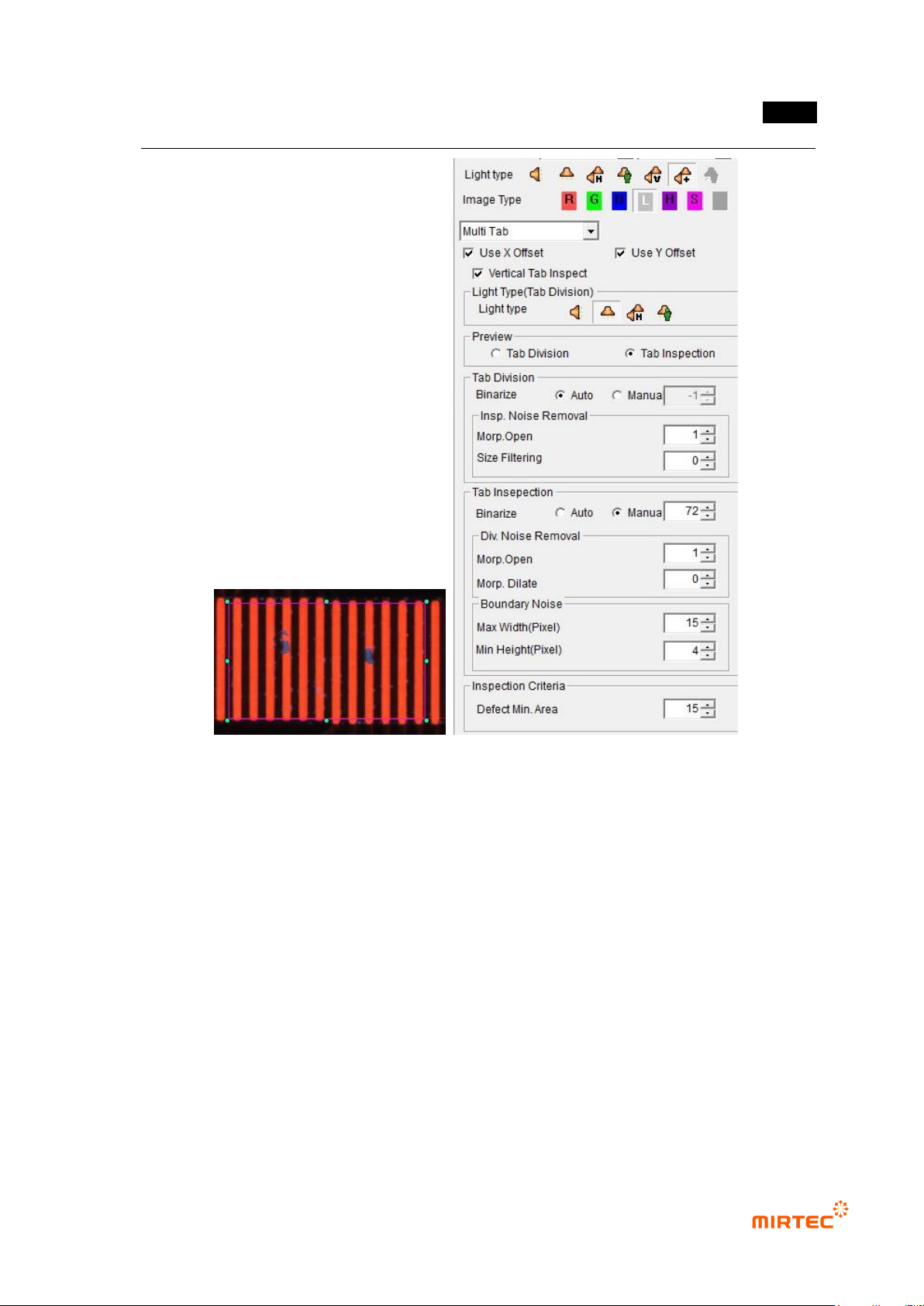
[Figure 5-94 Teaching example of multiple tap inspection window]
① Parameter description
Vertical tap inspection
- Check at this option to inspect tap of vertical direction.
Light for tap separation
- Light used to separate area between tap areas and tap. In general, vertical light is selected.
- Select light type and image type in common parameter for light for tap inspection, and
select horizontal + vertical light and R or L. In case of white light, select horizontal light and
L
Preview
- This is to select preview image type displayed in the screen. There are preview image for
tap separation and preview image for tap inspection.
MV-9 User Manual
5-90
- Preview image for tap inspection displays only the area that will be finally detected as
defect.
Tap separation
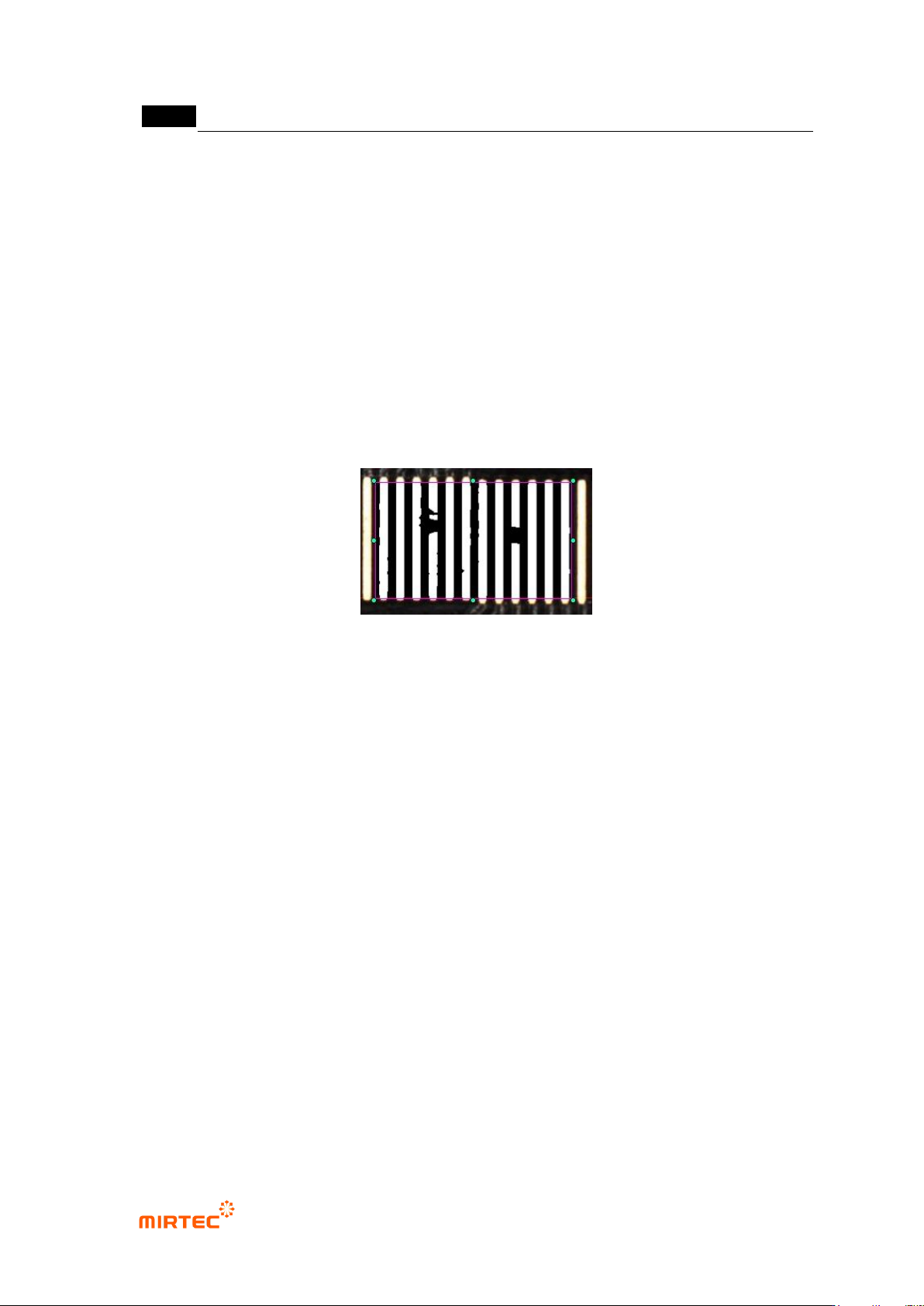
- This parameter is to separate area between tap areas and tap. Select preview for tap
separation, and adjust the parameter.
- Binarization: conduct binarization for image for tap separation, and select auto or manual.
Adjust binarization value for good tap separation.
- Noise removal for tap separation
Open: morphology - function to delete protruded part using open algorithm. Set for
good tap separation by removing noise on tap area. Basically, enter 1.
Size filtering: Enter number of pixel relevant to area of noise desired to be removed
[Figure 5-95 Tap separation preview image]
Tap inspection
- This parameter is to extract defect only for tap inspection. Select preview for tap inspection,
and adjust parameter.
- Binarization: conduct binarization for image for tap inspection, and select auto or manual.
Adjust binarization value for good separation of defect like solder ball and foreign material.
- Noise removal for tap inspection
Open: parameter to remove unnecessary noise. Basically, enter 1. If it is set high,
real defect is removed. Hence, set it low.
Expansion: function to expand white area using morphology-expansion algorithm.
This function is to expand white area that is reduced by opening. In general, set it
to below 2.
By opening and expansion, thin and long noise will be removed and only white area
detected as defect will remain.