MV-9_Chapter 5. Teaching.pdf - 第271页
错误 ! 使用“开始” 选项卡将 제목 2 应用于要在此处显示的文字。 错误 ! 使用“开始”选项卡将 제목 2 应用 于要在此处显示的 文字。 . 5- 271 44 Setting of Marker T ype - Af ter selecting the mounting in sp ection window fo r 3D BLU, sele ct the pa rameter window for Marker Point…
MV-9 User Manual
5-270
39 TurnOver Insp.: Inspect the turnover.
40 DoubleChip Insp.: Inspect the double chip.
41 Slope Compensation
- Conduct the angle compensation for the slope against the floor surface.
5.9.8 How to Use Markers
In case markers are available around LED PKG., set the center for LED PKG. reference using the
markers.
42 Use the previous inspection window.
- Add the window to the marker part by selecting the previous inspection window
( )..
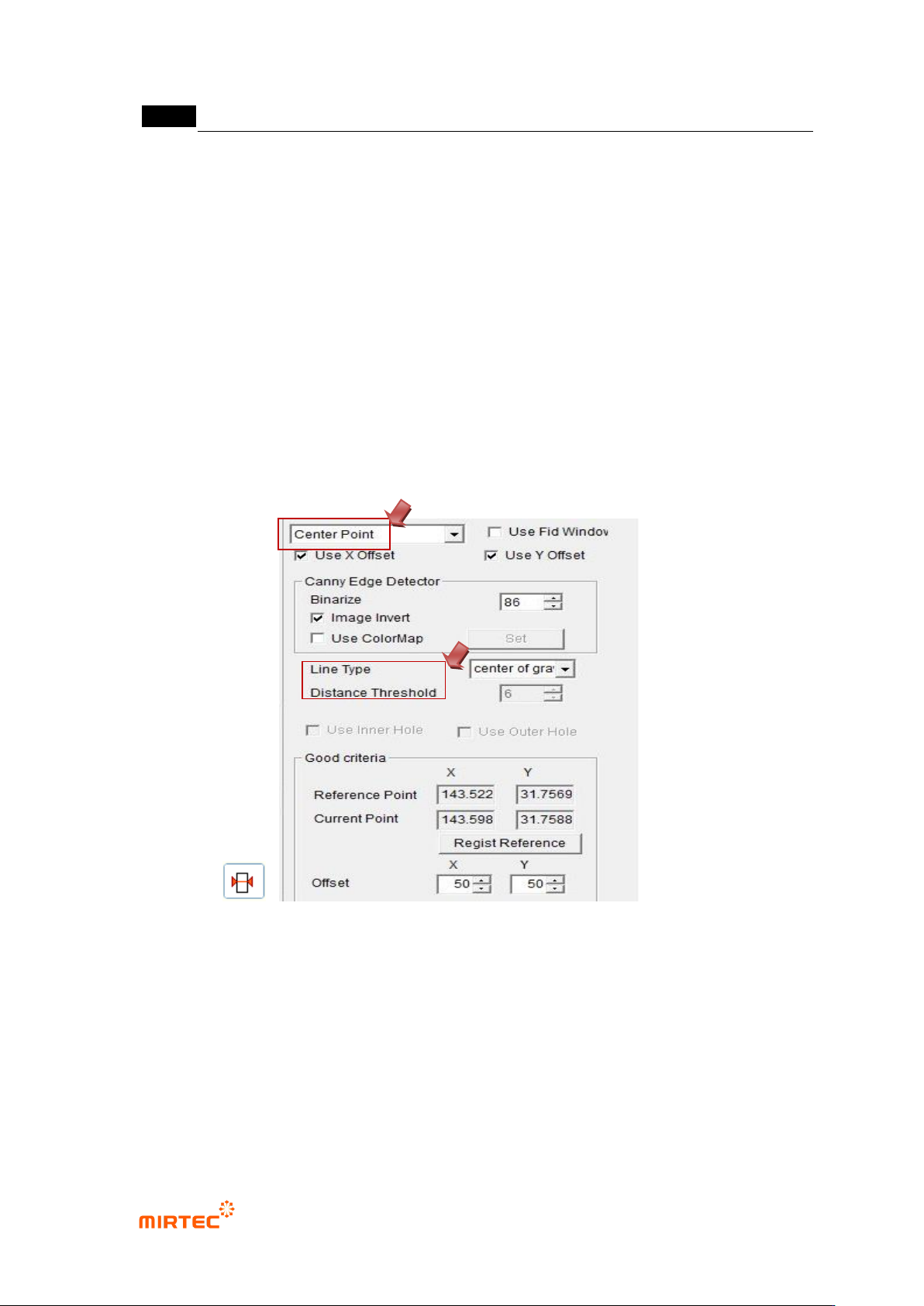
- Select the Center Point Inspection for the inspection type.
- Set the Line Type in accordance with the form of markers.
- Since the objective is to set the Center Point for LED PKG reference, set large values
for Offset X and Offset Y so that they may not cause poor quality. .
43 Tie the mounting inspection window for 3D BLU and the previous inspection window for
markers into one part.
错误!使用“开始”选项卡将 제목 2 应用于要在此处显示的文字。错误!使用“开始”选项卡将 제목 2 应用
于要在此处显示的文字。 .
5-271
44 Setting of Marker Type
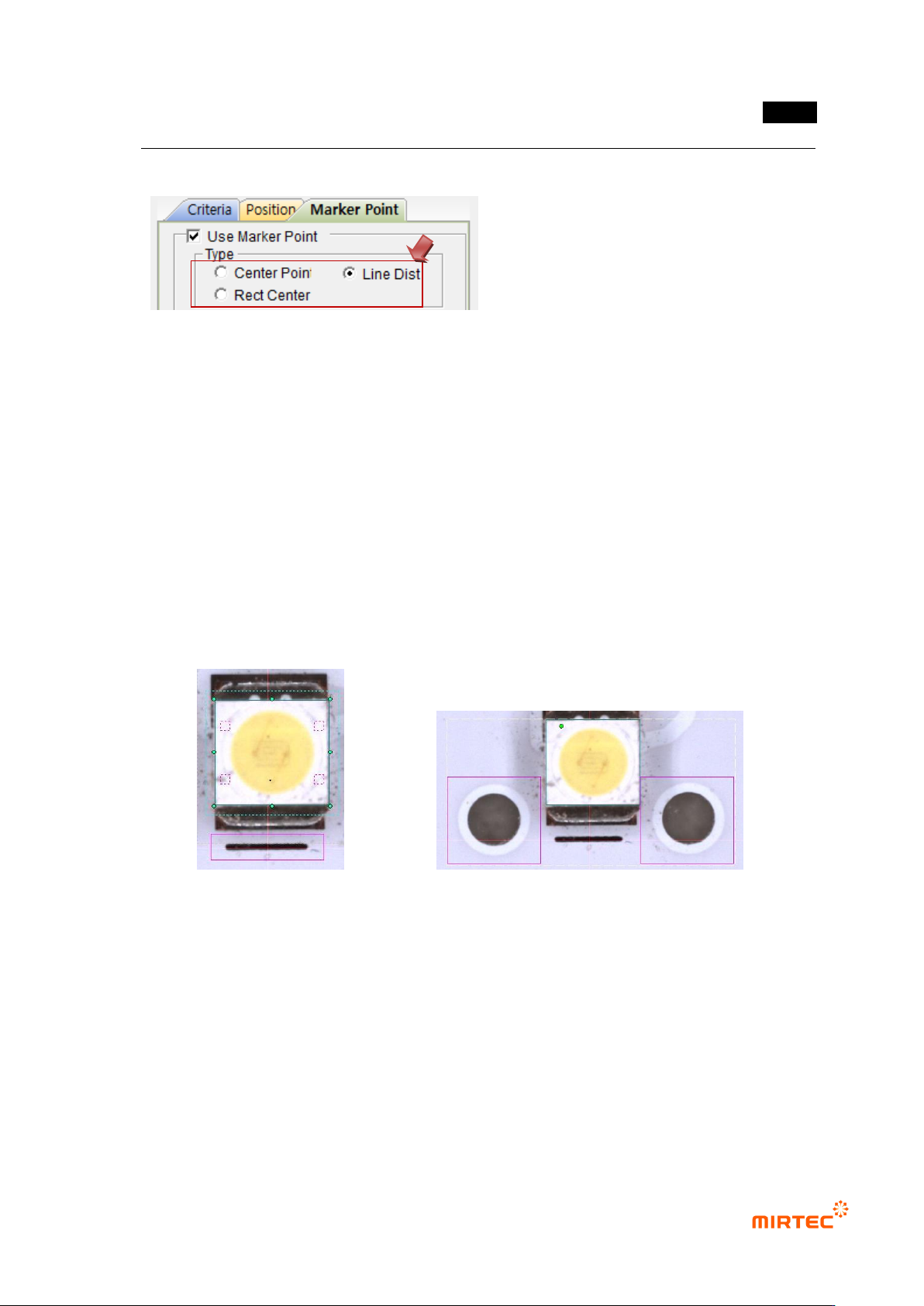
- After selecting the mounting inspection window for 3D BLU, select the parameter
window for Marker Points.
- Select the marker number or position for the Marker Type.
· Use one marker: Center Point
· Use two markers (In case they are on the same horizontal line): Line Dist
· Use two markers (In case they are not on the same horizontal line): Center Point
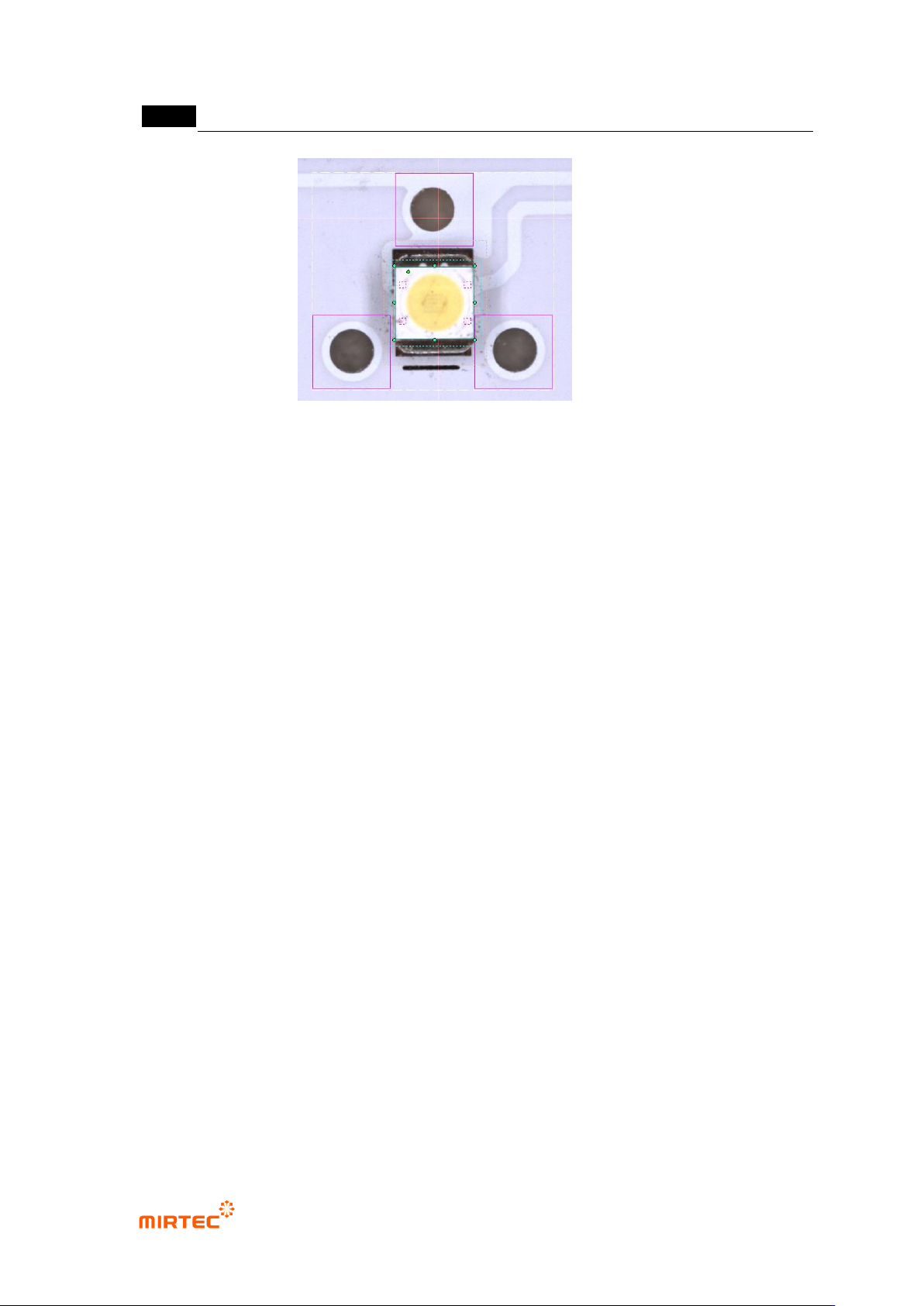
· Use three markers: Center Point
· In case proper markers are not available: Rect Center (Use Pad Width, Insp Edge
Point)
- It is recommended that two or three markers on the same horizontal line be used to
compensate for the rotational angle of BLU Bar.
< Use one marker: Center Point> <Use two markers on the same horizontal line: Line Dist>
MV-9 User Manual
5-272
< Use three markers: Center Point>