MV-9_Chapter 5. Teaching.pdf - 第268页
MV -9 Use r Manual 5- 268 - By usi ng the check box , i t is possib l e to set the he i ght and w i dth tog ether or se p ar ately 34 Detail ed Setting - Set th e deta ile d pos ition for the m easurement region of the r…
错误!使用“开始”选项卡将 제목 2 应用于要在此处显示的文字。错误!使用“开始”选项卡将 제목 2 应用
于要在此处显示的文字。 .
5-267
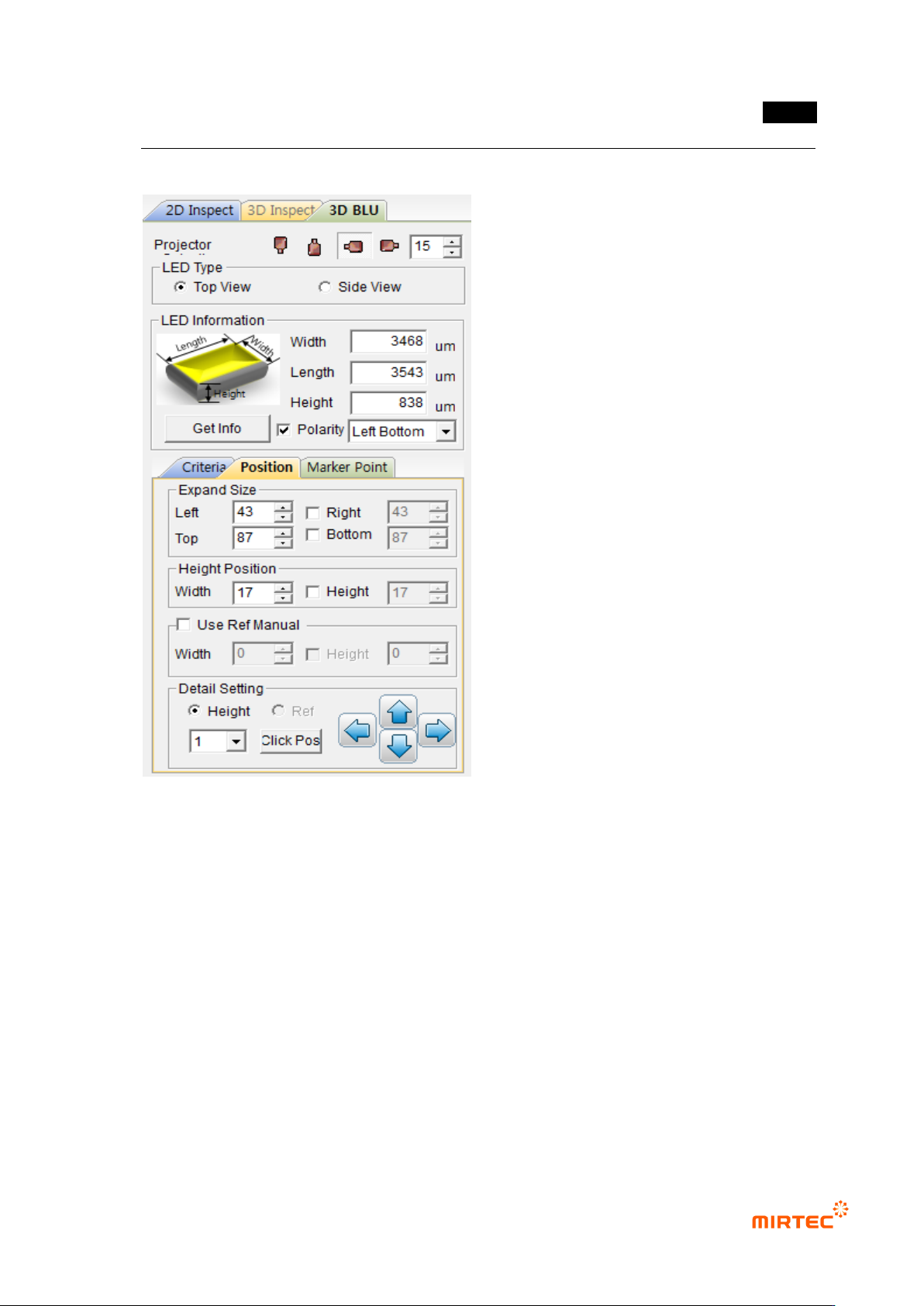
5.9.5 Position Setting
31 Setting of Expanded Size
- Determine the expanded size to obtain planar information with respect to the floor (PCB
or reference).
- Include the floor surface from all the directions of left, right, top, and bottom.
- Mark the expanded region with yellow dotted lines.
32 Setting of Height Position (Region)
- Set the region to calculate the average height of the electrode parts at both ends.
- Mark the height region with red dotted lines.
33 Use Ref Manual (Setting of Reference Surface)
- Set the region to obtain the planar information for the reference surface.
MV-9 User Manual
5-268
- By using the check box, it is possible to set the height and width together or separately
34 Detailed Setting
- Set the detailed position for the measurement region of the reference surface or height.
- It is possible to store the position with a mouse by using „Click Pos‟ button.
35 Example )
5.9.6 LED PKG. Information Measurement
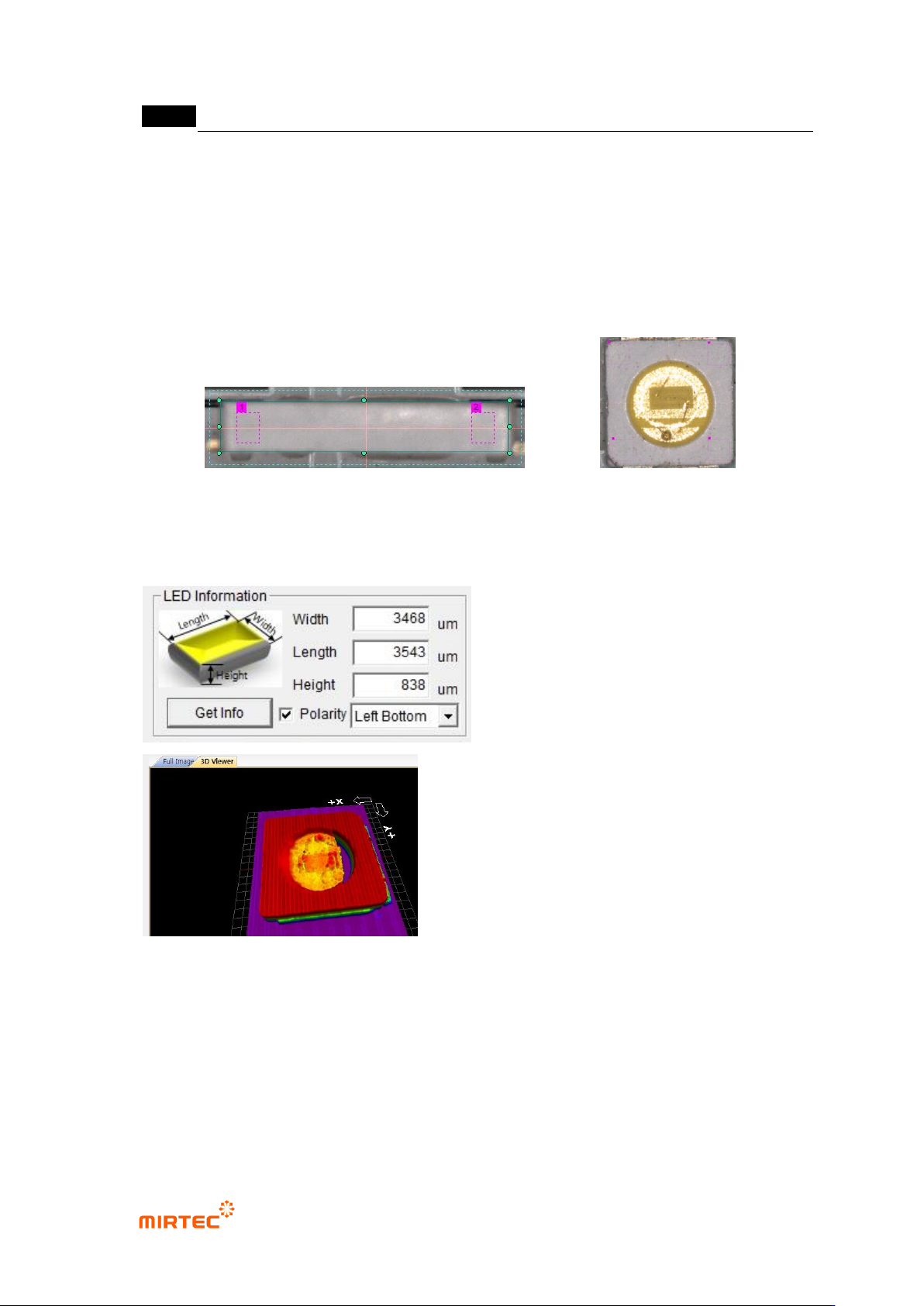
- If „Get Info (Measurement)‟ is clicked, information on the width, length and height of LED
Pkg. is measured.
- In case of Top View Type, the Polarity position is displayed.
- Though the height is not measured accurately in the area of light release (Epoxy Region),
it does not affect the inspection results since the region is an indifferent region in 3D
inspection.
- By designating the polarity position, the real polarity position and the measured polity
< Top View Type>
<Side View Type>
错误!使用“开始”选项卡将 제목 2 应用于要在此处显示的文字。错误!使用“开始”选项卡将 제목 2 应用
于要在此处显示的文字。 .
5-269
position are compared for inspection.
* If „Get Info‟ is clicked, 3D Model is displayed. Confirm through the model if the
measurement is accomplished normally. (In case the measurement is not normal, it is not
possible to recognize the form of 3D Model.).
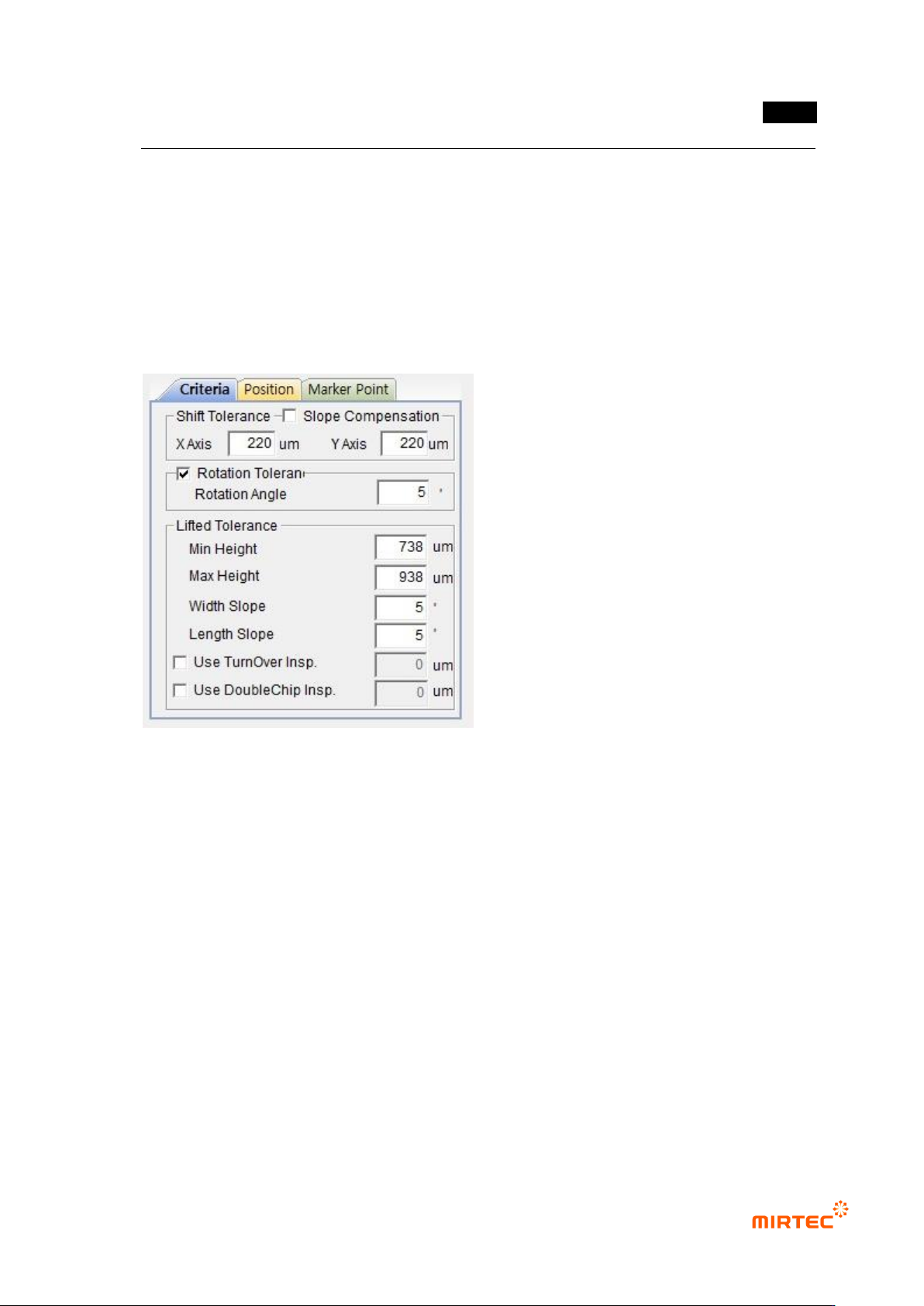
5.9.7 Criteria Setting
36 Shift Tolerance
- X Axis: Set the poor-quality criteria for X-axis shift.
- Y Axis: Set the poor-quality criteria for Y-axis shift.
37 Rotational Tolerance
- Rotational Angle: Set the poor-quality criteria for rotational angles.
38 Lifted Tolerance
- Min Height: Set the poor-quality criteria of the minimum height to inspect LED Pkg.
cracking mishap.
- Max Height: Set the poor-quality criteria of the maximum height to inspect the lifted
quality.
- Width Slope: Set the poor-quality criteria for the lifted angle in the short-axis direction.
- Length Slope: Set the poor-quality criteria for the lifted angle in the long-axis direction.