MV-9_Chapter 5. Teaching.pdf - 第214页
MV -9 Use r Manual 5- 214 [Figure 5- 272 shif t inspection result] 5.4.3 Finding c enter position of LED p ac kage - It is a l gor i thm to m easure center position of LED p ackag e m ounted i n BLU . Center position of …
错误!使用“开始”选项卡将 제목 2 应用于要在此处显示的文字。错误!使用“开始”选项卡将 제목 2 应用
于要在此处显示的文字。 .
5-213
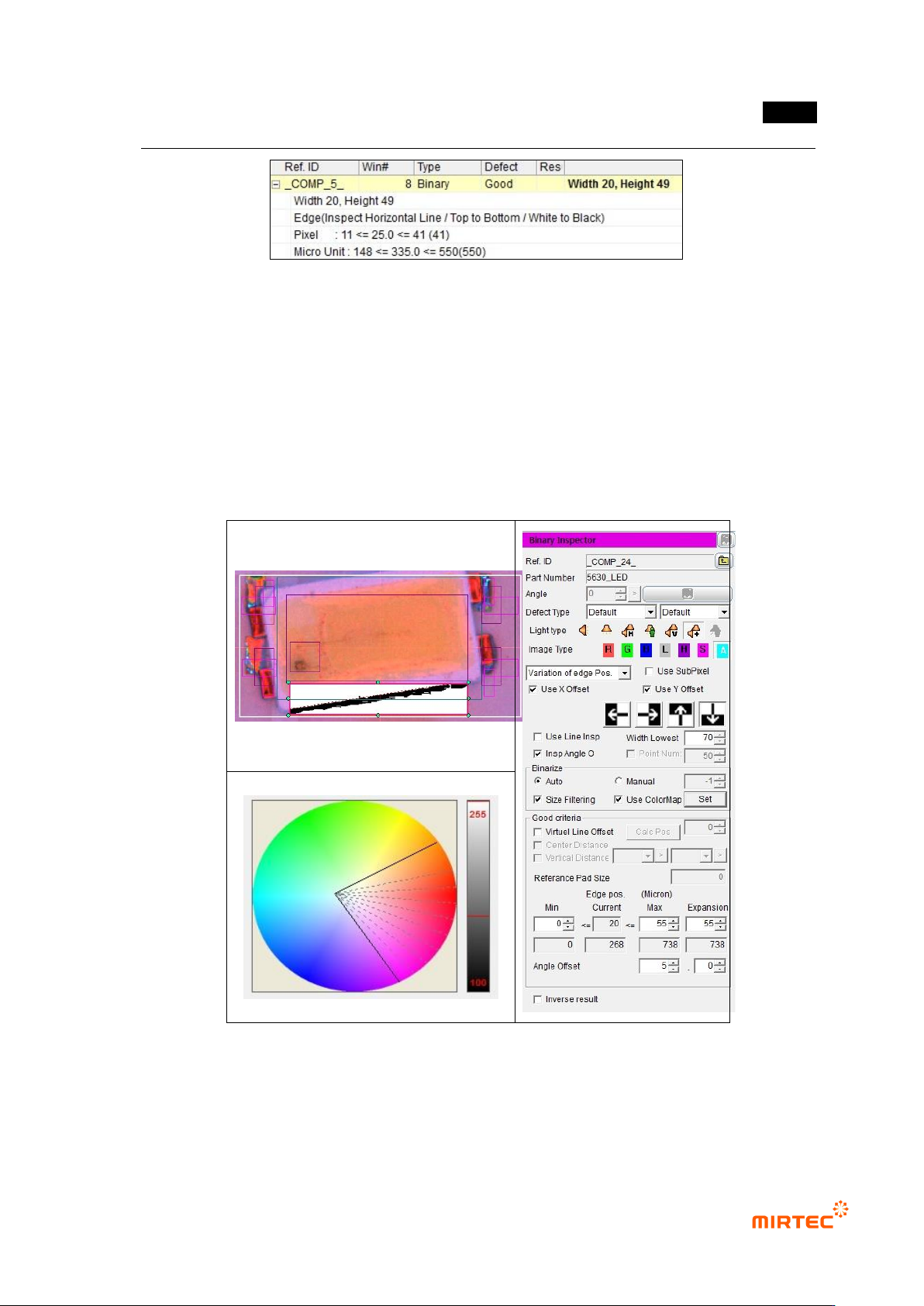
[Figure 5-270 Y-shift inspection result]
⑥ Shift inspection teaching and setting
- Use binary inspection-position move inspection window to detect rotation angle of package,
and angle inspection is used.
- For normal criteria, enter 0 for min and enter height value in the window for max. This is to
detect edge in the teaching window for angle inspection.
- To set angle, enter allowable angle in angle offset on the bottom by decimal point unit.
[Figure 5-271 shift inspection setting and preview image]
MV-9 User Manual
5-214
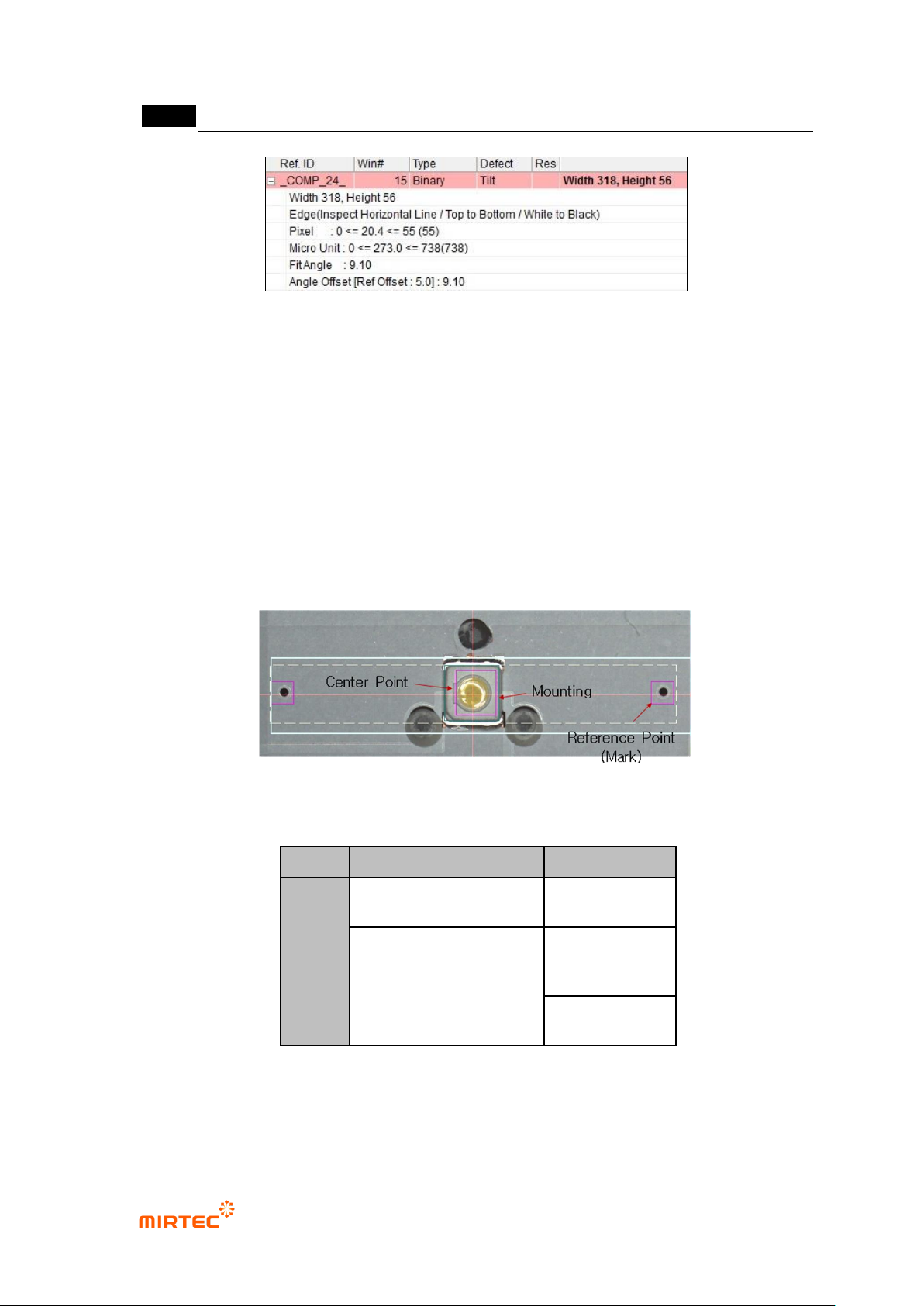
[Figure 5-272 shift inspection result]
5.4.3 Finding center position of LED package
- It is algorithm to measure center position of LED package mounted in BLU. Center position
of LED package is relative center position for reference point on the right and left of a
package. This algorithm is used for data to compare with center position of lens mounted
on LED package in post process rather than inspection purpose.
3) Teaching window
[Figure 5-273 teaching example]
[Table 5-19 center of LED package component search application algorithm]
applied algorithm
detection item
PKG
mounting inspection
position
compensation
Finding center of binary
inspection-component
Finding
component
center
reference point
(mark)
4) Teaching method
① Mounting inspection teaching and setting
错误!使用“开始”选项卡将 제목 2 应用于要在此处显示的文字。错误!使用“开始”选项卡将 제목 2 应用
于要在此处显示的文字。 .
5-215
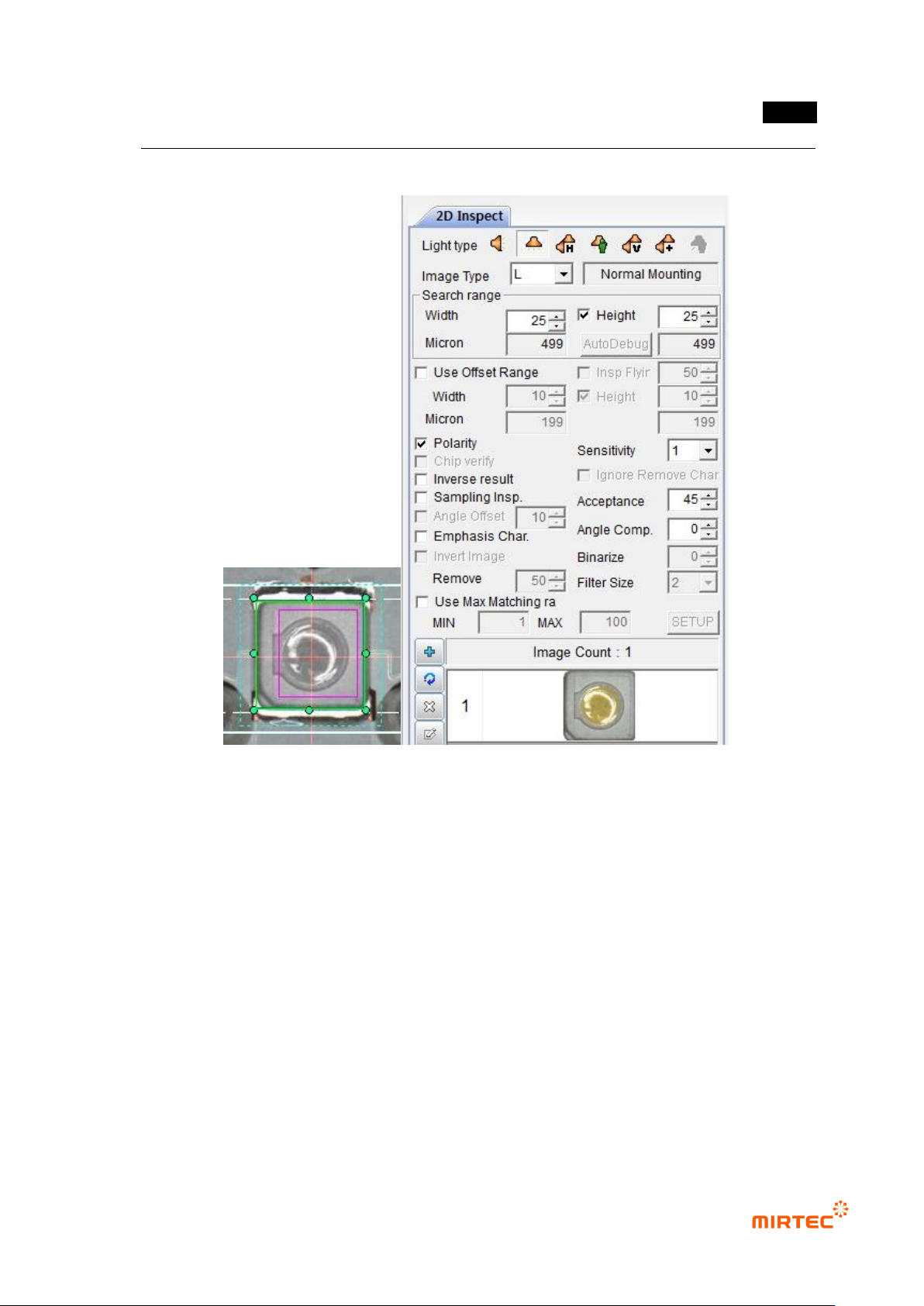
- Position compensation function is used for mounting inspection.
[Figure 5-274 teaching example]
② Reference point (mark) teaching and setting
- Center position of LED package is relative position for center position of circle reference
point.
- Create binary inspection window to detect center position of reference point, select
component center search, and select circle for figure type.
- Check at „Use Subpixel‟. If Cognex license key is installed, check at „Use Cognex‟.
- Select preview, and adjust binarization for proper separation of edge of reference point.
- Conduct trial inspection to display center position of reference point at current central point
in inspection window. After normally calculating center, click reference central point
registration.
- Set tolerance range as big as possible. (Reference: reference point is used as criteria to
inspect X/Y-shift of LED package during BLU inspection. Hence, tolerance range is
meaningless.)