MV-9_Chapter 5. Teaching.pdf - 第99页
错误 ! 使用“开始” 选项卡将 제목 2 应用于要在此处显示的文字。 错误 ! 使用“开始”选项卡将 제목 2 应用 于要在此处显示的 文字。 . 5- 99 Check at this ite m to rever se white to black and black to white in current prev ie w image. Us e thi s item o nly when detection type…
MV-9 User Manual
5-98
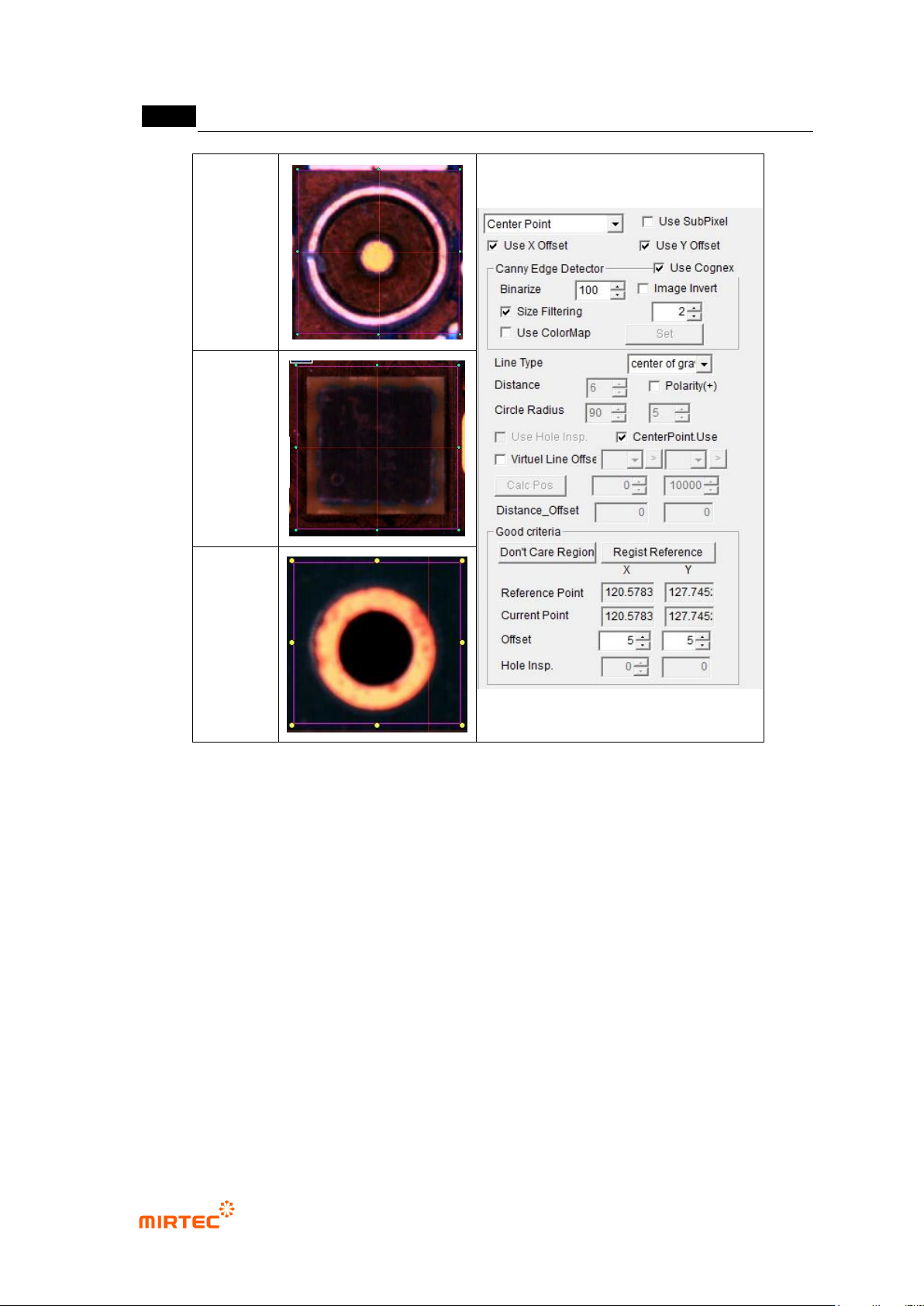
Circle
center
search
Rectangle
center
search
Center of
gravity
search
[Figure 5-103 component center search inspection window teaching example]
① Parameter description
Use SubPixel
- Check at this item to detect center using gray image.
Canny edge detector
- Use Cognex: check at this item to detect edge using Cognex tool.
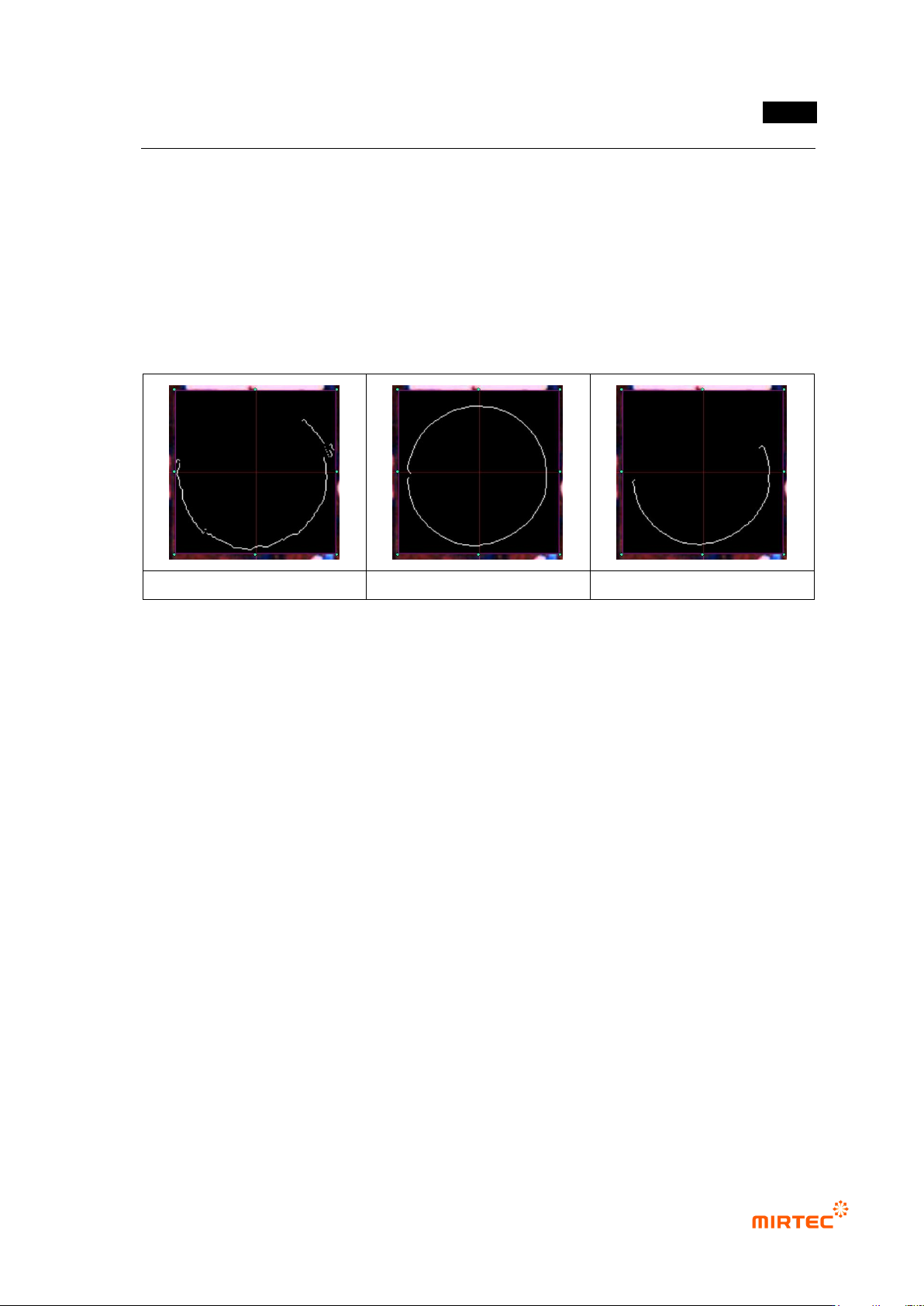
- Binarization
Adjust binarization value to clearly display edge.
If the value is set too low or high, edge will not clearly displayed. Therefore, check
edge extraction status in preview image by adjusting binarization value.
- Image reverse
错误!使用“开始”选项卡将 제목 2 应用于要在此处显示的文字。错误!使用“开始”选项卡将 제목 2 应用
于要在此处显示的文字。 .
5-99
Check at this item to reverse white to black and black to white in current preview
image.
Use this item only when detection type is Center of Gravity.
- Color map
Check at this item to detect edge using color information, and „Set‟ button will be
activated.
Click „Set‟ button to display color map, and adjust color, saturation and luminance to
clearly display edge checking preview image.
When binarization = 50
When binarization = 100
When binarization = 240
[Figure 5-104 Canny edge detection example according to binarization value]
Detection type
- Select shape of component to be detected.
Use exterior edge for Circle and Rectangle, and use information for center of gravity.
Circle search range
- This will be activated only when detection type is Circle.
- To detect more correct close circle, points that are farther than circle search range input
value will be excluded. In general, set it to below 10.
Polarity (+)
- This function will be used only when detection type is Circle and LED Circle.
- This shows edge characteristic. If it is not checked, find negative edge (edge which
changes from white to black). If it is checked, find positive edge (edge which changes from
black to white).
Circle Radius
- This will be activated only when detection type is LED Circle.
- The first value is radius of circle to be detected and the second value is allowable range of
circle radius.
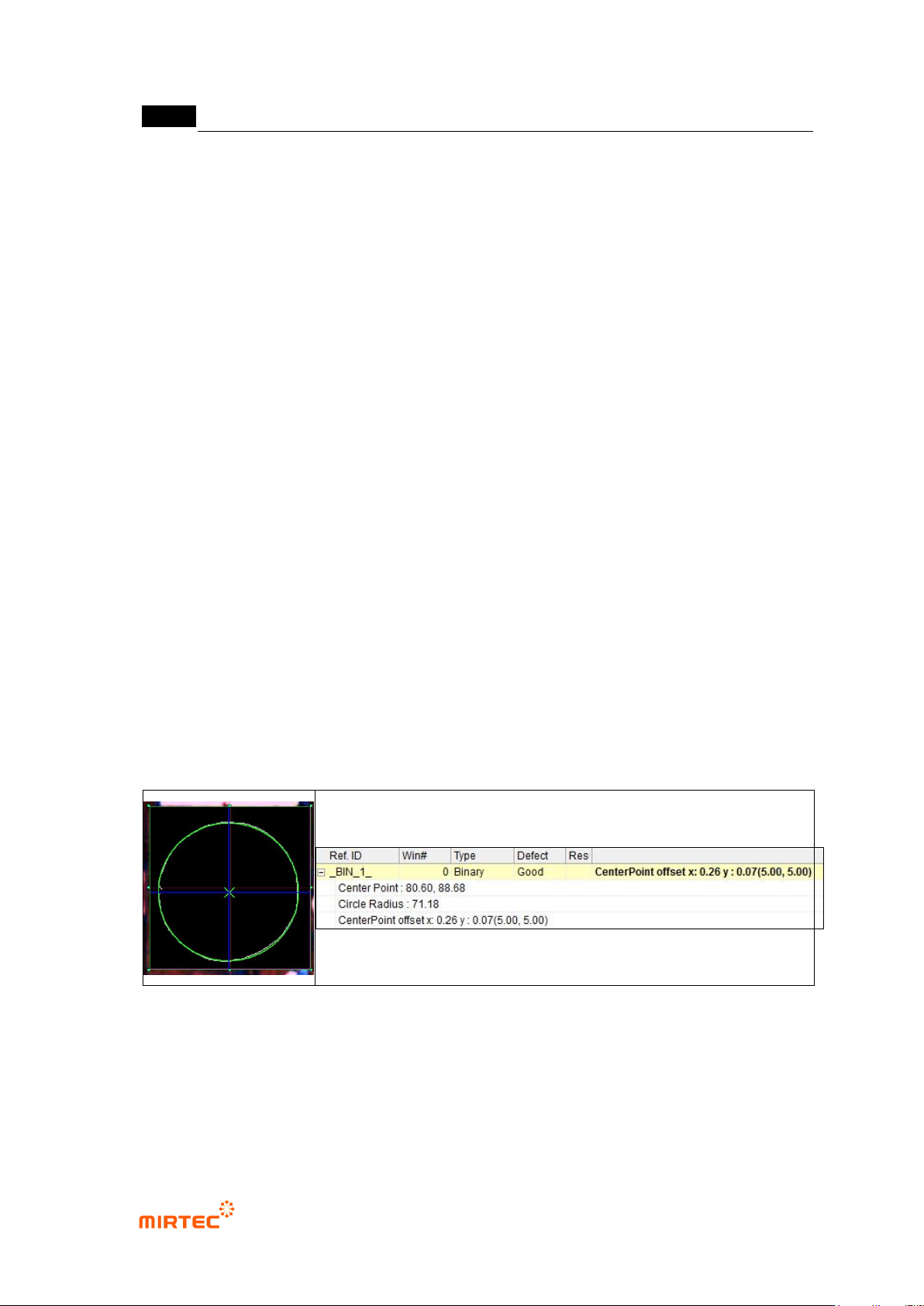
CenterPoint Use
MV-9 User Manual
5-100
- Use this function only when detection type is Circle. If it is checked, circle close to
inspection result image will be displayed in green.
Use hole inspection
- Use this function only when detection type is Circle. This function is to save circle radius as
a file.
- Use this function only for BLU inspection.
Virtual line offset
- This is used to measure relative distance for reference point. (Refer to BLU inspection.)
Normal criteria
- „Don‟t care region‟: Set „Don‟t care region‟ for noise part during edge detection.
- Reference central point and current central point
Conduct Trial inspection to display detected central point of component (located in
inspection window) at the current central point after teaching.
Click reference central point registration button to copy the current central point
value as reference central point value. This will be used as reference position for
real inspection.
- Tolerance range
Range of difference of position value that is actually measured and reference
central point position to judge good/defect.
② Inspection result in status screen