MV-9_Chapter 5. Teaching.pdf - 第260页
MV -9 Use r Manual 5- 260 5.8.4 Setting of Lead-tip Offset and L ea d Of fset If “Use 3D Inspection” is pressed, “Lead T ip T ab” is activated. Set the param eter s for L ead -tip offset and L ead offset. Ex a mple) 5.8.…
错误!使用“开始”选项卡将 제목 2 应用于要在此处显示的文字。错误!使用“开始”选项卡将 제목 2 应用
于要在此处显示的文字。 .
5-259
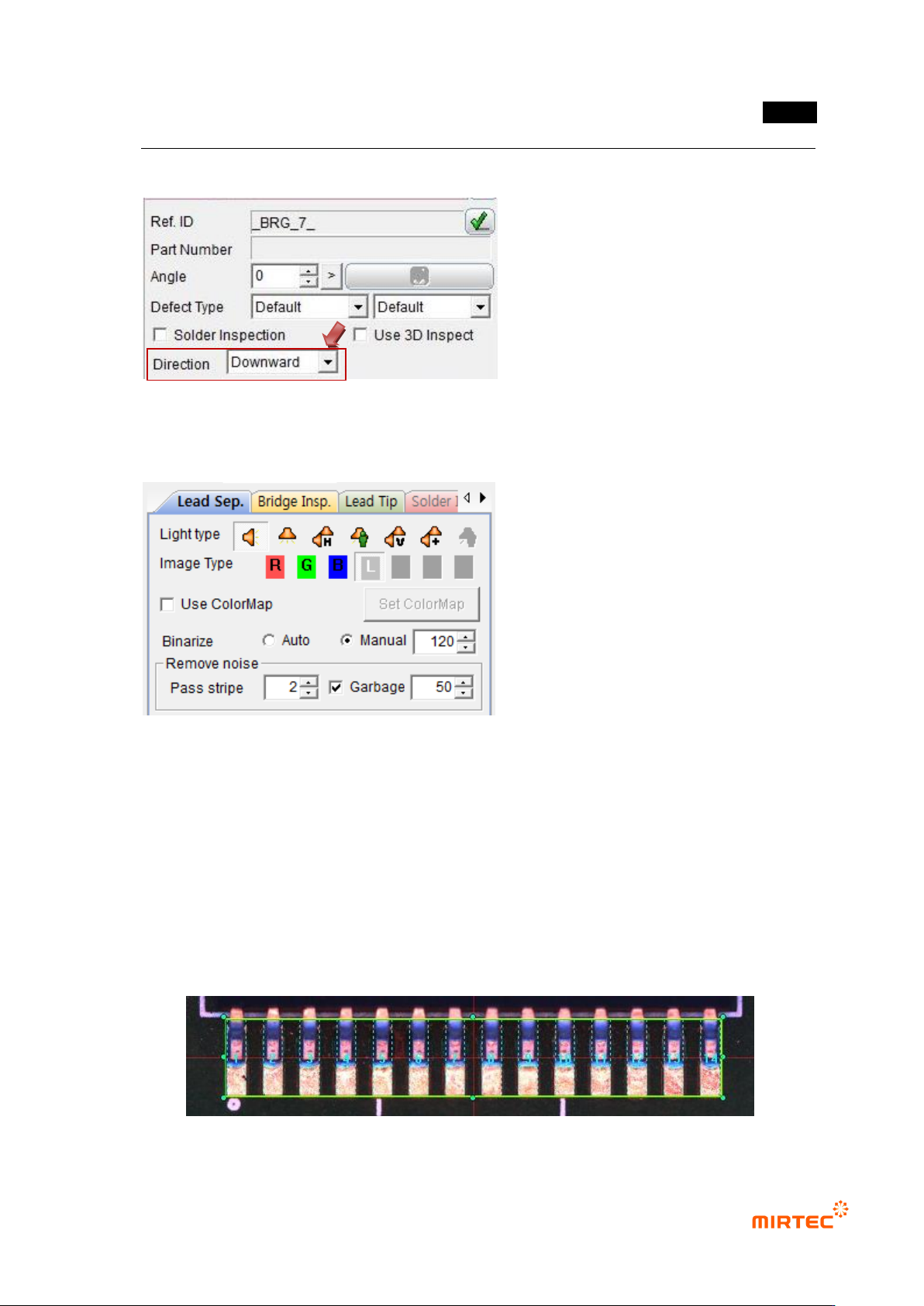
5.8.2 Lead Direction
Set the direction of leads.
5.8.3 Setting of Parameters for Lead Seq. and Bridge Insp.
Since the information separated from 2D Lead is used in the lift inspection of 3D Lead, first
set the parameters for Lead Sep. and Bridge Insp.
After completing the parameter setting, confirm through the trial inspection if the lead
separation is accomplished well.
* In case poor quality is found during Lead Sep. or Bridge Insp., do not conduct the lift
inspection of 3D Lead..
MV-9 User Manual
5-260
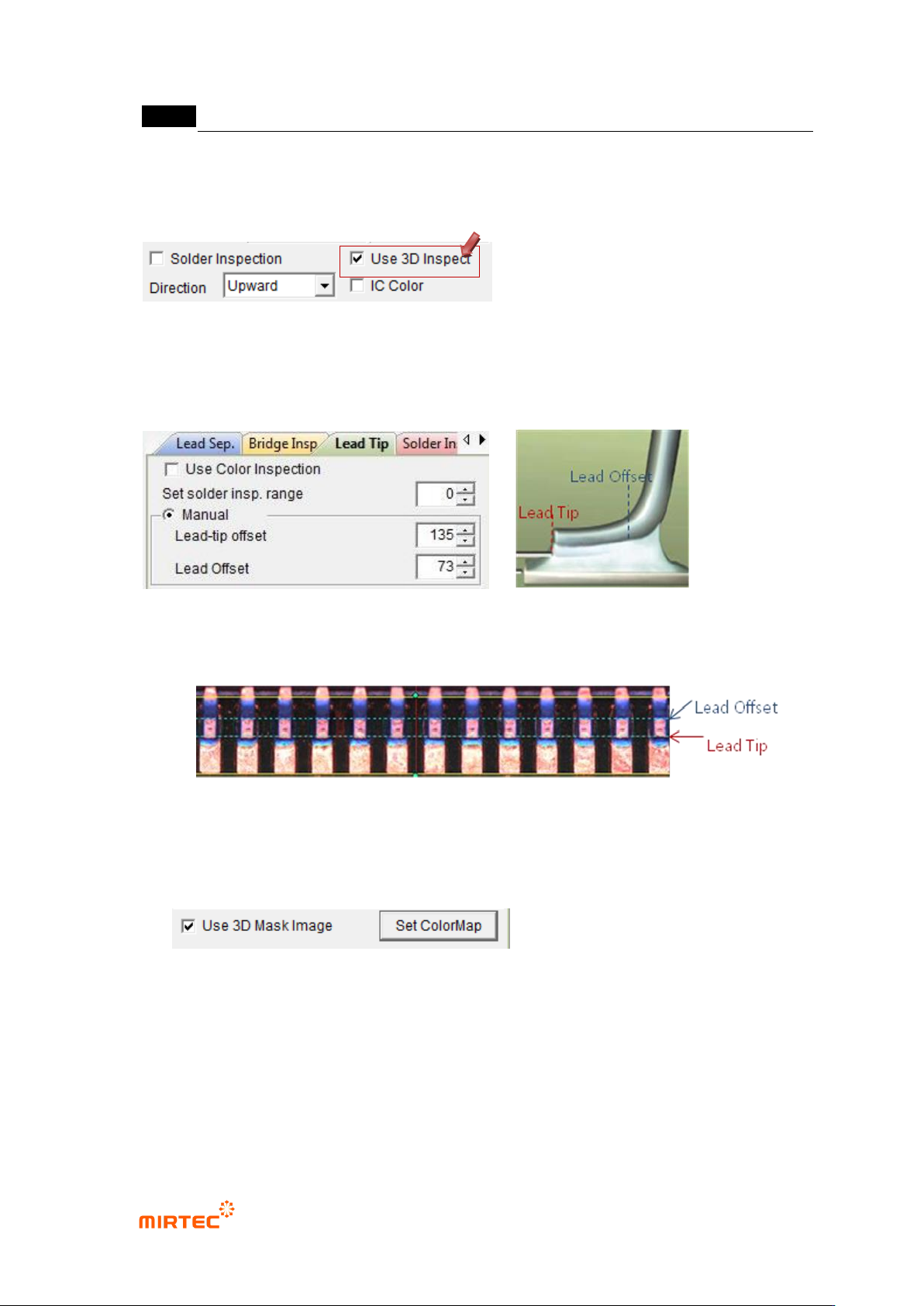
5.8.4 Setting of Lead-tip Offset and Lead Offset
If “Use 3D Inspection” is pressed, “Lead Tip Tab” is activated.
Set the parameters for Lead-tip offset and Lead offset.
Example)
5.8.5 Use Color Map
- At the end of the Lead Tip Tab, there is “Use 3D Mask Image” check box as shown
below:.
- If “3D Mask Image” is pressed, “Set Color Map” button is activated, If this button is
clicked, the window set for Color Map appears as shown below:
- By using the window set for Color Map, the lead region valid on 2D Image may be
separated and used in 3D inspection.
错误!使用“开始”选项卡将 제목 2 应用于要在此处显示的文字。错误!使用“开始”选项卡将 제목 2 应用
于要在此处显示的文字。 .
5-261
- The data with the color and brightness values corresponding to the inside of the network
composed of 3 points are set as valid data and used in measurement of heights.
5.8.6 Projector Selection
Two projectors are selected automatically depending on the direction of leads.
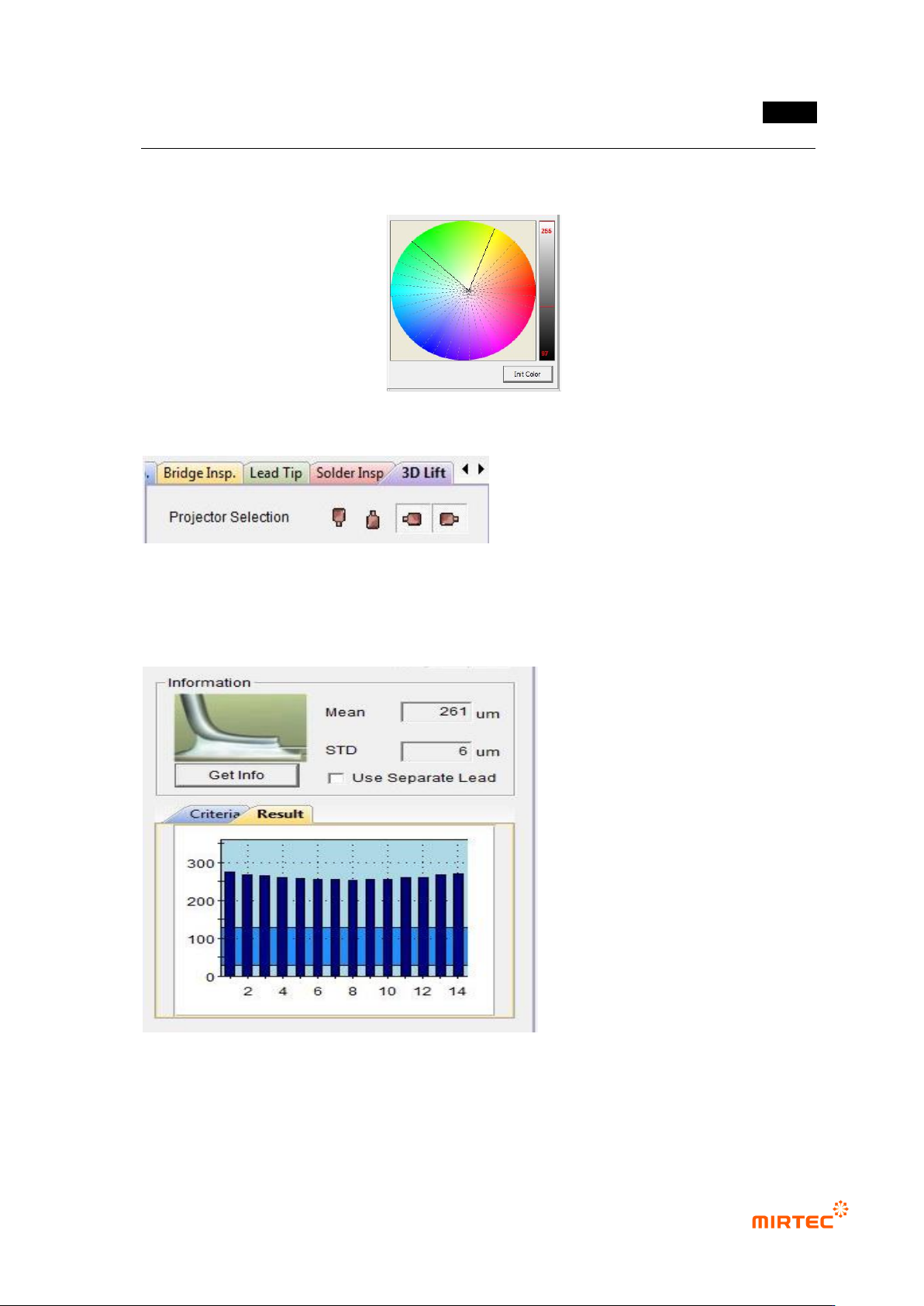
5.8.7 Measurement of Lead Height Information
If “Get Info” is clicked, the average
height of leads and the standard
deviation between leads are
measured and the height of each
lead is displayed as a graph.