N7201A616E00_0317.pdf - 第105页
NPM-W 2 EJM7DE-MB-02 O-00 First layer Second layer Third layer Fourth layer Maintenance operations Consumable pa rts rep lacement Periodic inspection Checks the inspection items and work history of each cycle. Displays t…
NPM-W2 EJM7DE-MB-02O-00
First layer Second layer Third layer Fourth layer
2-2-2-3
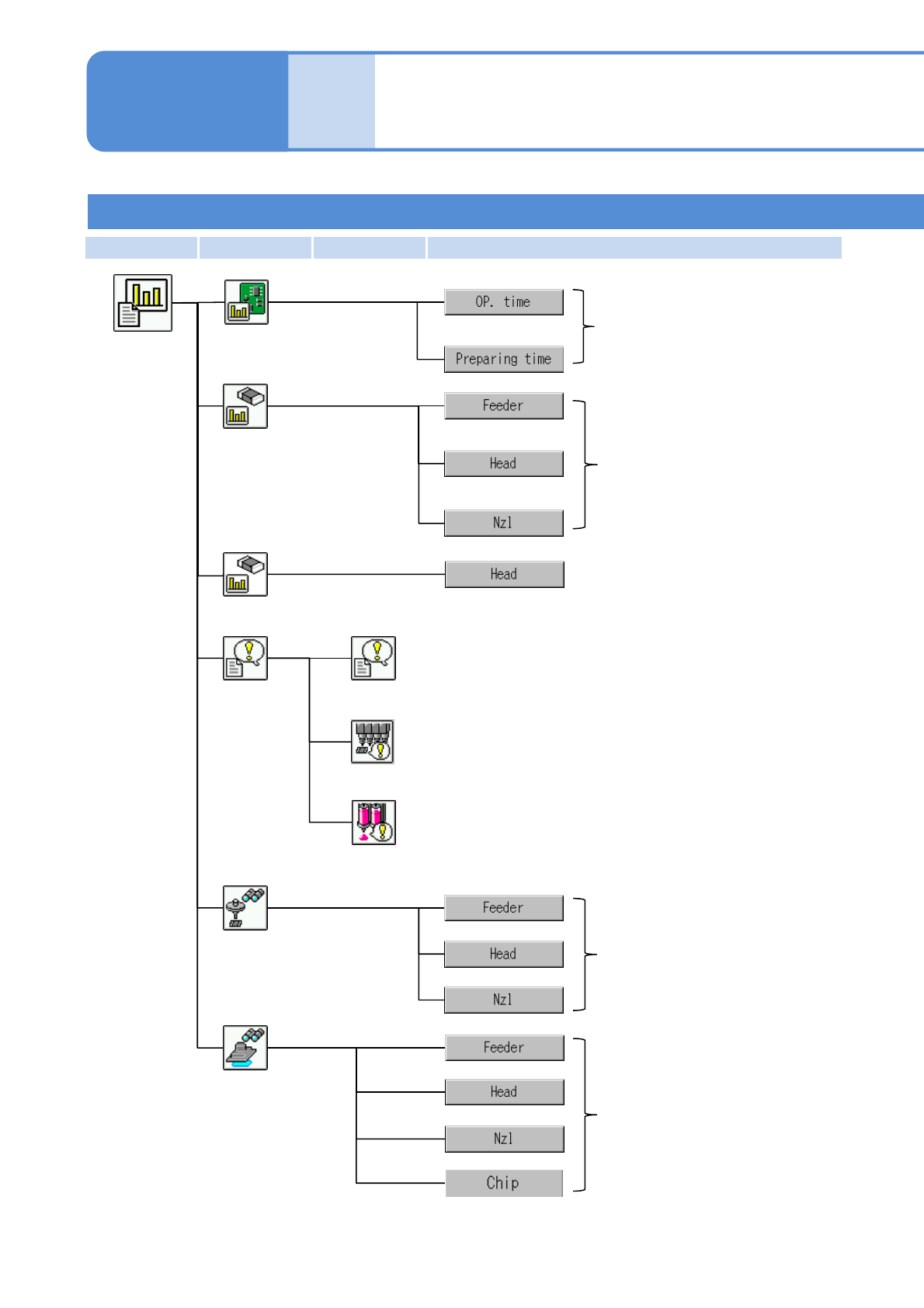
Pickup
information
Displays information on
operating time per stage.
Displays up to 20 emergency stop errors in chronological
order, with the most recent first.
Stop history
Displays the latest 50 errors in the vacuum sensor that
occurred during automatic operation in chronological order.
History
Pickup monitor
Displays component pickup
information.
Operating
information
Vacuum sensor error history
Production
information
menu
Displays component pickup
information.
Operator mode 2
Compo-
nent
names
Menu configuration 2
Operating procedure
2-2-2
Dispensing information
Displays dispensing (including
dummy dispensing) information.
Displays component inspection
information.
Inspection
information
Displays the latest 50 errors in the dummy dispensing
recognition that occurred during automatic operation in
chronological order.
Dummy dispensing recognition error history
NPM-W2 EJM7DE-MB-02O-00
First layer Second layer Third layer Fourth layer
Maintenance
operations
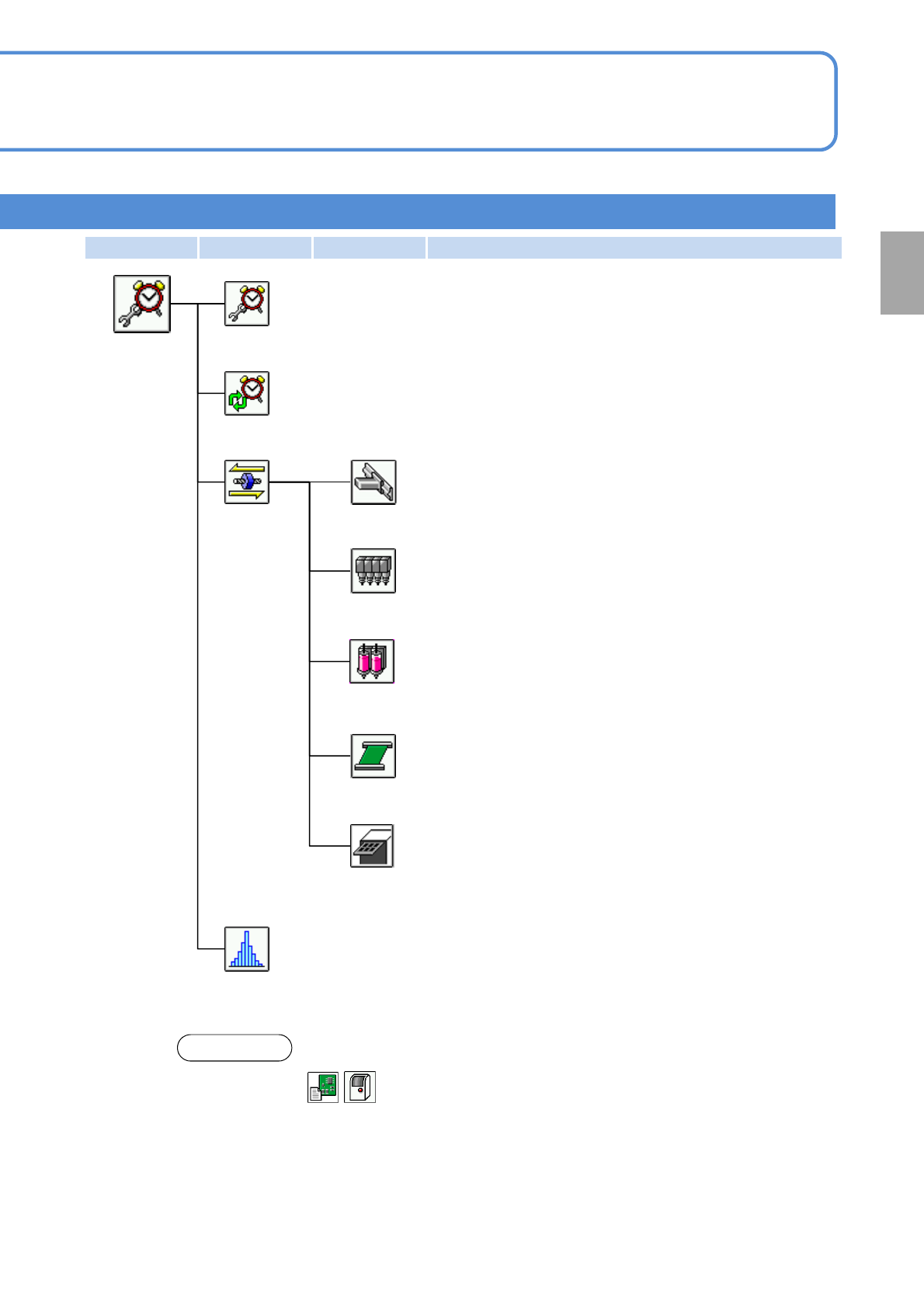
Consumable parts replacement
Periodic inspection
Checks the inspection items and work history of each cycle.
Displays the consumable parts replacement information.
Accuracy verification result
Displays accuracy verification results.
Maintenance
menu
XY unit
Carries out maintenance operations on the XY unit.
Head
Carries out maintenance operations on heads.
Carries out maintenance operations on PCB transfer.
Conveyor
Carries out maintenance operations on the tray feeder.
(Displayed when the tray feeder is installed)
NOTE
You can handle of the first layer in the customized Operator mode.
2-2-2-4
Head (dispensing head)
Carries out maintenance operations on the dispensing head.
Tray
Preparation
NPM-W2 EJM7DE-MB-02O-00
First layer Second layer Third layer Fourth layer
Engineer mode 1
2-2-2-5
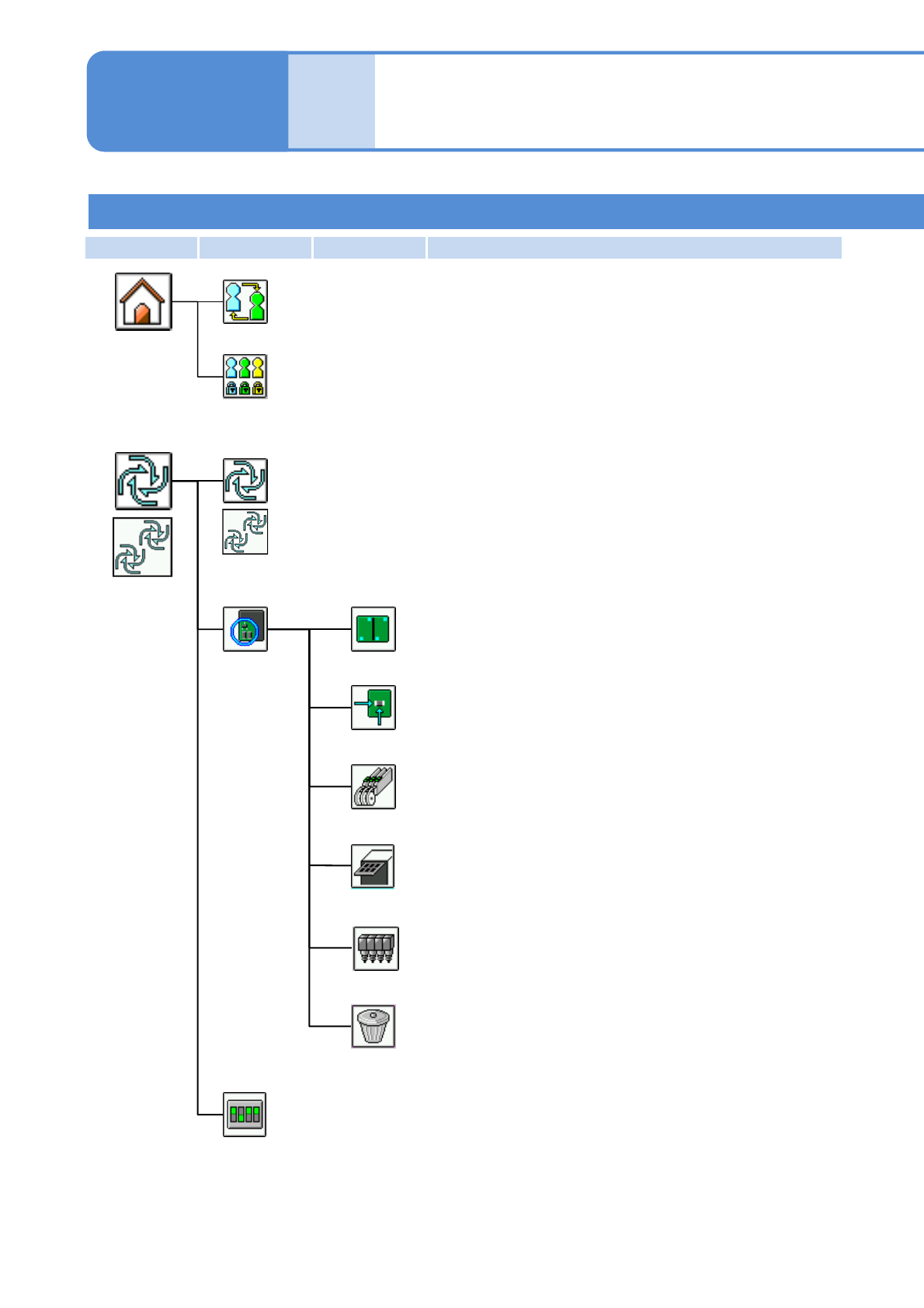
Production start
Starts automatic production.
Production
menu
(Before
production)
Conditional
placement
Placement
Feeder
Head
Clear
Specifies targets for placement by the pattern.
Specifies targets for placement by the placement point.
Specifies targets for placement by the part.
Specifies targets for placement by the head.
Clears the conditions specified.
Pattern
Soft switch for adjustment use
Temporarily changes operating environment to debug the machine.
Compo-
nent
names
Menu configuration 3
Tray
Specifies targets for placement by the tray.
Operating procedure
2-2-2
Changes the operation mode.
Operation mode change
Home menu
Edits the operation mode.
Operation mode edit
*1)
*2)
*1)・For single lane mode
・For alternate mode on the dual lane mode
*2)・For independent mode on the dual lane mode
*1)
*2)