N7201A616E00_0317.pdf - 第486页
NPM-W 2 EJM7DE-MB-06O-0 0 6-2-9 -9 Produc- tion data teaching Placement coor dinates teac h 5 Operating procedure 6-2-9 1 1 7 2 3 + and and or 4 ■ When components are placed on the PCB, go to step ■ When components are n…
NPM-W2 EJM7DE-MB-06O-00
6-2-9-8
Setting
change
12
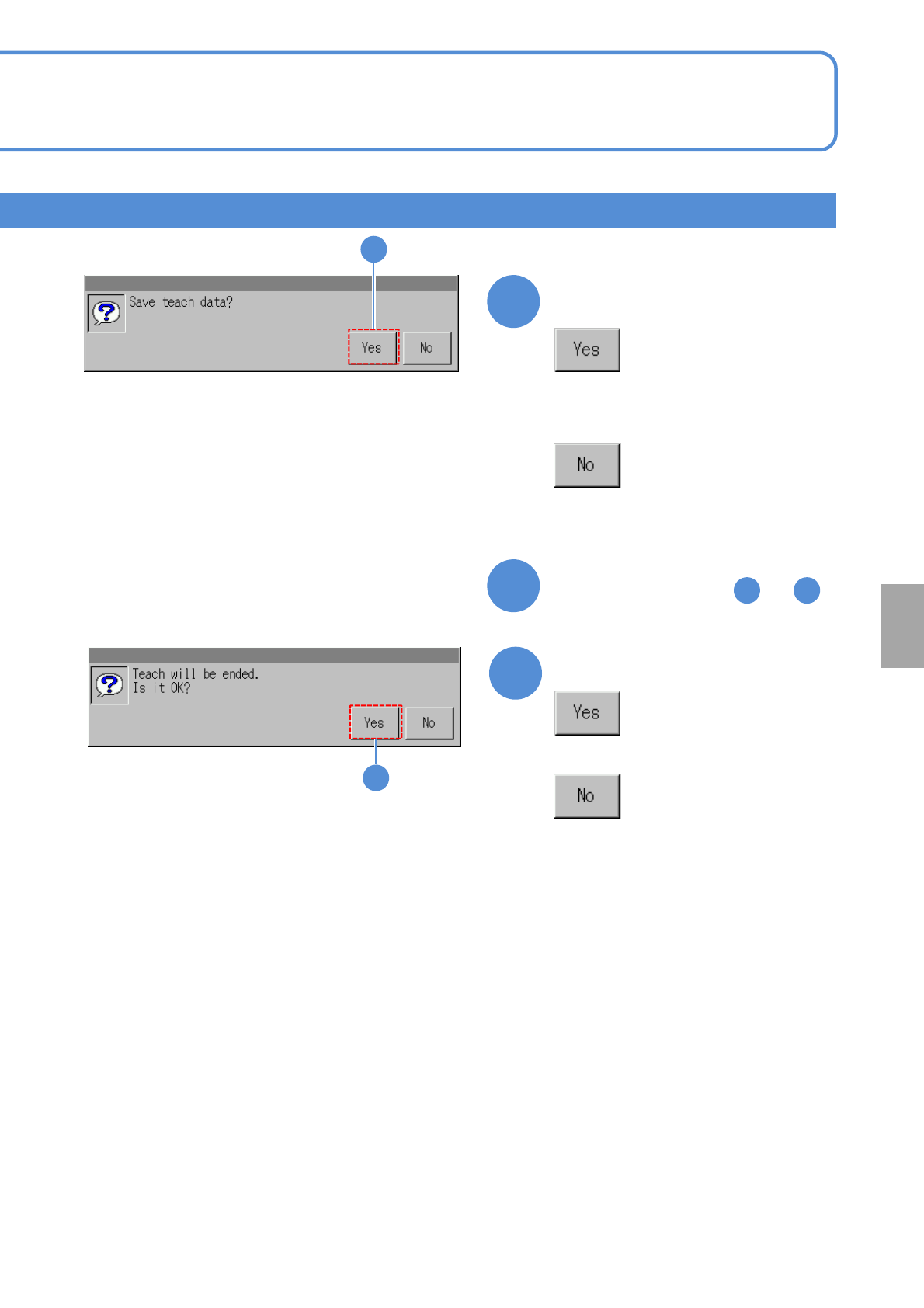
Confirm the message
13
■To teach the next component
Repeat steps from to
5 12
12
14
14
Confirm the message
■When you do not save the data
■When you do not save the teach
result
NPM-W2 EJM7DE-MB-06O-00
6-2-9-9
Produc-
tion data
teaching
Placement coordinates
teach 5
Operating procedure
6-2-9
1
1 7
2
3
+
and
and
or
4
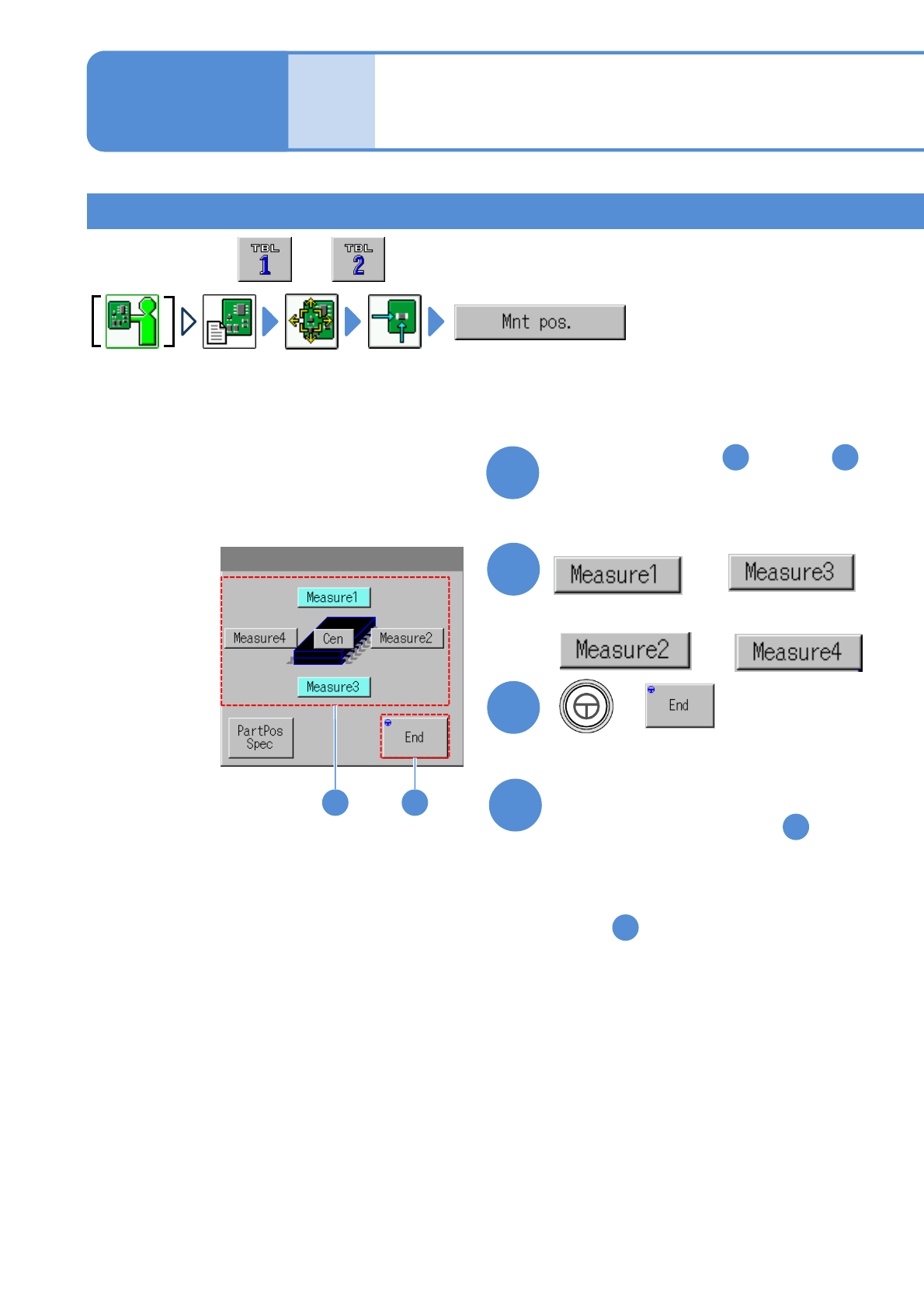
■When components are placed
on the PCB, go to step
■When components are not
placed on the PCB, go to
step
5
7
●Perform on both and .
2 3
Perform steps from through
in [Teaching with component
(measuring method: 1 point) ]
Teaching with component (measuring method: 2 point) 1
NPM-W2 EJM7DE-MB-06O-00
6-2-9-10
Setting
change
5
+
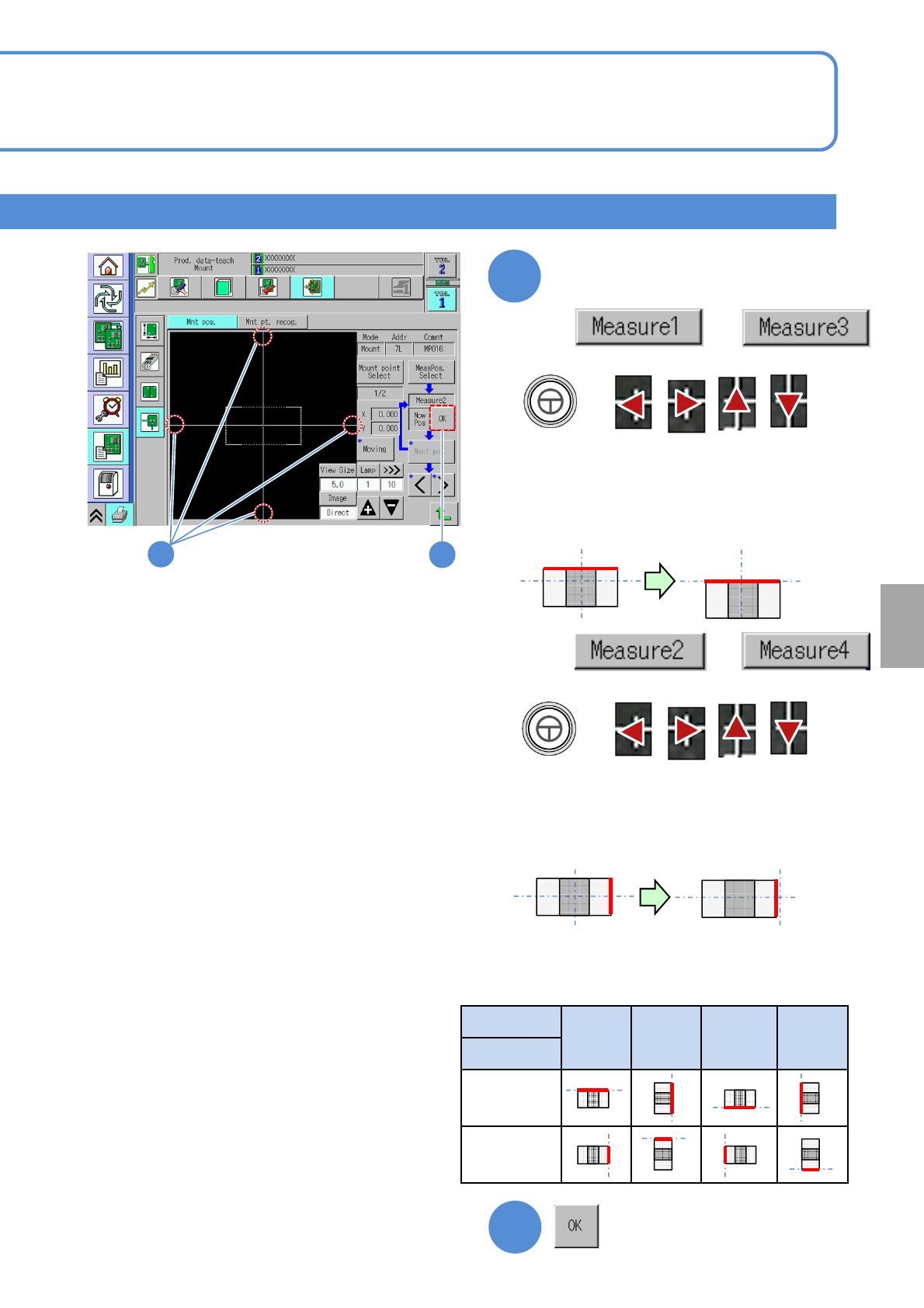
●Align the cross line to the top of the
component.
Align the cross line to the edge
of a component
●The edge face of the component to align the
cross line differs depending on component
placement angle. (See below)
6
+
●Align the cross line to the right side of the
component.
●The edge face of the component to align the
cross line differs depending on component
placement angle. (See below)
Angle
0° 90° 180° -90°
Position
Measure 1
Measure 3
Measure 2
Measure 4
■Component edge face to align the cross line
6
5
are selected
■
are selected
When and
■
When and
●Notice1 (→P.6-2-9-7)