N7201A616E00_0317.pdf - 第598页
NPM-W 2 EJM7DE-MB-07 O-00 Unit adjust- ment Head camer a inf or ma tion c heck 1 7-2-1 1 -1 You can check the recognitio n process of the head camera or the status of Head camera/LED light/Capt ure. A B Checking the reco…
NPM-W2 EJM7DE-MB-07O-00
Unit
adjust-
ment
Conveyor width
adjustment
7-2-10
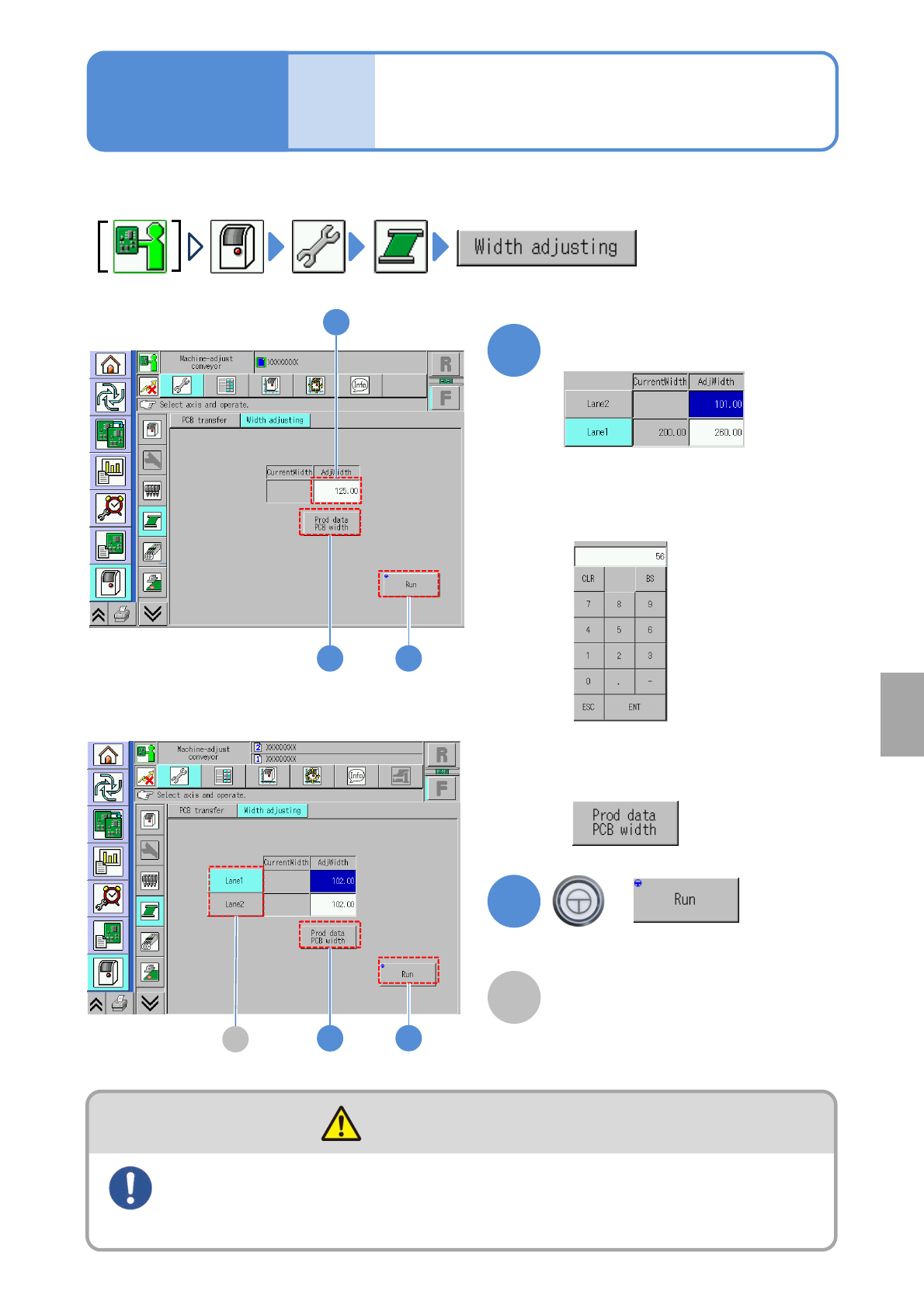
●Always remove all PCB support pins before adjusting conveyor width.
Operating procedure
7-2-10
1 2
2
1
+
1
(Manual input)
(The conveyor width is adjusted)
■To input production data of LNB
or the SD card
Input adjustment width
■To input manually
Touch the numerical part on the screen
to display the input screen.
When PCBs are loaded onto or removed from the conveyor, be
sure to turn OFF the servo switch
(Risk of injury due to machine movement)
DANGER
(Production data)
A
2
1
■In single lane mode
■In dual lane mode
A
Lane
Select the desired lane and adjust the
width. If both lanes are selected, both
lanes can be moved simultaneously.
System
administration
NPM-W2 EJM7DE-MB-07O-00
Unit
adjust-
ment
Head camera
information check 1
7-2-11-1
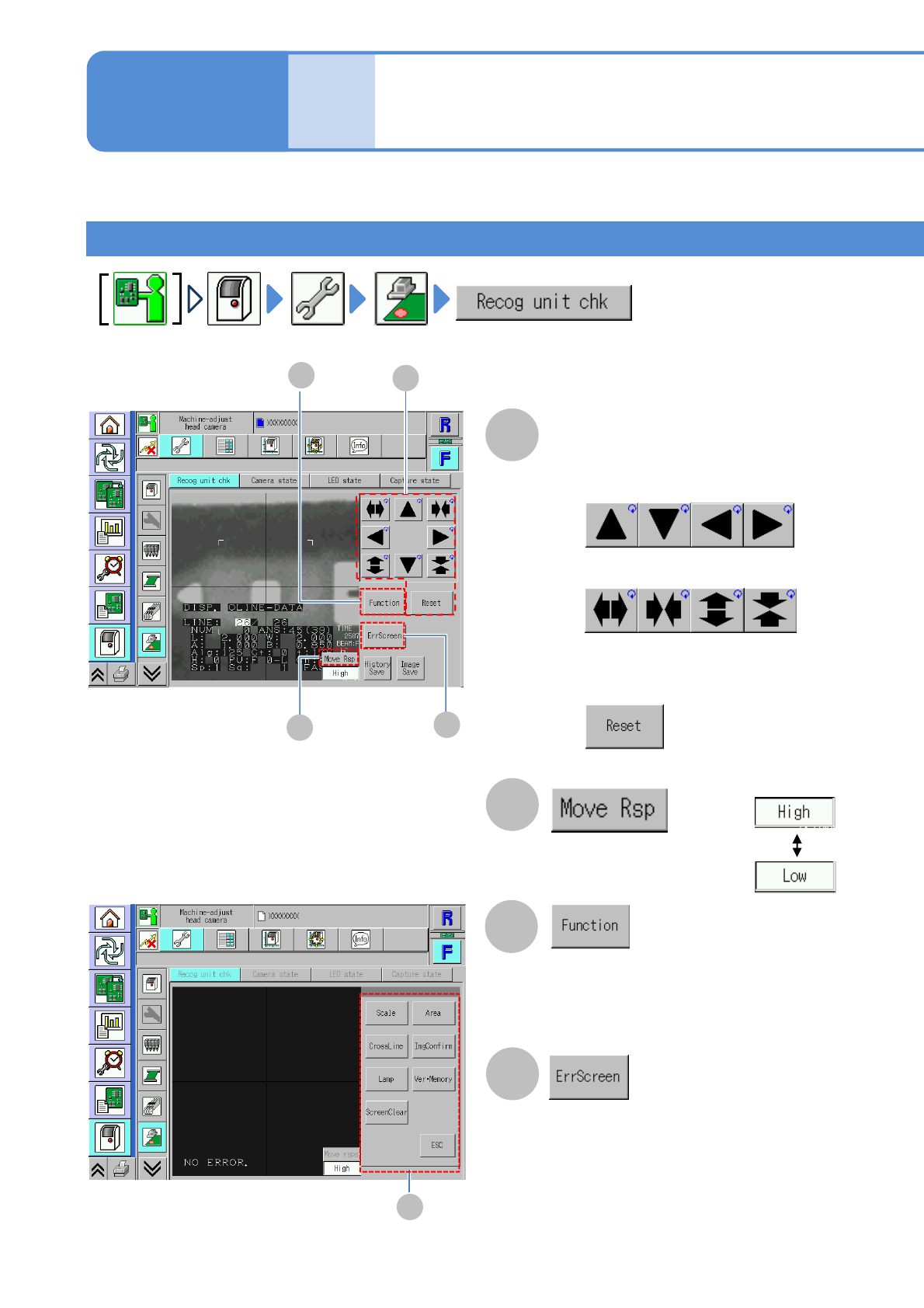
You can check the recognition process of the head camera or the status of Head camera/LED light/Capture.
A
B
Checking the recognition device
A
B
Operating procedure
7-2-11
Cursor movement/Frame
size adjustment
Choose a cursor moving
speed.
■To move the cursor
■To enlarge or reduce the frame size
■To initialize the cursor position
and the frame size
(Recognition device functions are
displayed)
(The error screen is displayed)
D
C
C
D
■[Function] screen
E
NPM-W2 EJM7DE-MB-07O-00
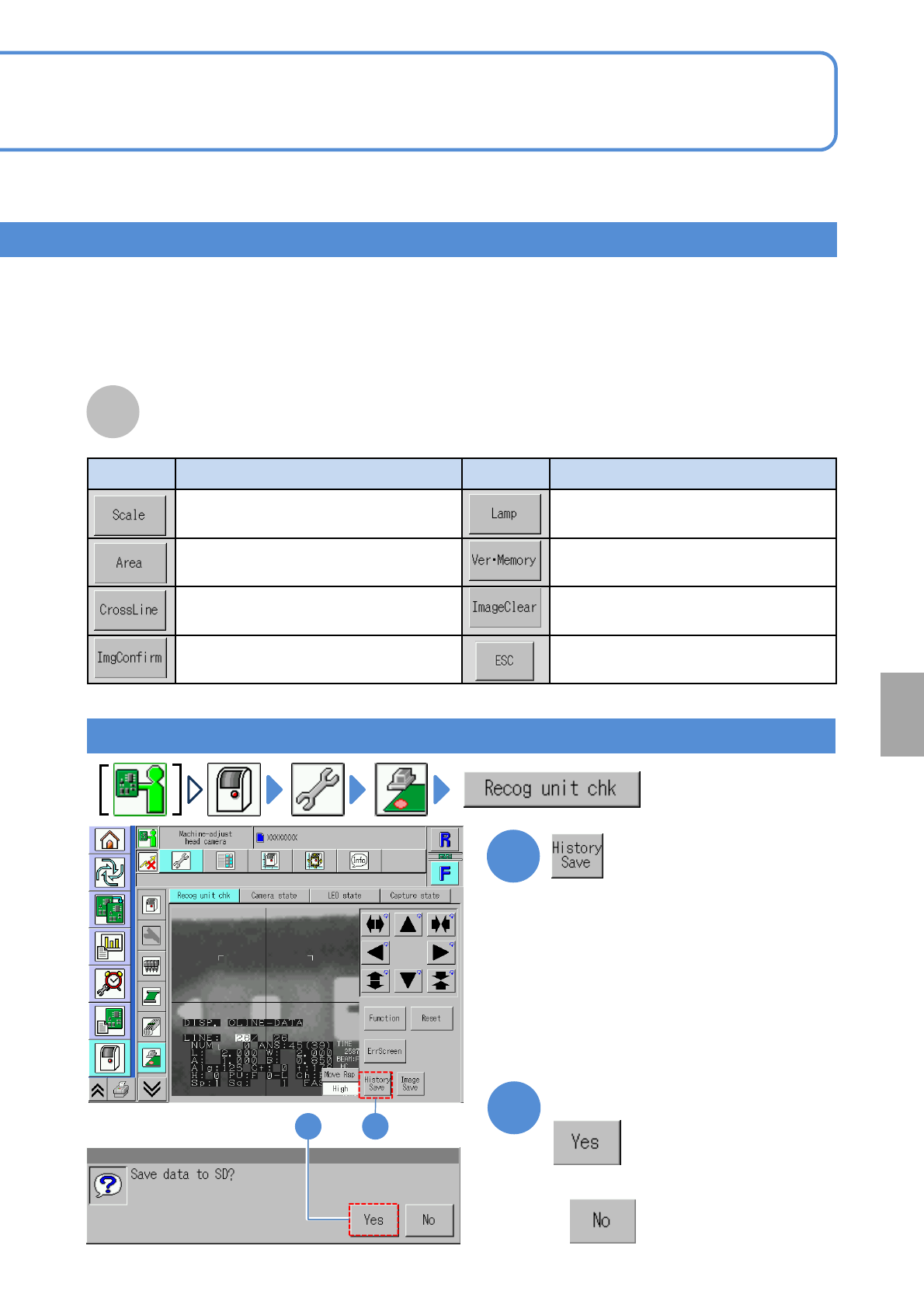
Button Action Button Action
Displays a concentric scale on the
screen.
Adjusts the brightness.
Displays a quadrangular frame on the
screen.
Displays the recognition system
version
Displays cross hairs on the
recognition screen.
Clears a display image from the
screen.
Checks the captured recognition
image.
Returns to the original screen.
7-2-11-2
Screen display function
Saving the recognition error history
12
1
2
E
Confirm the message
■When you do not save data
System
administration