N7201A616E00_0317.pdf - 第205页
NPM-W 2 EJM7DE-MB-03 O-00 3-1-2 -2 ■ For automatic operation 3 ● Production ends when the machine complete s the last piece after receiving a signal from the upstream equipment, and then you go back to the main menu scre…
NPM-W2 EJM7DE-MB-03O-00
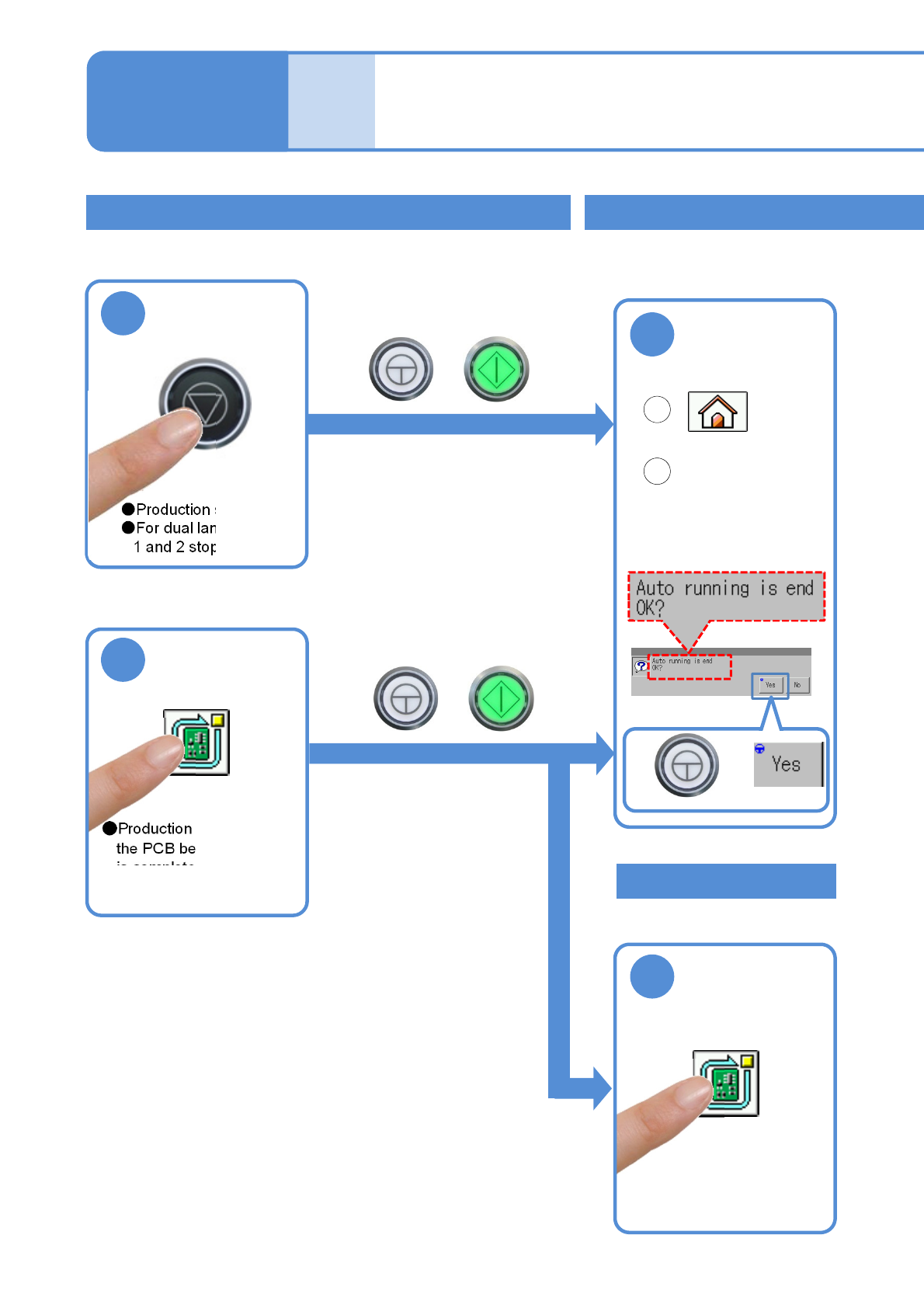
Stopping production
■To stop production immediately <single stop>
1
●Production stops.
●For dual lane, both lane
1 and 2 stop.
●To restart production
+
■To stop production after the PCB being produced is
completed <cycle stop>
1
●Production stops after
the PCB being produced
is completed.
●For independent mode,
select the lane.
●To restart production
+
Ends
production
+
Produc-
tion
Production stop and
end
Operating procedure
3-1-2
Ending production
2
Confirm the
message,
■To stop production after completing the PCB
production <Automatic stop>
After the planned PCBs are produced, production stops
automatically and the screen returns to the Home menu.
(→P.2-7-1)
3-1-2-1
Cancel stop
2
Before stop
1
2
■For manual operation
NPM-W2 EJM7DE-MB-03O-00
3-1-2-2
■For automatic operation
3
●Production ends when the machine completes the last piece
after receiving a signal from the upstream equipment, and then
you go back to the main menu screen.
Ends production
1
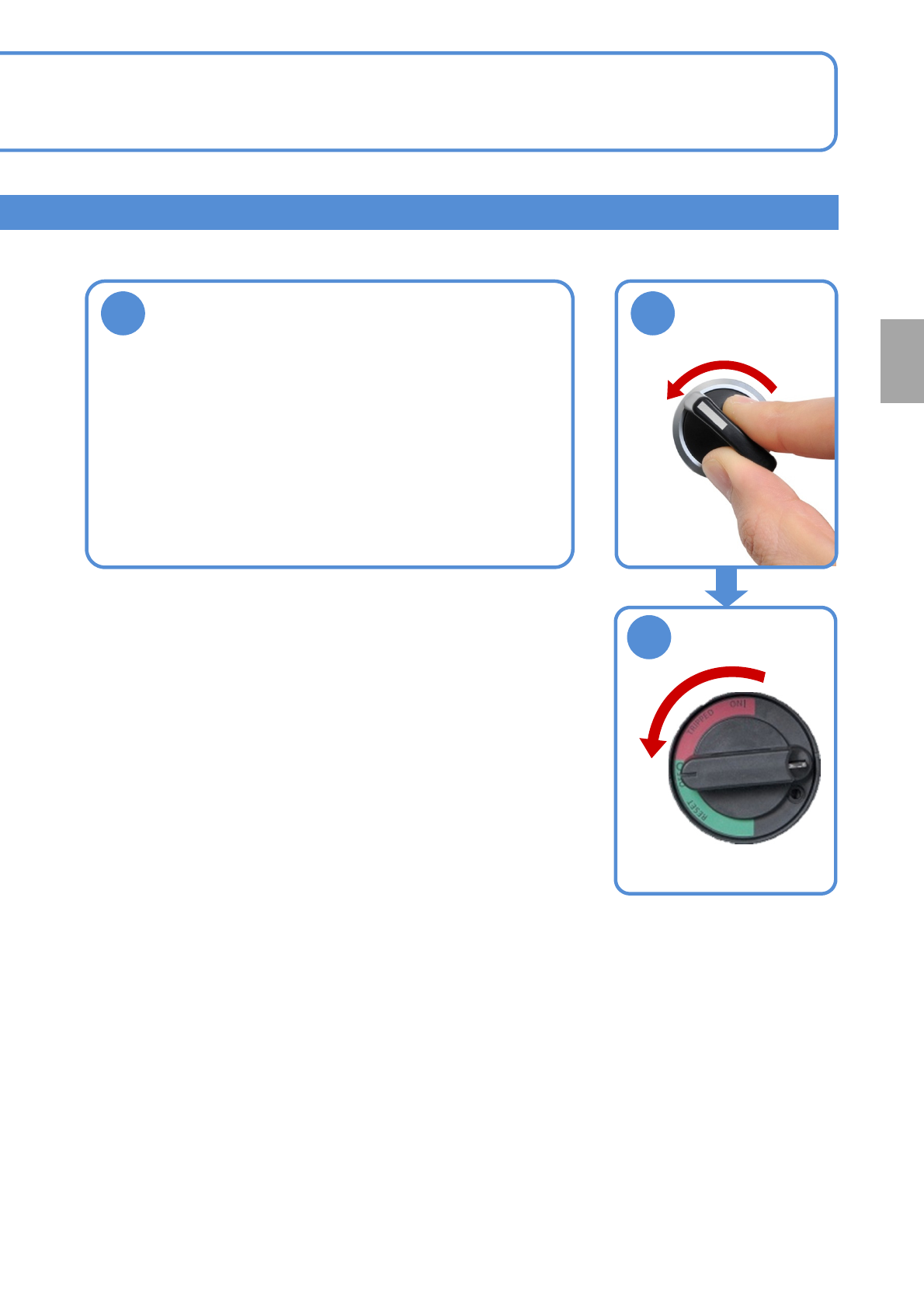
■To turn off the machine
OFF
SERVO
2
Production
OFF
NPM-W2 EJM7DE-MB-03O-00
3-1-3
Produc-
tion
Operating procedure
3-1-3
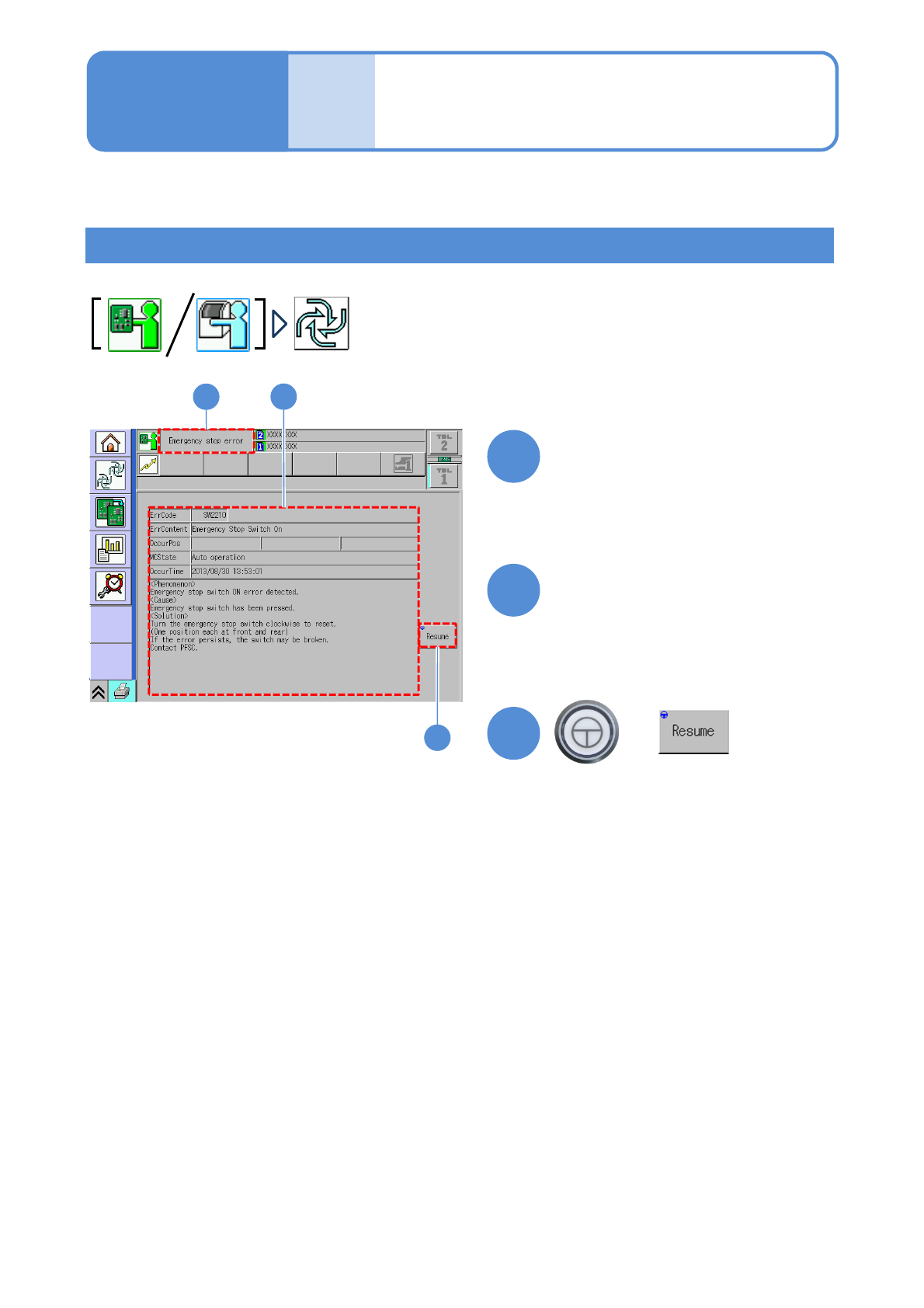
Error stop and resume
Resume production after error stop
This section describes how to resume production in the case of error occurrence.
●The error stop screen is displayed during production.
1
1
+
2
3
2
Confirm error information and
help and take measures
3
(Production resumes for the lane
enabled production)
After error occurrence, the
error stop screen is displayed