N7201A616E00_0317.pdf - 第210页
NPM-W 2 EJM7DE-MB-03O-0 0 Produc- tion informa- tion Ho w to c hec k the screen in pr oduction, w hen sta tionar y 2 How to check the screen in production 2 Operating procedure 3-2-1 O O Lane selection ■ Placement head (…
NPM-W2 EJM7DE-MB-03O-00
3-2-1-2
Production
G
D EFA B C
H
L
I EFA B C
H
J
K
I
J
K
L
About the setting of LNB, see the [LNB]
operating instructions.
A bottleneck machine position can be
displayed in yellow color in the following
position by LNB setting
.
LNB setting
Display area
By machine
By lane
M N
M
Upper level: Lane 2
Lower level: Lane 1
N
Upper level: Lane 2
Lower level: Lane 1
L
M
■By machine
■By line
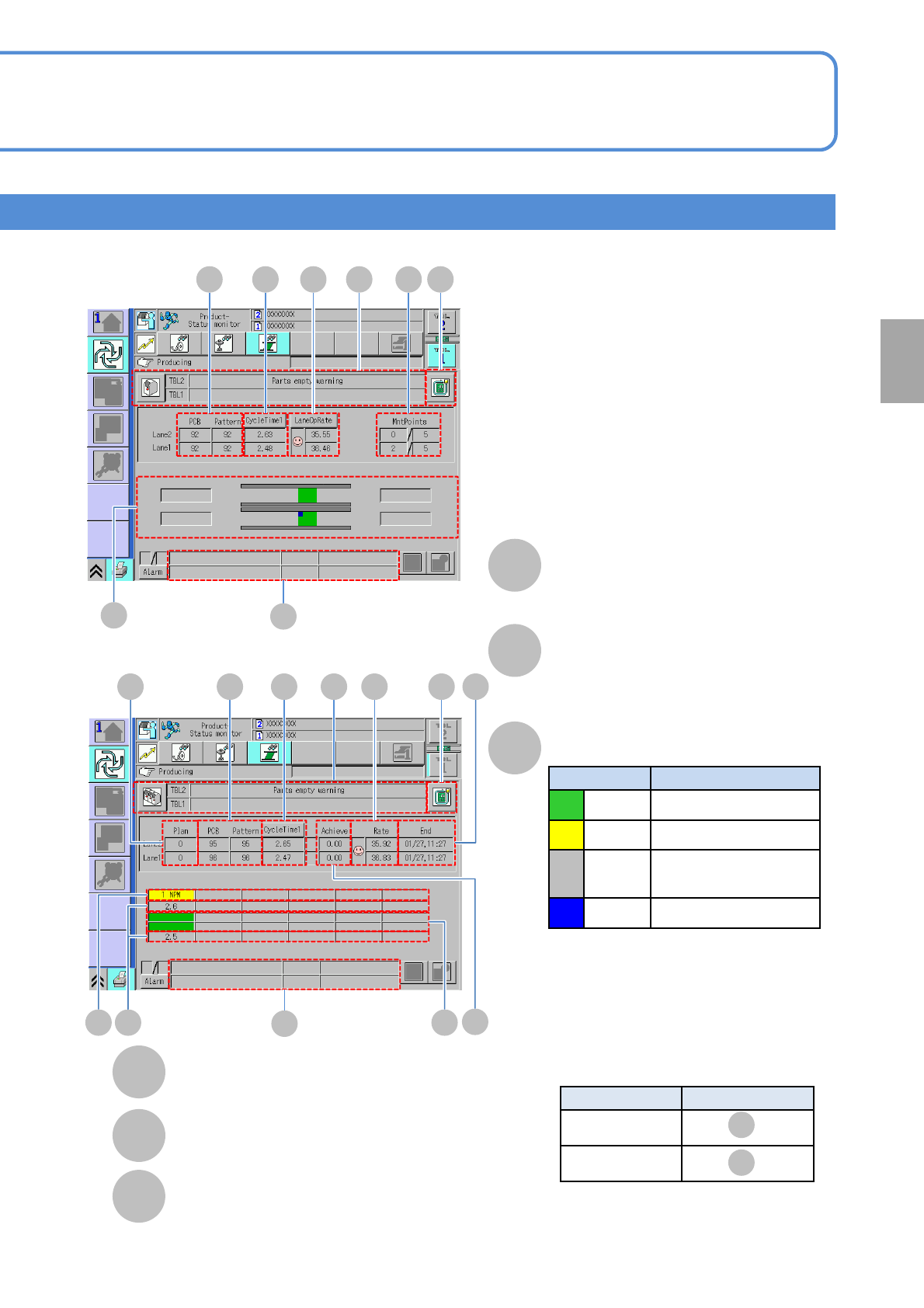
Number of planned PCBs
Estimated end time
Achievement rate
Actual performance in line / Planned PCBs in line
Machine No.(name) to be
connected
Cycle time
Production status
Display color Production status
Green In production
Yellow Under suspended
Gray
Waiting for component
supply
Blue Waiting for processing
■Display position of bottleneck machine
NPM-W2 EJM7DE-MB-03O-00
Produc-
tion
informa-
tion
How to check the screen in
production, when stationary
2
How to check the screen in production 2
Operating procedure
3-2-1
O
O
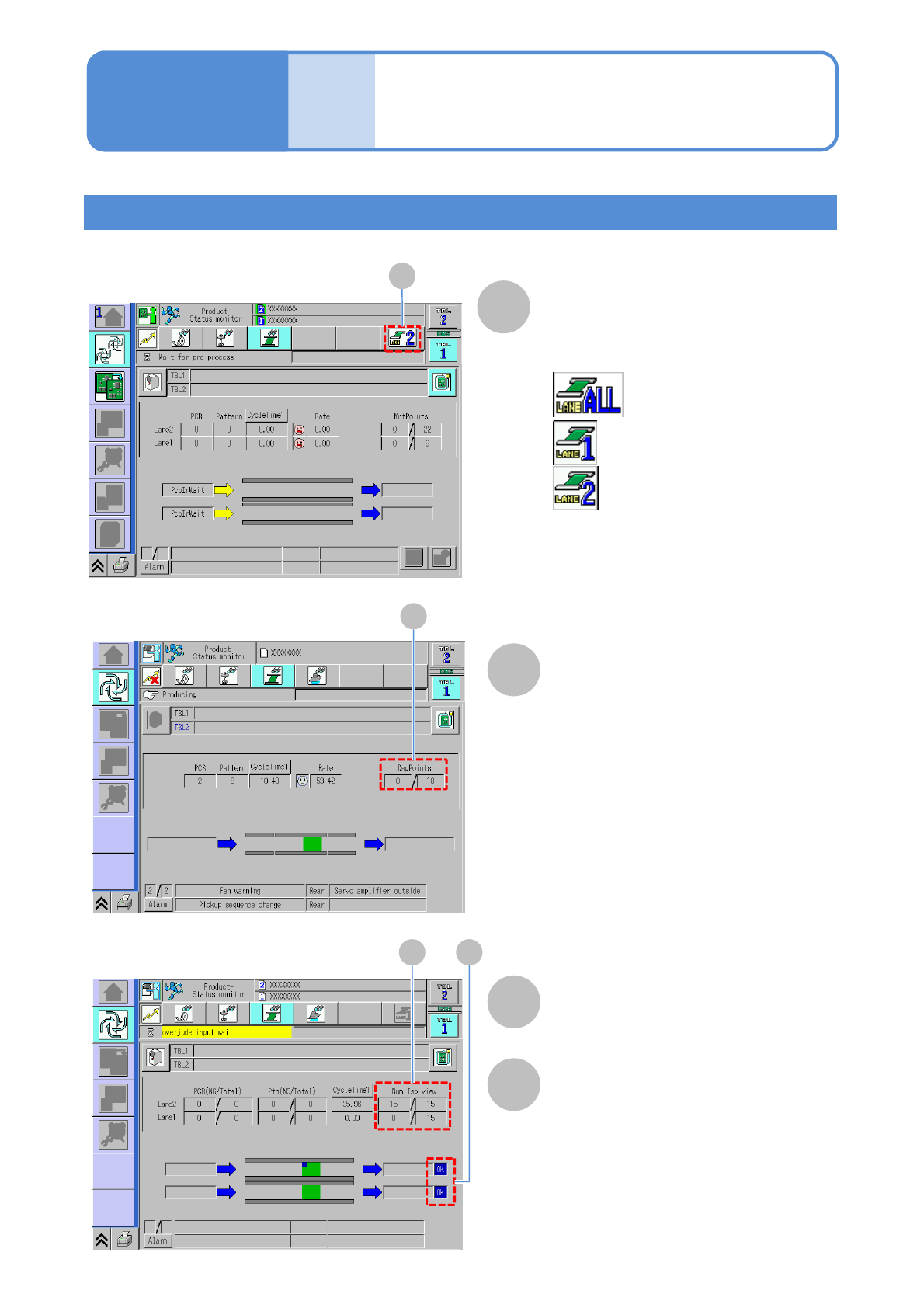
Lane selection
■Placement head (independent mode)
: To start production in front
and rear lanes
: To start production only in lane 1
: To start production only in lane 2
P
■Dispensing head
■Inspection head
P
Current dispensed points/Total
dispensing points.
(including multiple dispensing points)
Q R
Q
Currently inspected points/total
inspection points.
R
Displays the inspection result (OK/NG).
DspPoints
Num Isp view
Inspection result
3-2-1-3

NPM-W2 EJM7DE-MB-03O-00
Production
3-2-1-4