N7201A616E00_0317.pdf - 第255页
NPM-W 2 EJM7DE-MB-03O-0 0 3-2-14 -2 2 (Detailed error information is displayed) A B Returns to the previous screen. C Choose the display type. Pickup information per nozzle ( → P.3-2-1 -12 ) Production A B C
NPM-W2 EJM7DE-MB-03O-00
3-2-14-1
Produc-
tion
informa-
tion
Operating procedure
3-2-14
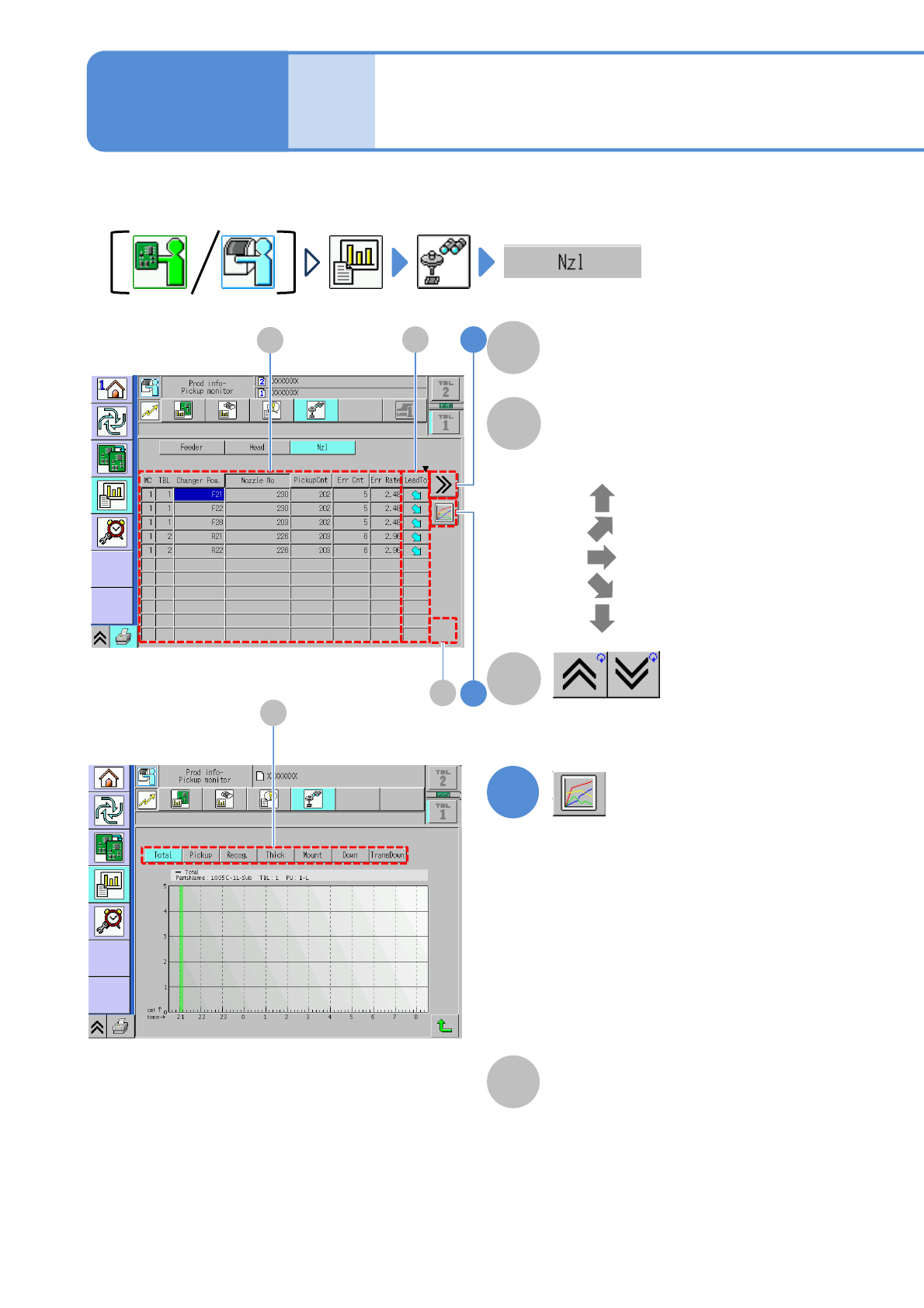
Nozzle pickup monitor
You can check nozzle pickup condition.
1
Displays error count of a component
in a graph.
B
LeadTo
A
Displays increase or decrease tendency
of the error rate.
●
●
●
●
●
: Ultra up tendency
: Up tendency
: Constant tendency
: Ultra down tendency
: Down tendency
Pickup information per nozzle
(→P.3-2-1-12)
Shows the previous or next table.
C
●Error count of the selecting head
per hour is displayed on the graph.
Vertical axis: Error count
Horizontal axis: Time
●Choosing the total error or an error
item can change the display of the
graph
D
Total error and error item
(→ P. 3 - 2- 3 -2)
D
1
2B
A
C
NPM-W2 EJM7DE-MB-03O-00
3-2-14-2
2
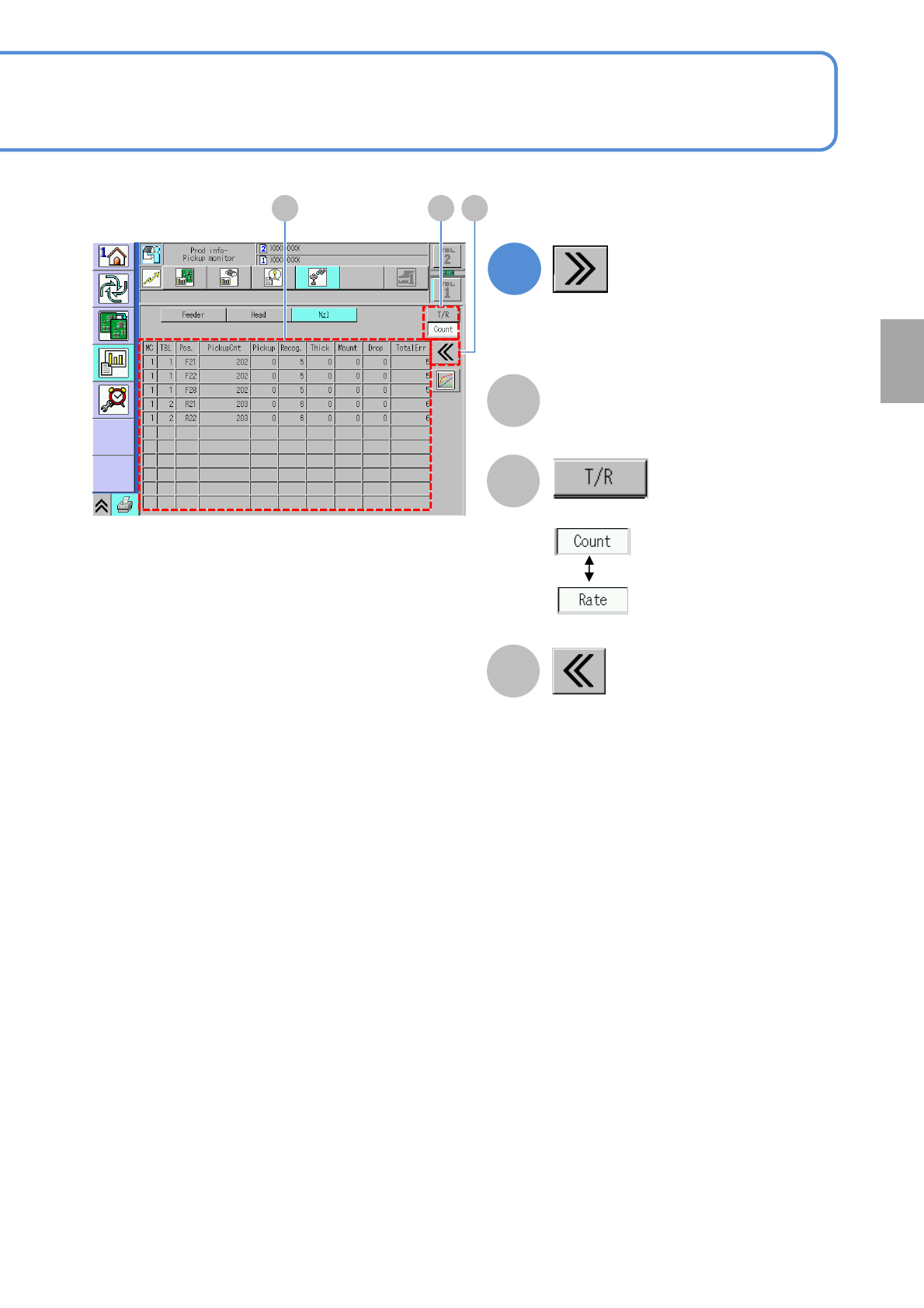
(Detailed error information is displayed)
A
B
Returns to the previous screen.
C
Choose the display type.
Pickup information per nozzle
(→P.3-2-1-12)
Production
A B C

NPM-W2 EJM7DE-MB-03O-00
3-2-15-1
Produc-
tion
informa-
tion
Inspection monitor
Operating procedure
3-2-15
(→P.4-4-3 'Component Inspection‘ 'Inspection monitor')
(→P.5-4-3 'Solder Inspection‘ 'Inspection monitor')
For information on the inspection monitor, see the following.