N7201A616E00_0317.pdf - 第328页
NPM-W 2 EJM7DE-MB-05O-0 0 Produc- tion data and teach 5-3-1 -1 Ov er view Operating procedure 5-3-1 ■ T eaching flow Creating the productio n data (inspection FPV data) Loading the pr oduction data Capturing the images o…
NPM-W2 EJM7DE-MB-05O-00
5-2-1
Setting soft switches
Operating procedure
5-2-1
A
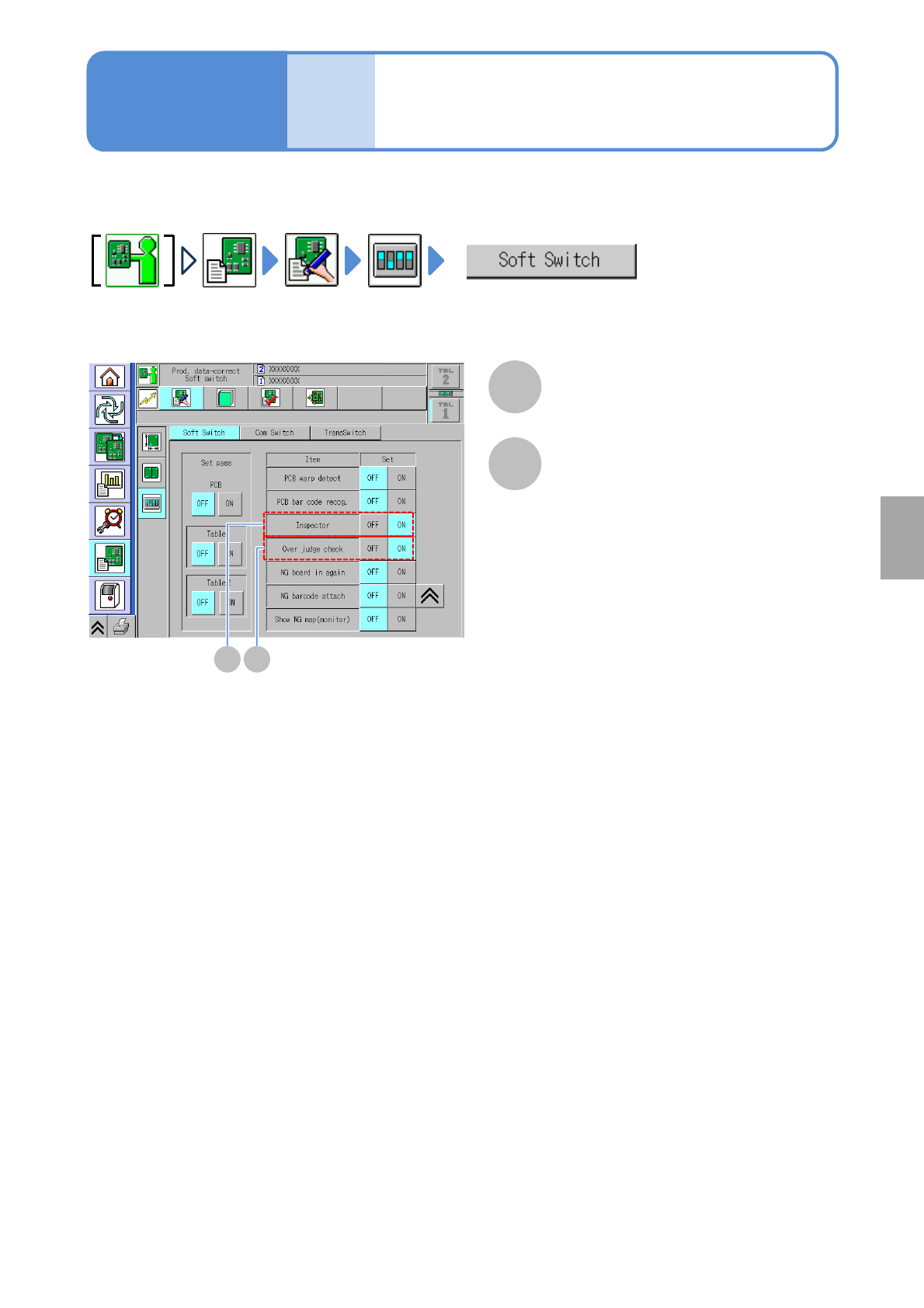
Parameter settings required for solder inspection by the inspection head is explained here.
A
With ON selected, the inspection function is
enabled.
Inspector
B
B
With ON selected, the over judgment check
input function is enabled.
Over judge check
Produc-
tion
Configu-
ration
Solder
inspection
NPM-W2 EJM7DE-MB-05O-00
Produc-
tion data
and
teach
5-3-1-1
Overview
Operating procedure
5-3-1
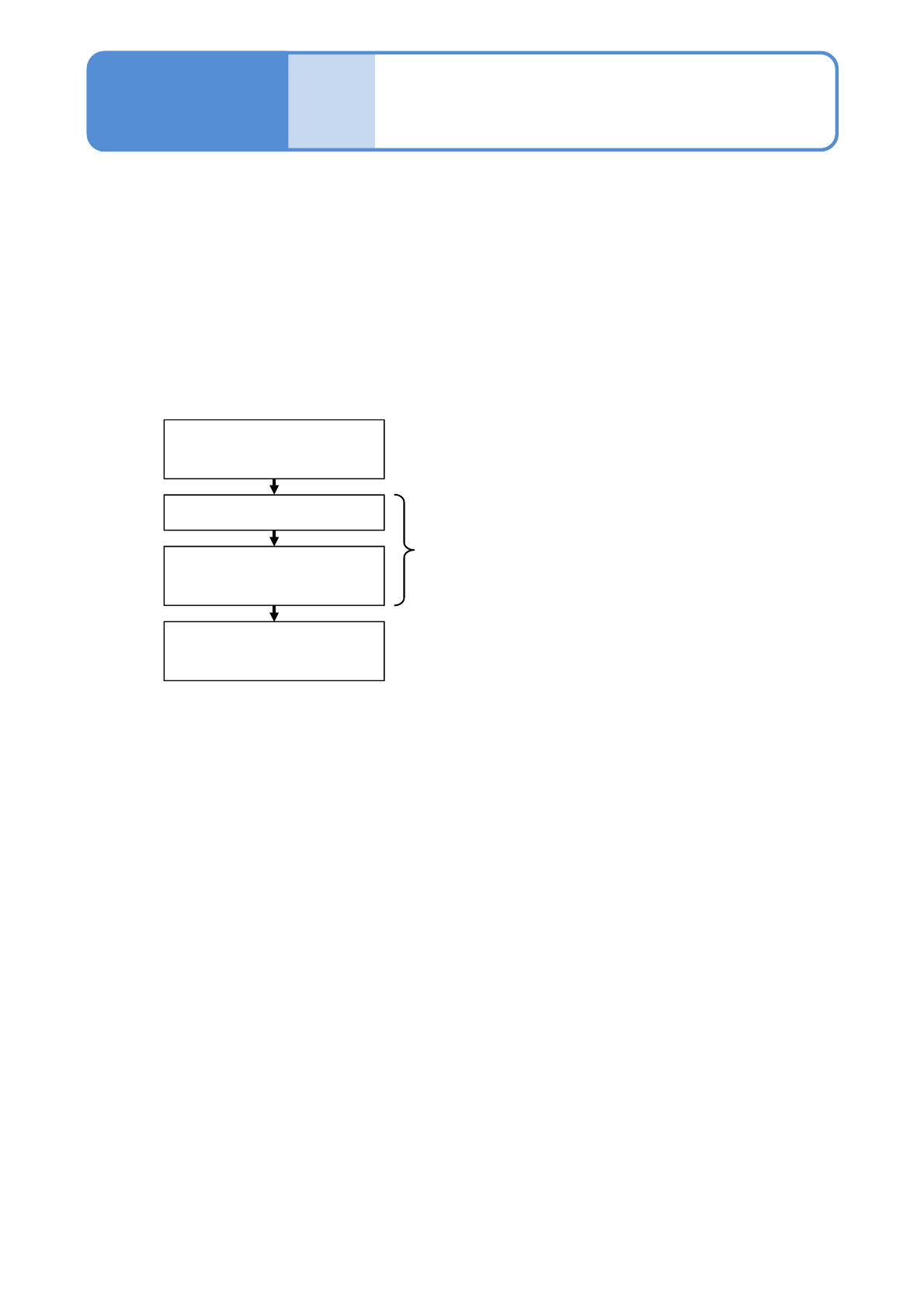
■Teaching flow
Creating the production data
(inspection FPV data)
Loading the production data
Capturing the images of the
teaching PCB
Setting with the 2D inspection
editor
Created by NPM-DGS
Edited with NPM-DGS
Operated by the machine
This section describes teaching that is intended to conduct solder inspection.
For the purpose of judging whether solder is on board or not, teaching of solder colors is conducted on NPM-
DGS. The teaching of solder colors is judged by taking the images of solder on board using the inspection
head.
[2D inspection editor] of the NPM-DGS is used to edit production data after inspection.
●NPM-W2 system equipped with the inspection head can configure only the [Setting of soft switches].
The mouse, keyboard, or monitor connected to the system unit of NPM-W2 or the inspection BOX cannot
be used to edit production data.

NPM-W2 EJM7DE-MB-05O-00
5-3-1-2
Solder
inspection