N7201A616E00_0317.pdf - 第572页
NPM-W 2 EJM7DE-MB-07 O-00 ● DHCP ■ To enter automatically ■ To enter manually Enter [IP address], [Sub-net mask] and [Gateway]. Unit setting Netw or k setting 7-1-4 -1 A B 2 A B You can c onfigure communi cation between …
NPM-W2 EJM7DE-MB-07O-00
7-1-3-4
System
administration
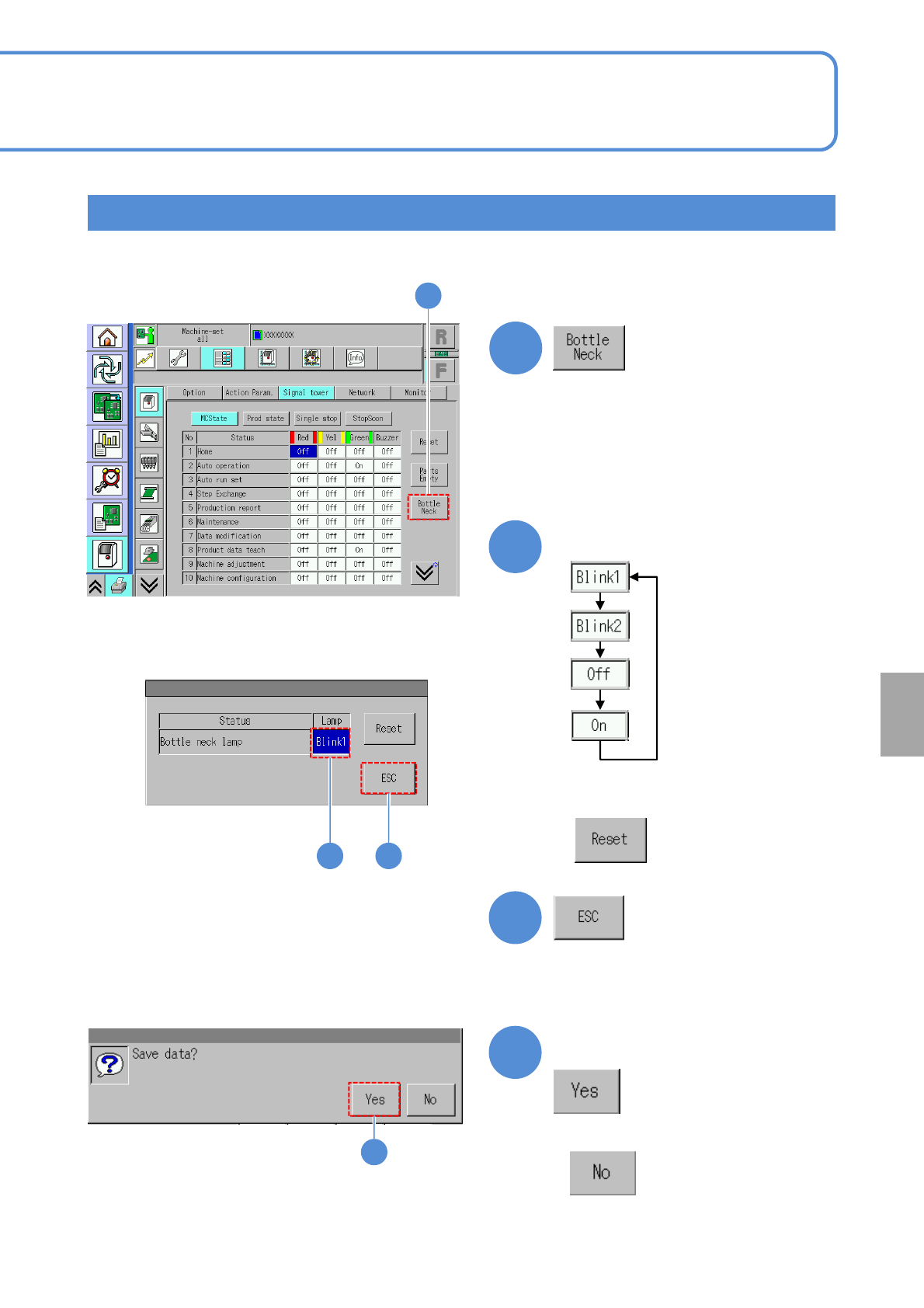
Bottle neck
1
4
2 3
1
Confirm the message
3
2
4
(Returns to the previous screen)
Choose the lamp settings
■Press the next operation button
■When you do not save the data
●You can configure a bottleneck lamp condition of a bottleneck machine in line.
■When you set to “Blink 1” of initial status,
NPM-W2 EJM7DE-MB-07O-00
●DHCP
■To enter automatically
■To enter manually
Enter [IP address], [Sub-net mask] and
[Gateway].
Unit
setting
Network setting
7-1-4-1
A
B
2
A
B
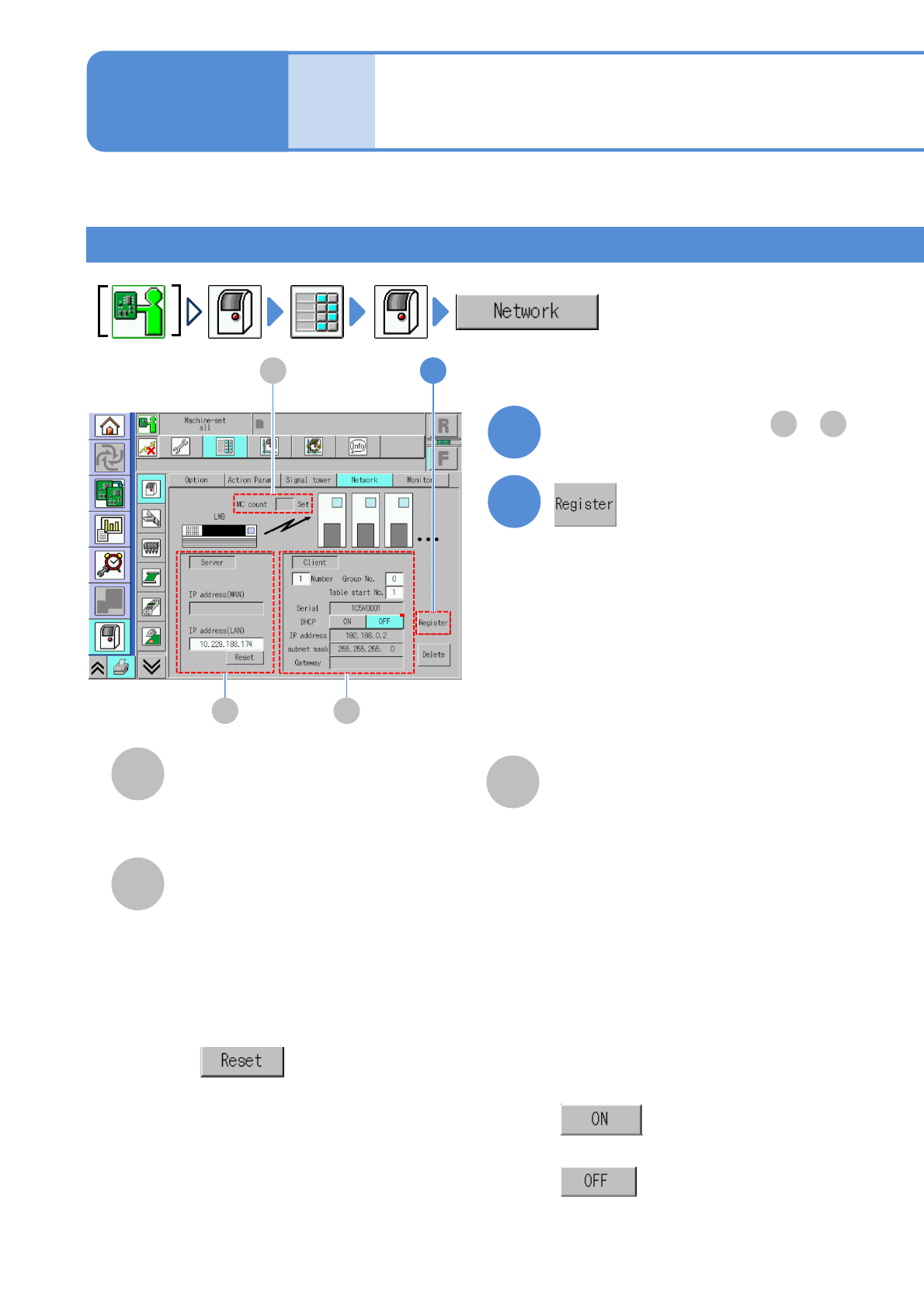
You can configure communication between the machine and LNB.
C
C
Operating procedure
7-1-4
MC count
The number of machines coupled
together in line.
●For a stand-alone unit, MC count is not
displayed.
Server
LNB settings.
Client
Machine settings.
●IP address (WAN)
LAN network address on the WAN
side (for DGS).
●
Initializes IP address of LNB of the
partner that this machine is
communicating to.
●IP address (LAN)
IP address of LNB of the partner that
this machine is communicating to.
●Machine number
Enter the number of machines after
first in line (which number).
●Machine serial
Serial number.
1
Set required items from to
A C
2
Setup
●Group number
Enter the number of number of the
group to which this machine belongs
●Table start number
Display and configure the table start
number for the line of this machine
NPM-W2 EJM7DE-MB-07O-00
7-1-4-2
3
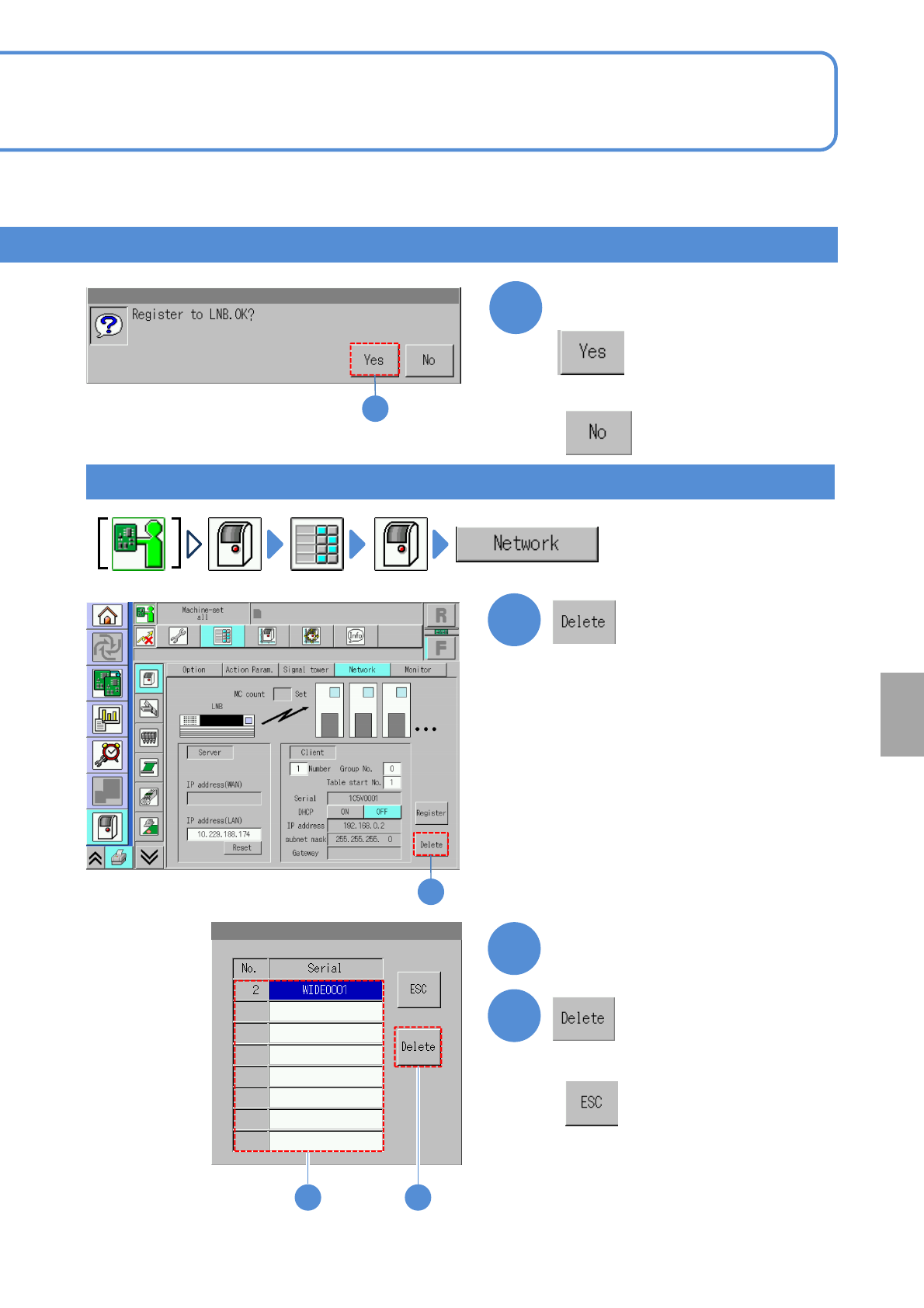
Confirm the message
(The machine serial list of LNB is
displayed)
Choose the machine number
Deleting the setup
3
1
1
2
3
2
3
■When you do not register
■When you do not delete
System
administration