N7201A616E00_0317.pdf - 第124页
NPM-W 2 EJM7DE-MB-02O-0 0 File opera- tion Loading pr oduction da ta 1 Loading data from DGS to the ma chine via LNB/Single lane mode 1 2 5 3 Select a destination Confirm the message Load produ ction data to the entire l…
NPM-W2 EJM7DE-MB-02O-00
M
N
O
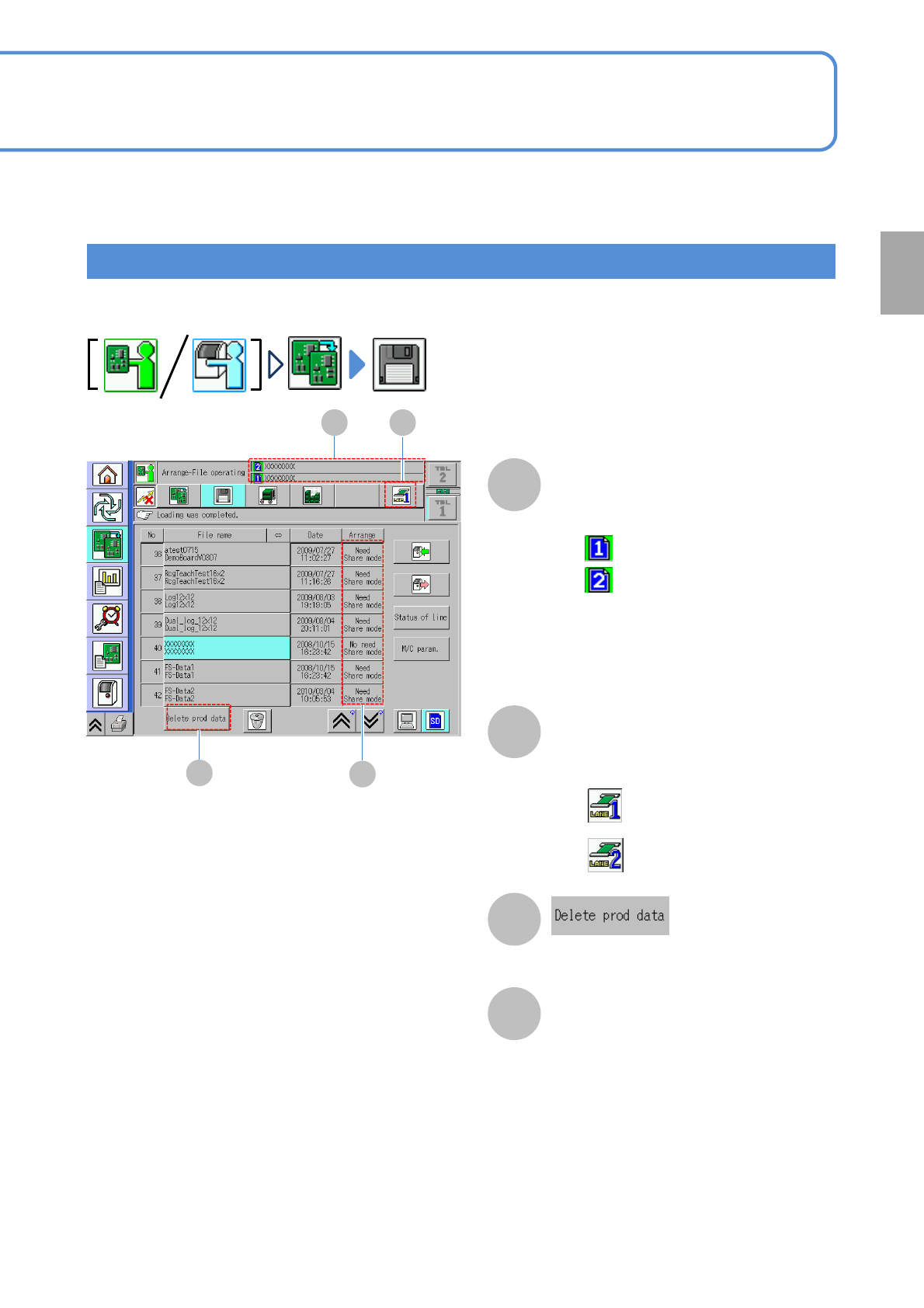
●Specifies and delete the data for the
lane not to be produced.
2-3-2-2
M N
O
How to view screen/Dual lane mode
:Production data name of Lane 1
●Describes the different part from the single lane mode.
Production data name
●Name of the loading production data. If
no data, this area is blank.
Lane display
●Current lane is displayed on the dual
lane mode.
:Lane 1
:Lane 2
:Production data name of Lane 2
P
P
Placement mode (Preparation for
lower level)
●Alternate mode/Independent mode
(→P.3-1-3)
●Alternate mode and independent
mode cannot be not loaded at once
on both front and rear lanes.
The message appears. Confirm the
message and continue operation.
Preparation
Upon completion of loading production data,
the background color of the icons turns green.
(Once production starts, the original
background color is restored)
NPM-W2 EJM7DE-MB-02O-00
File
opera-
tion
Loading production
data 1
Loading data from DGS to the machine via LNB/Single lane mode
1
2
5
3
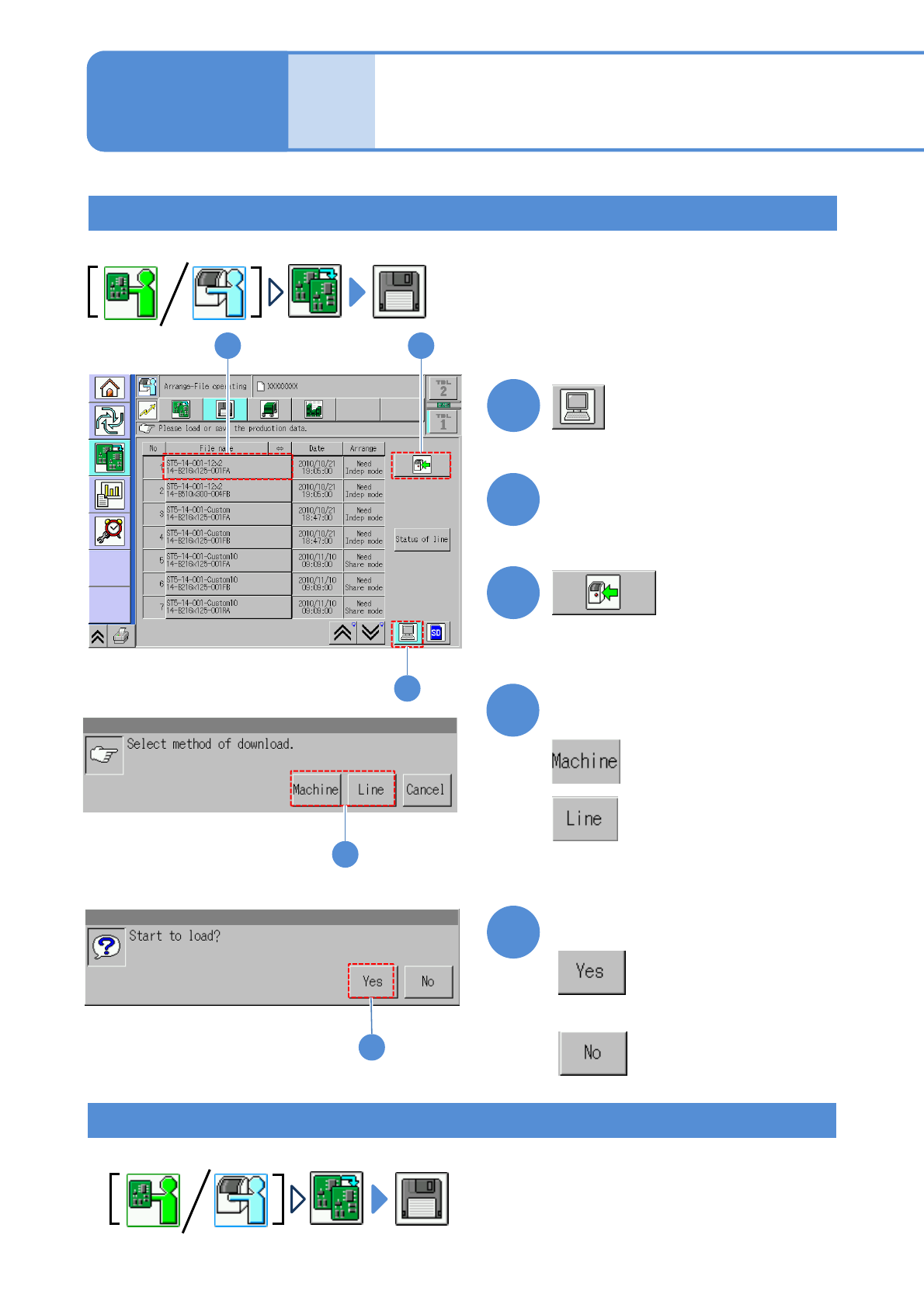
Select a destination
Confirm the message
Load production data to the entire line or a single machine.
: Single machine
: Entire line
2-3-3-1
4
Select a file
2 3
1
Operating procedure
2-3-3
Loading data from SD card to the machine/Single lane mode
Load production data to the machine with the SD card inserted.
5
4
■If you do not load data
●Displays only on the first machine
when two or more machines are
coupled.
NPM-W2 EJM7DE-MB-02O-00
2-3-3-2
4
Confirm the message
1
2
2
3 4
3
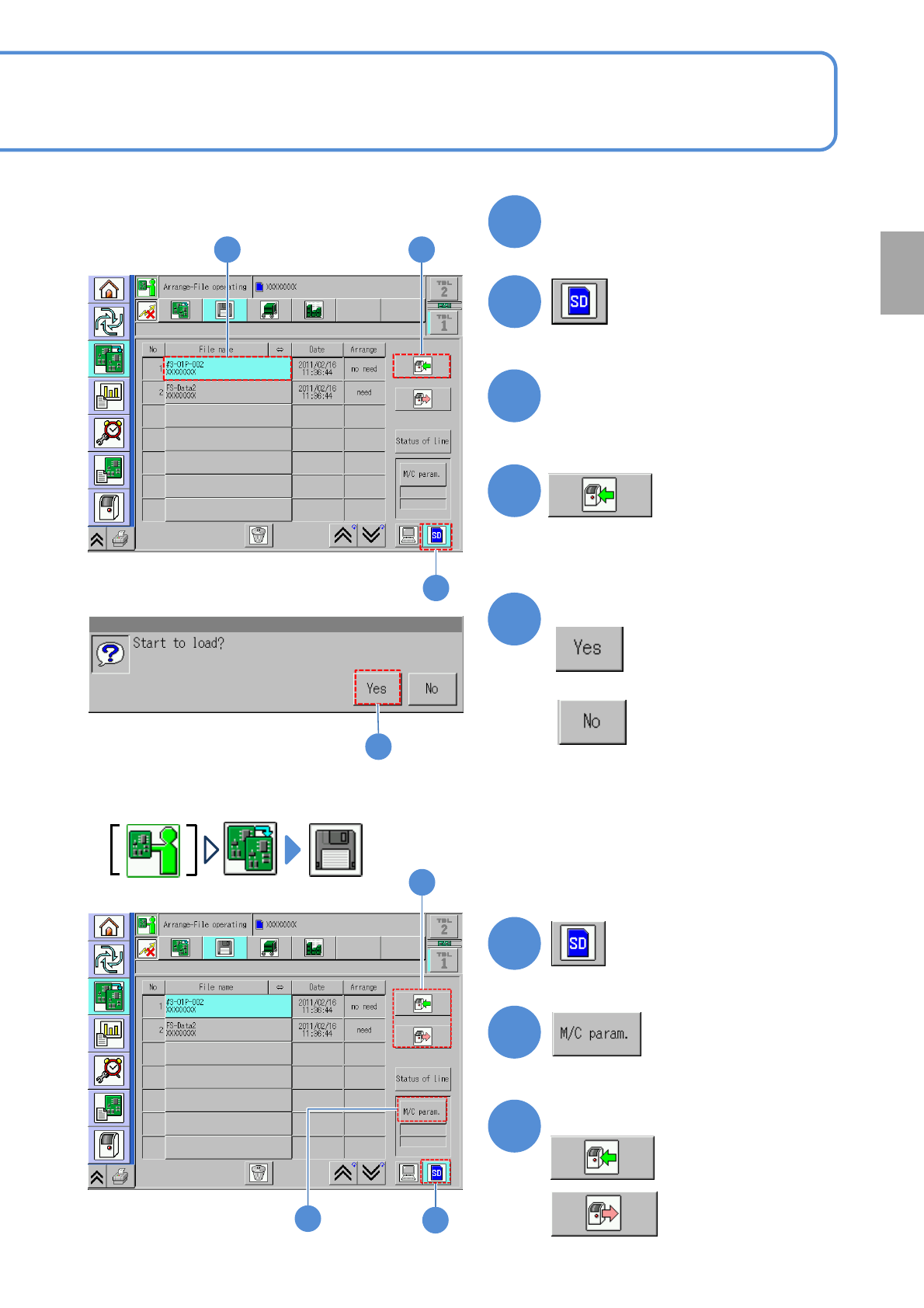
Select a file
Insert the SD card (parameter
disk)
5
■This explains how to load machine parameters from the SD card to the machine,
or save machine parameters from the machine to the SD card.
:Save
1
2
3
Select data load or save
:Load
1
2
3
5
■If you do not load data
Preparation