N7201A616E00_0317.pdf - 第484页
NPM-W 2 EJM7DE-MB-06O-0 0 6-2-9 -7 Produc- tion data teaching Placement coor dinates teac h 4 Operating procedure 6-2-9 10 ■ If the component center is displaced 10 + ● Aligns the componen t cente r to the cross line cen…
NPM-W2 EJM7DE-MB-06O-00
6-2-9-6
Setting
change
5
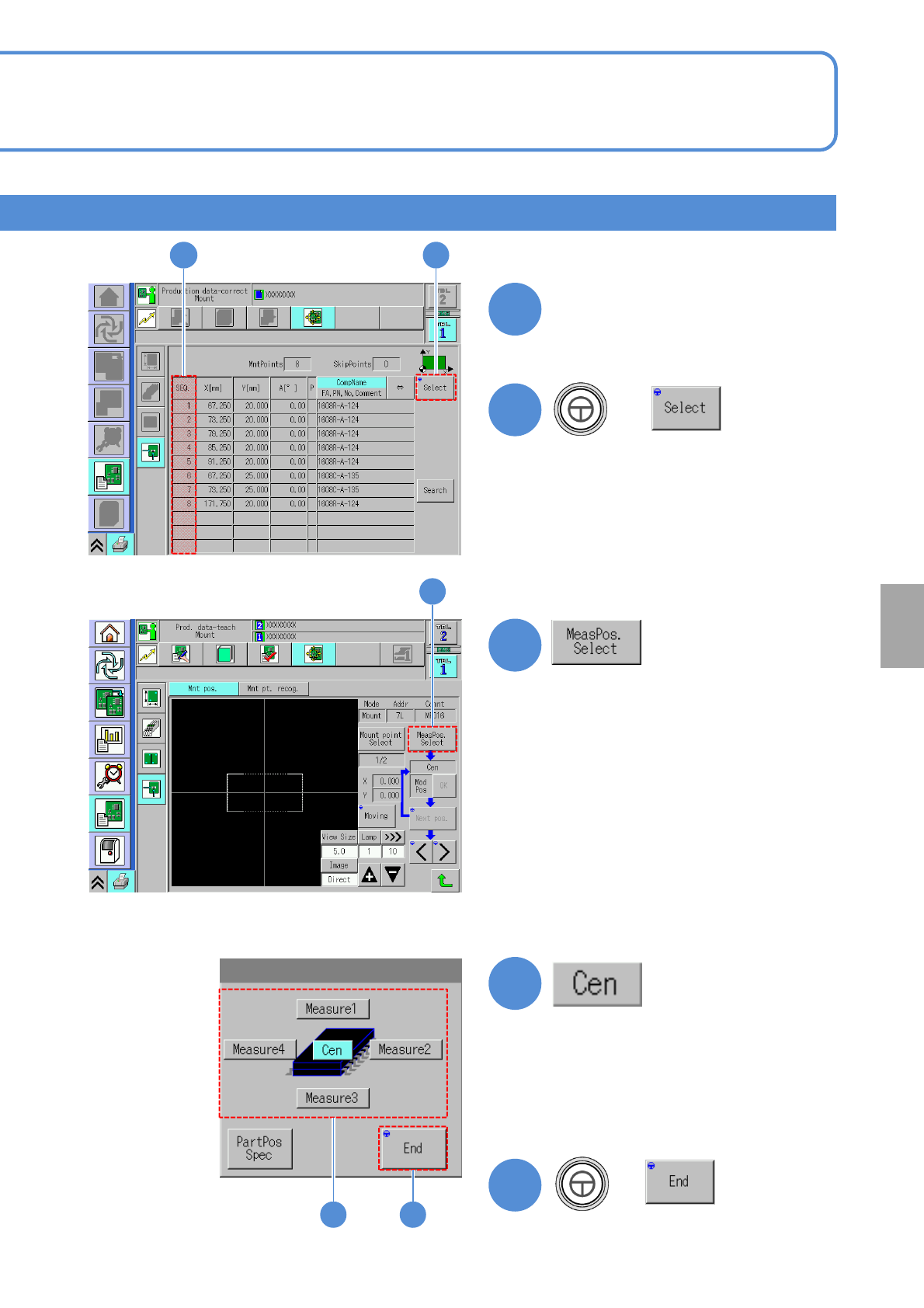
Choose SEQ number of a
component to evaluate
6
6
+
5
7
7
8
9
8 9
+
●The component shape is displayed
when both the length and width of
the component maximum outer size
are below 2.0 mm and the
placement angle is 45 degree basis.
NPM-W2 EJM7DE-MB-06O-00
6-2-9-7
Produc-
tion data
teaching
Placement coordinates
teach 4
Operating procedure
6-2-9
10
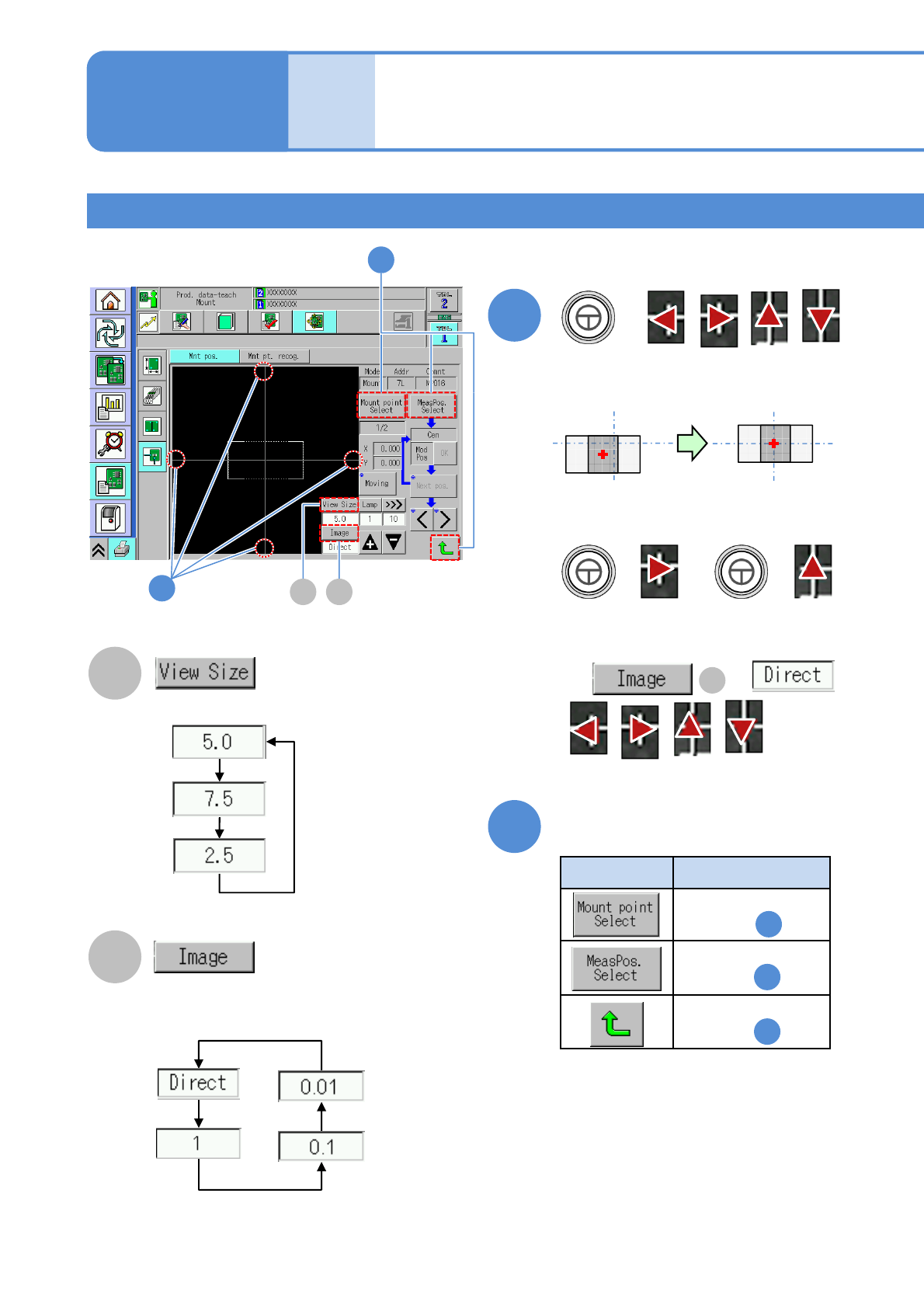
■If the component center is displaced
10
+
●Aligns the component center to the
cross line center.
The following two buttons are used for
the above example.
+ +
Type Action
11
11
Press any of the following buttons
1
5
8
Returns to the
screen in
Returns to the
screen in
Returns to the
screen in
A
B
A B
Adjust the area to view.
Change a moving amount of
an image
If is ,
are not
displayed.
B
Teaching with component (measuring method: 1 point) 3
● Notice1
NPM-W2 EJM7DE-MB-06O-00
6-2-9-8
Setting
change
12
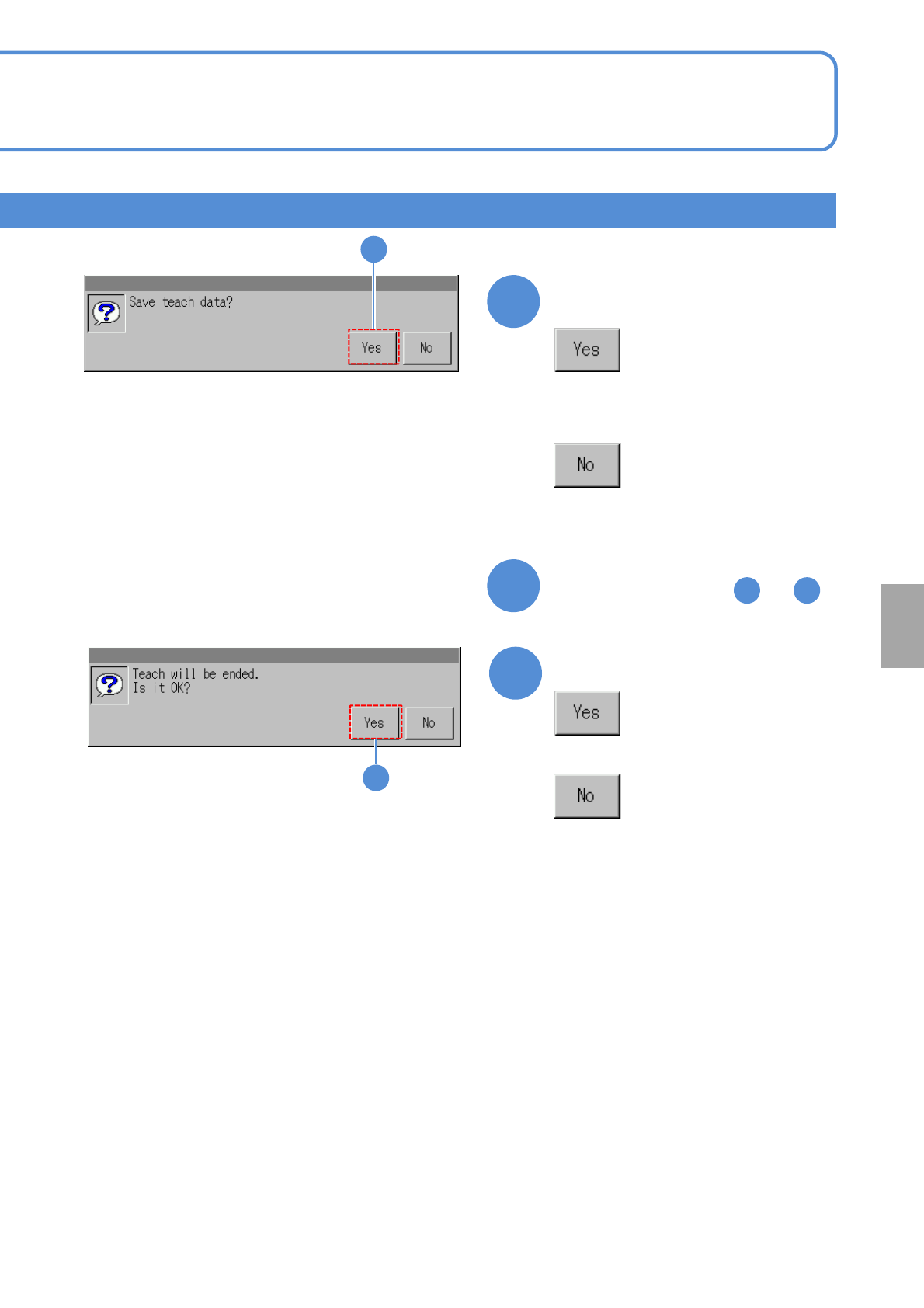
Confirm the message
13
■To teach the next component
Repeat steps from to
5 12
12
14
14
Confirm the message
■When you do not save the data
■When you do not save the teach
result