N7201A616E00_0317.pdf - 第330页
NPM-W 2 EJM7DE-MB-05O-0 0 5-3-2 -1 Ca pturing the ima ges of teac hing PCB 1 Loading the production data 1 Operating procedure 5-3-2 ● The target device is switched to LNB. (The filename of the data registered in an LNB …
NPM-W2 EJM7DE-MB-05O-00
5-3-1-2
Solder
inspection
NPM-W2 EJM7DE-MB-05O-00
5-3-2-1
Capturing the images
of teaching PCB 1
Loading the production data
1
Operating procedure
5-3-2
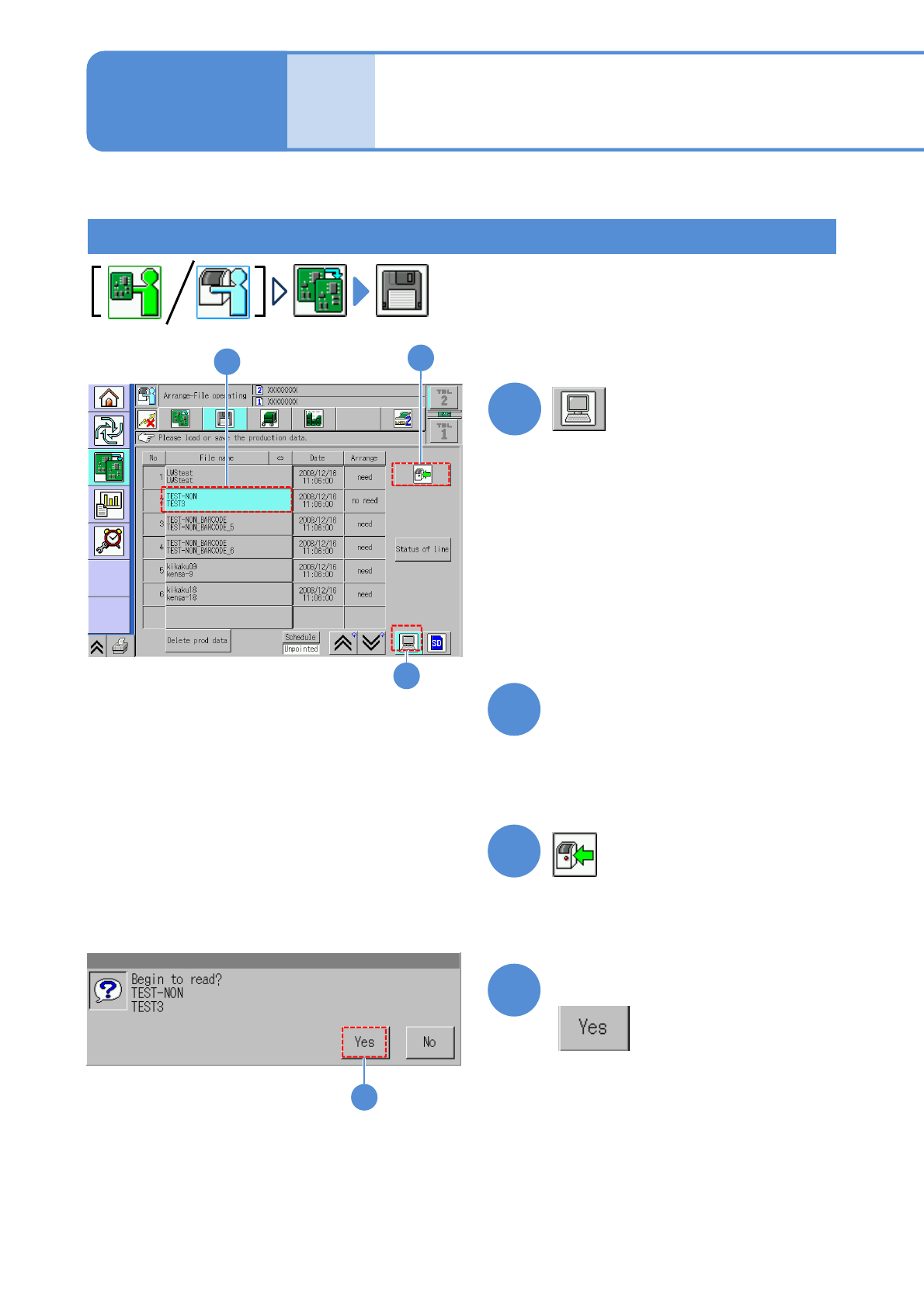
●The target device is switched to LNB.
(The filename of the data registered in
an LNB list is displayed.)
Choose the desired filename
(The selected filename is displayed in
light blue.)
●Pressing [Date] sorts the filename in
descending order of date.
2
3
4
Produc-
tion data
and
teach
Confirm the message
3
2
4
1
(The data starts downloading)
This section describes how to capture an image of a PCB having soldered components, which is used for
data edit on “2D inspection editor”.
NPM-W2 EJM7DE-MB-05O-00
5-3-2-2
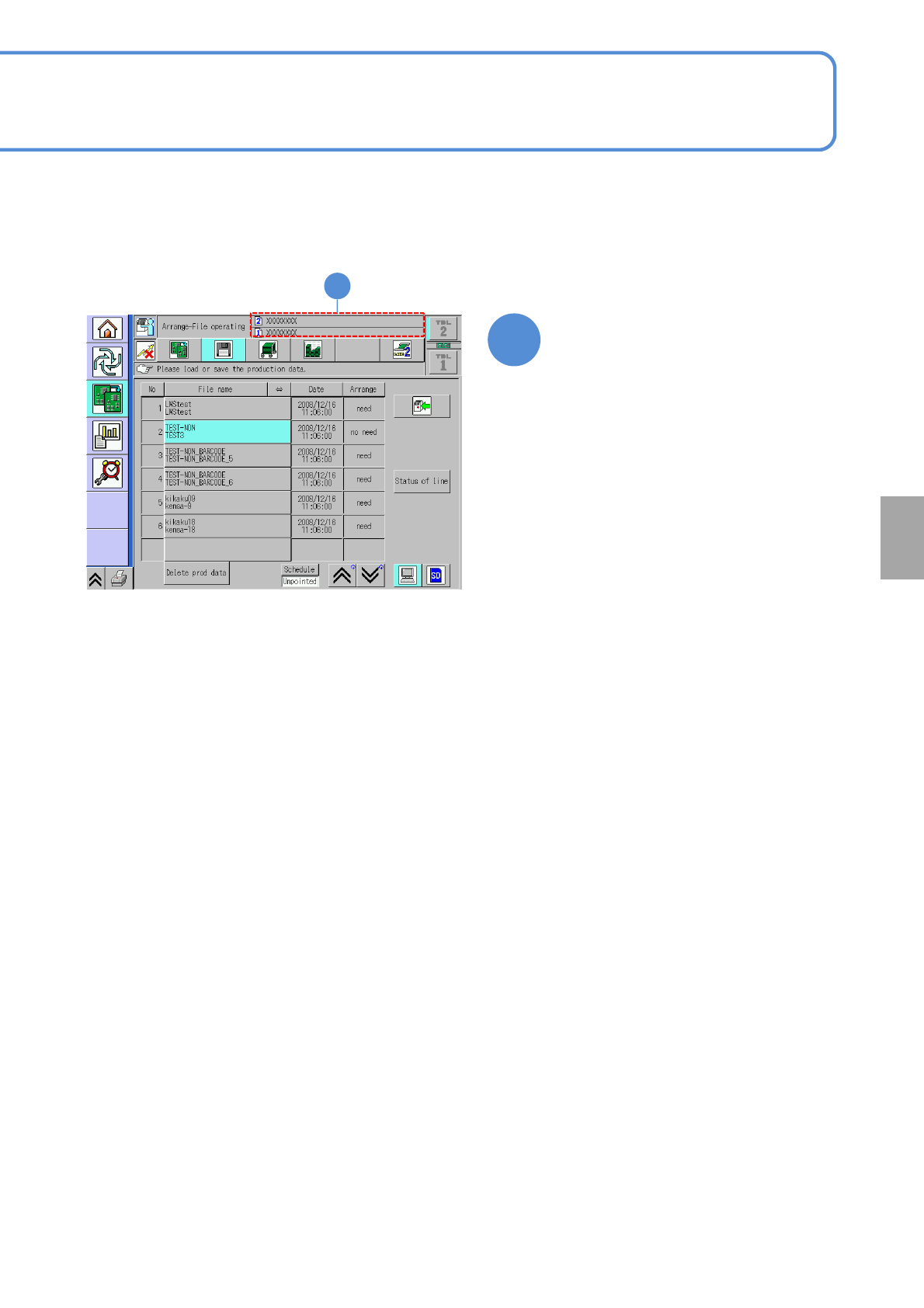
Confirm the data name
5
5
Solder
inspection