N7201A616E00_0317.pdf - 第449页
NPM-W 2 EJM7DE-MB-06O-0 0 6-2-3 -4 Setting change + 6 6 Select the coordinate No. to measure 7 (The head camera moves to the coordinate s to measure so that you can visually check the condition of measurement po int.) 7 …
NPM-W2 EJM7DE-MB-06O-00
6-2-3-3
Produc-
tion data
teaching
PCB warpage measurement
point teach 2
(option)
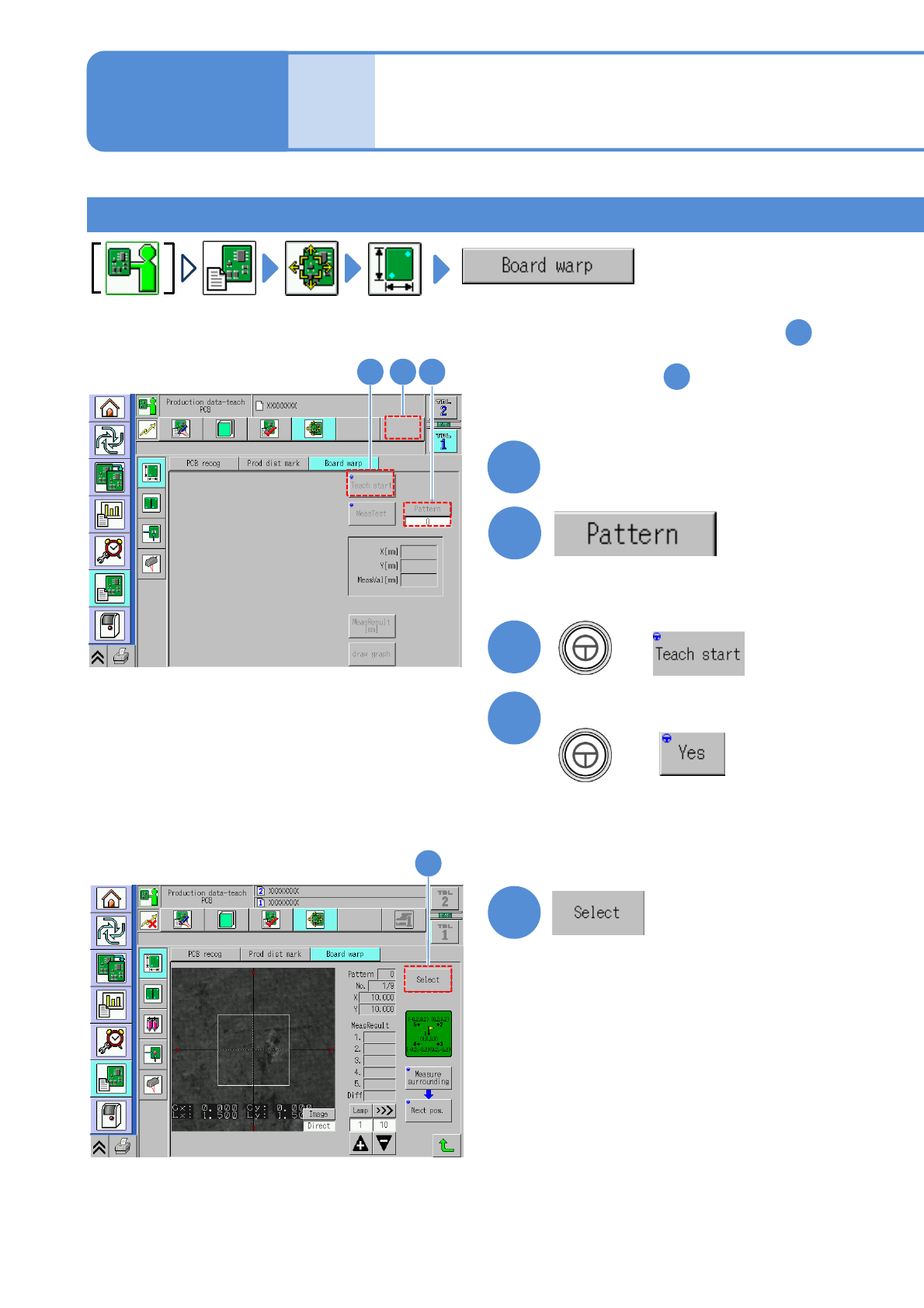
Operating procedure
6-2-3
2
+
Confirm the message
3
1
Teaching procedure 1
2
(Selectable only when the warpage
mode is pattern.)
●Set the pattern number
4
3
(Confirm the PCB loading message
and place the PCB.)
5
5
(The PCB warpage measurement
point data is displayed.)
+
1
Select a lane
■For measuring per a point and change
the measurement point: To step
3
■For measuring all points and check
the result: To step
11
(The PCB is loaded and the
recognition mark is recognized.)
(For dual lane)
NPM-W2 EJM7DE-MB-06O-00
6-2-3-4
Setting
change
+
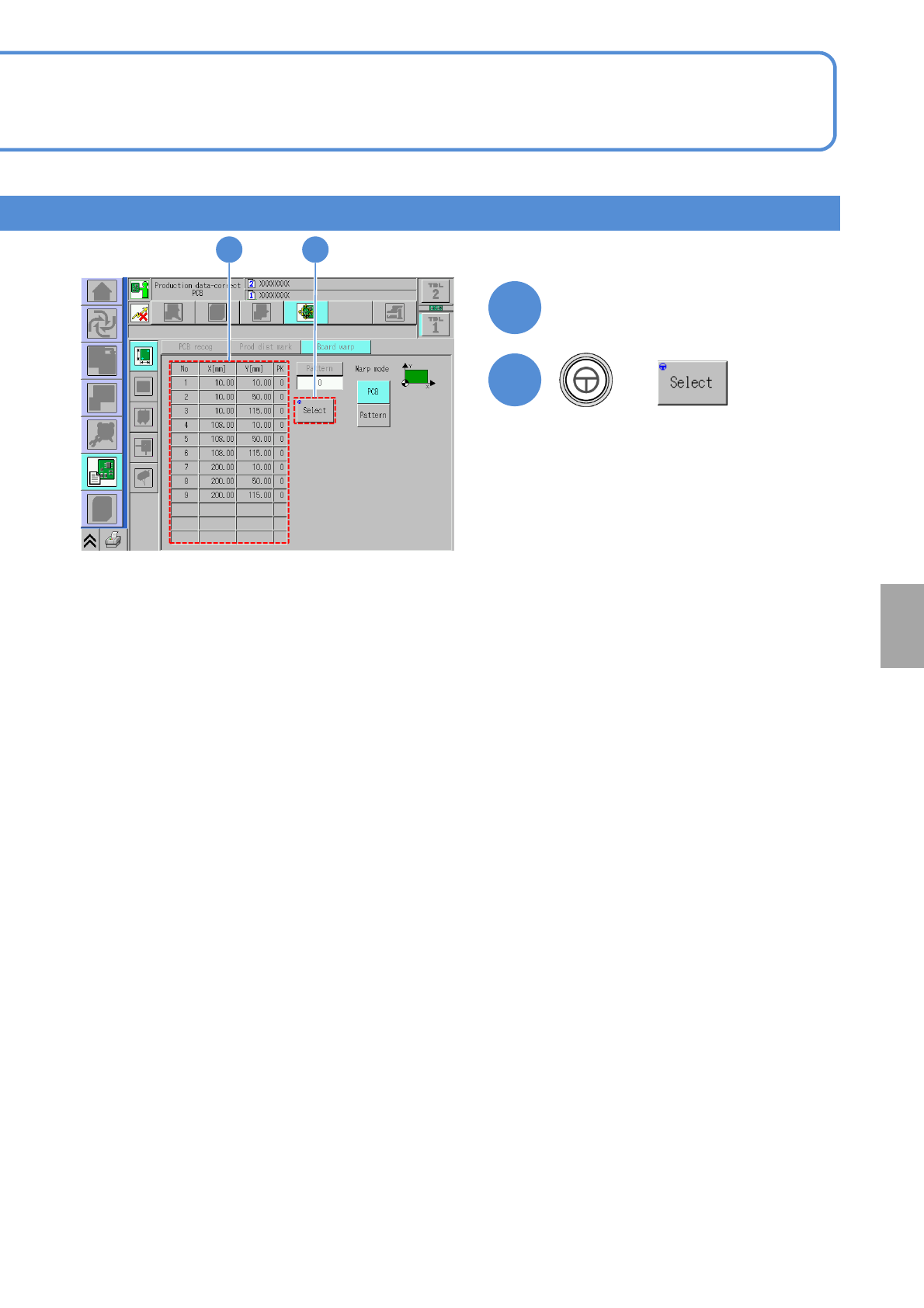
6
6
Select the coordinate No. to
measure
7
(The head camera moves to the
coordinates to measure so that you
can visually check the condition of
measurement point.)
7
●The center of the image displayed on
the screen is the measurement point.
●Visually check whether to be
appropriate or not the measurement
points on the PCB surface.
NPM-W2 EJM7DE-MB-06O-00
6-2-3-5
Produc-
tion data
teaching
PCB warpage measurement
point teach 3
(option)
Operating procedure
6-2-3
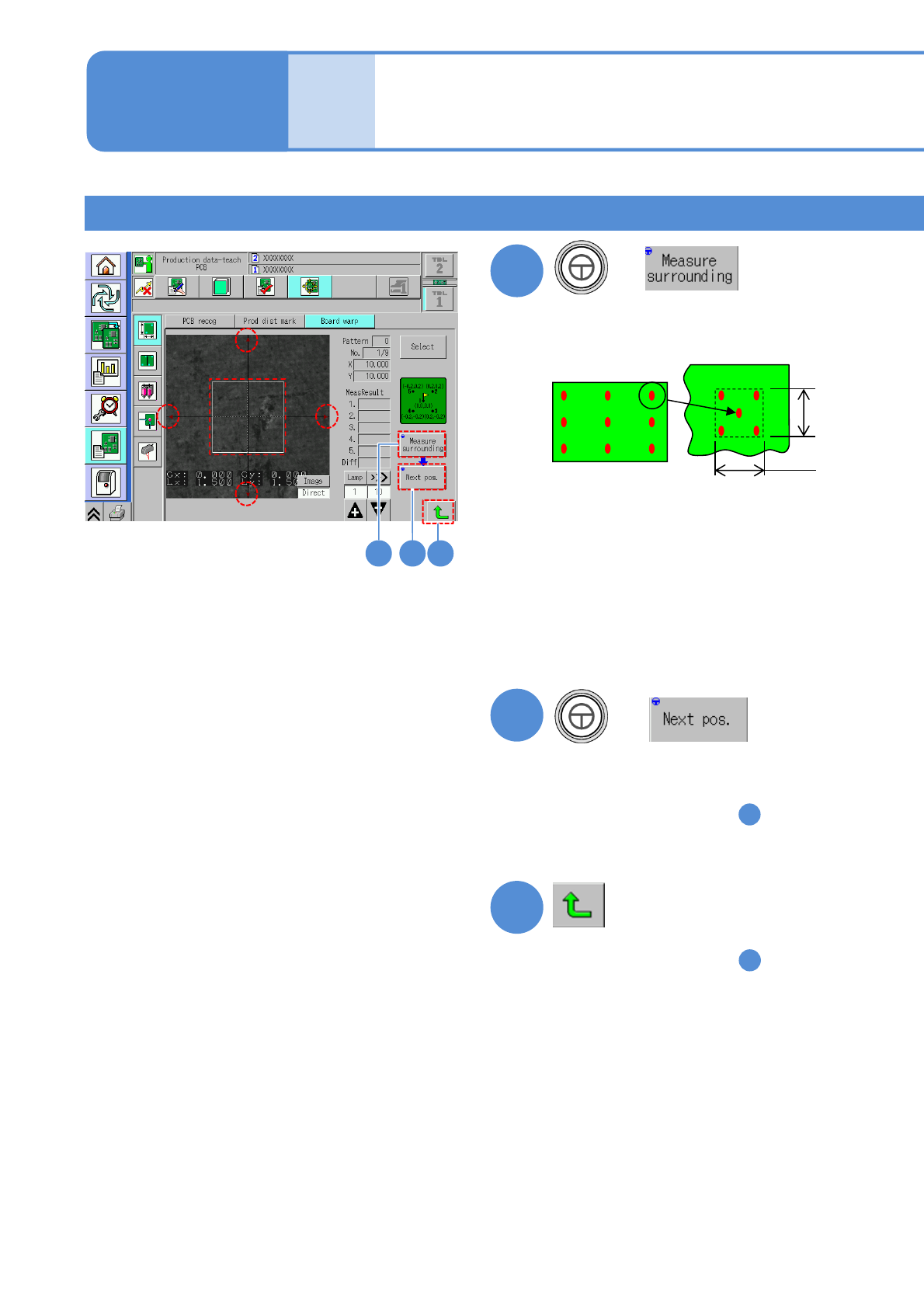
Teaching procedure 2
8 9 10
+
(Measure the selected measurement
coordinates and four points around it,
and the result is displayed.)
8
9
(Move to the next measurement point)
●Confirm the following point
1
2
3
4
5
1.5 mm
1.5 mm
The difference between the
measurement point (center) and its
surrounding is 0.03 mm or less
●If the measurement result is unstable
Adjust to be applicable position with
inching, and measure surroundings
again.
(Adjust as a boundary of a copper foil
is not included within □1.5 mm)
+
●Confirm all points
●If you change the measurement
coordinates in the step , you are
asked whether or not to save the
changed coordinates.
Select either one.
8
10
●If you change the measurement
coordinates in the step , you are
asked whether or not to save the
changed coordinates.
Select either one.
8