N7201A616E00_0317.pdf - 第394页
NPM-W 2 EJM7DE-MB-06O-0 0 A C D E K B F I G H J Pattern Describes how to check and edit the pattern attribut e. ( → .P6-2-2) Data editing P a tter n attribute da ta edit A SkipPiece B PatternPiece C D Enter the pattern n…
NPM-W2 EJM7DE-MB-06O-00
6-1-11-2
D
C
C
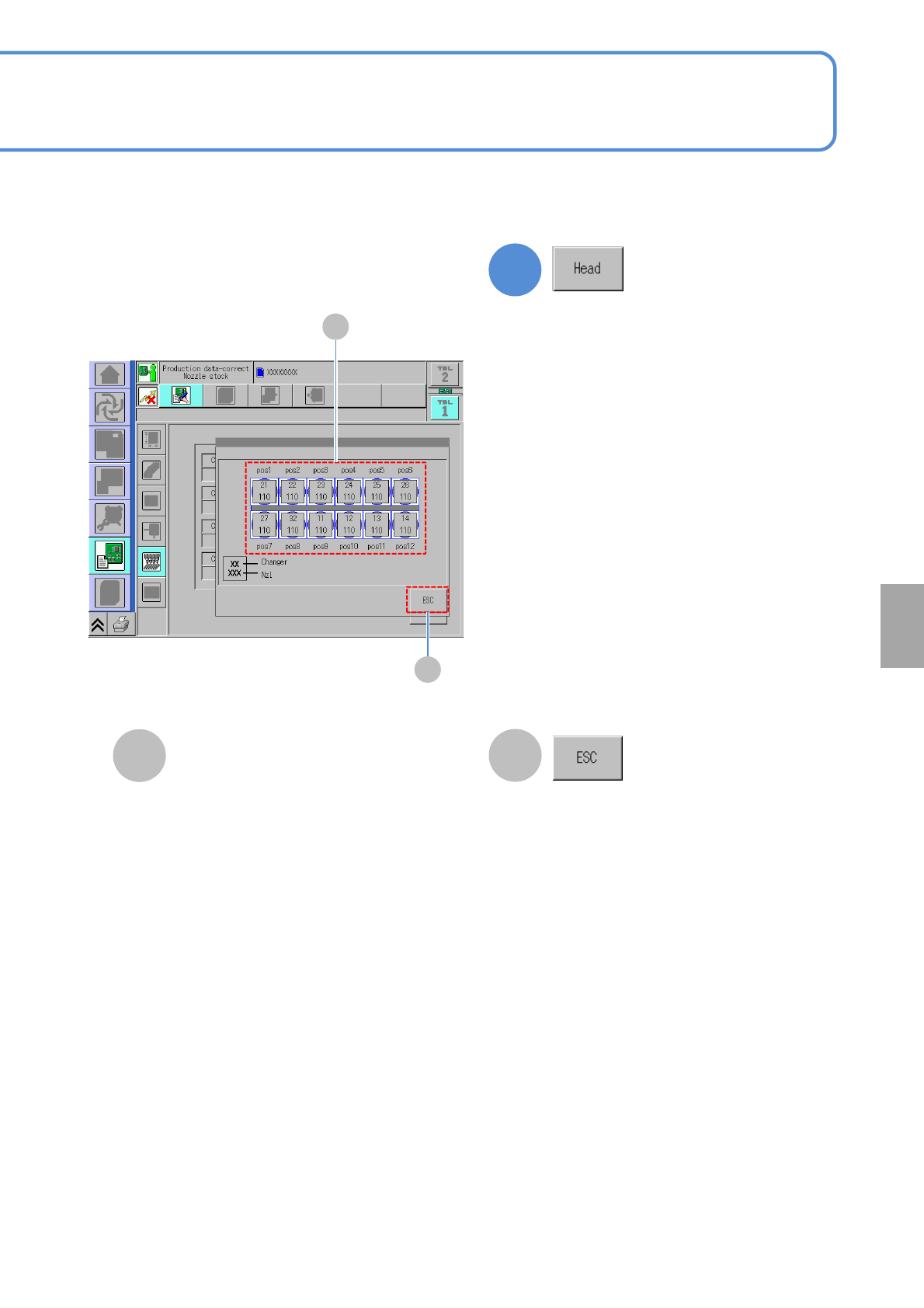
Nozzle arrangement data
D
Returns to the previous screen.
Displays the nozzle number and nozzle
changer position used per nozzle
position.
1
The nozzle number and nozzle changer
position used per nozzle position are
displayed.
Setting
change
NPM-W2 EJM7DE-MB-06O-00
A C D
E K
B
F
I
G H J
Pattern
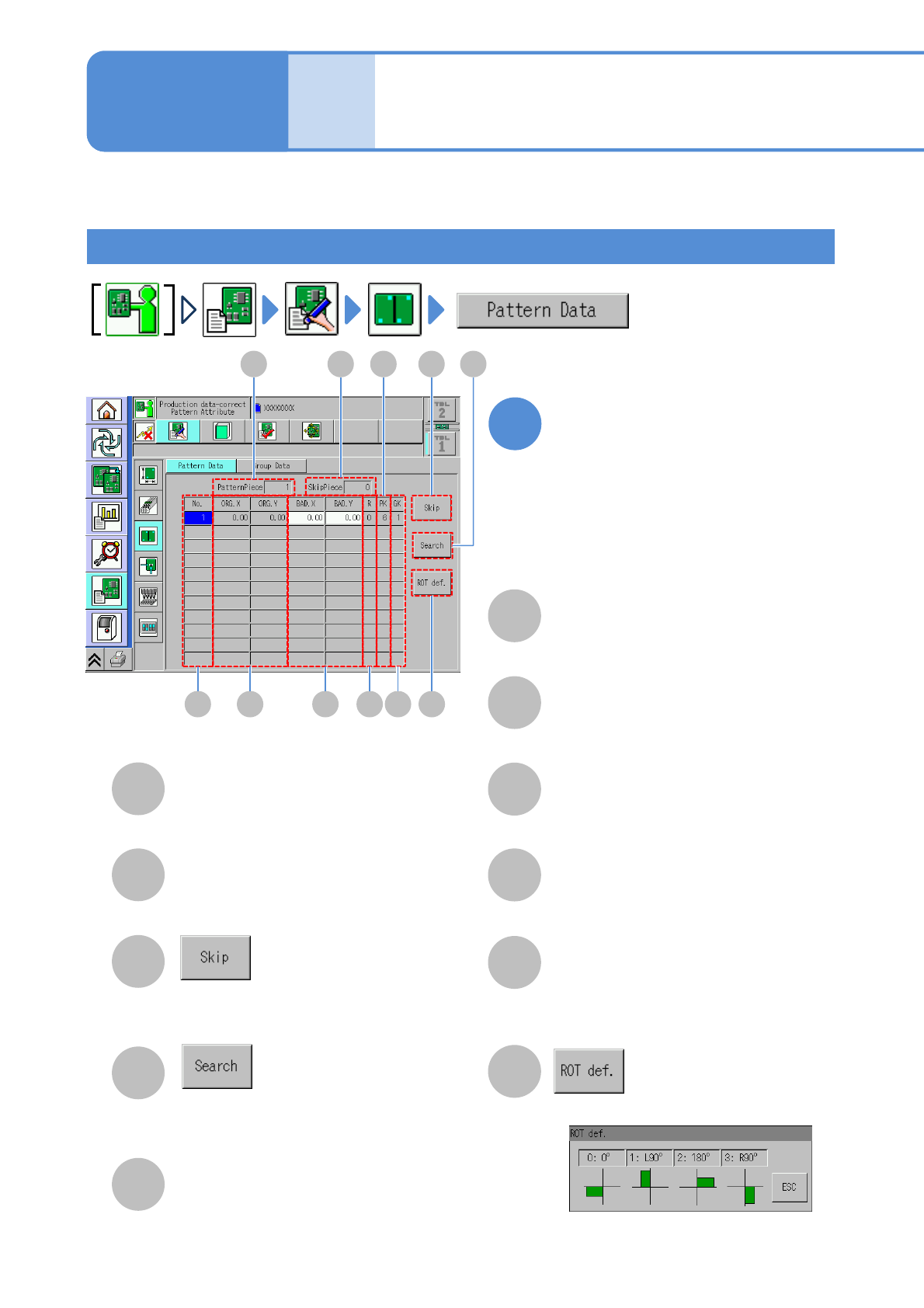
Describes how to check and edit the pattern attribute. (→.P6-2-2)
Data
editing
Pattern attribute data
edit
A
SkipPiece
B
PatternPiece
C
D
Enter the pattern number to search the
pattern.
Set the selected pattern to the bad
pattern.
The total number of skip patterns.
The total number of registered patterns.
E
Pattern number.
No.
ORG.X/ORG.Y
F
G
BAD.X/ BAD.Y
X-/Y-coordinates of pattern origin.
Bad mark X-/Y-coordinates of a pattern.
Rotation definition number of a pattern.
(See the [Rotation definition] screen)
H
R
PK
J
The number for arranging more than
one type of pattern.
K
Displays the [Rotation definition] screen.
6-1-12-1
GK
I
The number to discriminate a pattern group.
Edit the data of the desired
field on the screen
●Touching the screen opens the input
window.
1
Operating procedure
6-1-12
NPM-W2 EJM7DE-MB-06O-00
C
A
B
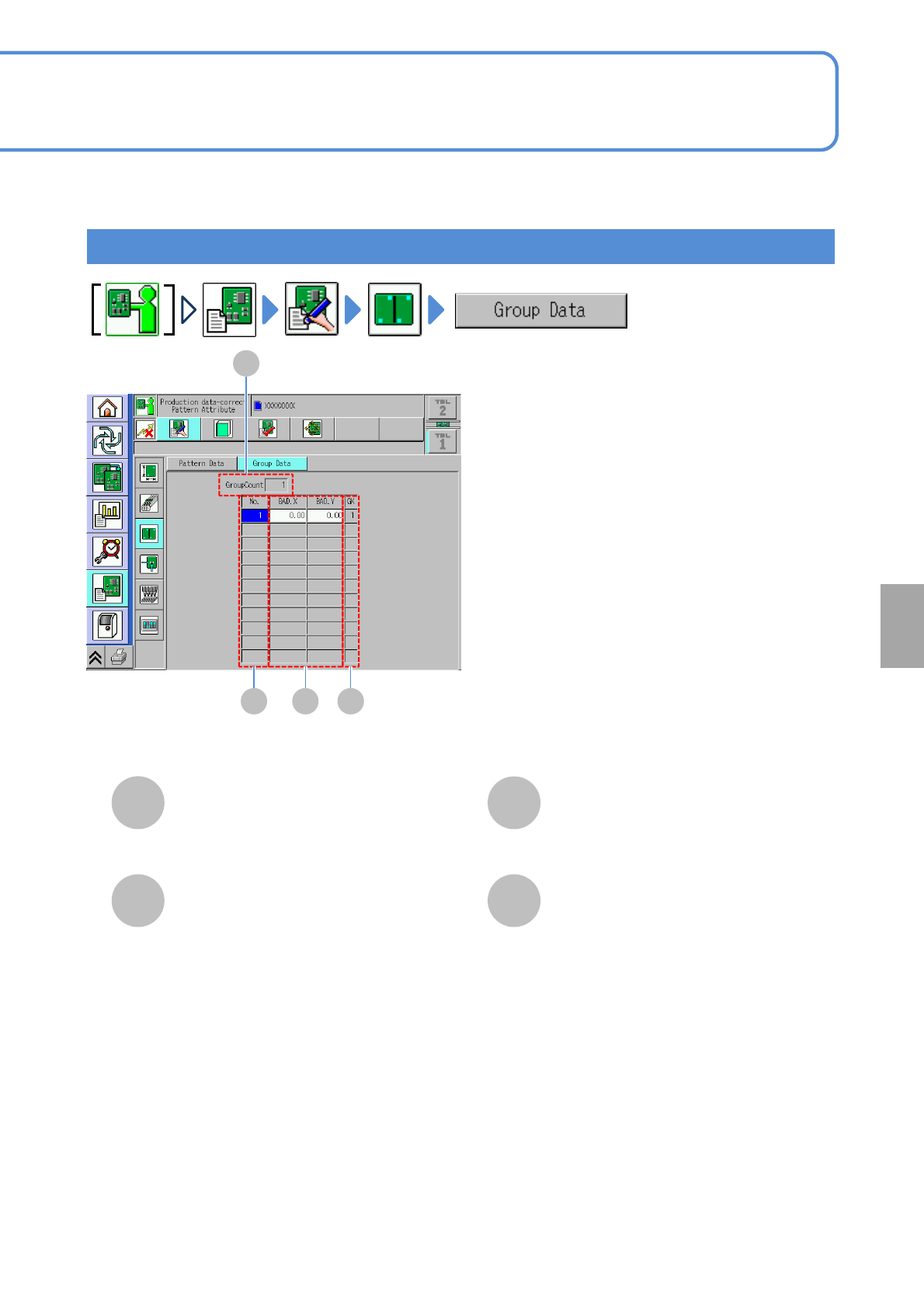
GroupCount
D
GK
BAD.X/BAD.Y
A
No.
B C D
6-1-12-2
Group
The total number of registered group data.
The number to discriminate a pattern group.
Bad mark X-/Y- coordinates of a group.
Group data number.
Setting
change