N7201A616E00_0317.pdf - 第510页
NPM-W 2 EJM7DE-MB-06O-0 0 Produc- tion data teaching Placement point r ecognition teac h 1 6-2-12 -1 Operating procedure 6-2-12 Inputting the placement data Inputting the placement recognition data Starting the teaching …
NPM-W2 EJM7DE-MB-06O-00
6-2-11-4
Setting
change
6
6
+
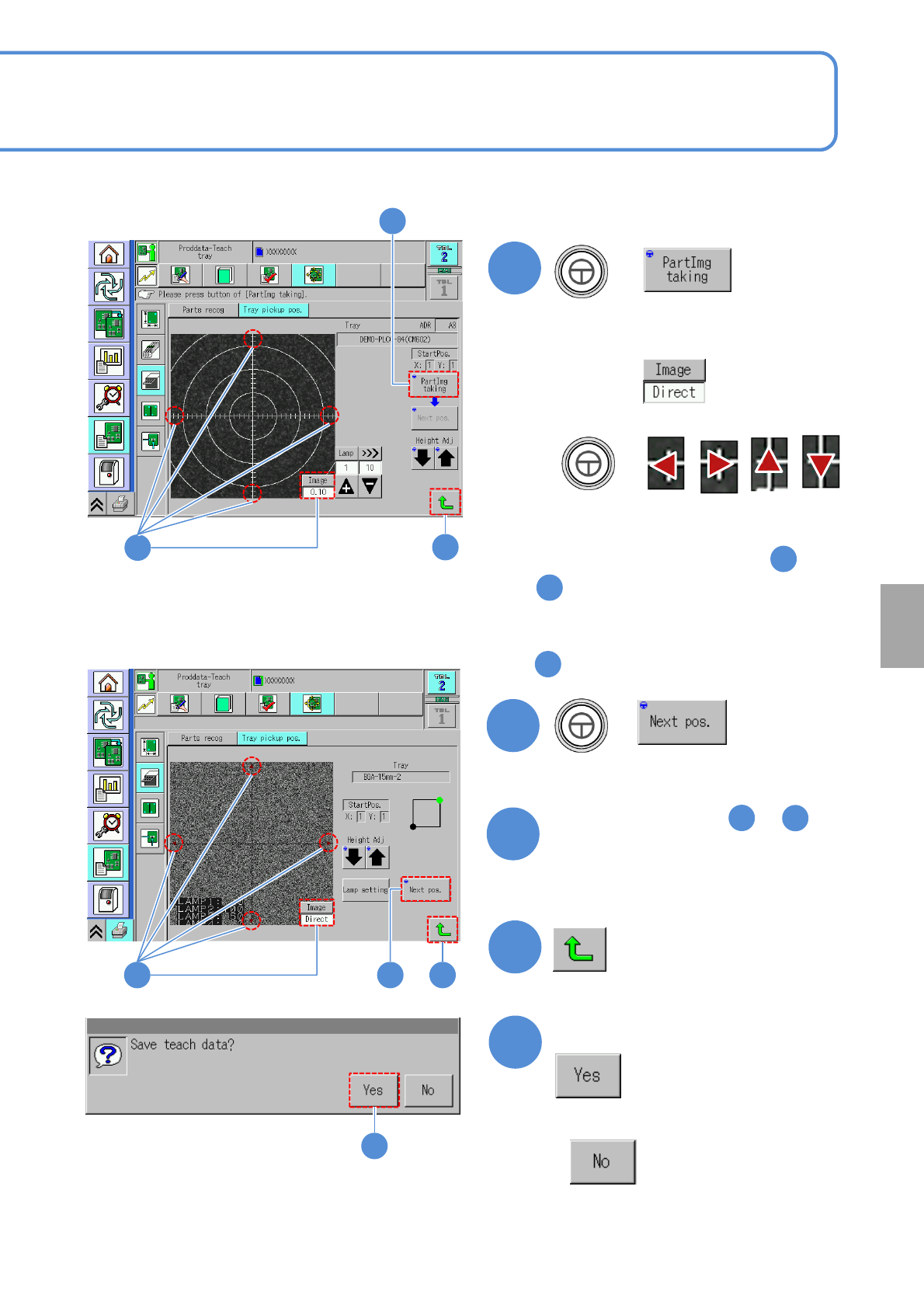
●If the tray stock pocket center is not
aligned to the cross line center
Align to the center with
Switch to
+
■‘1 point mode’ is selected in
■Other than ‘1 point mode’ is selected
in
7
+
(Moves to the next teach position)
8
Repeat steps from to
as many times as there are
recognition points
4
3
9
6
7
6
To
9
■ When 1 point mode is selected
■ When other than 1 point mode is selected
976
10
Confirm the message
■When you do not save the data
9
10
NPM-W2 EJM7DE-MB-06O-00
Produc-
tion data
teaching
Placement point
recognition teach 1
6-2-12-1
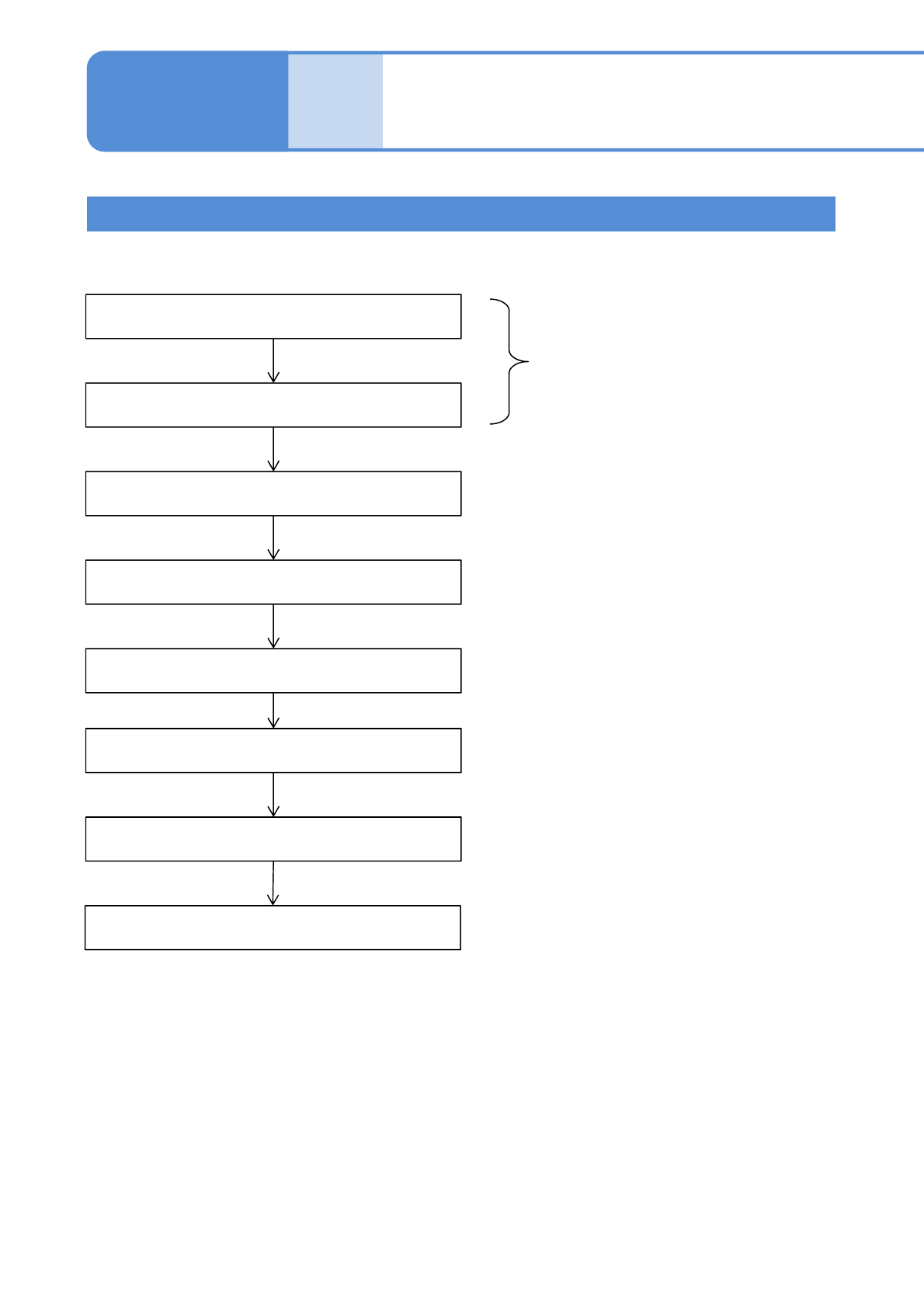
Operating procedure
6-2-12
Inputting the placement data
Inputting the placement
recognition data
Starting the teaching
Setting the lamp values
Recognition
Saving data
Recognition Test
Teaching is complete.
Unnecessary if the automatic
lamp setting is selected
Created on NPM-DGS
Teaching Flow
NPM-W2 EJM7DE-MB-06O-00
6-2-12-2
Setting
change
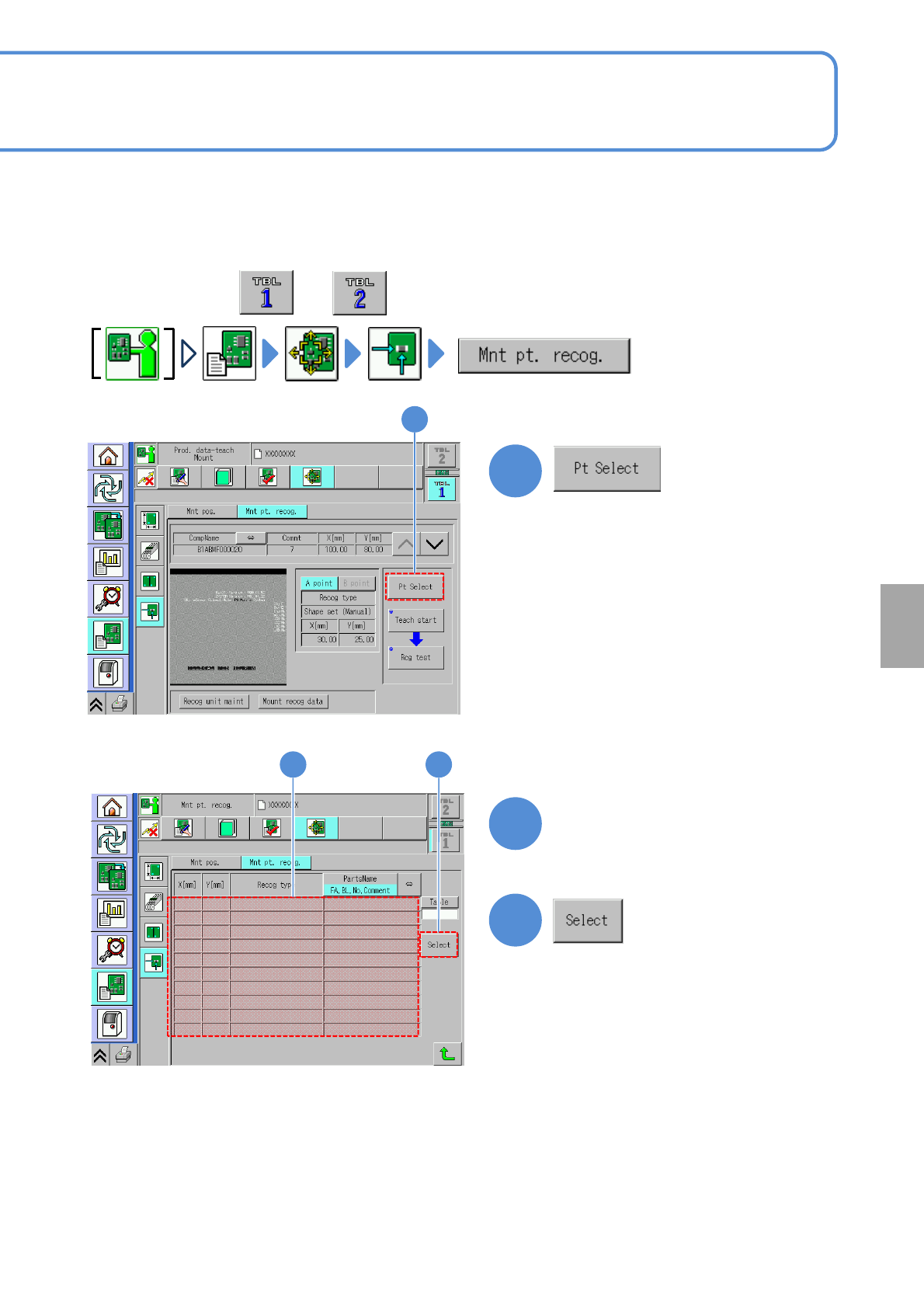
Measures placement position of a component on the PCB and teaches offset which is the difference of the
original position.
●Turn On soft switch [Detect Component Fiducial]of the created data with the NPM-DGS.
1
3
2
Choose the teaching
component
●Perform on both and .
1
32