N7201A616E00_0317.pdf - 第470页
NPM-W 2 EJM7DE-MB-06 O-00 6-2-6 -3 Operating procedure 6-2-6 Produc- tion data teaching P ar t vacuum of fset teac hing 2 6 6 7 7 5 5 Specify the parts center using inching. Specify the actual pickup position using the s…
NPM-W2 EJM7DE-MB-06O-00
6-2-6-2
Setting
change
1
1
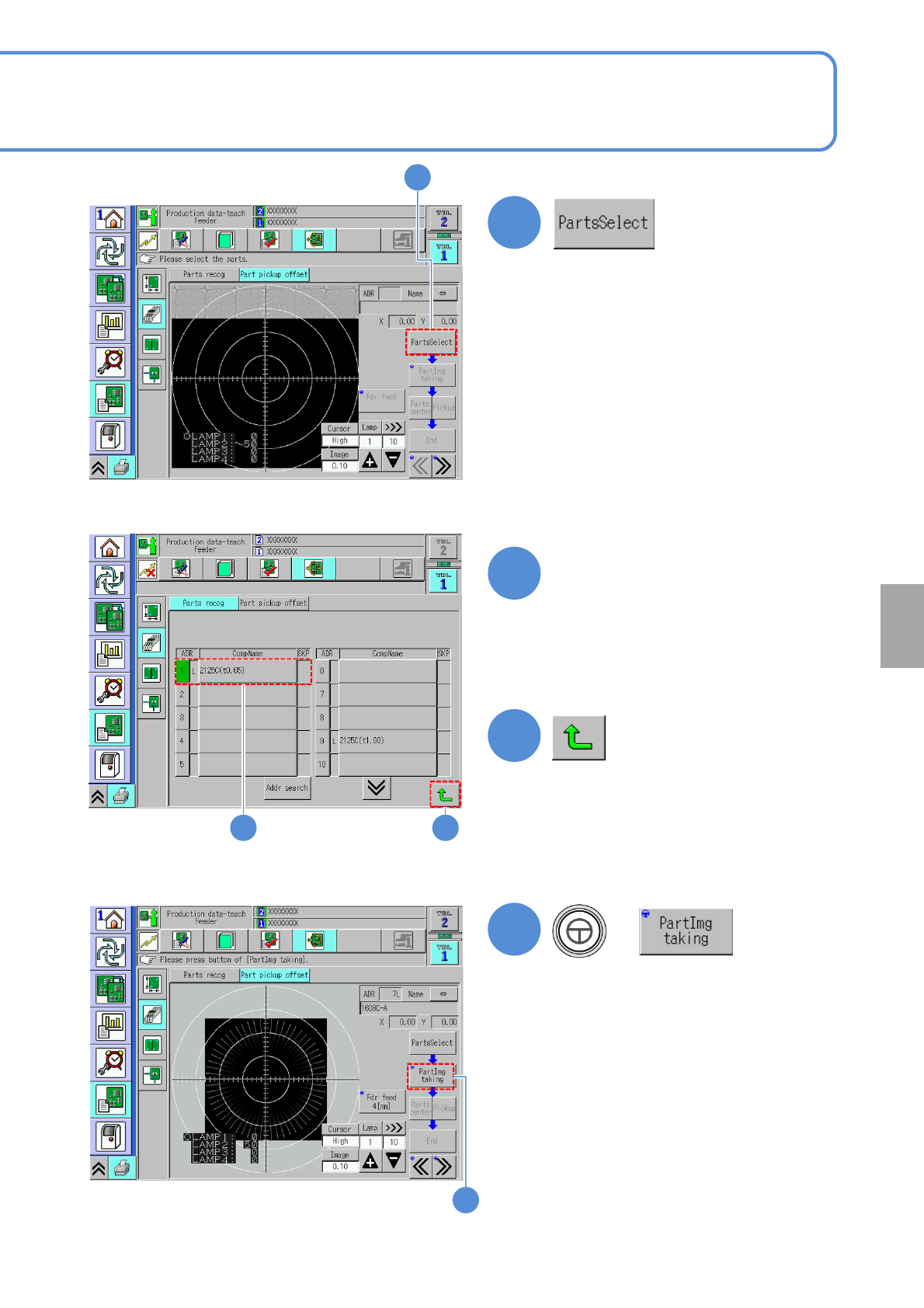
Choose a component
(Display the <Part selection> screen)
2
3
●An item in the “ADR” field shown in
green color means a component which
requires part recognition teach.
(Returns to the <Part pickup offset>
screen)
4
+
(Load a component image (composite))
2 3
4
NPM-W2 EJM7DE-MB-06O-00
6-2-6-3
Operating procedure
6-2-6
Produc-
tion data
teaching
Part vacuum offset
teaching 2
6
6
7
7
5
5
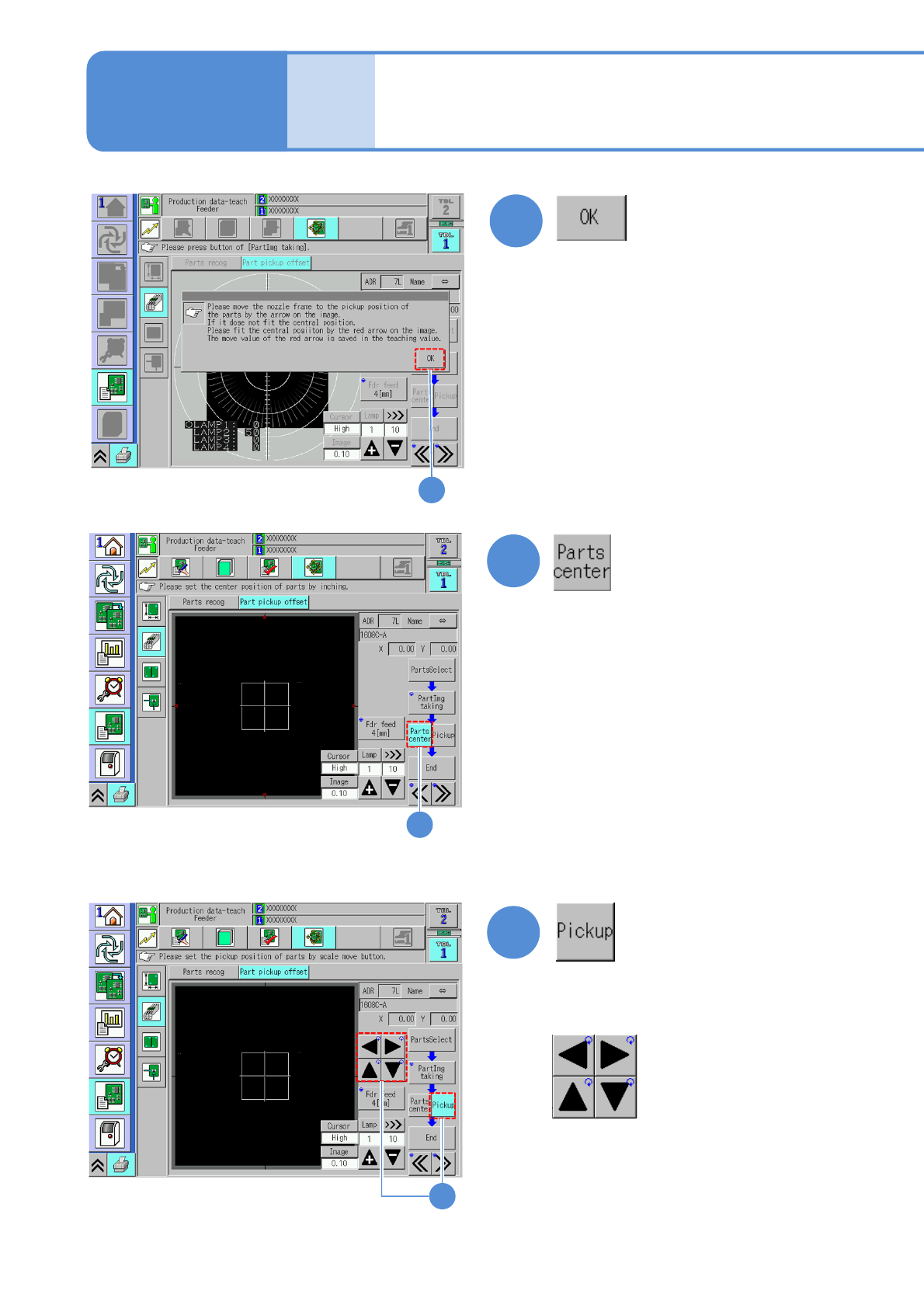
Specify the parts center using inching.
Specify the actual pickup position using the
scale move button.
Scale move button
NPM-W2 EJM7DE-MB-06O-00
6-2-6-4
Setting
change
8
9
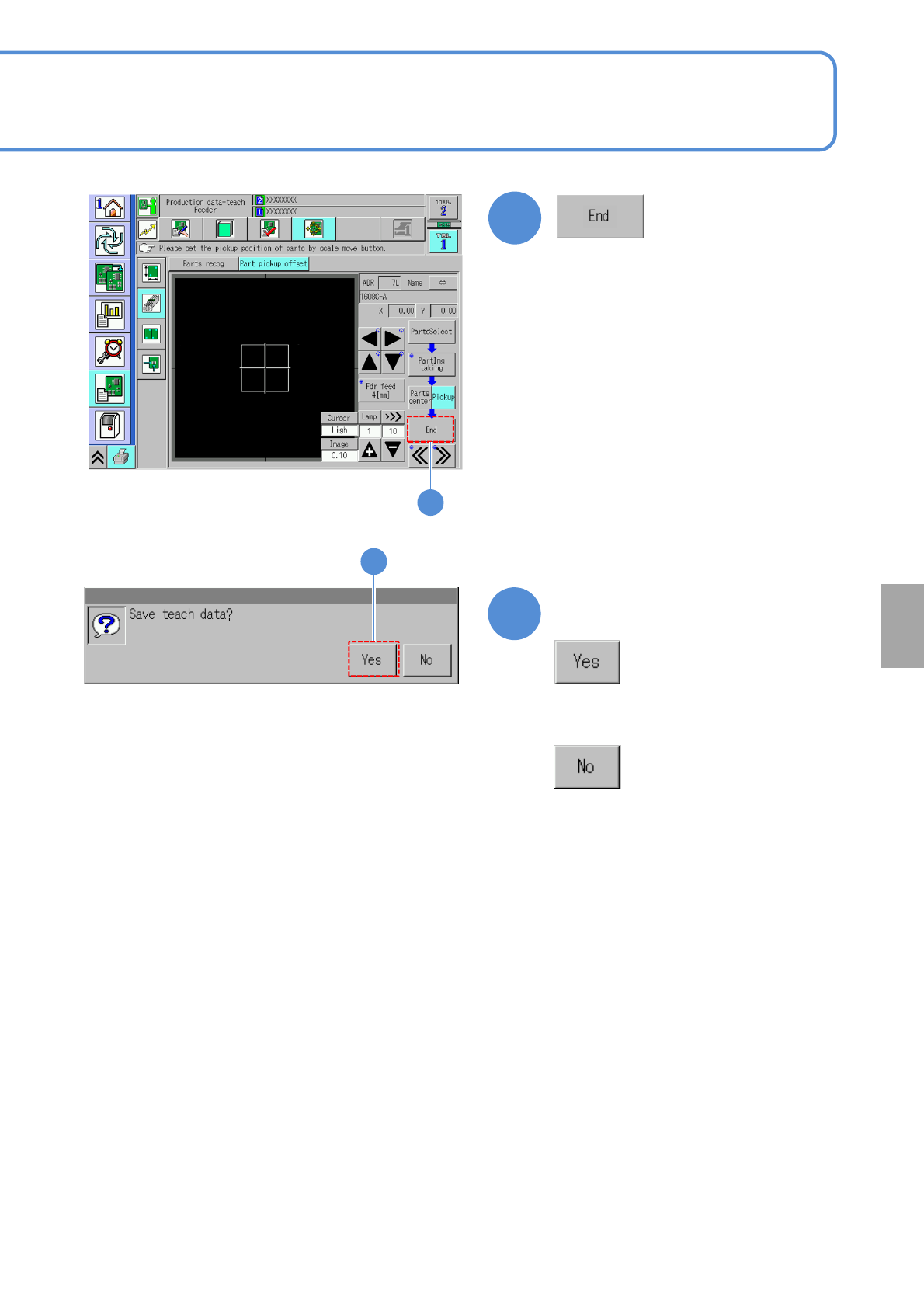
Confirm the message
9
■When you do not save the teach
result
8