N7201A616E00_0317.pdf - 第450页
NPM-W 2 EJM7DE-MB-06O-0 0 6-2-3 -5 Produc- tion data teaching PCB war page measur ement point teac h 3 (option) Operating procedure 6-2-3 T eaching procedure 2 8 9 10 + (Measur e the sele cted measurement coordinate s an…
NPM-W2 EJM7DE-MB-06O-00
6-2-3-4
Setting
change
+
6
6
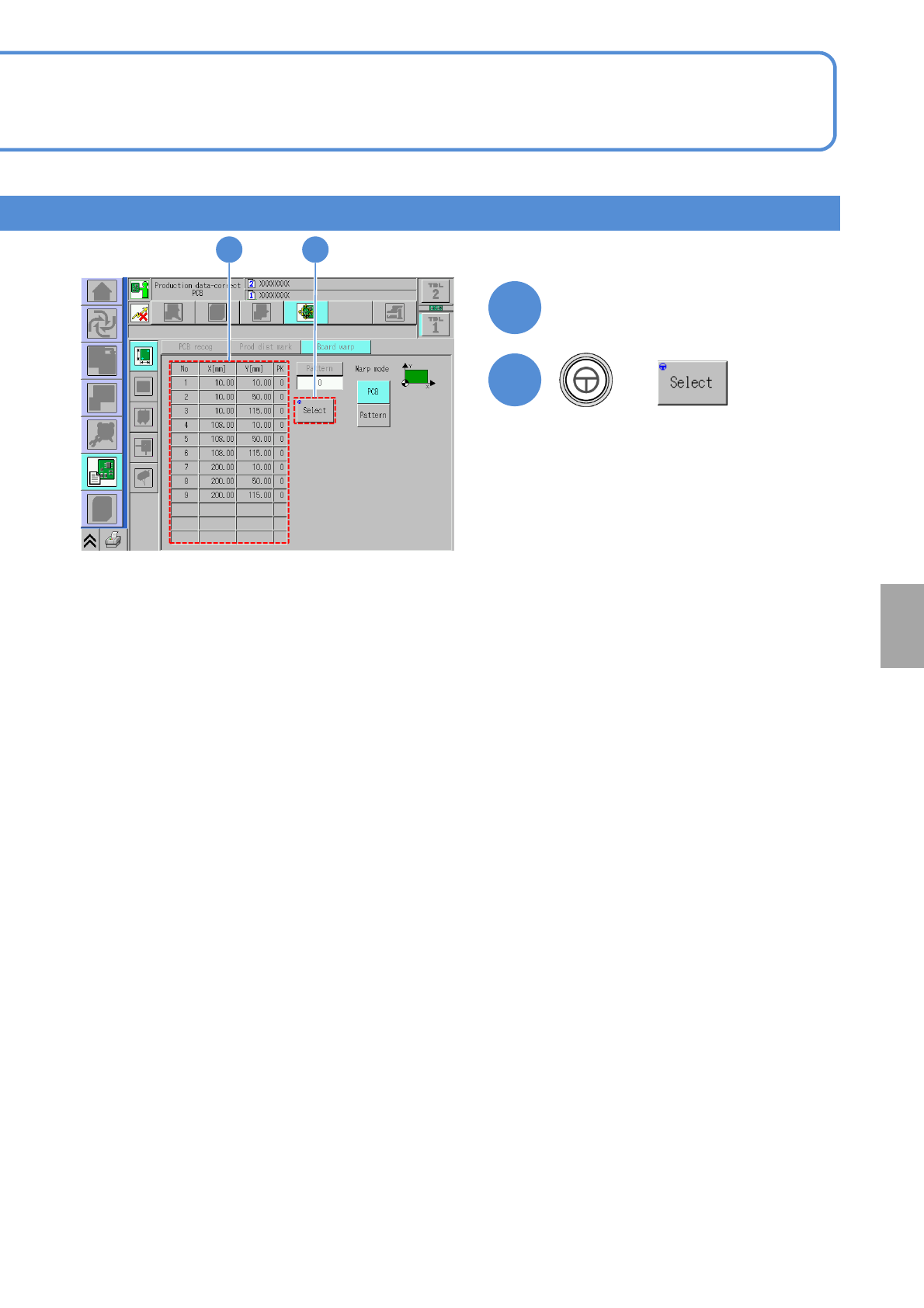
Select the coordinate No. to
measure
7
(The head camera moves to the
coordinates to measure so that you
can visually check the condition of
measurement point.)
7
●The center of the image displayed on
the screen is the measurement point.
●Visually check whether to be
appropriate or not the measurement
points on the PCB surface.
NPM-W2 EJM7DE-MB-06O-00
6-2-3-5
Produc-
tion data
teaching
PCB warpage measurement
point teach 3
(option)
Operating procedure
6-2-3
Teaching procedure 2
8 9 10
+
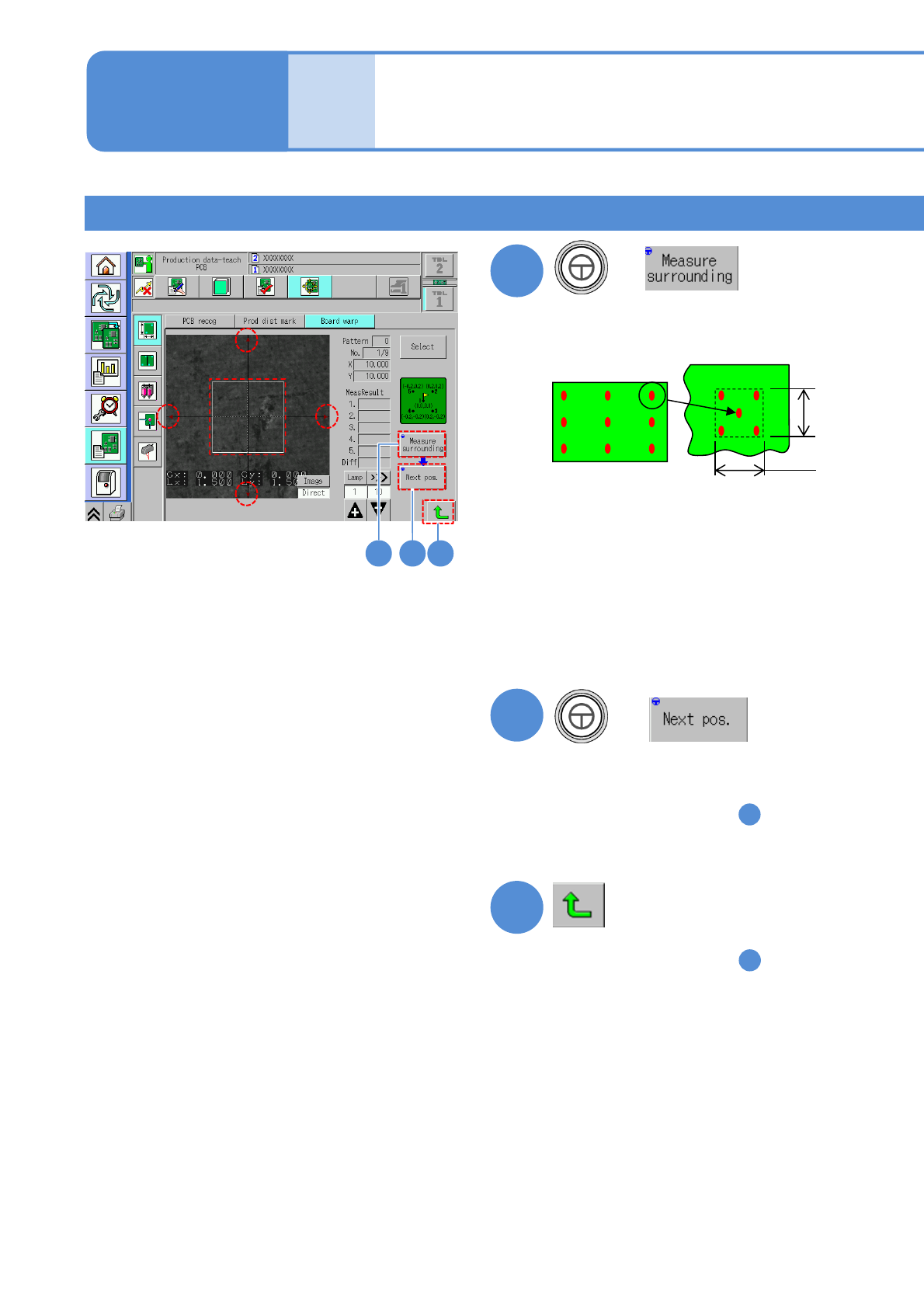
(Measure the selected measurement
coordinates and four points around it,
and the result is displayed.)
8
9
(Move to the next measurement point)
●Confirm the following point
1
2
3
4
5
1.5 mm
1.5 mm
The difference between the
measurement point (center) and its
surrounding is 0.03 mm or less
●If the measurement result is unstable
Adjust to be applicable position with
inching, and measure surroundings
again.
(Adjust as a boundary of a copper foil
is not included within □1.5 mm)
+
●Confirm all points
●If you change the measurement
coordinates in the step , you are
asked whether or not to save the
changed coordinates.
Select either one.
8
10
●If you change the measurement
coordinates in the step , you are
asked whether or not to save the
changed coordinates.
Select either one.
8
NPM-W2 EJM7DE-MB-06O-00
6-2-3-8
Setting
change
11
13
14
12
11
+
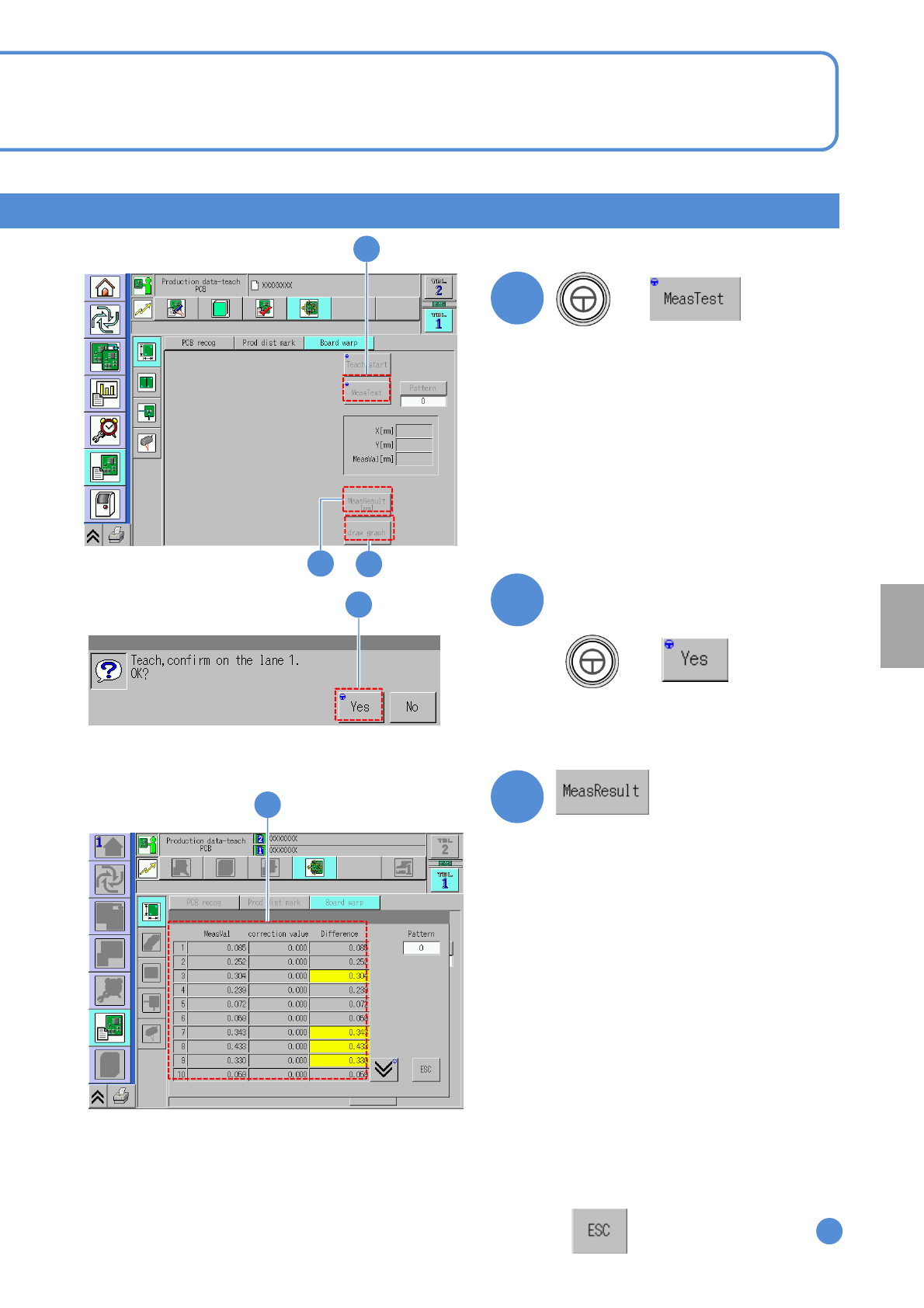
(Measure all measurement coordinates
and the result is displayed.)
Confirm the PCB exists and the
message
12
+
13
Difference: The difference between
measured value and correction value
13
Measured value: The difference between the
perfect PCB top surface and the measured
PCB top surface
(If the measured PCB top surface is
higher
than perfect one, it displayed as positive
value)
Correction value: The same coordinate value
of the correction curve calculated from
the measurement result
●If the difference exceeds 0.3 mm, it
results in error, the background in the
frame turns in yellow.
For obtaining the applicable correction
curve, review the measurement
points. Also, if the measured value or
correction value is -4.5 mm or less,
or +2 mm or over,, it results in error.
:Transitions to the screen
11