N7201A616E00_0317.pdf - 第374页
NPM-W 2 EJM7DE-MB-06O-0 0 6-1-8 -1 Data editing Desc ribes how to chec k and edit th e component dat a in the fe eder or tray. You can browse and chan ge a part of data in the machine. Detailed data edit is performed on …
NPM-W2 EJM7DE-MB-06O-00
6-1-7-2
Setting
change
NPM-W2 EJM7DE-MB-06O-00
6-1-8-1
Data
editing
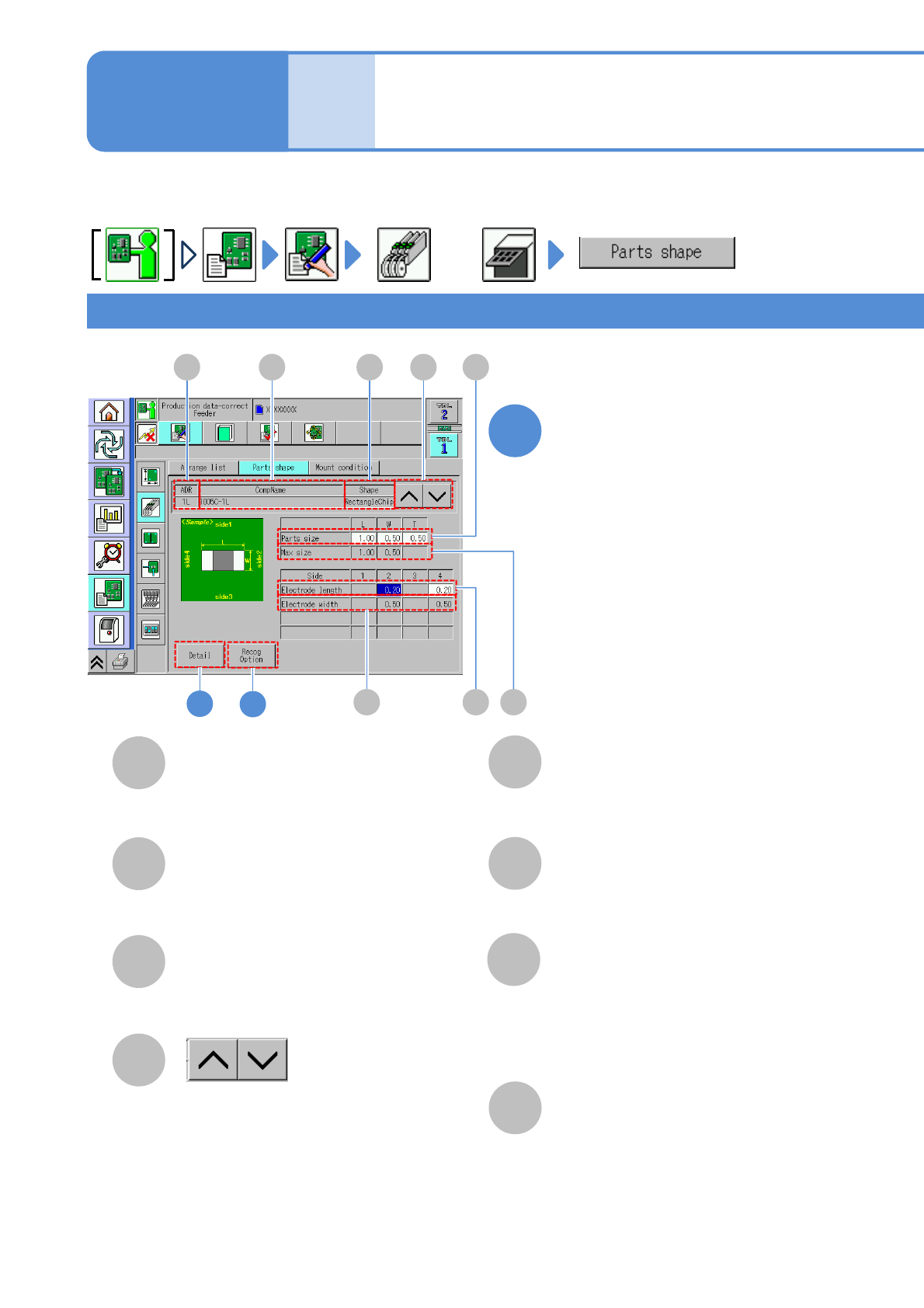
Describes how to check and edit the component data in the feeder or tray.
You can browse and change a part of data in the machine. Detailed data edit is performed on DGS.
E
G
F
H
B
C
D
A B C
H F
E
2
G
D
CompName
Shape
Shows the previous or next
component information.
2: Right electrode width.
4: Left electrode width.
1: Upper electrode length.
2: Right electrode length.
3: Lower electrode length.
4: Left electrode length.
Max. size
Parts size
Square chip component 1
Component shape data
edit 1
A
ADR (Address)
●Displays when it is set.
Electrode length
Electrode width
Edit the data of the desired
field on the screen
●Touching the screen opens the input
window.
1
or
Operating procedure
6-1-8
Address of a feeder.
(→P.3-2-3
-1)
3
NPM-W2 EJM7DE-MB-06O-00
6-1-8-2
A
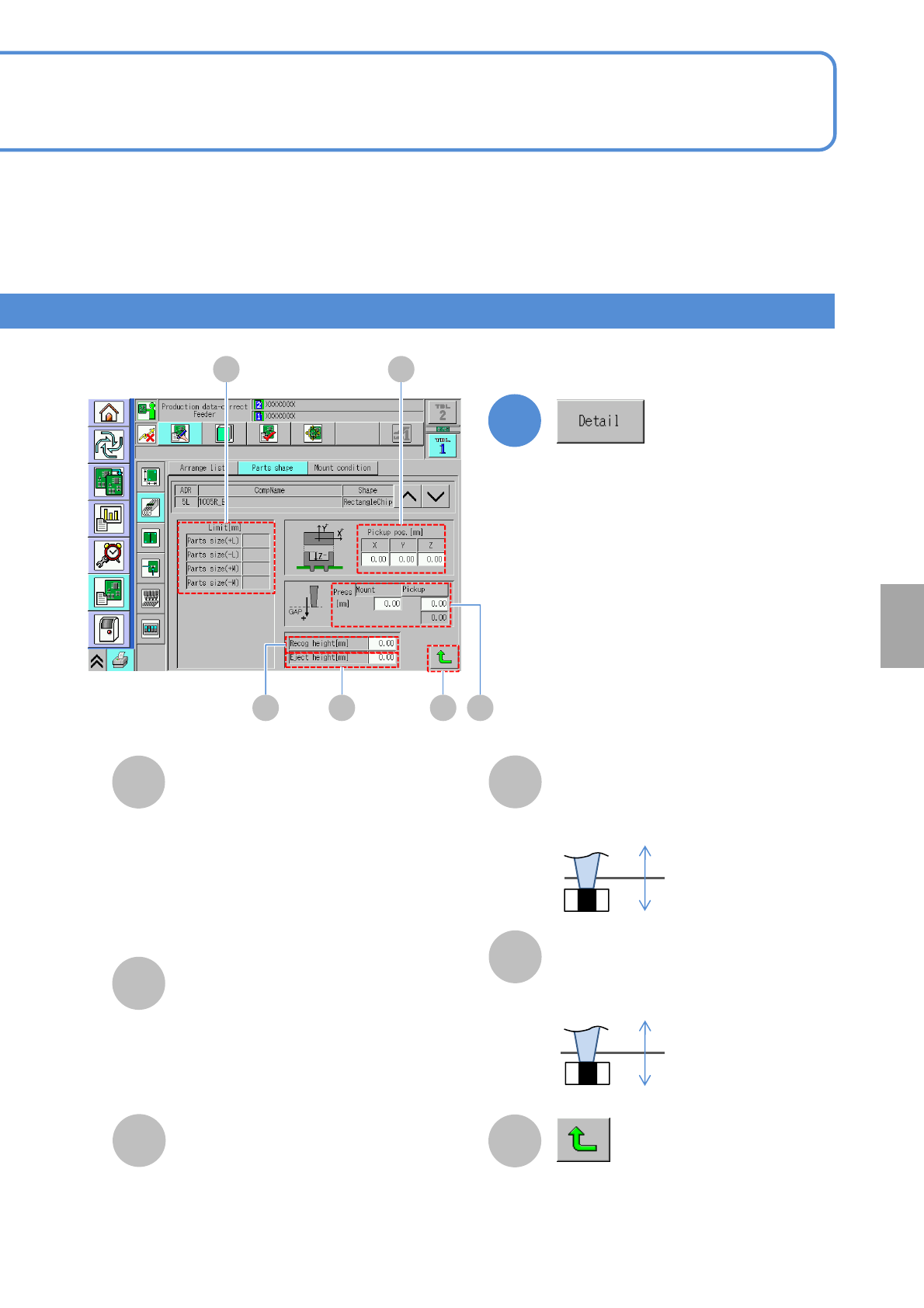
Limit
Recog height
Pickup pos.
B
D
C
E
Press
+
-
+
-
●+ L: Tolerance of a component length
in + direction.
●- L: Tolerance of a component length in
- direction.
●+ W: Tolerance of a component width
in + direction.
●- W: Tolerance of a component width in
- direction.
2
F
Returns to the previous screen.
Enter the recognition height.
Eject height
Enter the eject height.
Confirm and edit the detailed data.
Setting
change
A
CD E
B
F
●Mount:
The placement gap [mm]
●Pickup:
The pickup gap [mm]
(*Editable only for 2- and 3-nozzles)