N7201A616E00_0317.pdf - 第469页
NPM-W 2 EJM7DE-MB-06 O-00 6-2-6 -2 Setting change 1 1 Choose a component (Display the <Part selection> scree n) 2 3 ● An item in the “ADR” field shown in green color means a component which requires part recognitio…
NPM-W2 EJM7DE-MB-06O-00
6-2-6-1
Operating procedure
6-2-6
Produc-
tion data
teaching
Part vacuum offset
teaching 1
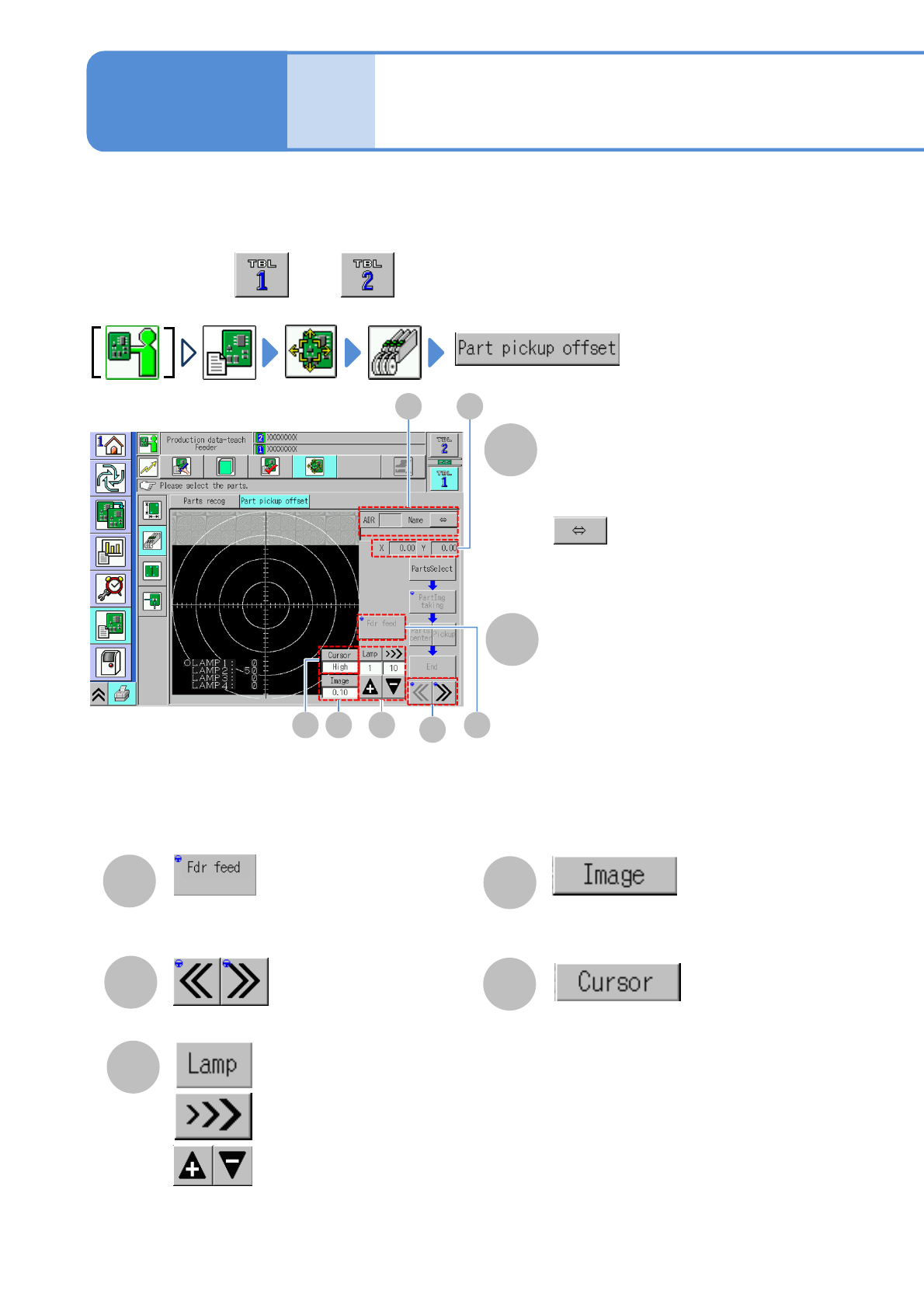
Pick position teach is performed. It is used for a component that the pickup position is other than the center.
Specify the center of the component and then specify the pickup position.
C
A
B
ADR
Slot number arranging feeders
(Address number, arrangement position
(L/R))
X,Y
Moving amount of X and Y
Execute a feeding action of a feeder
G
E
F
Switch a lamp to adjust
Select a moving distance of an image
(“High” / “Low”)
Select a moving pitch of an image
(10 / 1.0 / 0.1)
D
Switch addresses
Change an amount of the lamp value
Adjust the lamp value
Scroll a component name if it is too long
to see
●Perform on both and .
A B
C
D
EFG
NPM-W2 EJM7DE-MB-06O-00
6-2-6-2
Setting
change
1
1
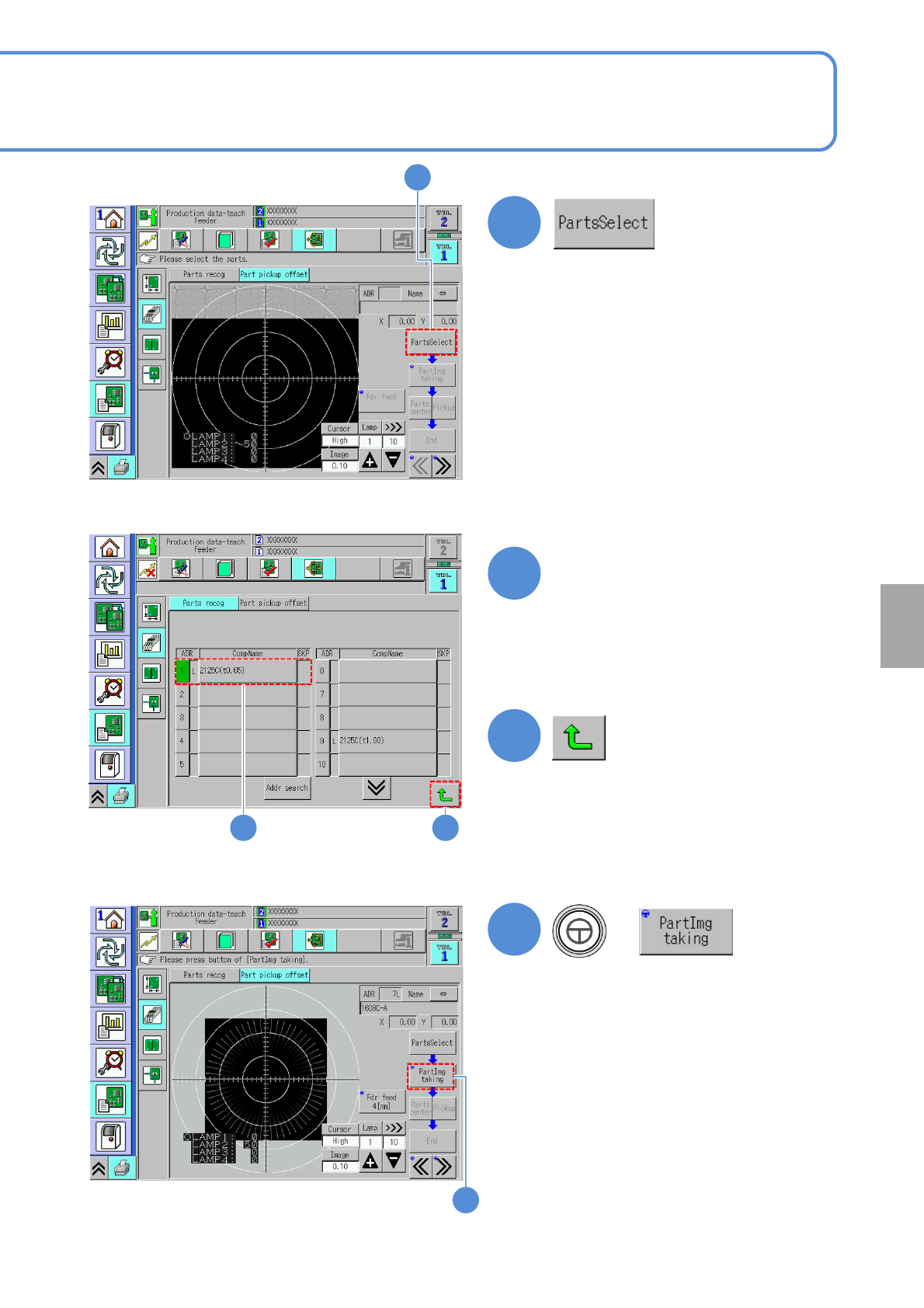
Choose a component
(Display the <Part selection> screen)
2
3
●An item in the “ADR” field shown in
green color means a component which
requires part recognition teach.
(Returns to the <Part pickup offset>
screen)
4
+
(Load a component image (composite))
2 3
4
NPM-W2 EJM7DE-MB-06O-00
6-2-6-3
Operating procedure
6-2-6
Produc-
tion data
teaching
Part vacuum offset
teaching 2
6
6
7
7
5
5
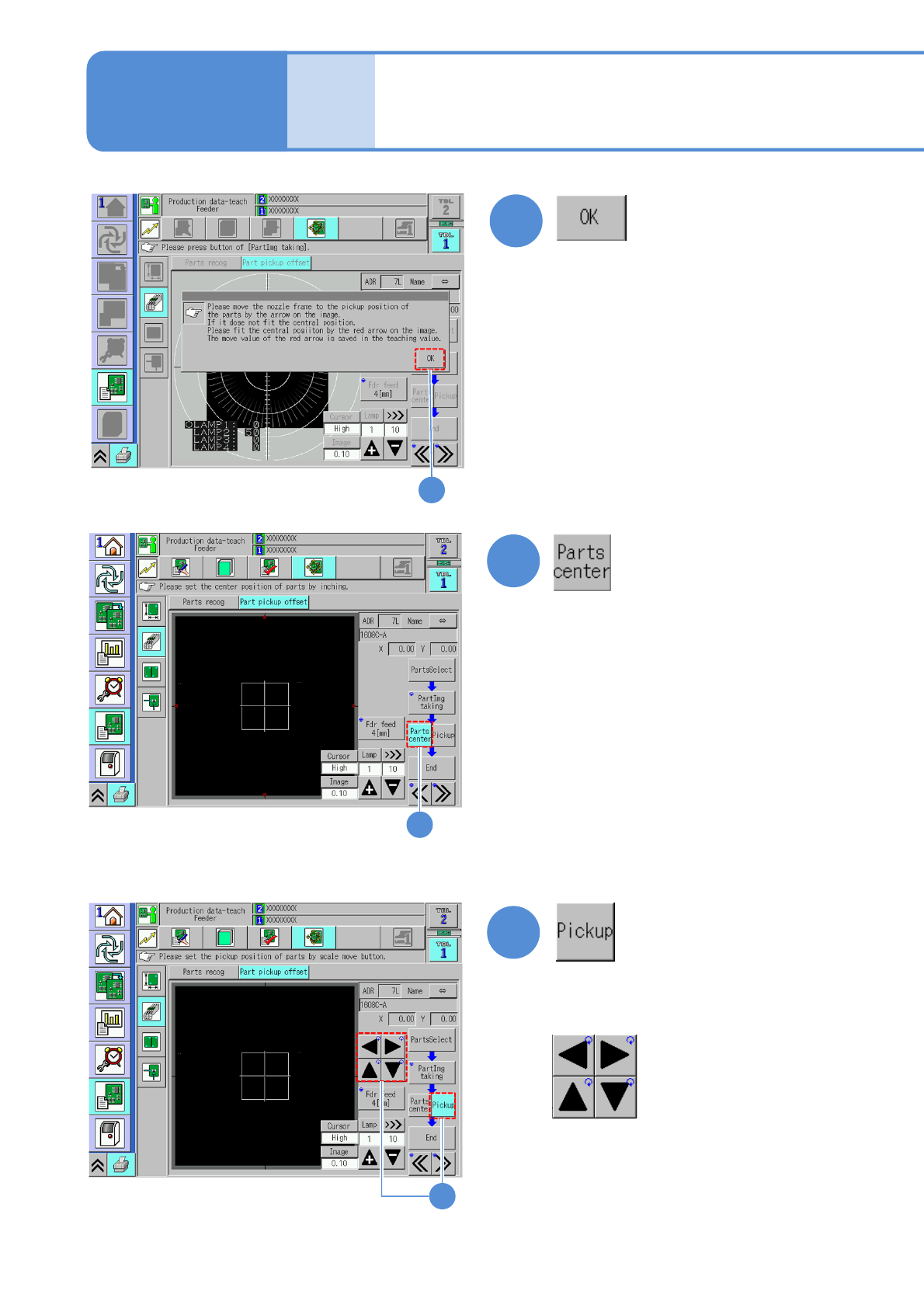
Specify the parts center using inching.
Specify the actual pickup position using the
scale move button.
Scale move button