N7201A616E00_0317.pdf - 第438页
NPM-W 2 EJM7DE-MB-06O-0 0 Produc- tion data teaching 6-2-2 -3 ● Before perfor ming PCB rec ognition teaching, check in NPM-DGS that the soft switch ‘PCB Recog’ ( → P .6- 1-20) of the created data is set to [ON]. ● If a c…
NPM-W2 EJM7DE-MB-06O-00
6-2-2-2
Setting
change
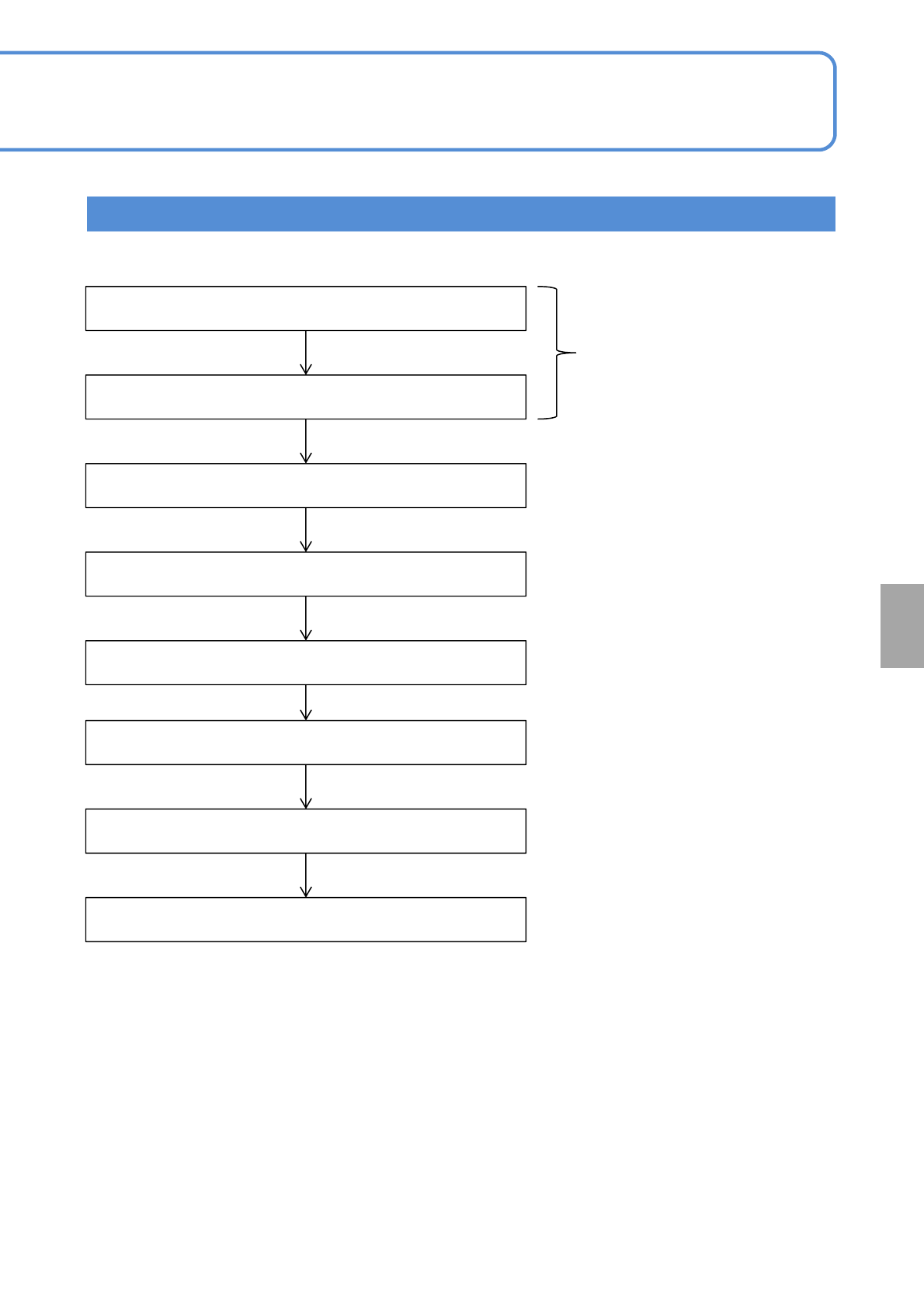
Teaching Flow
Inputting the PCB data
Inputting the PCB recognition data
Starting the teaching
Setting the lamp values
Recognition
Created on NPM-DGS
← Unnecessary if the automatic
lamp setting is selected
Saving data
Recognition Test
Teaching is complete
NPM-W2 EJM7DE-MB-06O-00
Produc-
tion data
teaching
6-2-2-3
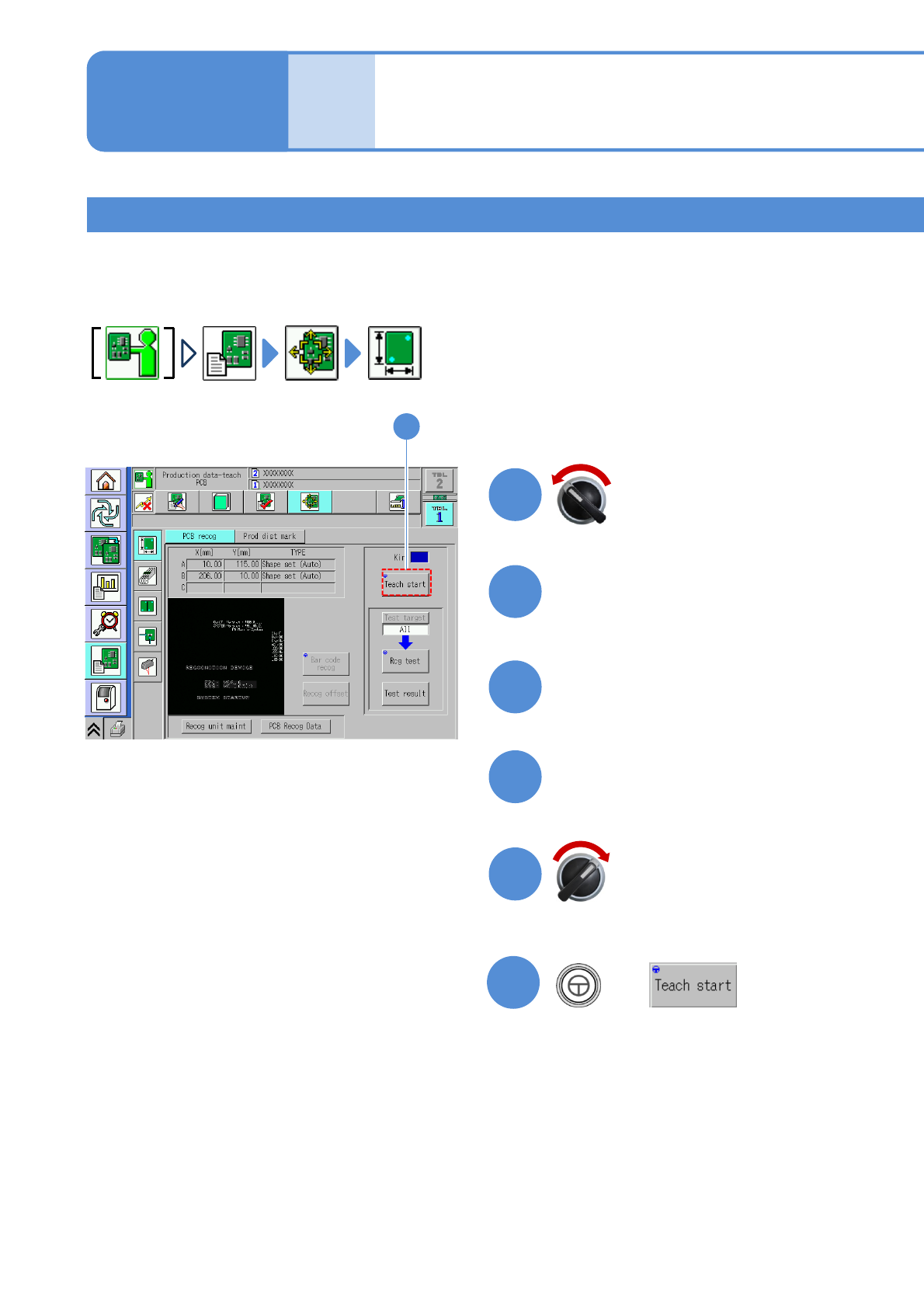
●Before performing PCB recognition teaching, check in NPM-DGS that the soft switch ‘PCB Recog’ (→P.6-
1-20) of the created data is set to [ON].
●If a conveyor width is not matched, adjust it (→P.2-5-4)
Teaching 1
PCB recognition teach
2
Open the safety cover
Servo switch OFF
1
2
Set a PCB on the PCB entrance
3
4
Close the safety cover
5
Operating procedure
6-2-2
+
(The PCB is loaded and clamped at the
unloading position. The head camera
moves to the recognition mark position)
6
6
Servo switch ON
NPM-W2 EJM7DE-MB-06O-00
9
8
7
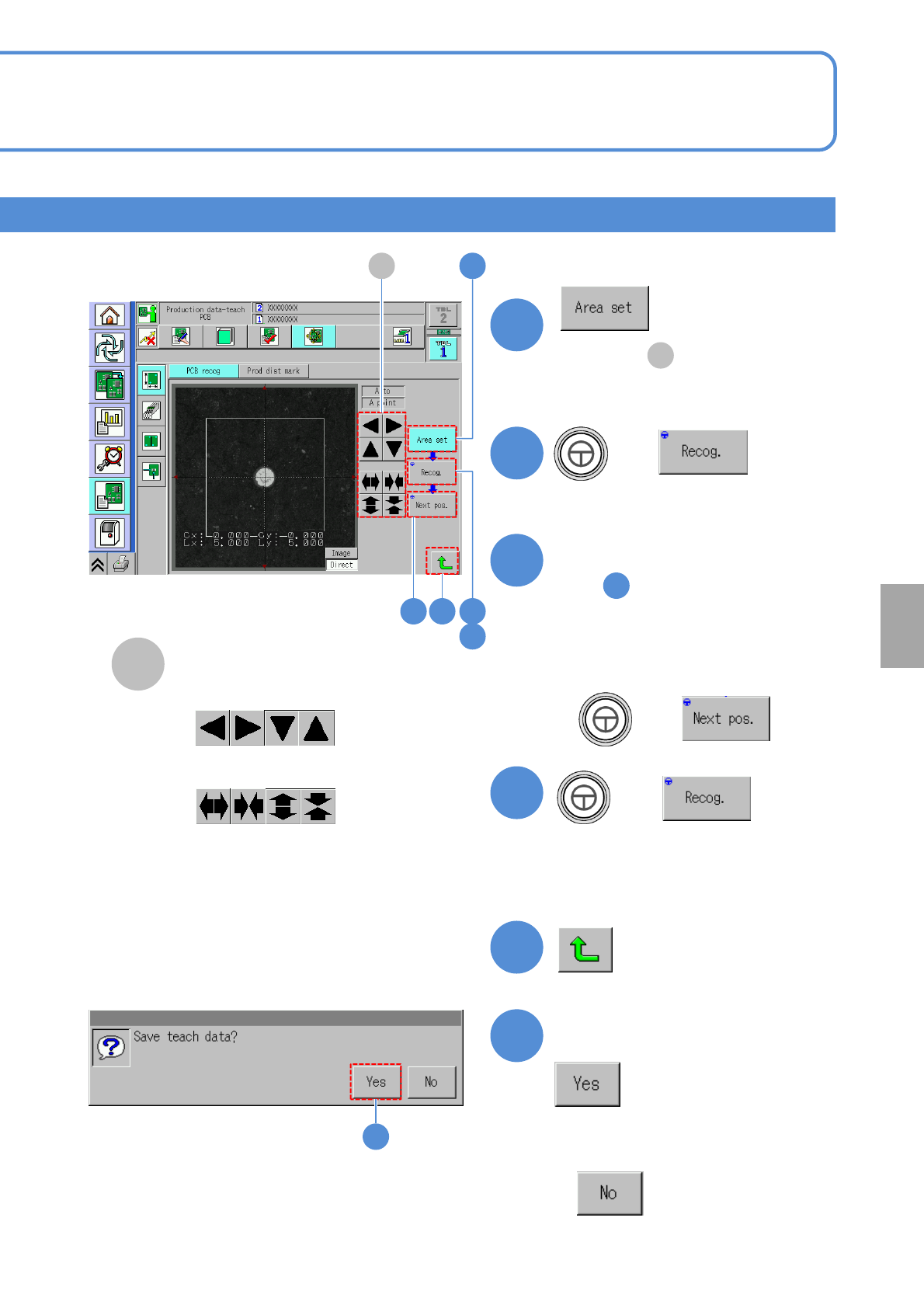
●Adjust in to change position
and size are changed in the
recognition area.
A
Recognition area adjustment
9
7A
8
■To adjust the position
■To resize
A
(The recognition result is displayed)
11
■For one recognition mark
6-2-2-4
to
■For two or three recognition
marks
+
10
+
(The recognition result is displayed)
●If there are three recognition marks,
execute again.
11
11
10
Confirm the message
12
12
■When you do not save the
teach result
Setting
change
+