N7201A616E00_0317.pdf - 第396页
NPM-W 2 EJM7DE-MB-06O-0 0 6-1-13 -1 Describes the screen on which to confirm and edit production data. Data editing Pr oduction da ta edit 1 Screen explanation 1 Operating procedure 6-1-13 D E F Production data informati…
NPM-W2 EJM7DE-MB-06O-00
C
A
B
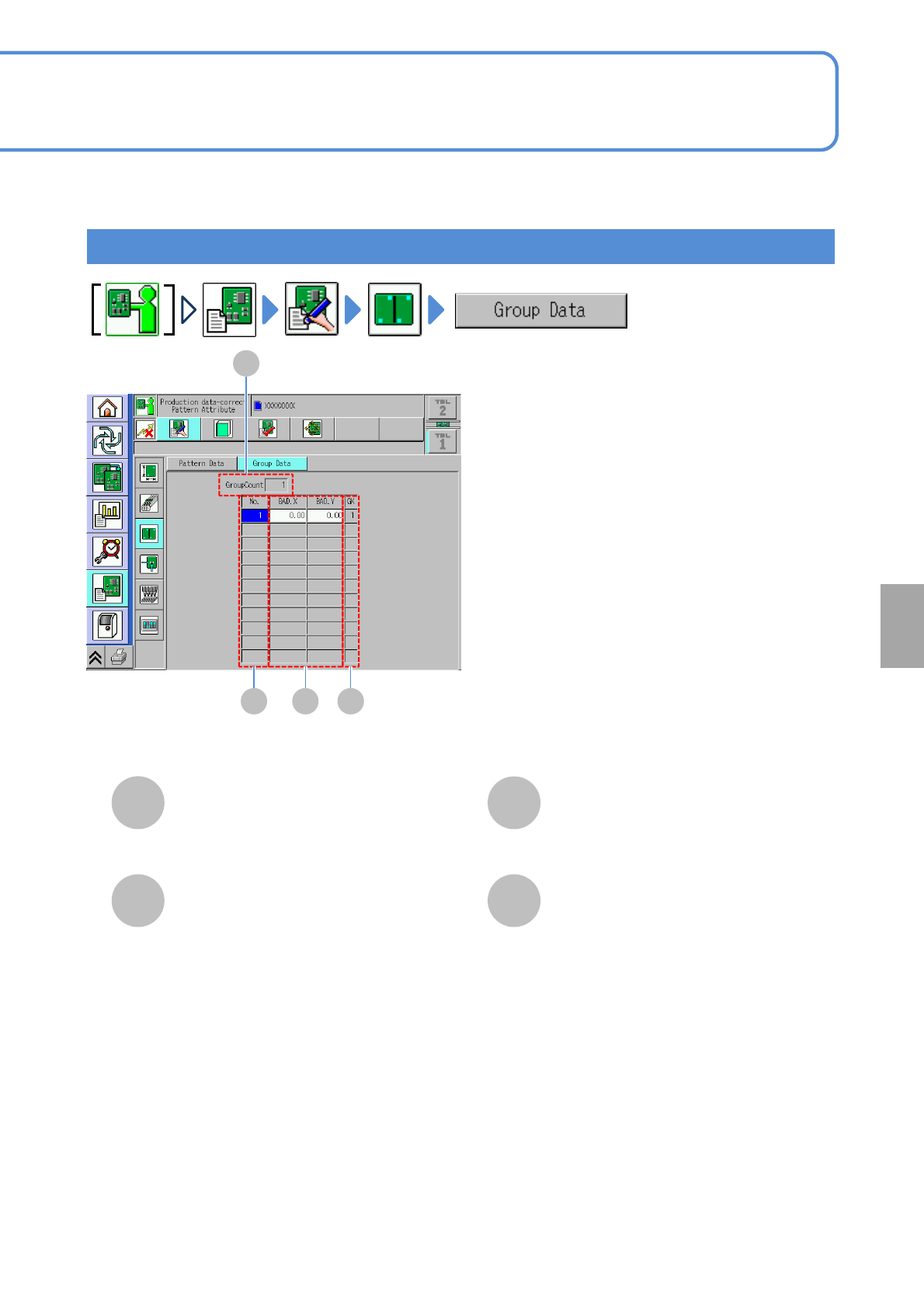
GroupCount
D
GK
BAD.X/BAD.Y
A
No.
B C D
6-1-12-2
Group
The total number of registered group data.
The number to discriminate a pattern group.
Bad mark X-/Y- coordinates of a group.
Group data number.
Setting
change
NPM-W2 EJM7DE-MB-06O-00
6-1-13-1
Describes the screen on which to confirm and edit production data.
Data
editing
Production data edit 1
Screen explanation 1
Operating procedure
6-1-13
D
E
F
Production data information
A
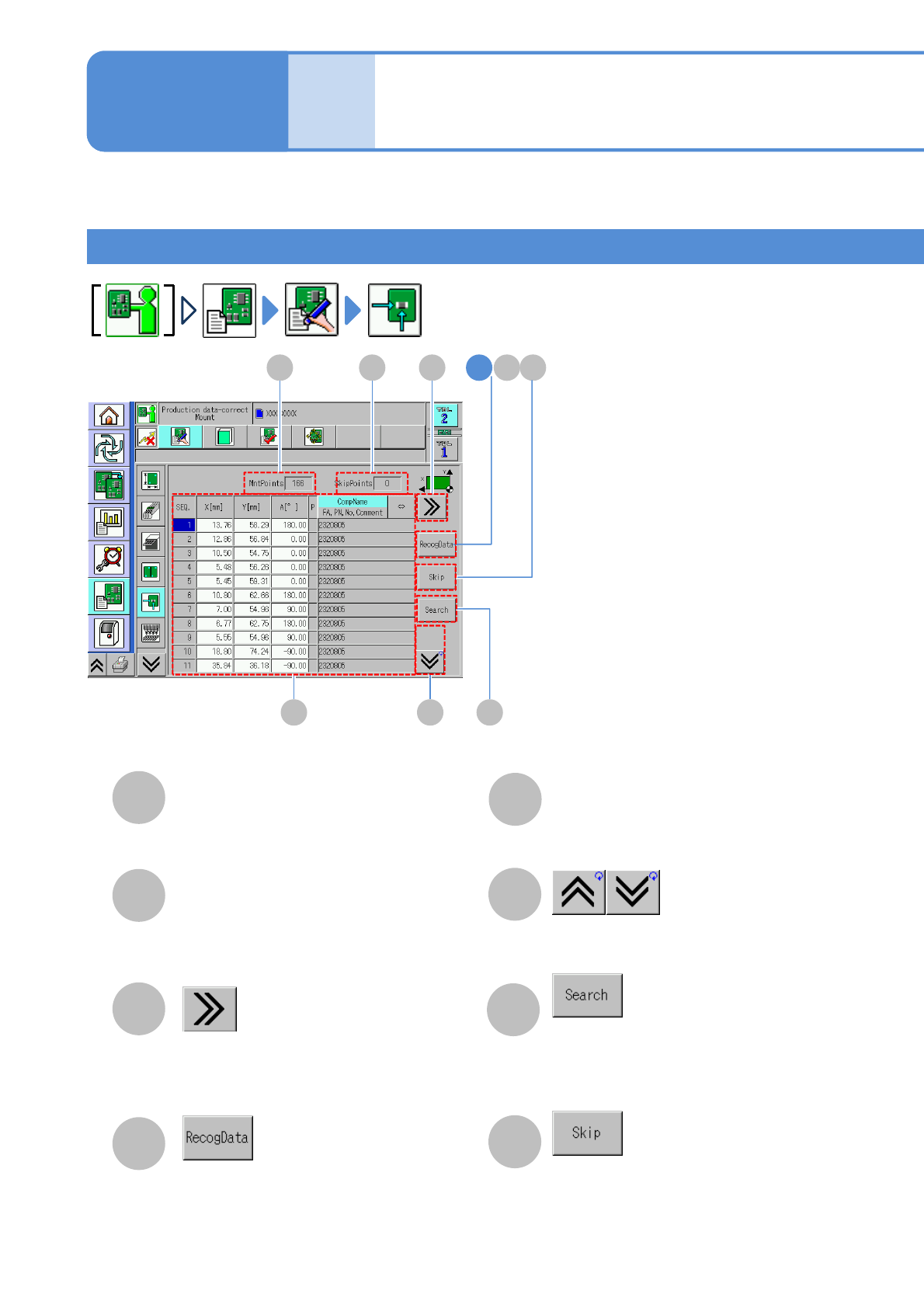
SkipPoints
B
MntPoints
C
The total number of placement points to
be specified as skip.
The total number of placement point.
G
H
(Scrolls the table to the right.)
●This button becomes enabled when
there is recognition data of placement
points.
Shows the previous or next table.
Searches the placement point by
sequence number, coordinate or
comment.
Selecting placement point is
select/deselect to be skipped.
A CB
E GF
HD1
(→P.6-1-13-2)
NPM-W2 EJM7DE-MB-06O-00
6-1-13-2
N
M
K
I
J
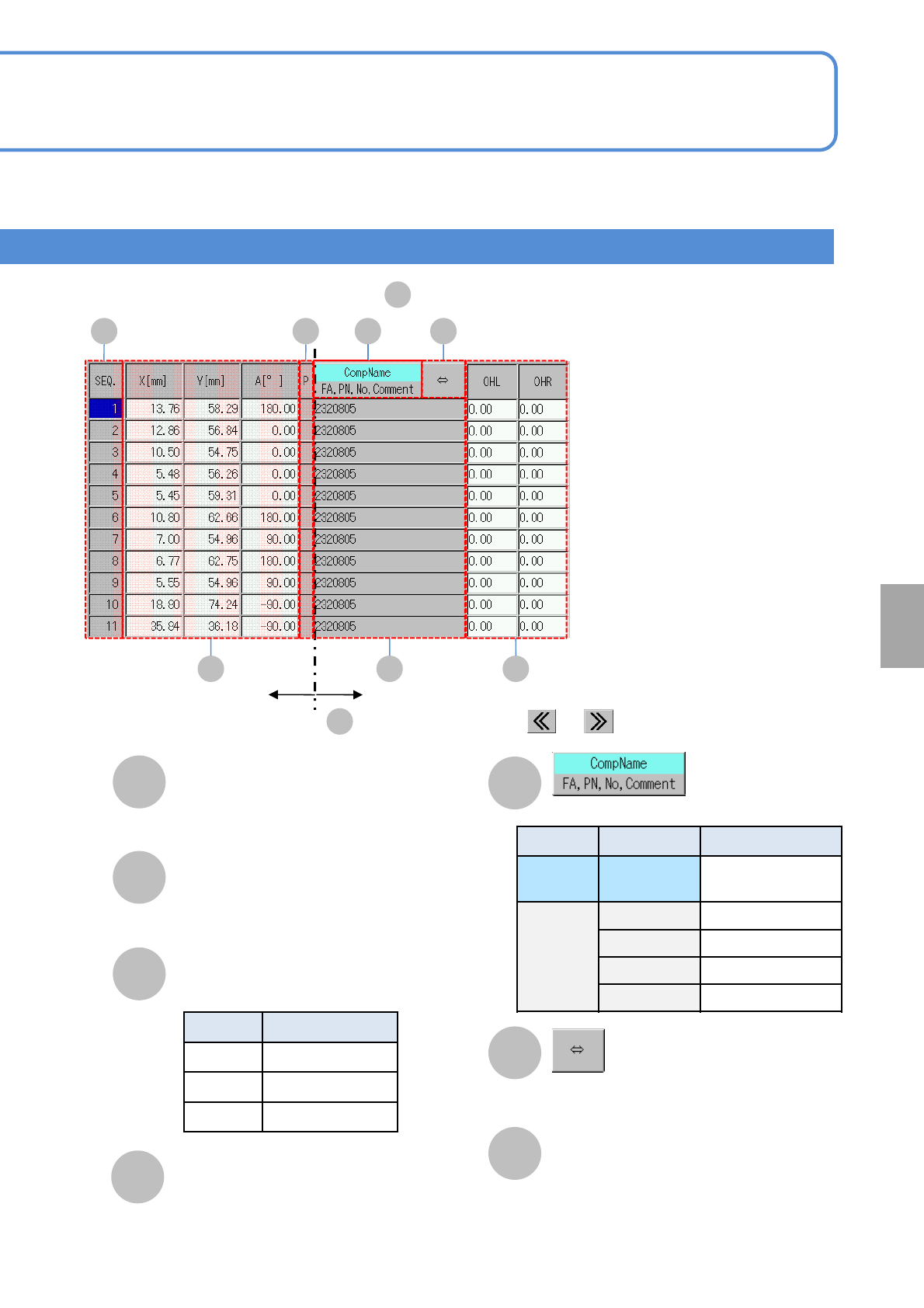
OHL/OHR
OHL: Length jutting out from left edge of
a PCB.
OHR: Length jutting out from right edge
of a PCB.
●Input range: 0 to 9 mm.
■The table of production data information
E
K
J
I
OL
M N
Fixed column
Horizontal scrolling with or
O
C
SEQ.
Placement point sequence No.
X[mm],Y[mm] , A[°]
Coordinates and angle of a placement point.
P
Priority of a placement point.
Symbol Priority
Blank Standard
H Higher priority.
L Lower priority.
Choose the display type.
Location Symbol Name
Upper
field
CompName Component name
Lower
field
FA Feeder address
PN Pattern No
No Sequence No
Comment Comment
Shows the rest of component name if it is
too long to show the whole name.
L
CompName/FA, PN, No,
Comment
Displays the information of the
selected display type.
Setting
change