N7201A616E00_0317.pdf - 第312页
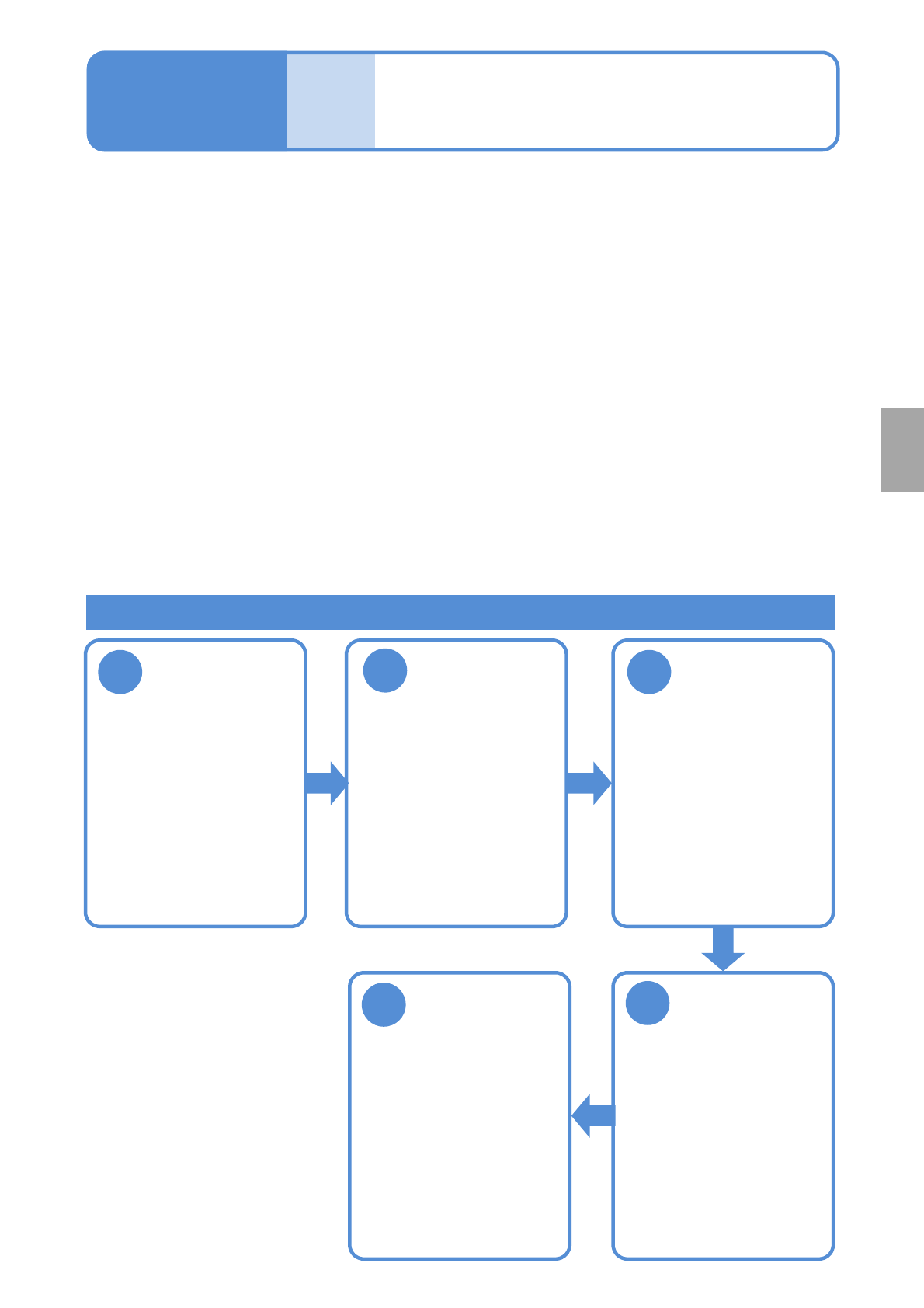
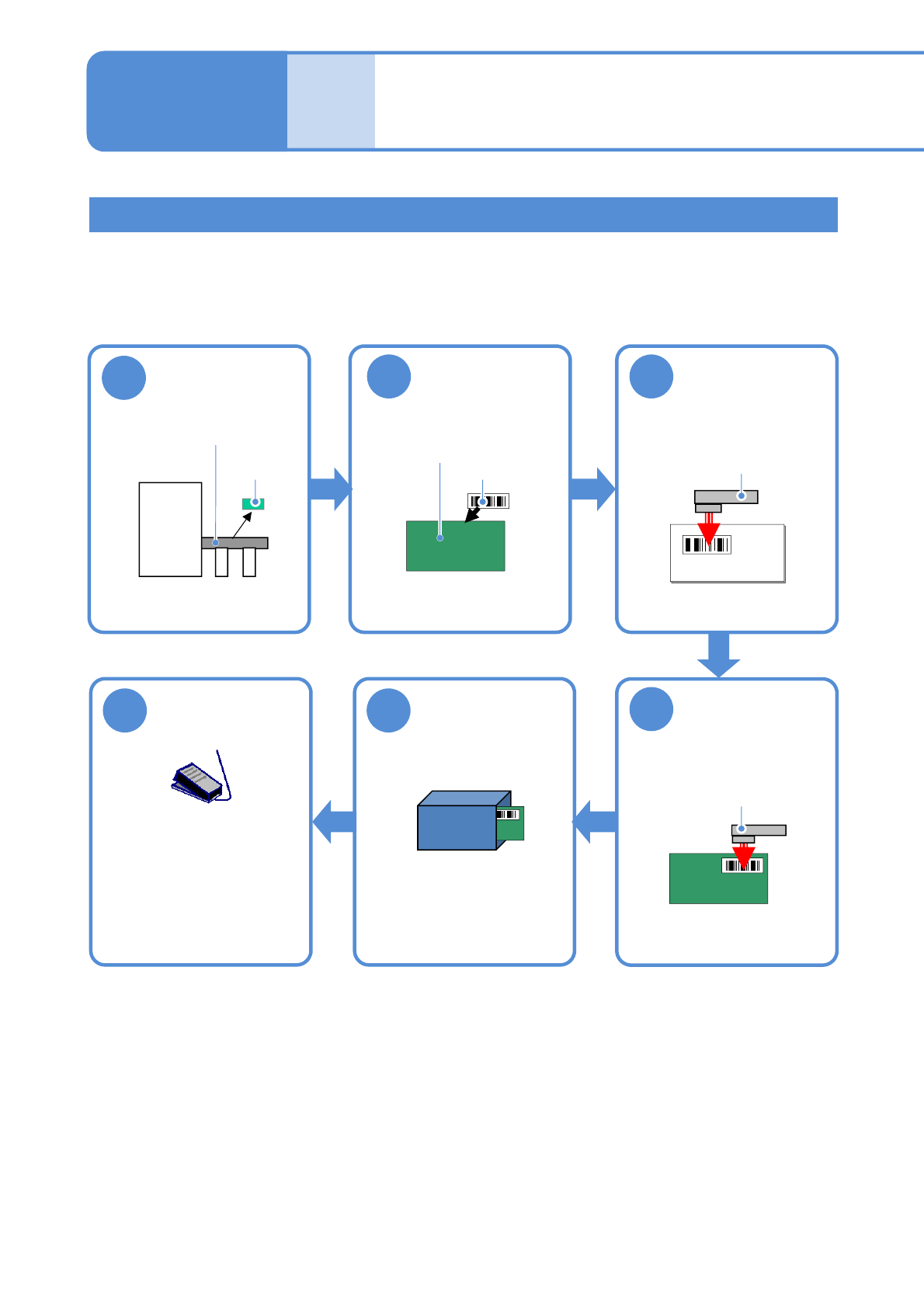
NPM-W 2 EJM7DE-MB-04O-0 0 4-5-2 -2 Bar code scanner- based oper a tion 2 Operating procedure 4-5-2 Defec- tive PCB process 3 1 Remove a defective PCB Read the “reload PCB ID” set on LNB 5 Store the PCB 2 Attach a reload …
NPM-W2 EJM7DE-MB-04O-00
4-5-2-1
Component
inspection
Barcode scanner-
based operation 1
Operating procedure
4-5-2
Defec-
tive PCB
process
4
1
Remove a
defective PCB
Restart
transportation
5
3
Repair a defect
Reload the
repaired PCB
(→P.4-5-2-4)
2
Attach and read
a reload barcode
(→P.4-5-2-2)
●Turn ON the
transportation restart
switch (the foot switch,
etc.).
●Repair the defect,
monitoring it on the
optional display.
●The signal tower comes
on and the buzzer sounds.
●Reset with “NG eject
reset” on the inspection
monitor to reset.
(→P.4-4-3)
In order to control production data with the use of LNB, ID numbers are automatically assigned to all PCBs.
If production is resumed with PCBs left removed using the ejection conveyor, the production data of PCBs
controlled by LNB will differ from the actual number of PCBs produced. To avoid this, reload barcodes are
attached to removed PCBs and are linked with the ID numbers assigned to those removed PCBs.
●When a PCB is not to be reloaded, a barcode does not need to be attached to the PCB.
■Specifications for ejection conveyor
●PCBs judged as defective are suspended on the (inspection) ejection conveyor*1)*2).
●Press the transportation restart switch (such as the foot switch) connected to the (inspection) ejection
conveyor to restart transporting.
■Reload barcodes
*3)
●Reload barcodes are to be prepared by you.
●Be sure to attach a barcode and read the barcode data when removing a defective PCB, and also be
sure to read the barcode again before reloading the PCB.
*1) PCBs judged as conforming are not to be stopped on the inspection ejection conveyor.
*2) For more information on specifications for the ejection conveyor, see the NPM-W2 specification.
*3) For more information on specifications for reload barcodes, see the NPM-W2 specification.
Work flow of defective PCB process
●There are two types of
barcodes.
・PCB recognition
barcode
・Reload barcode
NPM-W2 EJM7DE-MB-04O-00
4-5-2-2
Barcode scanner-
based operation 2
Operating procedure
4-5-2
Defec-
tive PCB
process
3
1
Remove a
defective PCB
Read the “reload
PCB ID” set on
LNB
5
Store the PCB
2
Attach a reload
barcode to the
PCB
ejection conveyor
●Repair it later.
6
Resume
production
●Turn ON the switch to
restart transportation.
●The next defective PCB is
not ejected before reading
of the barcode is
completed.
Defective
PCB
PCB
Barcode
4
Read the reload
barcode
Barcode
scanner
Reload PCB ID
Barcode
scanner
This is work to remove PCBs having defective inspection results and to store the PCBs temporarily for repair.
Removing defective PCBs and attaching barcodes
NPM-W2 EJM7DE-MB-04O-00
4-5-2-3
Component
inspection
A
Upon completion of barcode reading, you can begin production of the next PCB.
A
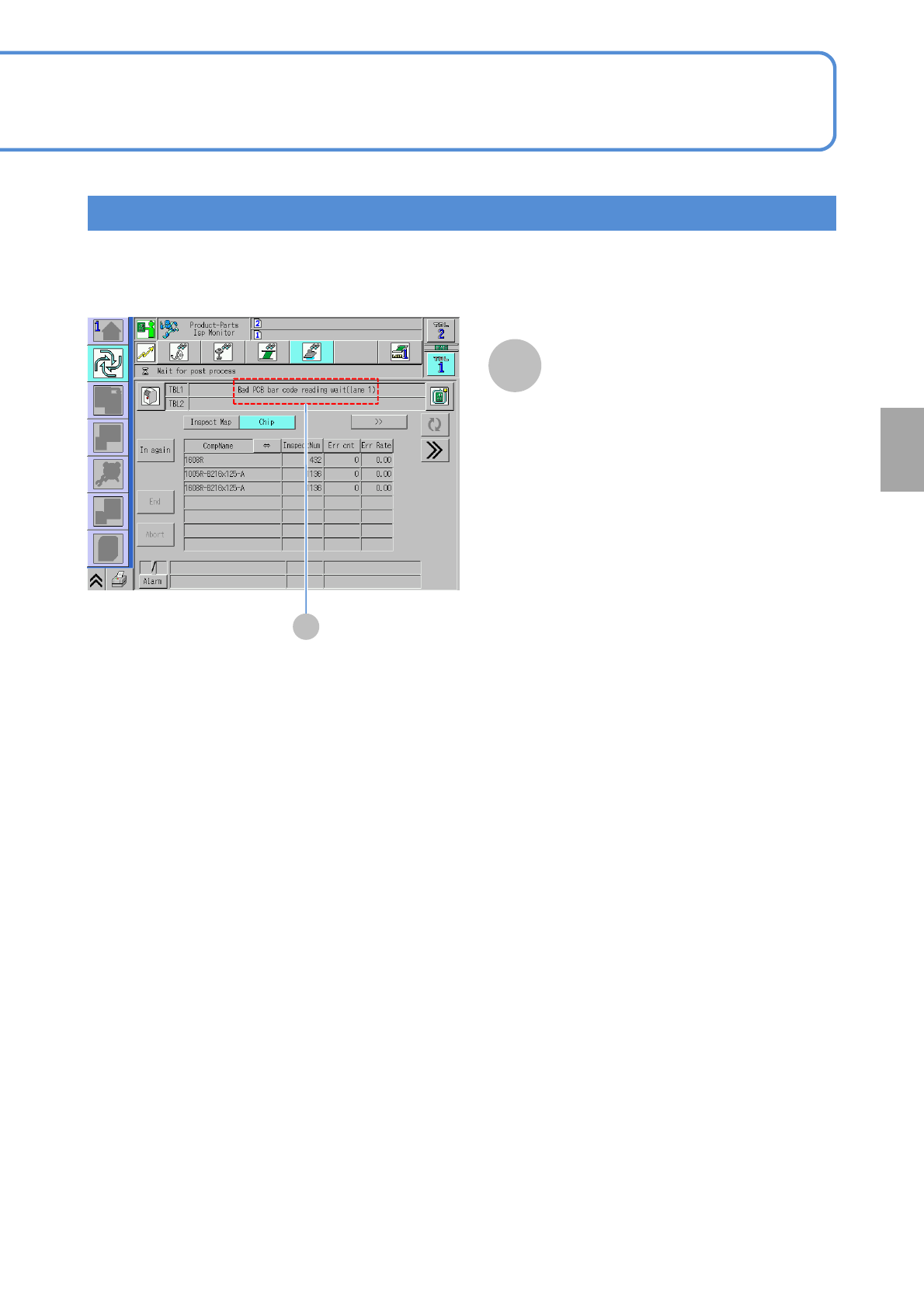
Confirm the message
●When it is ready for barcode reading,
the message saying “Bad PCB bar
code reading wait” is displayed. So,
using the scanner, read the reload
barcode.
●This message disappears as the
barcode reading is complete.
Reload barcode scanning screen