N7201A616E00_0317.pdf - 第456页
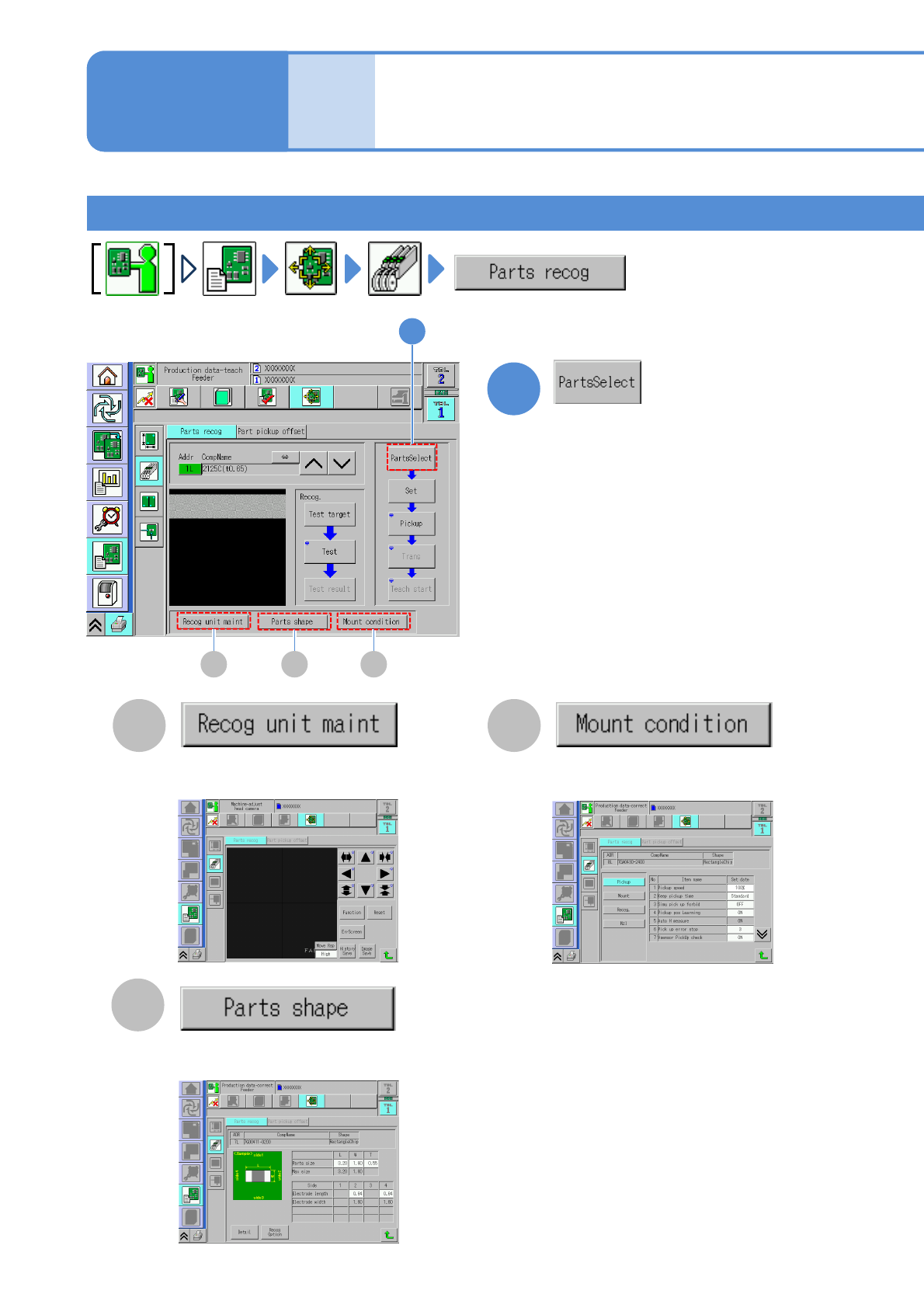
NPM-W 2 EJM7DE-MB-06O-0 0 Component recognition teach 1 1 1 You can enter and edit the placeme nt condition. ( → P.6-1-9) C A B C A B You can en ter and edit th e component shape dat a.( → P.6-1-8) You can con firm all r…
NPM-W2 EJM7DE-MB-06O-00
1
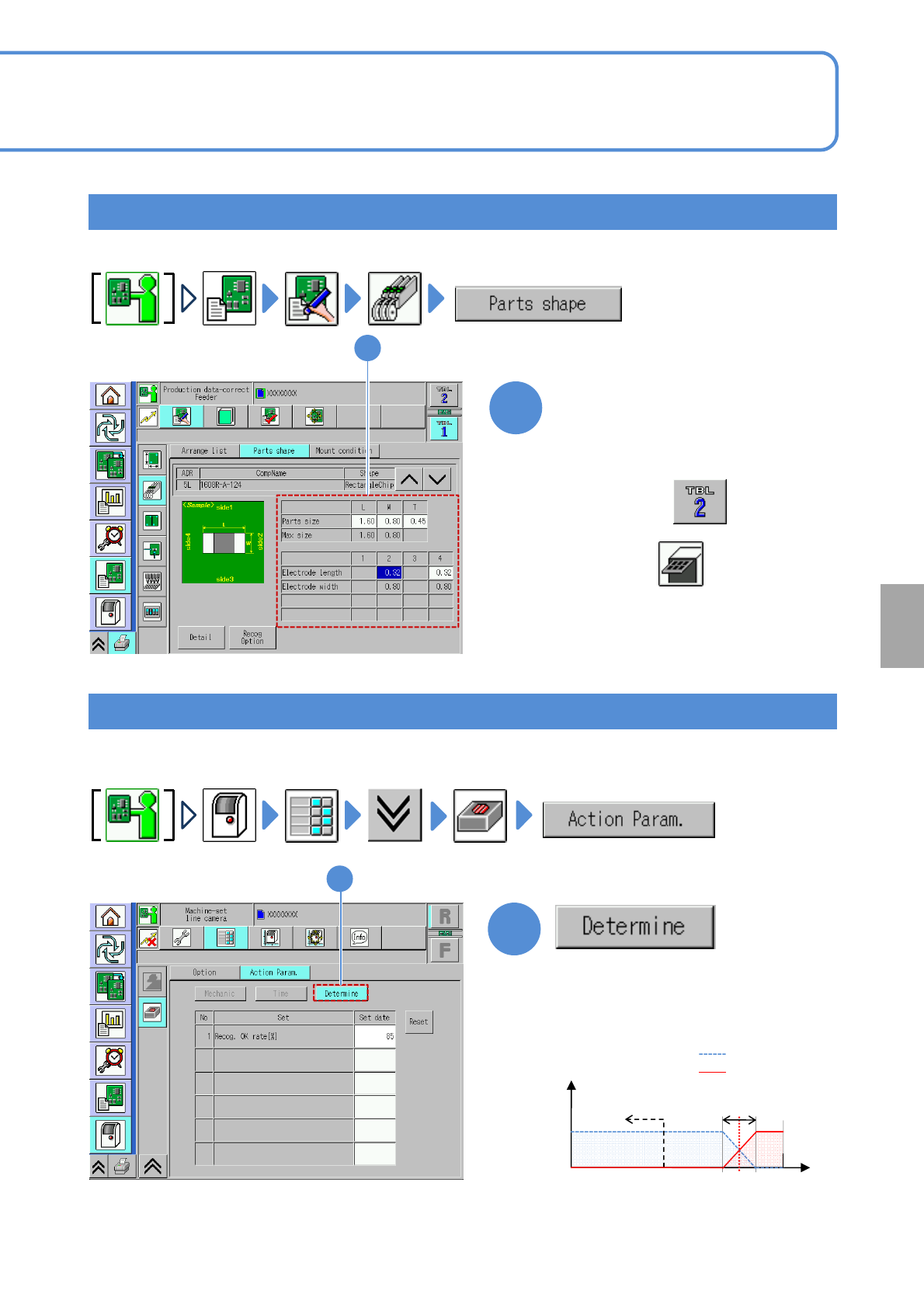
●Confirm that the recognition OK rate is
about 85%.
(If the recognition error rate is 50% or
less, it results in an error (shared with
the error code)
1
●Check the component data before component recognition teach.
Checking the multi-recognition camera
6-2-4-2
Checking the component data
1
Check the component data
1
The tray component data is displayed.
●If it is wrong, edit it.
(→6-1-8)
●Choose table
and choose in the third layer
●Check the component data before component recognition teach.
Recognition NG
Recognition OK
*1)
Varies on a component
Judged as error
50 100
Recognition OK rate[%]
Frequency
0 85
Judgment range
*1)
Setting
change
NPM-W2 EJM7DE-MB-06O-00
Component recognition teach 1
1
1
You can enter and edit the placement
condition. (→P.6-1-9)
CA
B
CA B
You can enter and edit the component
shape data.(→P.6-1-8)
You can confirm all recognition
processes. (→ P.7-2-11)
6-2-4-3
Produc-
tion data
teaching
Component recognition
teach 2
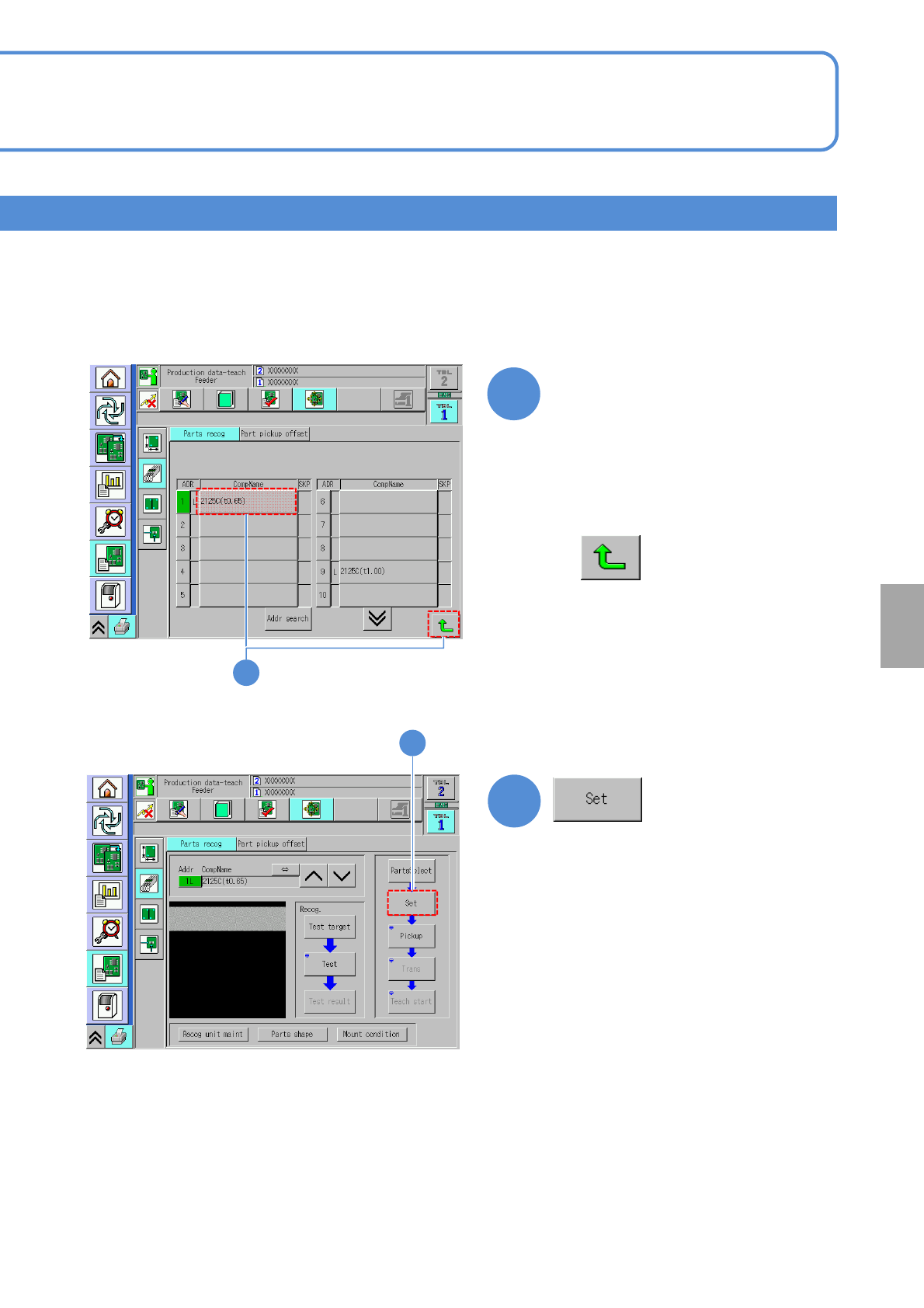
The screen for choosing a component to
recognize is displayed.
Operating procedure
6-2-4
NPM-W2 EJM7DE-MB-06O-00
3
3
6-2-4-4
(The setting screen of pickup condition is
displayed)
Choose a component to
recognize
2
■To cancel
Setting
change
2
●An item in the “ADR” field shown in
green color means a component
which requires part recognition teach.