N7201A616E00_0317.pdf - 第493页
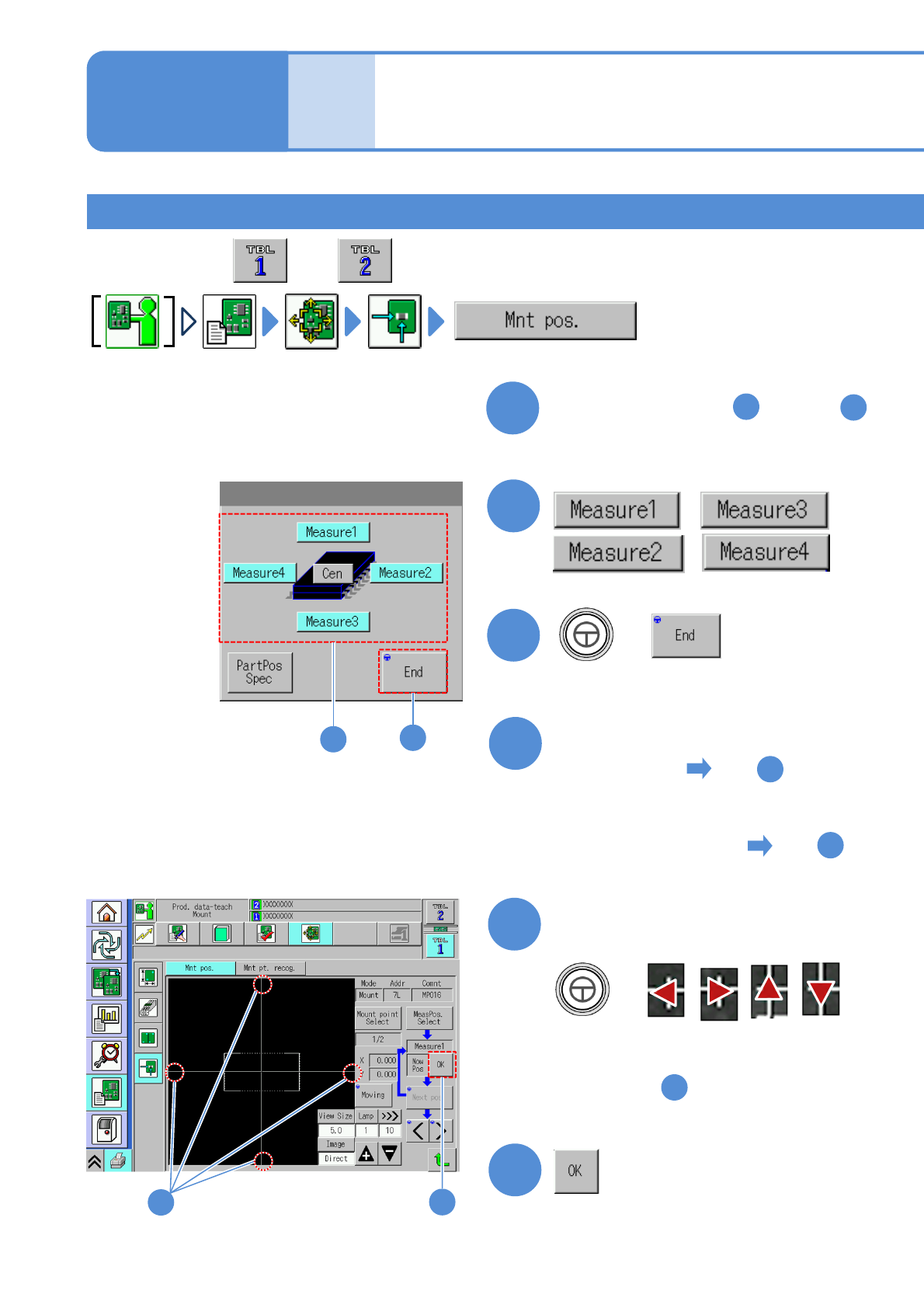
NPM-W 2 EJM7DE-MB-06 O-00 6-2-9 -16 Setting change 7 + ● Align the cross line to the ‘top’ of the component elec trode. Align the cross line to an electrode on the PCB 8 ● See the step of [Teaching with component (mea su…
NPM-W2 EJM7DE-MB-06O-00
6-2-9-15
Produc-
tion data
teaching
Placement coordinates
teach 8
Operating procedure
6-2-9
Teaching with component (measuring method: 4 point)
1
Perform steps from through
in [Teaching with component
(measuring method: 1 point)]
1
7
2
3
+
,
,
4
■When components are placed
on the PCB to
■When components are not
placed on the PCB to
5
7
,
5
+
●Align the cross line to the ‘top’ of the
component.
Align the cross line to the edge
of a component
●See the step of [Teaching with
component (measuring method: 2 point)]
6
5
6
5
●Perform on both and .
2
3
NPM-W2 EJM7DE-MB-06O-00
6-2-9-16
Setting
change
7
+
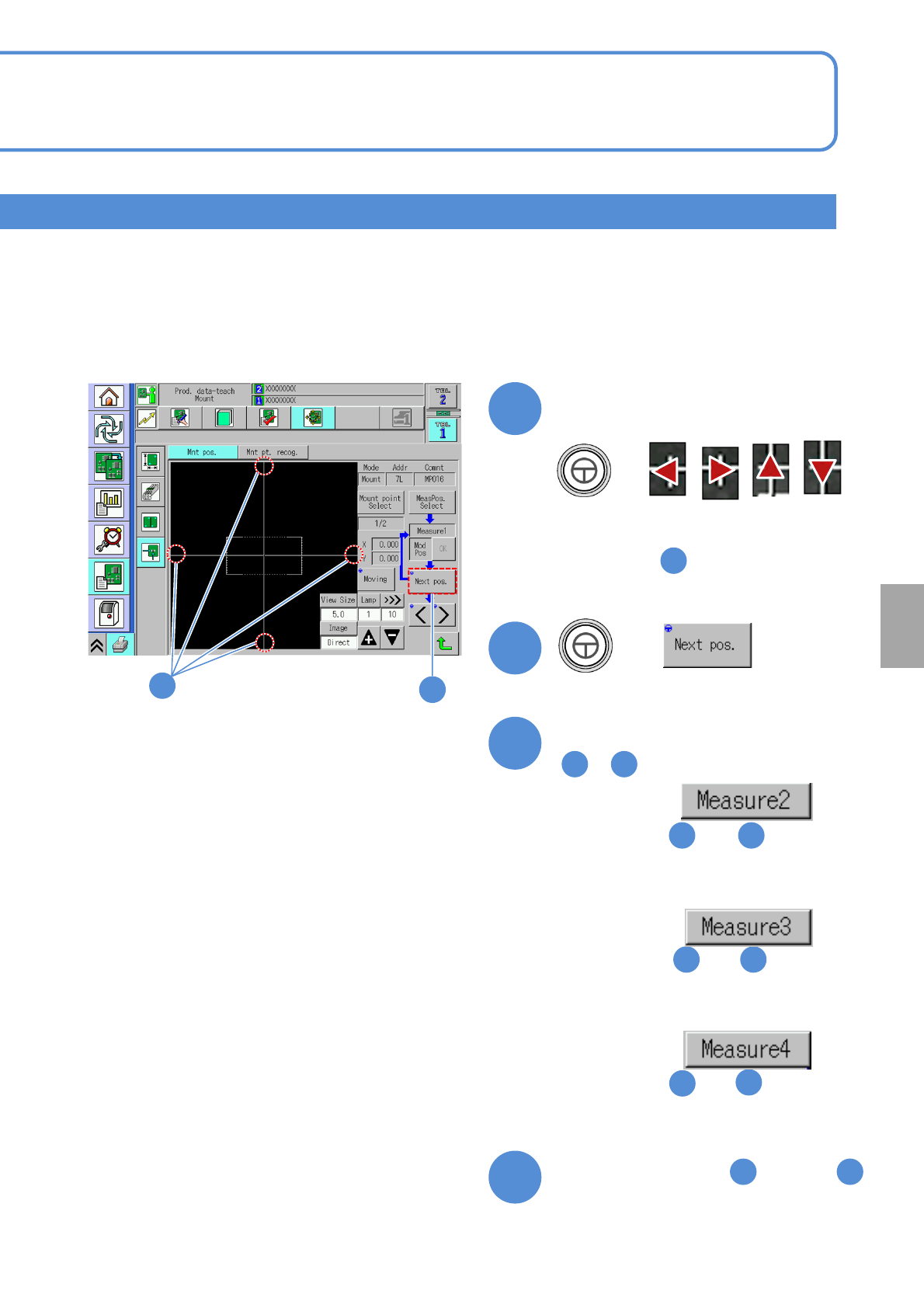
●Align the cross line to the ‘top’ of the
component electrode.
Align the cross line to an
electrode on the PCB
8
●See the step of [Teaching with
component (measuring method: 2 point)]
7
+
8
Repeat three times steps from
to
4 8
9
If measurement is ,
■
Perform steps and ,
changing from [Top] to [Right].
5 7
If measurement is ,
■
Perform steps and ,
changing from [Top] to [Bottom].
5 7
If measurement is ,
■
Perform steps and ,
changing from [Top] to [Left].
5
7
10
Perform steps from through
in [Teaching with component
(measuring method: 2 point)]
10 13
7
NPM-W2 EJM7DE-MB-06O-00
6-2-9-17
Produc-
tion data
teaching
Placement coordinates
teach 9
Operating procedure
6-2-9
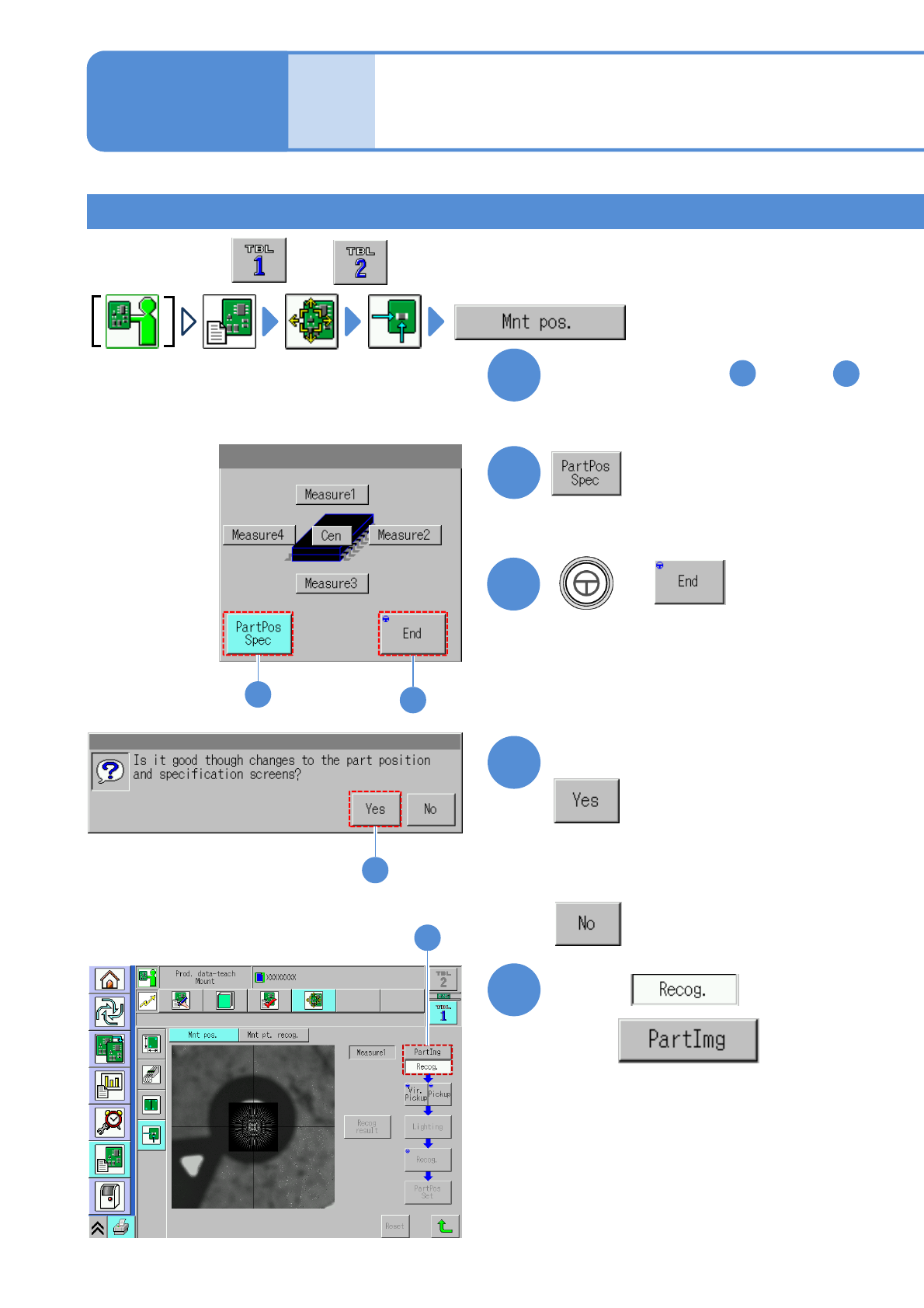
Teaching by specifying component position 1
1
Perform steps from through
in [Teaching with component
(measuring method: 1 point)]
1
7
2
2
4
Confirm the message
5
with
Choose
5
●Perform on both and .
4
■When you do not want to transition to
the component position selection
screen
3
3
+