N7201A616E00_0317.pdf - 第393页
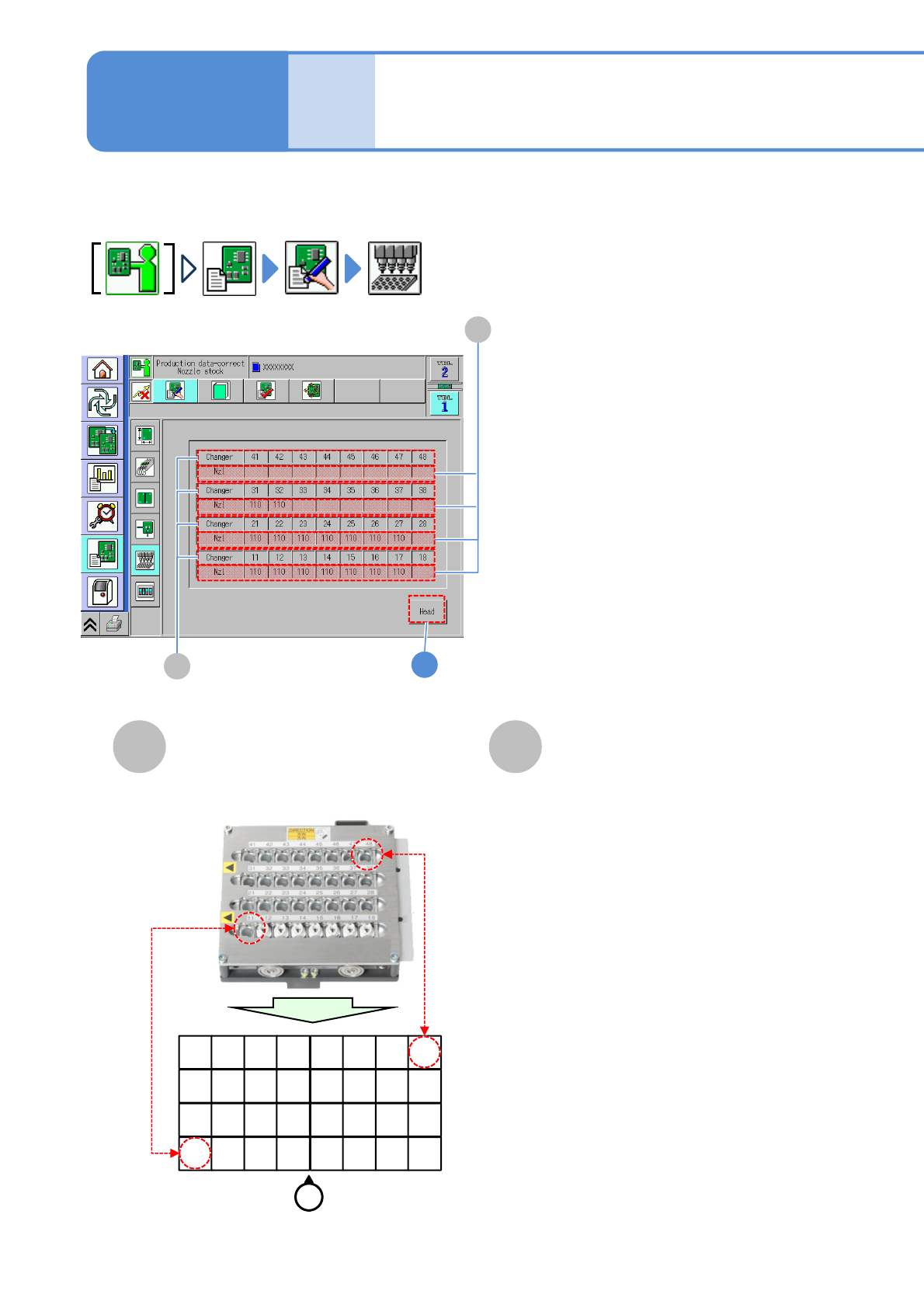
NPM-W 2 EJM7DE-MB-06O-0 0 6-1-1 1 -2 D C C Nozzle arrangement data D Returns to the previous screen. Displays the nozzle number and nozzle changer po sition used per n ozzle position. 1 The nozzle number and nozzle chang…
NPM-W2 EJM7DE-MB-06O-00
1
Data
editing
Describes how to check nozzle information stored in the nozzle changer.
A B
Changer
B
A
Nzl
Nozzle changer
arrangement edit
Nozzle changer number.
The nozzle number in the changer.
11 12 13 14 15 16 17 18
21 22 23 24 25 26 27 28
31 32 33 34 35 36 37 38
41 42 43 44 45 46 47 48
Operator
6-1-11-1
●Example (For 12-/Light weight 16-head nozzle)
Operating procedure
6-1-11
NPM-W2 EJM7DE-MB-06O-00
6-1-11-2
D
C
C
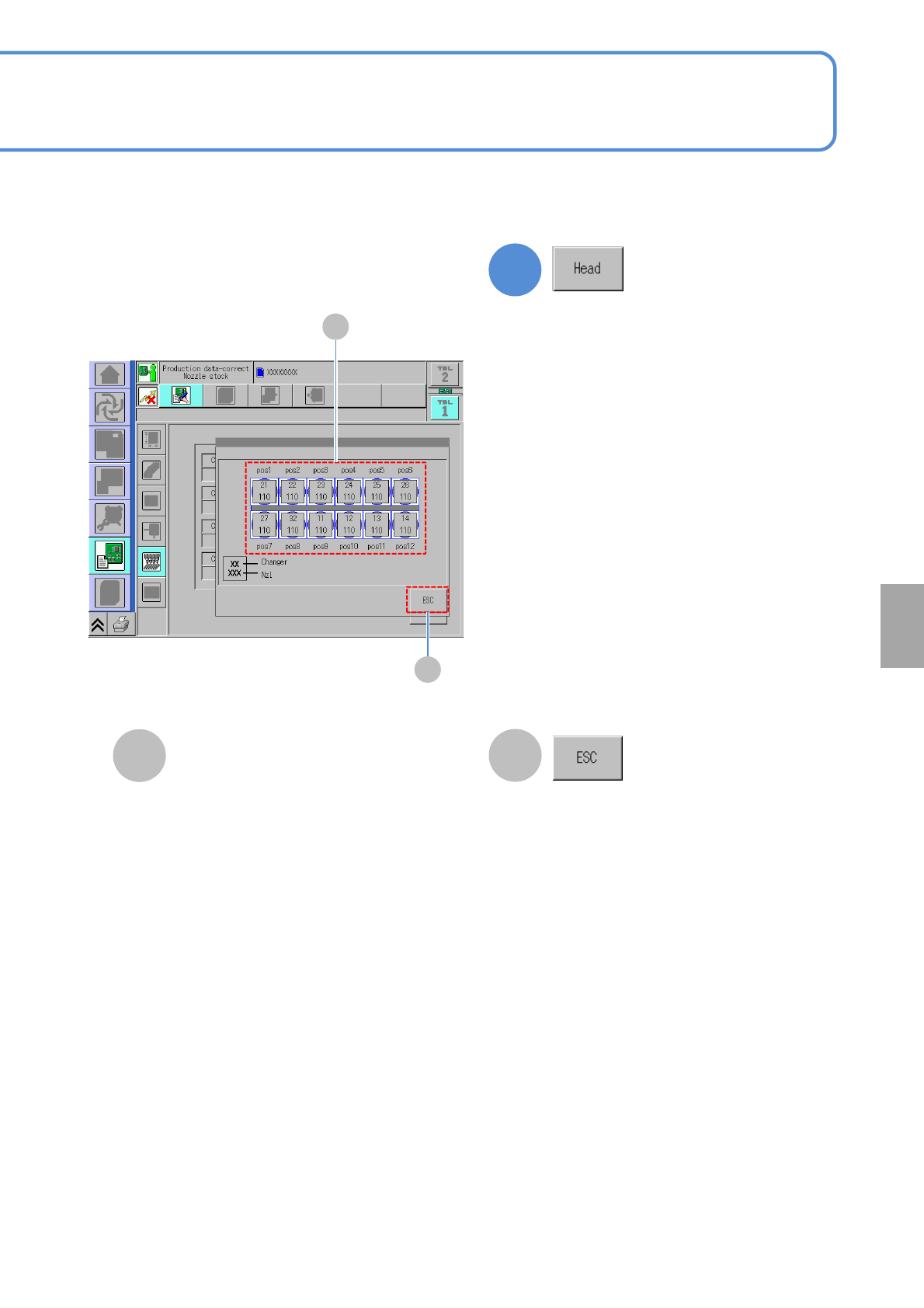
Nozzle arrangement data
D
Returns to the previous screen.
Displays the nozzle number and nozzle
changer position used per nozzle
position.
1
The nozzle number and nozzle changer
position used per nozzle position are
displayed.
Setting
change
NPM-W2 EJM7DE-MB-06O-00
A C D
E K
B
F
I
G H J
Pattern
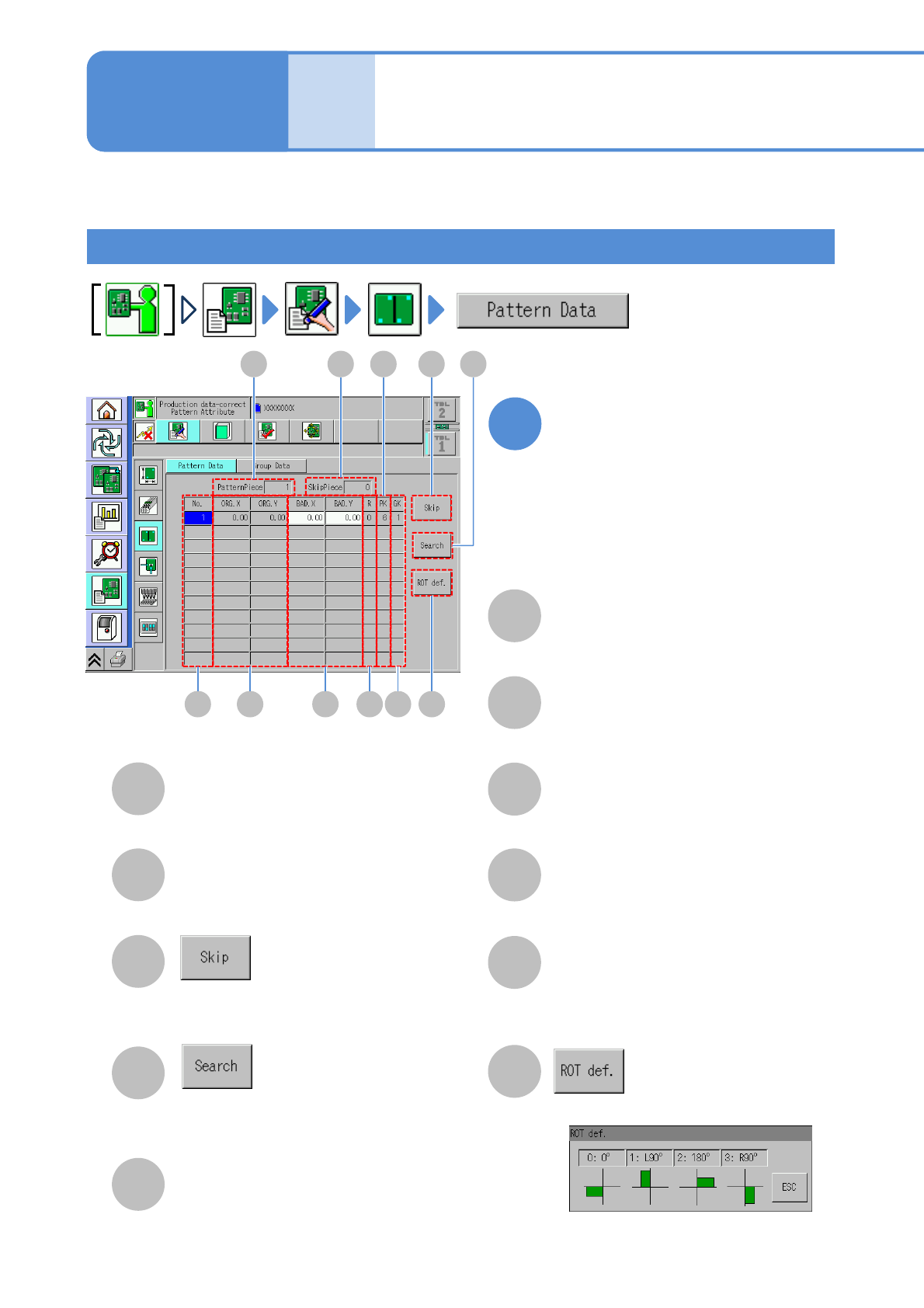
Describes how to check and edit the pattern attribute. (→.P6-2-2)
Data
editing
Pattern attribute data
edit
A
SkipPiece
B
PatternPiece
C
D
Enter the pattern number to search the
pattern.
Set the selected pattern to the bad
pattern.
The total number of skip patterns.
The total number of registered patterns.
E
Pattern number.
No.
ORG.X/ORG.Y
F
G
BAD.X/ BAD.Y
X-/Y-coordinates of pattern origin.
Bad mark X-/Y-coordinates of a pattern.
Rotation definition number of a pattern.
(See the [Rotation definition] screen)
H
R
PK
J
The number for arranging more than
one type of pattern.
K
Displays the [Rotation definition] screen.
6-1-12-1
GK
I
The number to discriminate a pattern group.
Edit the data of the desired
field on the screen
●Touching the screen opens the input
window.
1
Operating procedure
6-1-12