N7201A616E00_0317.pdf - 第400页
NPM-W 2 EJM7DE-MB-06O-0 0 6-1-13 -5 Describes how to confirm and edit productio n data. 2 1 Data editing Pr oduction da ta edit 3 Edit the data of the desired field on the screen ● Touching the scree n opens the numerica…

NPM-W2 EJM7DE-MB-06O-00
6-1-13-4
Setting
change
NPM-W2 EJM7DE-MB-06O-00
6-1-13-5
Describes how to confirm and edit production data.
2
1
Data
editing
Production data edit 3
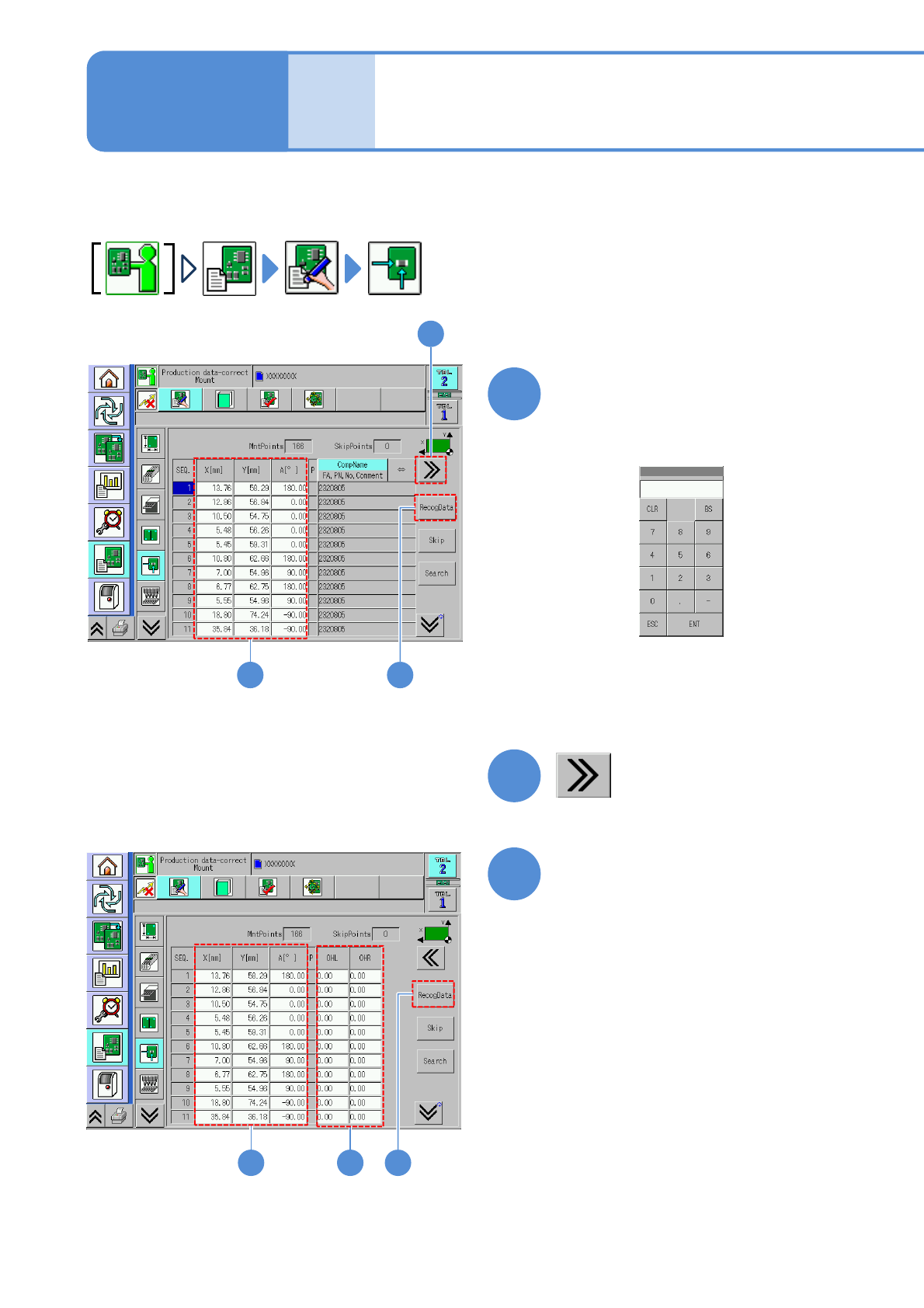
Edit the data of the desired
field on the screen
●Touching the screen opens the
numerical input window (figure below).
1
■To set the length jutting from left or
right edge of a PCB
2
31
Edit the data of the desired
field on the screen
●Touching the screen opens the input
window.
3
4
4
Operating procedure
6-1-13
NPM-W2 EJM7DE-MB-06O-00
6-1-13-6
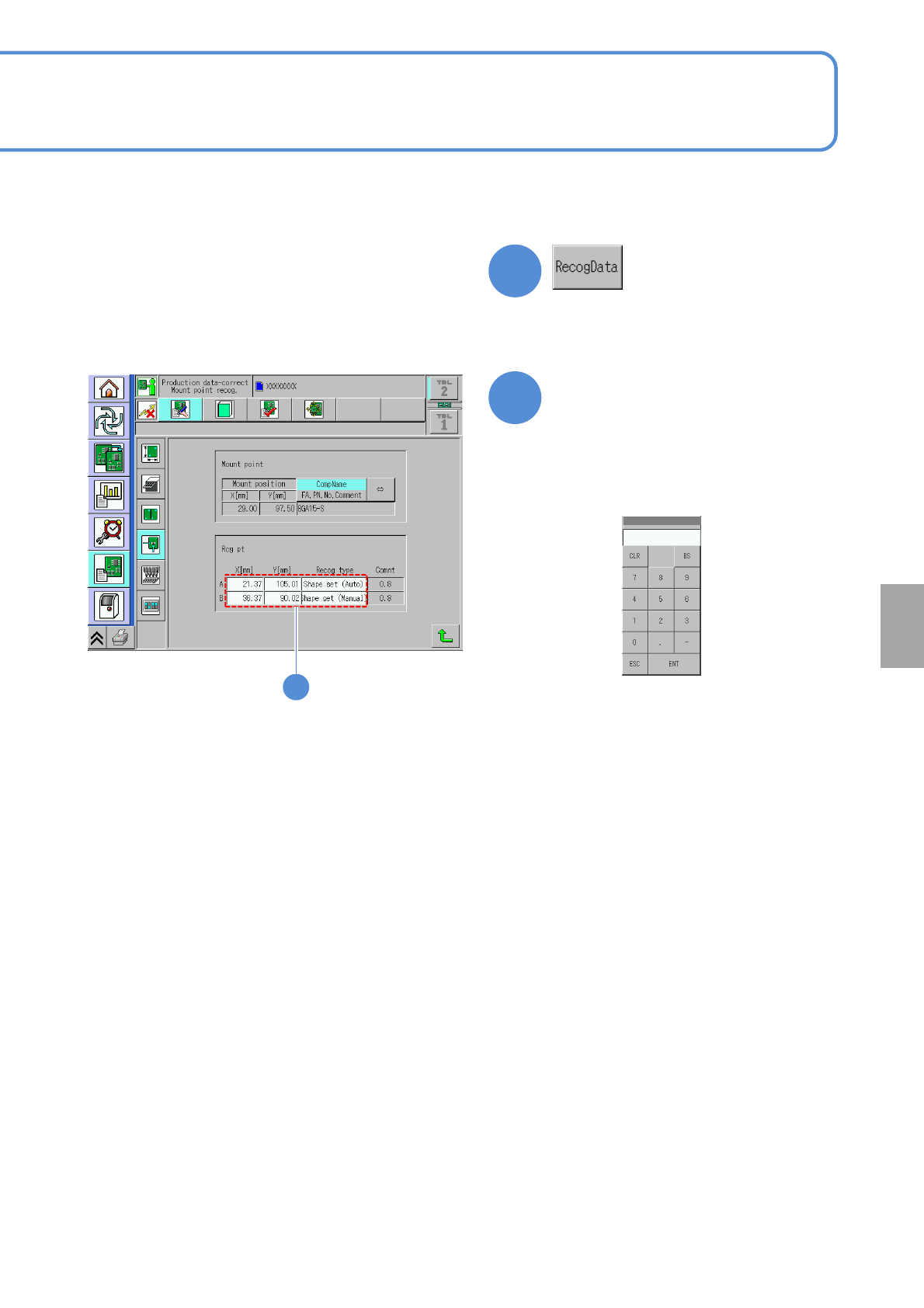
Edit the data of the desired
field on the screen
●Touching the screen opens the
input window.
5
4
●It is effective when the recognition data
of a placement point exists.
■To edit the placement point
5
■Input screen for X[mm],Y[mm]
■Input screen for the recognition
type
(→P.6-1-3)
Setting
change