00198178-04_GS_FeederManager_3.3_R18-1_EN.pdf - 第104页
SIPLACE Feeder Ma nager 3.3 (R18 -1) / Getting S tarted 08/2018 Edition 104 Example: Displa yed information in t he Due tab Figure 11 -3: Alert L ist, Due tab Example: Displa yed information in t he Overdue ta b Figure 1…
SIPLACE Feeder Manager 3.3 (R18-1) / Getting Started 08/2018 Edition
103
11 Alerts
Alert messages for feeders that need attention are displayed in the Feeder Manager Alert List,
on the station computer and on the FM Line Console.
11.1 Alert List
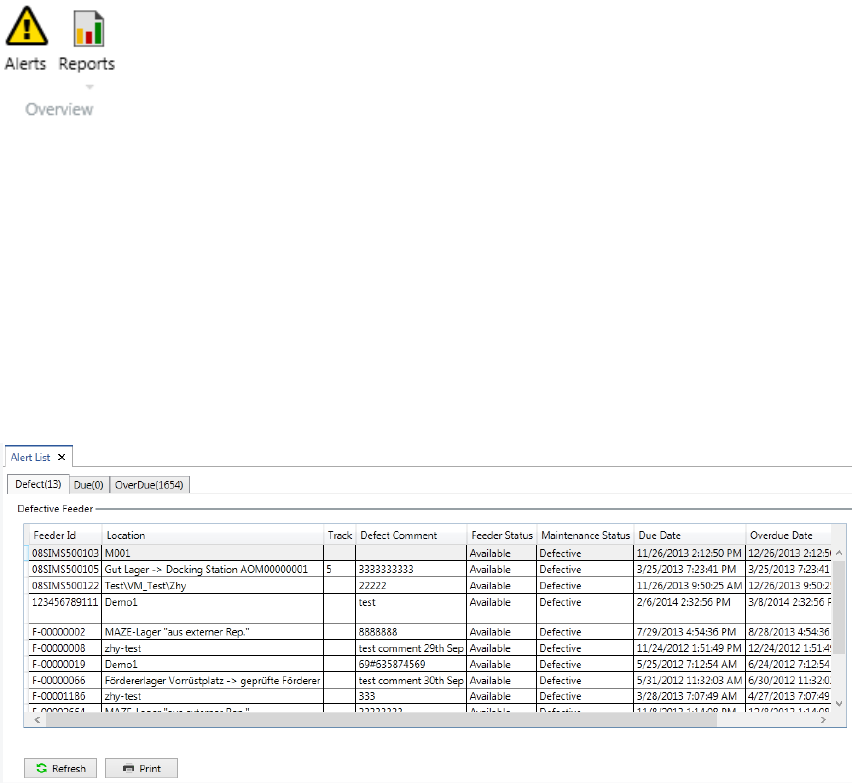
Alert list is accessed from Alert:
Figure 11-1 Alert menu button
Click on Alert button in the menu bar to open the list.
Alert list displays feeders that are either due or overdue to maintenance, or defective or have
a feeder type mismatch. The Alert list is organized in three categories: Defective (k), Due
(m), and Overdue (n), where k, m and n are the numbers of feeders which are defect, due
and overdue respectively.
Example: Displayed information in the Defective tab
Figure 11-2: Alert List, Defective tab
SIPLACE Feeder Manager 3.3 (R18-1) / Getting Started 08/2018 Edition
104
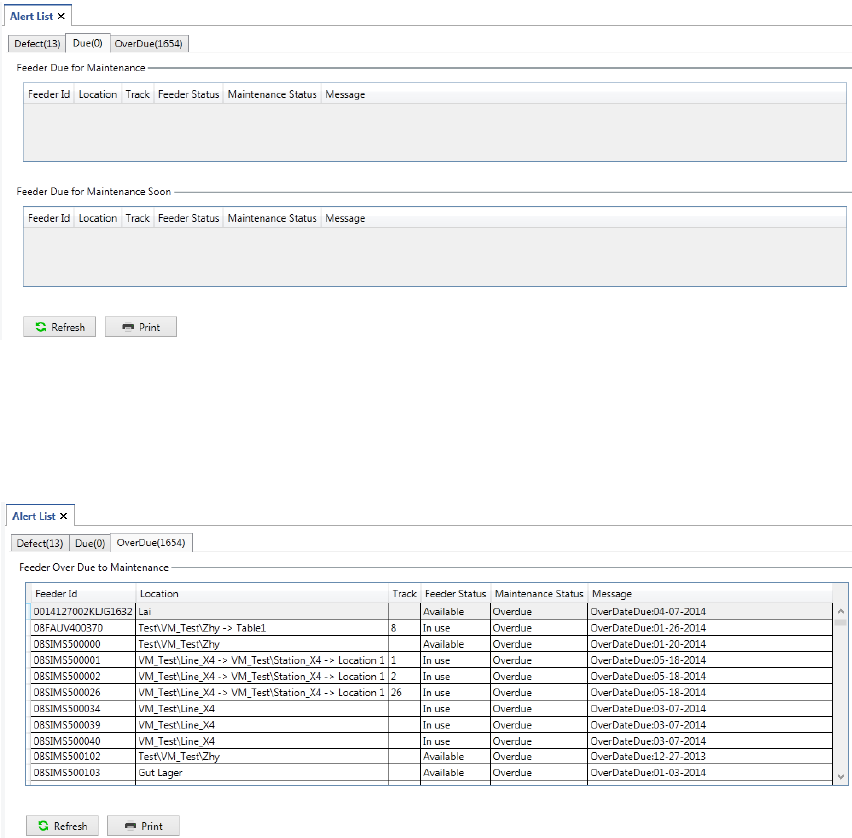
Example: Displayed information in the Due tab
Figure 11-3: Alert List, Due tab
Example: Displayed information in the Overdue tab
Figure 11-4: Alert List, Overdue tab
It is also possible to view and modify feeder details for single feeders.
Double-click on a feeder row in the Alert list.
The feeder details for the selected feeder are displayed. See section 5.1.2 for more details on
modifying the feeder details.
11.1.1 Description of the buttons
Print
Click on this button to print the Alert list.
Refresh
Click on this button to refresh the Alert list.
Note: Once any feeder details are updated, and the user returns to the Alert List, a manual
refresh is required in order for the changes to take effect in the list.
SIPLACE Feeder Manager 3.3 (R18-1) / Getting Started 08/2018 Edition
105
11.2 Alerts on the station computer via SIPLACE OIB Display Viewer
Alert messages are also displayed on the station computer. This helps the operator to quickly
identify the feeders that need attention, for example to swap an overdue feeder.
In order to use this function, the station computer must have Display Service Viewer
(“Viewer”) installed, which is from the SIPLACE OIB installation CD. Alert messages will be
displayed in this Viewer.
The SIPLACE OIB Display Viewer is the client application for SIPLACE OIB Display
Service. It is a Windows-based application that runs on station computers. Once installed, the
SIPLACE Display Viewer will automatically popup whenever there is a feeder problem. After
the operator closes this Viewer, Feeder Manager will check the problem status again after a
predefined time interval, and if the problem persists, Feeder Manager will send the alert
message to SIPLACE Display Service again. The time interval is configurable in FM Client –
Global Settings. See section 9.1.5 Description of the buttons
Save
Click on this button to save the changed configuration.
Restore to default
Click on this button to restore all the configurations to default value.