00198178-04_GS_FeederManager_3.3_R18-1_EN.pdf - 第8页
SIPLACE Feeder Ma nager 3.3 (R18 -1) / Getting S tarted 08/2018 Edition 8 1.2 Documen t structure The header of each of the chapters provides inform ation about the releas e status and the soft ware version. The docum en…
SIPLACE Feeder Manager 3.3 (R18-1) / Getting Started 08/2018 Edition
7
1 Introduction
ASM Feeder Manager is a program, developed to ease the feeder management process. It is a
Windows-based application that helps to:
● Maximize feeder performance by:
Providing real-time feeder monitoring and feedback
Carrying out preventive / proactive feeder maintenance based on actual usage, repair
actions and performance statistics (condition-based maintenance) that adds real
value
Providing an alert feature to avoid the use of the defective / overdue-for-maintenance
feeders
● Minimize feeder assets by:
Feeder tracking
Feeder inventory management (including reports)
● Reduce costs and risk by paperless management of the feeders
The following features are supported:
● Date-based and cycle-based maintenance plan
● Feeder location tracking and reports
● Alerts on feeder status on FM Client, Line Console,PDA and station computers
● Reports on feeders that are due/overdue for maintenance
1.1 Document purpose
This document introduces new users to Feeder Manager, giving them a general understanding of
the program. Practical descriptions guide "step-by-step" through the basic Feeder Manager
functions. After reading this manual, it should be possible to perform key tasks with Feeder
Manager.
Information regarding installation and licensing can be found in the Feeder Manager Installation
Manual, item no. 00198179-04.
SIPLACE Feeder Manager 3.3 (R18-1) / Getting Started 08/2018 Edition
8
1.2 Document structure
The header of each of the chapters provides information about the release status and the software
version. The document is structured as following:
– Introduction
– Information
– Starting/exiting the Feeder Manager
– Program overview
– Menu overviews
– Alerts
– FM Line Console
– Feeder tracking
– Feeder Manager Mobile Application
– Examples of use
– Restrictions
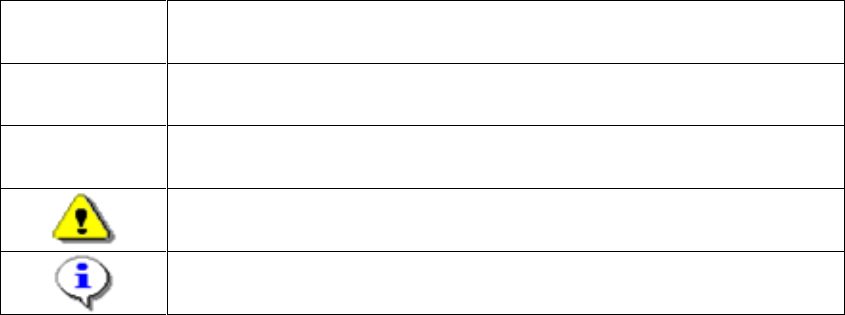
1.3 Symbols
This document uses various symbols and notes.
Words in Bold
/ Italics
These are part of a dialog, dialog box, menu item or command.
Step…
An installation step includes all actions relating to a specific dialog box. It
can include several actions.
→
Indicates an action to be performed (i.e. mouse click, open a file)
Indicates a warning. Observe this notification message to ensure that
work is successful.
Indicates explanatory information.
Table 1-1: Explanation of symbols

SIPLACE Feeder Manager 3.3 (R18-1) / Getting Started 08/2018 Edition
9
2 Information
2.1 Where can I get information
If there are questions regarding this software guide or more detailed information is required about a
particular topic, please contact the appropriate SIPLACE representative or us directly at:
ASM
Assembly Systems GmbH &
Co. KG
Rupert-Mayer-Str. 44
D-81359 Munich / Germany
2.2 SIPLACE on the World Wide Web (WWW)
Log into our SIPLACE® homepage at http://www.asm-smt.com.
You can choose between the German and English versions.
The different sections contain information about our products, services and contact persons.
In addition, registered customers can also access the MySIPLACE user group. Here you can call
up special information about our placement systems e.g.
– technical documentation
– technical information
– spare parts lists etc.
Registration for the MySIPLACE user group is very simple:
Click at the head of the web site on MyASM and then on the Register link.
Fill in the registration form and send it off to us.
Soon afterwards, you will receive your access authorization with USER ID and password.
2.3 Languages
The Feeder Manager software supports following languages
English
German
Simplified Chinese
Korean