00198178-04_GS_FeederManager_3.3_R18-1_EN.pdf - 第9页
SIPLACE Feeder Ma nager 3.3 (R18 -1) / Getting S tarted 08/2018 Edition 9 2 Information 2.1 Where can I g et info rmation If there are questions re garding this s oftware guide or m ore detailed inform ation is required …
SIPLACE Feeder Manager 3.3 (R18-1) / Getting Started 08/2018 Edition
8
1.2 Document structure
The header of each of the chapters provides information about the release status and the software
version. The document is structured as following:
– Introduction
– Information
– Starting/exiting the Feeder Manager
– Program overview
– Menu overviews
– Alerts
– FM Line Console
– Feeder tracking
– Feeder Manager Mobile Application
– Examples of use
– Restrictions
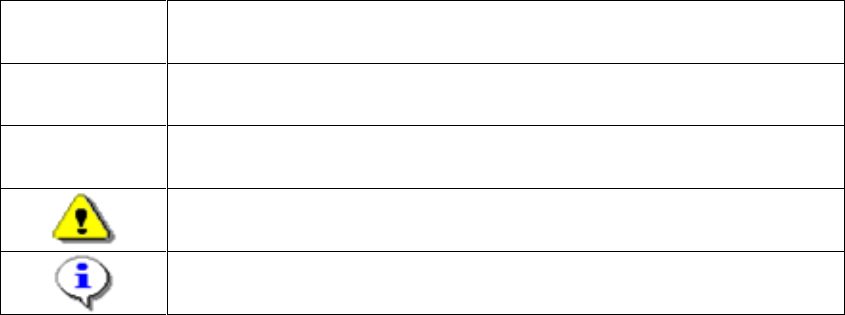
1.3 Symbols
This document uses various symbols and notes.
Words in Bold
/ Italics
These are part of a dialog, dialog box, menu item or command.
Step…
An installation step includes all actions relating to a specific dialog box. It
can include several actions.
→
Indicates an action to be performed (i.e. mouse click, open a file)
Indicates a warning. Observe this notification message to ensure that
work is successful.
Indicates explanatory information.
Table 1-1: Explanation of symbols

SIPLACE Feeder Manager 3.3 (R18-1) / Getting Started 08/2018 Edition
9
2 Information
2.1 Where can I get information
If there are questions regarding this software guide or more detailed information is required about a
particular topic, please contact the appropriate SIPLACE representative or us directly at:
ASM
Assembly Systems GmbH &
Co. KG
Rupert-Mayer-Str. 44
D-81359 Munich / Germany
2.2 SIPLACE on the World Wide Web (WWW)
Log into our SIPLACE® homepage at http://www.asm-smt.com.
You can choose between the German and English versions.
The different sections contain information about our products, services and contact persons.
In addition, registered customers can also access the MySIPLACE user group. Here you can call
up special information about our placement systems e.g.
– technical documentation
– technical information
– spare parts lists etc.
Registration for the MySIPLACE user group is very simple:
Click at the head of the web site on MyASM and then on the Register link.
Fill in the registration form and send it off to us.
Soon afterwards, you will receive your access authorization with USER ID and password.
2.3 Languages
The Feeder Manager software supports following languages
English
German
Simplified Chinese
Korean
SIPLACE Feeder Manager 3.3 (R18-1) / Getting Started 08/2018 Edition
10
2.4 Online Help
The Online Help contains details about the program functions.
2.4.1 Accessing the Online Help via the F1 key
Start the context-sensitive Help system for the current dialog with the F1 key.
2.4.2 Accessing the Online Help via the Menu bar
Start the context-sensitive Help system for the current dialog by selecting Help – Online
Help in the menu bar.
See chapter 10 Help for more details on the Help menu.