00198178-04_GS_FeederManager_3.3_R18-1_EN.pdf - 第70页
SIPLACE Feeder Ma nager 3.3 (R18 -1) / Getting S tarted 08/2018 Edition 70 Example: Feeder Summary Report Grou ped By Lo cation Figure 8-3: Feeder S ummar y Report Grouped By Location 8.2 Feeder Exchange Summar y Report …
SIPLACE Feeder Manager 3.3 (R18-1) / Getting Started 08/2018 Edition
69
:
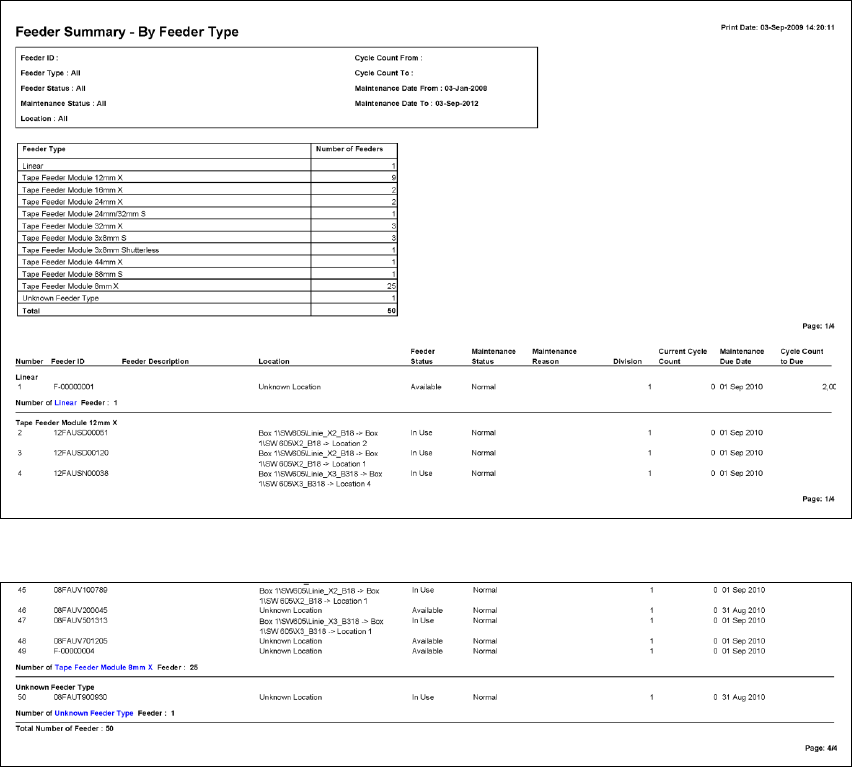
Figure 8-2: Feeder Summary Report Grouped By Feeder Type
SIPLACE Feeder Manager 3.3 (R18-1) / Getting Started 08/2018 Edition
70
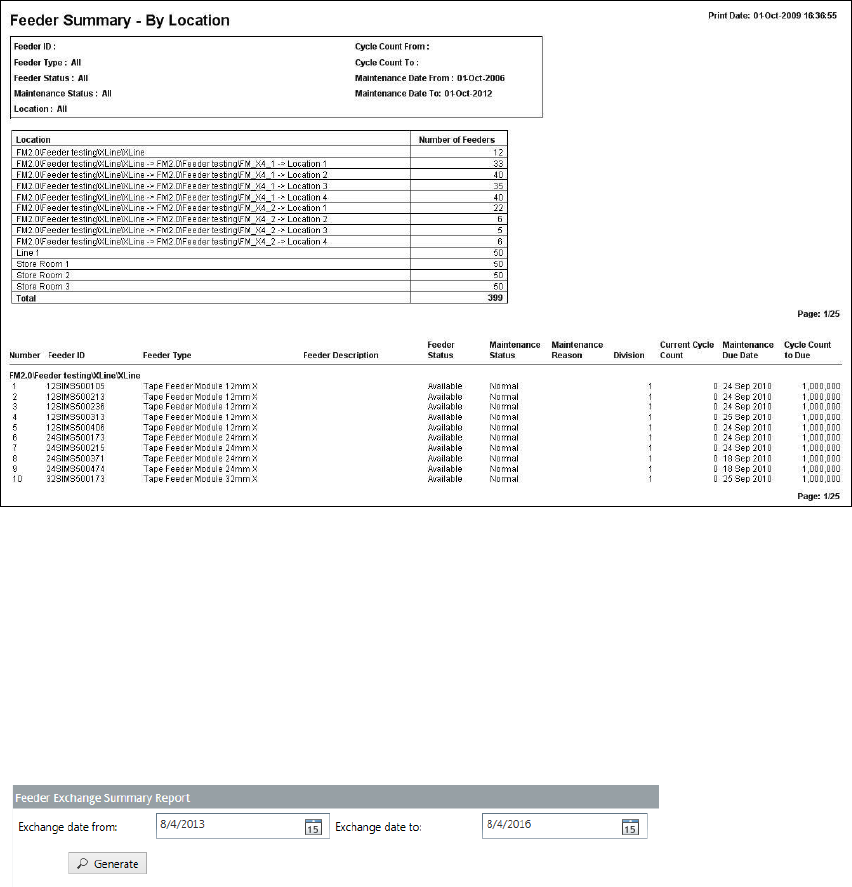
Example: Feeder Summary Report Grouped By Location
Figure 8-3: Feeder Summary Report Grouped By Location
8.2 Feeder Exchange Summary Report view
Click on Report – Feeder Exchange Summary Report in the menu bar to open the
view.
The Feeder Exchange Summary Report view is displayed.
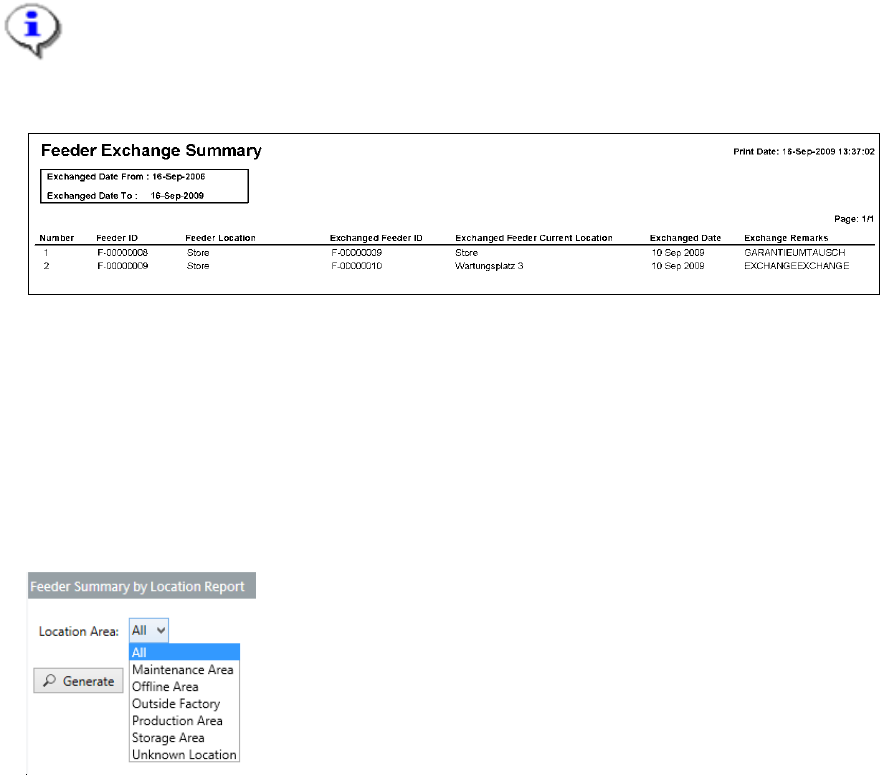
Figure 8-4: Feeder Exchange Summary Report view
Select the details to generate a summary report of all feeder exchange information based
on a specified date range.
8.2.1 Description of the fields
Exchange date from
Allows the user to search for feeders based on the exchange date to generate the report. All
feeders that were exchanged on/after the selected date are included in the report.
Exchange date to
Allows the user to search for feeders based on the exchange date to generate the report. All
feeders that were exchanged on/before the selected date are included in the report.
SIPLACE Feeder Manager 3.3 (R18-1) / Getting Started 08/2018 Edition
71
8.2.2 Description of the buttons
Generate
Click on this button to search for feeders exchanged within the selected date range and
generate the report.
Reset
Click on this button to clear all fields and reset them to their respective default values.
Note:
Exchange date to must be >= Exchange date from.
Example: Feeder Exchange Summary Report
Figure 8-5: Feeder Exchange Summary Report
8.3 Feeder Summary by Location Report view
Click on Report – Feeder Summary by Location Report in the menu bar to open the
view.
The Feeder Summary By Location Report view is displayed.
Figure 8-6: Feeder Summary by Location Report view
Select the location area to generate a summary report of the number of feeders by feeder
type and feeder status.
8.3.1 Description of the fields
Location area
Allows the user to search for feeders based on their location area. It is possible to select all
location areas or a specific one.