00198178-04_GS_FeederManager_3.3_R18-1_EN.pdf - 第111页
SIPLACE Feeder Ma nager 3.3 (R18 -1) / Getting S tarted 08/2018 Edition 111 12.3.2 OIS Database Settings Configure the OIS data base connectio n accordingl y . Figure 12-5 FM Line Console O I S Databa se Connection Con f…
SIPLACE Feeder Manager 3.3 (R18-1) / Getting Started 08/2018 Edition
110
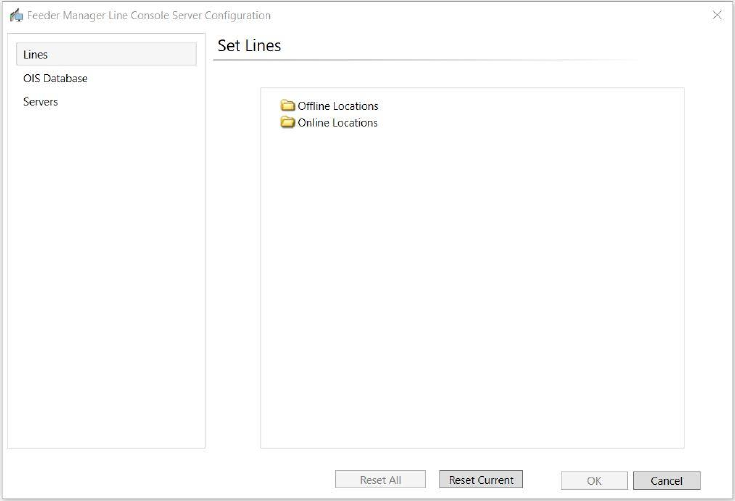
Following window of FM Line Console Server Configuration will be opened.
Table 12-2 Initial state of the FM Line Console Server Configuration
12.3.1 Online and Offline Settings
To start using FM Line Console, the user shall define the Online and Offline locations and add
the lines and docking stations for monitoring.
Refer to Chapter 13 “Feeder Location Tracking” for the configuration of Online and Offline
locations.
SIPLACE Feeder Manager 3.3 (R18-1) / Getting Started 08/2018 Edition
111
12.3.2 OIS Database Settings
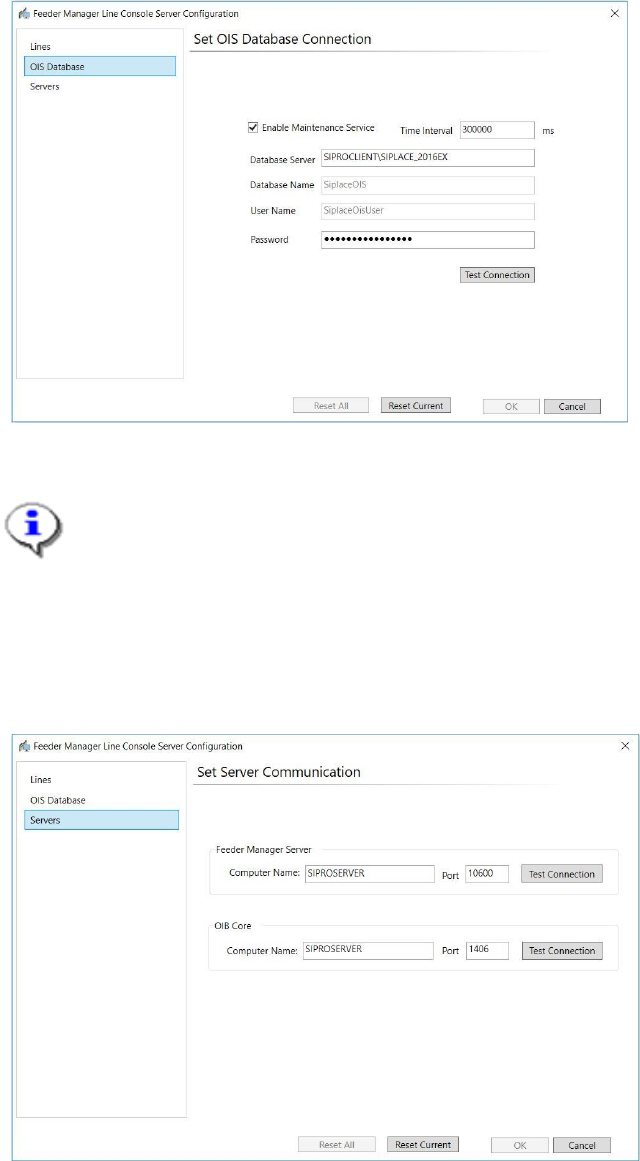
Configure the OIS database connection accordingly.
Figure 12-5 FM Line Console OIS Database Connection Configuration
Note:
Unlike previous versions, the OIS Database connection shall be configured in FM Line
Console Server Configuration, instead of being done during the installation process.
Only when the correct OIS Database setting is configured can FM Line Console collect
the feeder cycle count information.
12.3.3 Server Settings
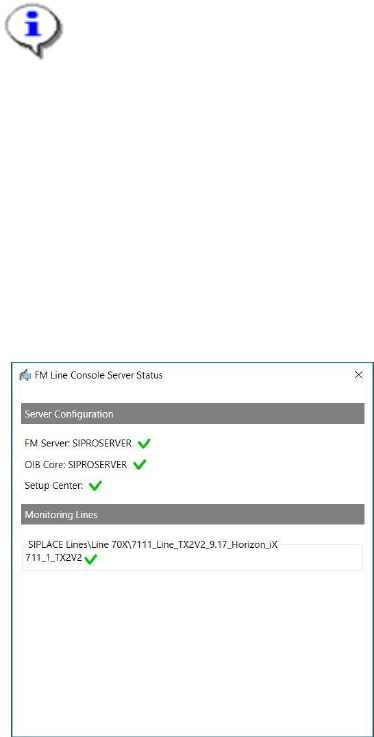
Figure 12-6 FM Line Console Server Configuration: FM Server
Enter the appropriate name for FM Server and OIB Core.
SIPLACE Feeder Manager 3.3 (R18-1) / Getting Started 08/2018 Edition
112
Note:
If the OIB Core address is changed, you will be prompted to restart the FM Line Console
Server.
After restarting, all the lines and stations previously configured will be removed from FM
Line Console. And you must reconfigure the production lines and stations.
12.4 Show Status
The working status of FM Line Console can be seen from the system tray icon, and the details
is available from the Show Status option. When Show Status is clicked, following status
window will be shown.
Figure 12-7 FM Line Console Server Status
12.5 Online Help
User can access the Online Help for FM Line Console either via the ASM Studio main menu
or by press the F1 button. See chapter 10 Help for more details.