00198178-04_GS_FeederManager_3.3_R18-1_EN.pdf - 第99页
SIPLACE Feeder Ma nager 3.3 (R18 -1) / Getting S tarted 08/2018 Edition 99 Once enabled, if an y feeder of the above m entioned status is inserted to on line or offline locations, depending on user conf iguration, Setup …
SIPLACE Feeder Manager 3.3 (R18-1) / Getting Started 08/2018 Edition
98
9.5 New Feeder Type Import
See section 7.3 for details
9.6 Import Locations
See section 6.4 for details.
9.7 Enforce Feeder Block
Starting from version 3.1, Feeder Manager provides the option to block the feeder from being
used and verified online and offline, when the feeder is either Defective, Overdue for
maintenance, or marked as Scrapped under Feeder Manager’s definition.
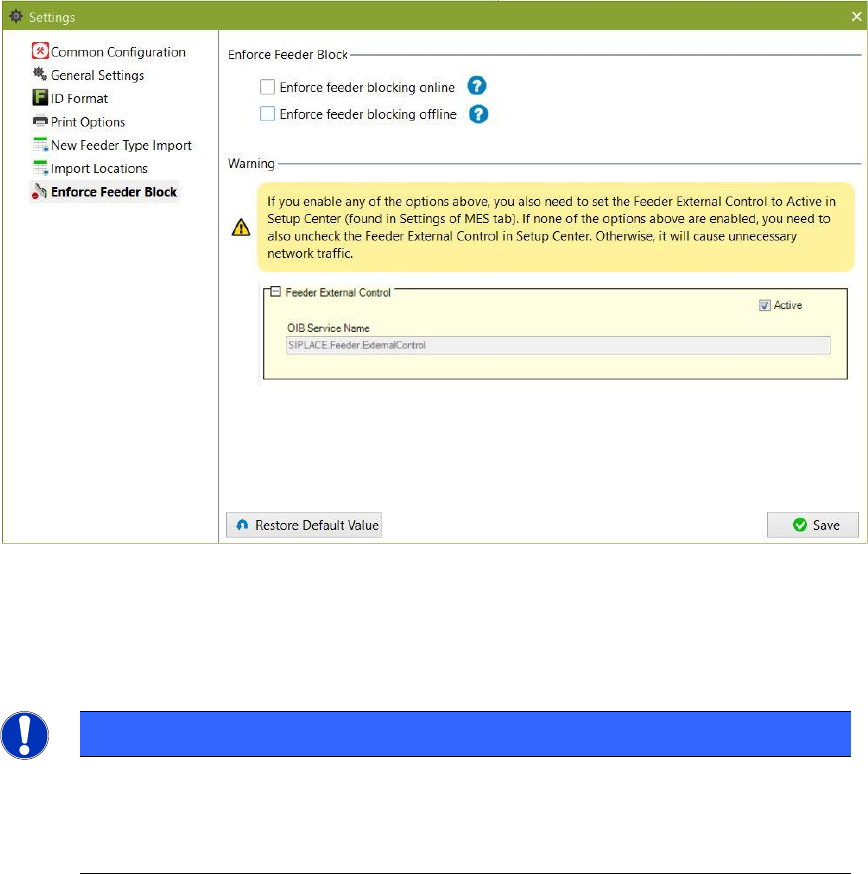
In order to make use of this feature, the user must first enable this option inside Feeder
Manager Client Settings Enforce Feeder Block. See below.
Figure 9-30 Enabling the Enforce Feeder Block Function
The user can choose to enable the Enforce Feeder Block at either online, offline, or both
locations.
NOTE
In order for this feature to function properly, user must first activate the “Feeder
External Control” option inside Setup Center’s Settings page. Otherwise, not only will
this feature not be available, there will also be unnecessary network traffics caused.
SIPLACE Feeder Manager 3.3 (R18-1) / Getting Started 08/2018 Edition
99
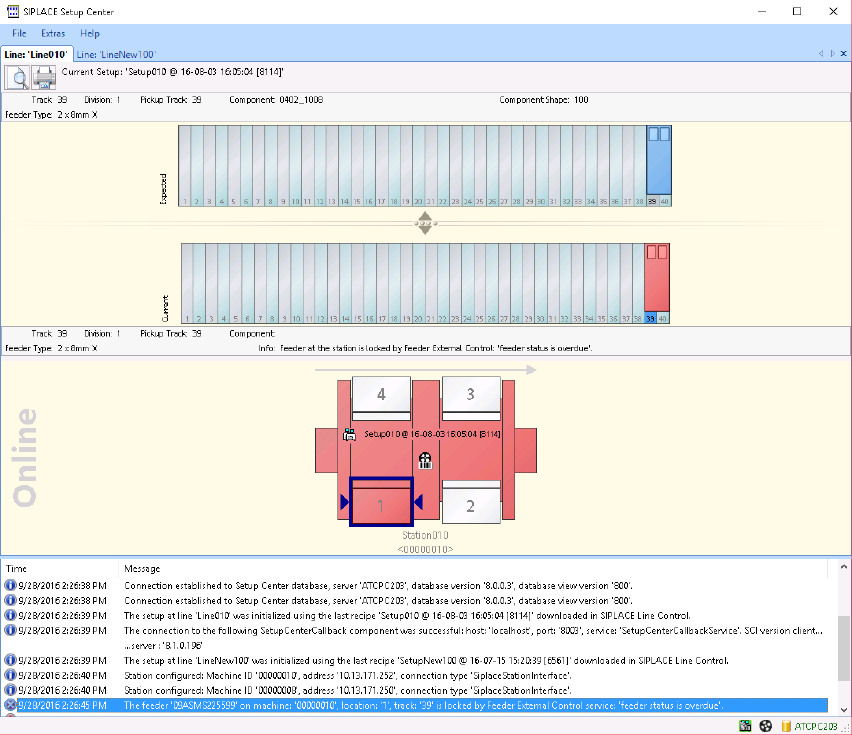
Once enabled, if any feeder of the above mentioned status is inserted to online or offline
locations, depending on user configuration, Setup Center will indicate the blocked status as
below. Subsequent Setup Verification with the feeders in question will fail to proceed.
Figure 9-31 Feeder Blocking Message as seen in Setup Center GUI
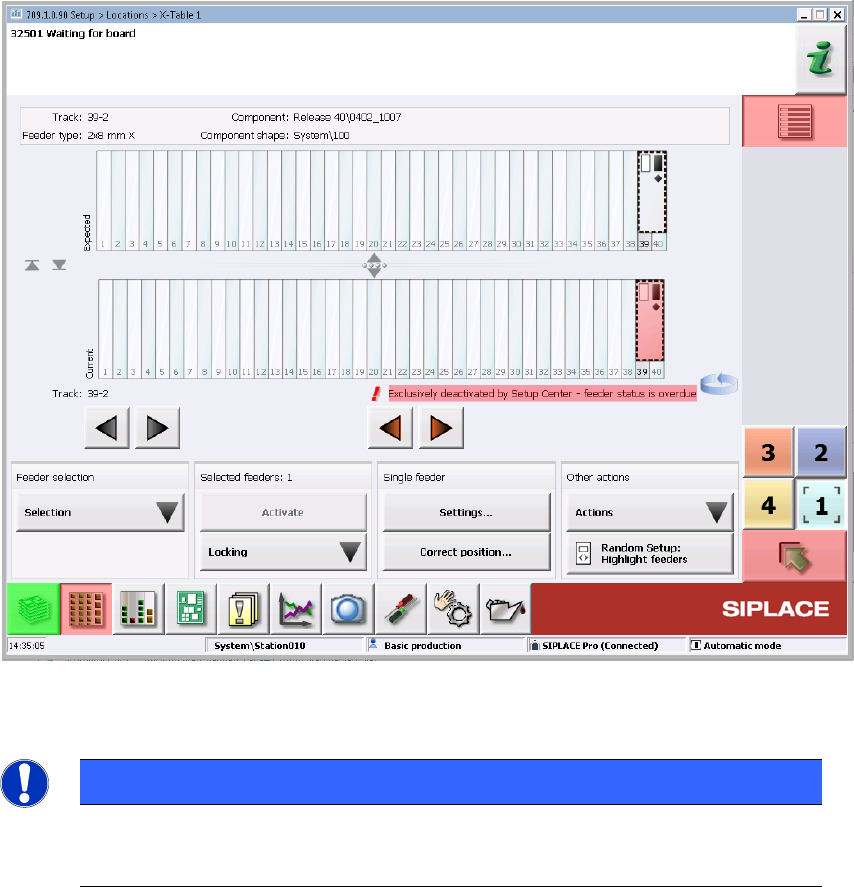
For online station locations, if any Setup Verification attempt is made on such feeders, an
error message will be shown on the Station GUI to inform the user the reason of failed
verification as below.
SIPLACE Feeder Manager 3.3 (R18-1) / Getting Started 08/2018 Edition
100
Figure 9-32 Feeder Blocking Message as seen in Station GUI
NOTE
In Feeder Manager 3.1, the Enforce Feeder Block function is only available
when Setup Center is installed.
For online feeders which turn Overdue or being marked as Defective AFTER the starting of
production, there will be no warning / error issued by Feeder Manager until such feeders are
removed and inserted again. In other words, the checking of feeder blocking only happens
when problematic feeders or the COT that contains them are inserted.
In case when a feeder enters the defective, overdue status, if it is still within the Maintenance
Extension criteria defined by Feeder Manager, the user can still choose to extend its usage by
following the Maintenance Extension workflow. But once the extension is done, the feeder
must be removed and inserted again in order for the Blocked status to be reset. Otherwise the
Setup Verification will still fail on this feeder.