00198178-04_GS_FeederManager_3.3_R18-1_EN.pdf - 第109页
SIPLACE Feeder Ma nager 3.3 (R18 -1) / Getting S tarted 08/2018 Edition 109 Figure 12 -3: FM Line Console – Main m enu 12.3 Line Co nsole Configu r ation FM Line Console Conf iguration window can b e open ed f rom either…
SIPLACE Feeder Manager 3.3 (R18-1) / Getting Started 08/2018 Edition
108
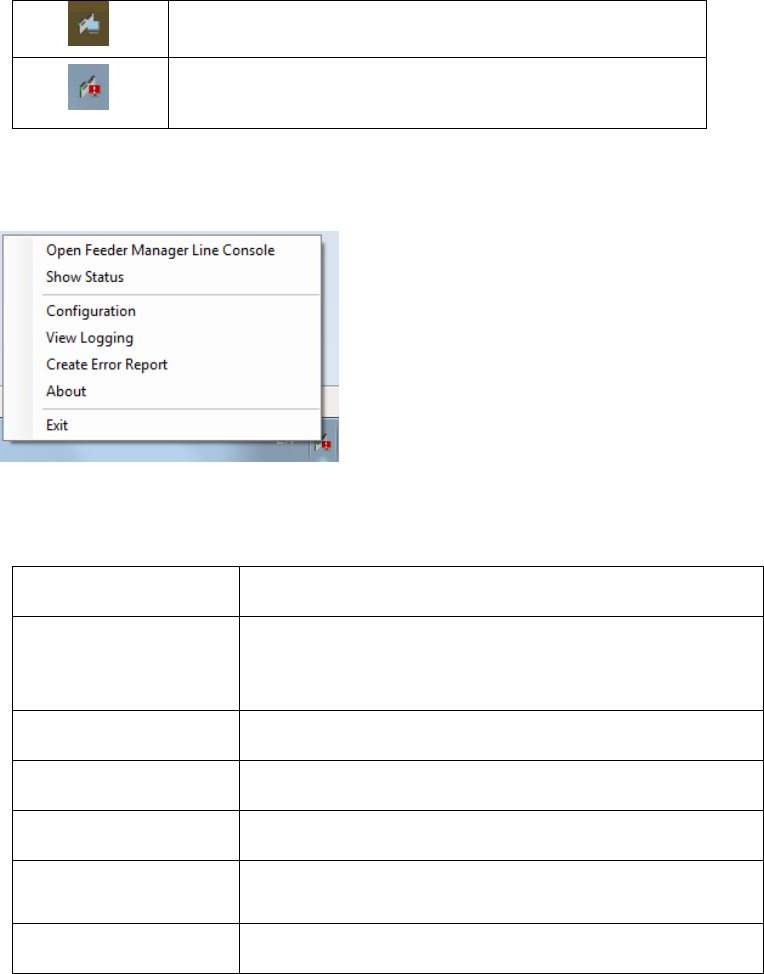
The FM Line Console System Tray icon will provide status information as following:
FM Line Console is working properly
There is one or more errors in the FM Line Console
working status
The FM Line Console System Tray icon can also be right clicked to show the server options.
Figure 12-2 FM Line Console Server Manager Options
Menu item
Meaning
Open Feeder
Manager Line
Console
To open up the FM Line Console main UI.
Show Status
To show the FM Line Console working status.
Configuration
To open FM Line Console Configuration window.
View Logging
To view the FM Line Console logs inside YatsStudio
Create Error Report
To create an error report of FM Line Console using the
SIPLACE Net Error Reporter Service.
About
To display the About window of FM Line Console
Table 12-1 FM Line Console Server Manager Options
12.2 Line Console Main UI
Feeder Manager Line Console can be started either from Windows Start menu or from the FM
Line Console Server Manager options menu.
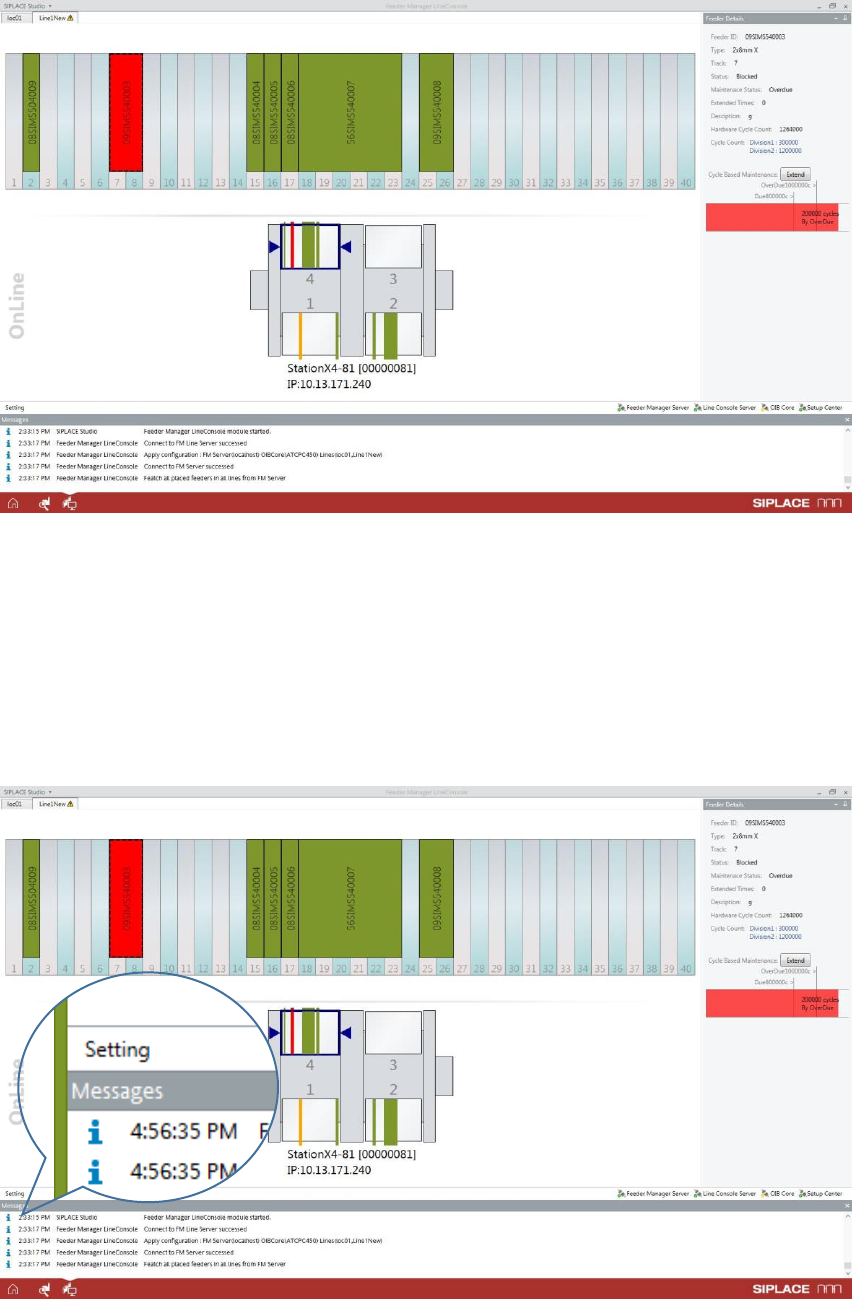
Once started, Feeder Manager Line Console will be hosted inside ASM Studio. Below is an
example of the FM Line Console main window when opened.
SIPLACE Feeder Manager 3.3 (R18-1) / Getting Started 08/2018 Edition
109
Figure 12-3: FM Line Console – Main menu
12.3 Line Console Configuration
FM Line Console Configuration window can be opened from either the Line Console Server
Manager options as explained above, or from the Setting button inside the FM Line Console
main UI, see below.
Figure 12-4: FM Line Console Setting button
SIPLACE Feeder Manager 3.3 (R18-1) / Getting Started 08/2018 Edition
110
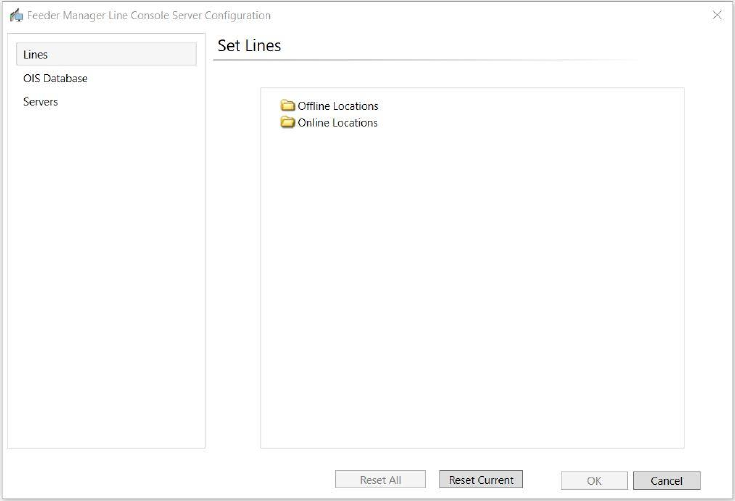
Following window of FM Line Console Server Configuration will be opened.
Table 12-2 Initial state of the FM Line Console Server Configuration
12.3.1 Online and Offline Settings
To start using FM Line Console, the user shall define the Online and Offline locations and add
the lines and docking stations for monitoring.
Refer to Chapter 13 “Feeder Location Tracking” for the configuration of Online and Offline
locations.