00198178-04_GS_FeederManager_3.3_R18-1_EN.pdf - 第17页
SIPLACE Feeder Ma nager 3.3 (R18 -1) / Getting S tarted 08/2018 Edition 17 4.3.4 A lert menu group Alerts are displa yed for feeders that are 1) Defective or have a f eeder t ype mismatc h. Due or overdue to m aintenance…
SIPLACE Feeder Manager 3.3 (R18-1) / Getting Started 08/2018 Edition
16
4.3.1 Feeder menu group
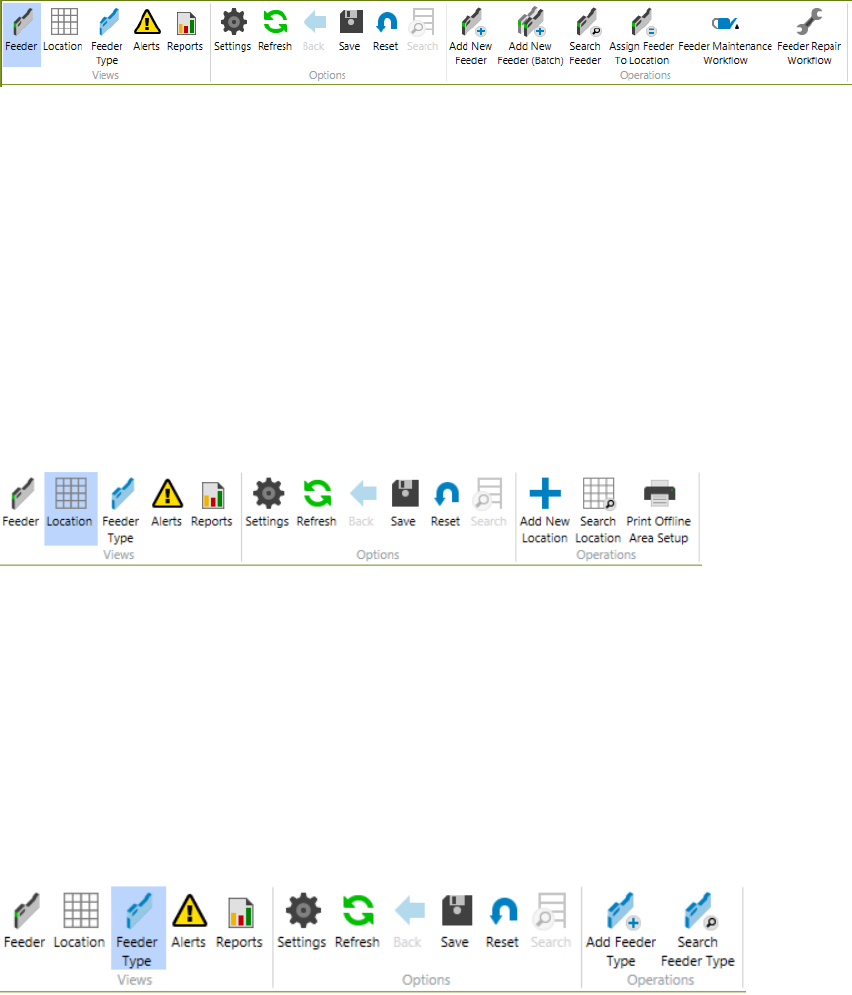
Following functions can be accessed from this menu group
1) Add New Feeder
2) Add New Feeder by Batch (only applicable to S Feeders)
3) Search Feeder
4) Assign Feeder to Location
5) Feeder Maintenance Workflow
6) Feeder Repair Workflow
See chapter 5 Feeder centric functions for more details.
4.3.2 Location menu group
Following functions can be accessed from this menu group
1) Add New Location
2) Search Location
3) Print Offline Area Setup
See chapter 6 Location centric functions for more details.
4.3.3 Feeder Type menu group
Following functions can be accessed from this menu group
1) Add new feeder types and define a maintenance plan
2) Search Feeder Types
See chapter 7 Feeder Type centric functions for more details.
SIPLACE Feeder Manager 3.3 (R18-1) / Getting Started 08/2018 Edition
17
4.3.4 Alert menu group
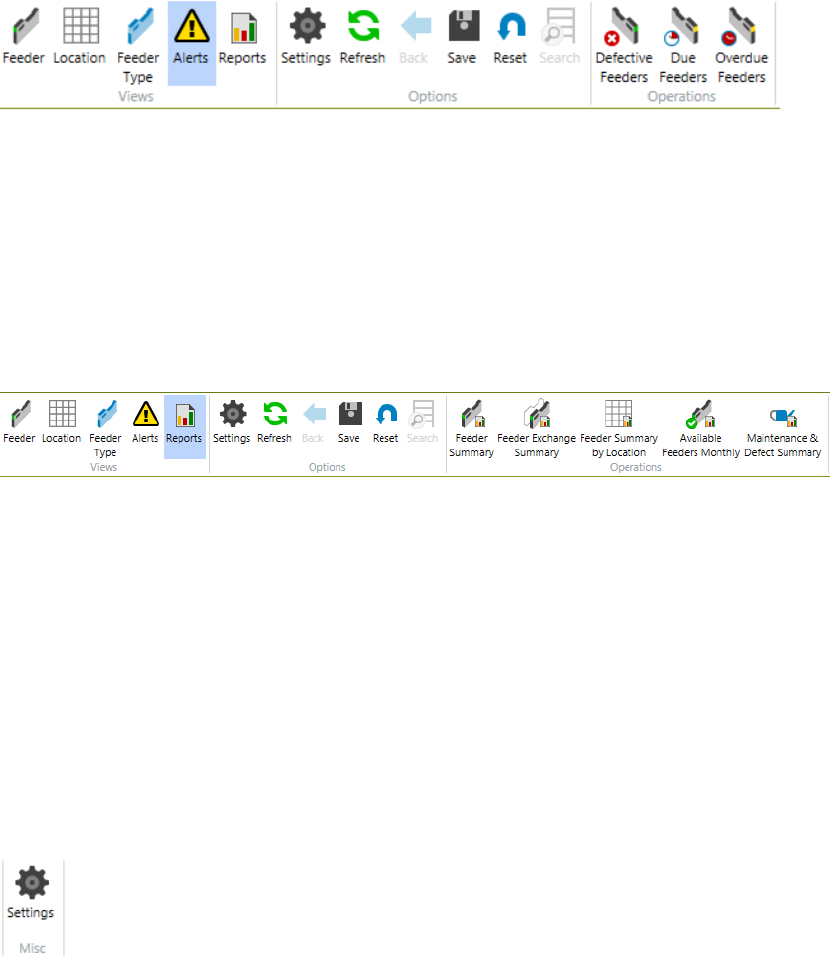
Alerts are displayed for feeders that are
1) Defective or have a feeder type mismatch.
Due or overdue to maintenance, It is also possible to view and modify feeder details for single
feeders and print the Alert list.
See chapter 11 Alerts for more details.
4.3.5 Reports menu group
User can make queries or generate following reports from this menu group
1) Feeder Summary,
2) Feeder Exchange Summary,
3) Feeder Summary by Location,
4) Available Feeders over time monthly
5) Feeder Maintenance & Defect Summary.
It is also possible to print, save and export the queries and reports.
See chapter 8 Report centric functions for more details.
4.3.6 Settings menu
By starting the Settings function, the user can
1) Define a common configuration,
2) Make global settings,
3) Define feeder and location ID format,
4) Define barcode label printing format for feeders and locations,
5) Change user passwords
See chapter 9 Settings menu for more details.
SIPLACE Feeder Manager 3.3 (R18-1) / Getting Started 08/2018 Edition
18
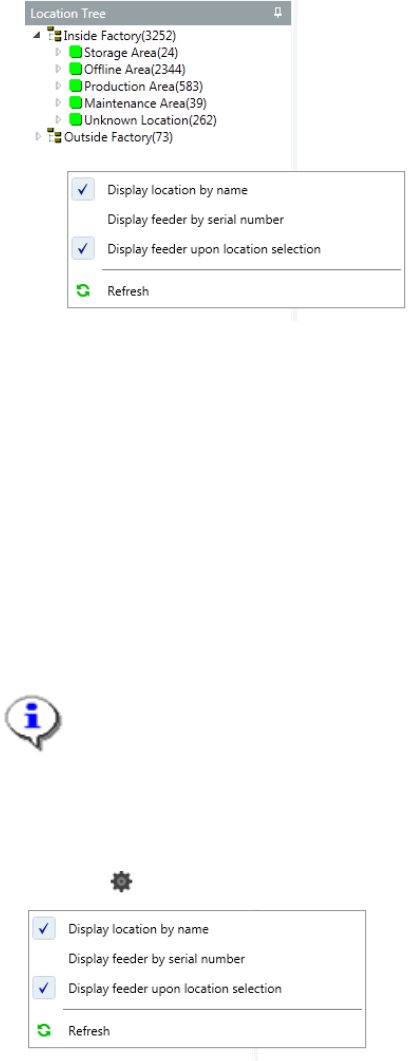
4.3.7 Location Tree
The following location areas are defined for Inside Factory:
– Storage Area
– Offline Area
– Production Area
– Maintenance Area
– Unknown Location
Following location area is defined for Outside Factory:
– Outside Factory
Note:
It is not possible to create any location under the location type Unknown Location.
This is a default location used for new feeders, for which the location has to be
decided.
Once a feeder is assigned to a location, it cannot be assigned back to Unknown
Location.
Click the button inside the location tree will bring up the following context menu.
Display Location By Name
Check this to display the locations by their respective Location Names.
By default this option is checked. If unchecked, the locations are displayed by their Location
IDs.
Display Feeders By Serial Number
Check this to display the feeders by their Serial Numbers.
By default this option is unchecked, and the feeders are displayed by their respective Feeder
IDs.