00198178-04_GS_FeederManager_3.3_R18-1_EN.pdf - 第143页
SIPLACE Feeder Ma nager 3.3 (R18 -1) / Getting S tarted 08/2018 Edition 143 Once installed success fully, the FM P DA desk top application can be starte d from the W indows Start menu or from the desk top icon created by…
SIPLACE Feeder Manager 3.3 (R18-1) / Getting Started 08/2018 Edition
142
Figure 14-32: Remove Table
Scan the table barcode of the table that shall be removed.
Tap on Menu – Close to exit the screen.
or
Tap on Clear to perform the function for another location.
All feeders that reside on the station location will have their location ID updated from the
station location to the scanned table ID. The feeder status will be changed from In Use to
Available.
14.4 Feeder Manager PDA Desktop version
This is a desktop version of the FM Mobile application, in case it’s not possible to use the PDA
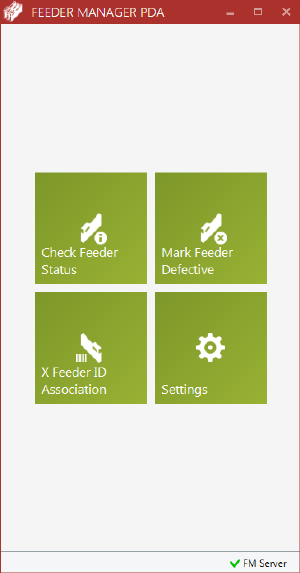
app (e.g. no WIFI allowed). Below is the main UI.
Figure 14-33 FM PDA desktop application
This application can be installed on any computer within the SIPLACE network and has a
working connection to the Feeder Manager Server computer. Together with a wired barcode
scanner, this application replaces the FM PDA and satisfies the need for following functions:
– Check Feeder Status
– Mark Feeder as Defective
– X-feeder ID Association
SIPLACE Feeder Manager 3.3 (R18-1) / Getting Started 08/2018 Edition
143
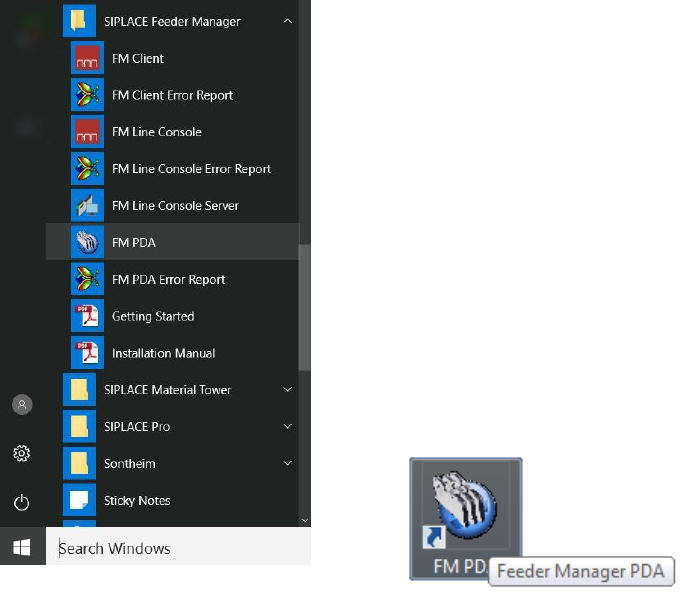
Once installed successfully, the FM PDA desktop application can be started from the
Windows Start menu or from the desktop icon created by the installer.
Figure 14-34 FM PDA desktop application in Start
menu
Figure 14-35 FM PDA desktop icon

SIPLACE Feeder Manager 3.3 (R18-1) / Getting Started 08/2018 Edition
144
15 Example of Use
In the following tables some typical use cases in the factory are described.
15.1 Asset management
Questions
Answers
Target/Benefit
How many feeders are there
altogether?
How many feeders per type?
Sufficient feeders of each type
available for the new setup?
Organization Tree (only
number of feeders)
Feeder Summary Report
(number of feeders and
type)
Overview of the total
feeder amount
Inventory control
Setup planning
Smooth setup
preparation
Where are the feeders at the
moment (e.g. to count them for
inventory)?
Organization Tree (Location
Areas)
Feeder Summary Grouped
By Feeder Location
Ensure asset availability
How many feeders are
needed?
Are there to many?
Can the number of feeders be
reduced (e.g. buy less feeders
the next time)?
Feeder Summary Report
(search for Feeder Status:
All)
Feeder Status: Available
Feeder surplus
More accurate
investment planning
Minimize feeder assets
How old are the feeders?
Feeder Details, Registration
date
Accurate budget
planning
Which feeders belong to the
production area A, which to
area B?
Where are they at the
moment?
Organization Tree
Feeder Summary Grouped
By Location
Feeder property
Clear property for big
factories with separate
production areas
Figure 15-1: Example of Use - Asset management