00198178-04_GS_FeederManager_3.3_R18-1_EN.pdf - 第97页
SIPLACE Feeder Ma nager 3.3 (R18 -1) / Getting S tarted 08/2018 Edition 97 9.4.3 Location Barcode Label Printing Format view Click on Setting s – Location Barcode Label Printing Fo rmat i n the m enu bar to open the vi…
SIPLACE Feeder Manager 3.3 (R18-1) / Getting Started 08/2018 Edition
96
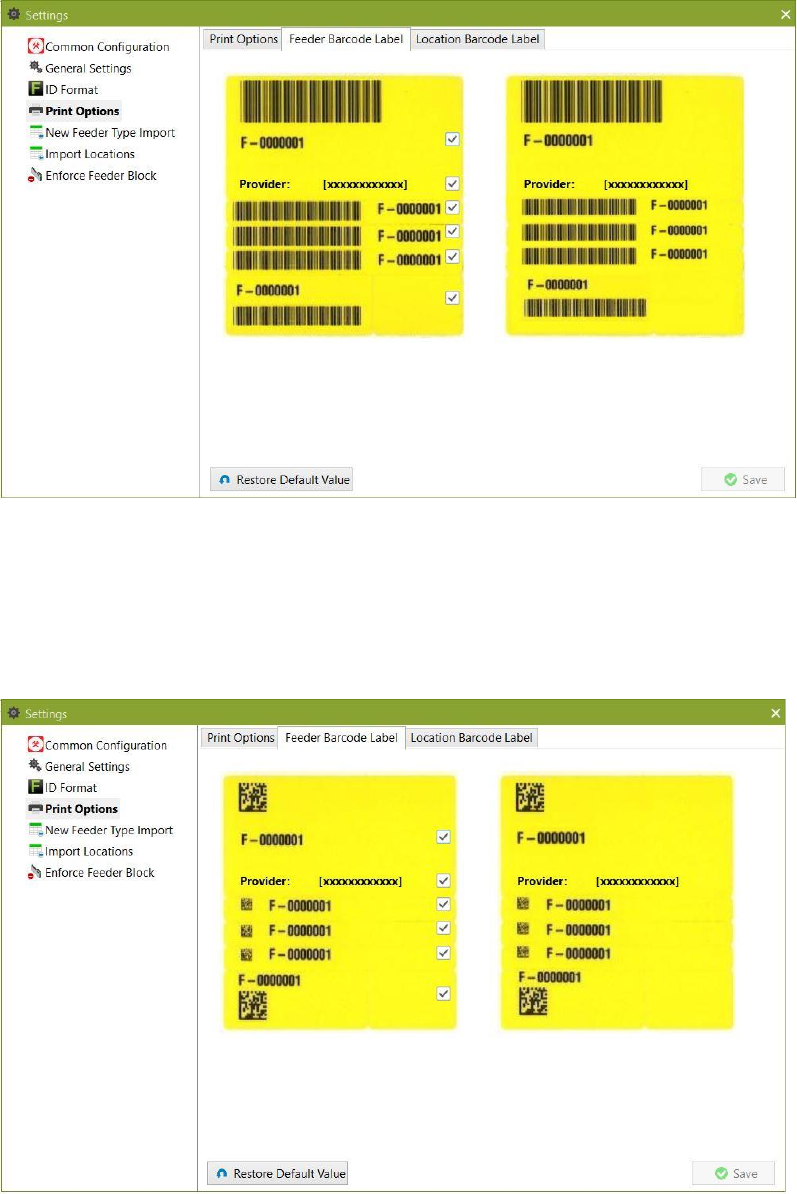
1D feeder barcode labels:
Figure 9-26: Feeder Barcode Label Printing Format for 1D barcode labels
Tick the checkboxes for the information that shall appear on the barcode label.
To the right a preview of the selected printing format is shown.
2D feeder barcode labels:
Figure 9-27: Feeder Barcode Label Printing Format dialog box for 2D barcode labels
Tick the checkboxes for the information that shall appear on the barcode label.
To the right a preview of the selected printing format is shown.
SIPLACE Feeder Manager 3.3 (R18-1) / Getting Started 08/2018 Edition
97
9.4.3 Location Barcode Label Printing Format view
Click on Settings – Location Barcode Label Printing Format in the menu bar to open
the view.
The Location Barcode Label Printing Format dialog box is displayed.
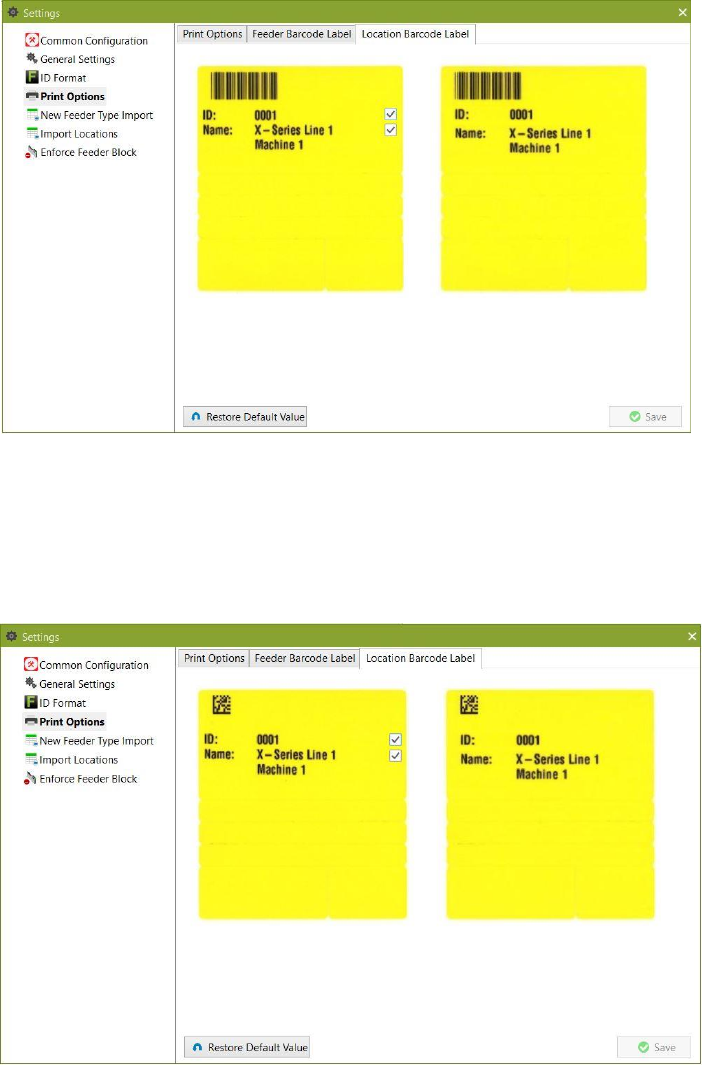
1D location barcode labels:
Figure 9-28: Location Barcode Label Printing Format for 1D barcode labels
Tick the checkboxes for the information that shall appear on the barcode label.
To the right a preview of the selected printing format is shown.
2D location barcode labels:
Figure 9-29: Location Barcode Label Printing Format for 2D barcode labels
Tick the checkboxes for the information that shall appear on the barcode label.
To the right a preview of the selected printing format is shown.
SIPLACE Feeder Manager 3.3 (R18-1) / Getting Started 08/2018 Edition
98
9.5 New Feeder Type Import
See section 7.3 for details
9.6 Import Locations
See section 6.4 for details.
9.7 Enforce Feeder Block
Starting from version 3.1, Feeder Manager provides the option to block the feeder from being
used and verified online and offline, when the feeder is either Defective, Overdue for
maintenance, or marked as Scrapped under Feeder Manager’s definition.
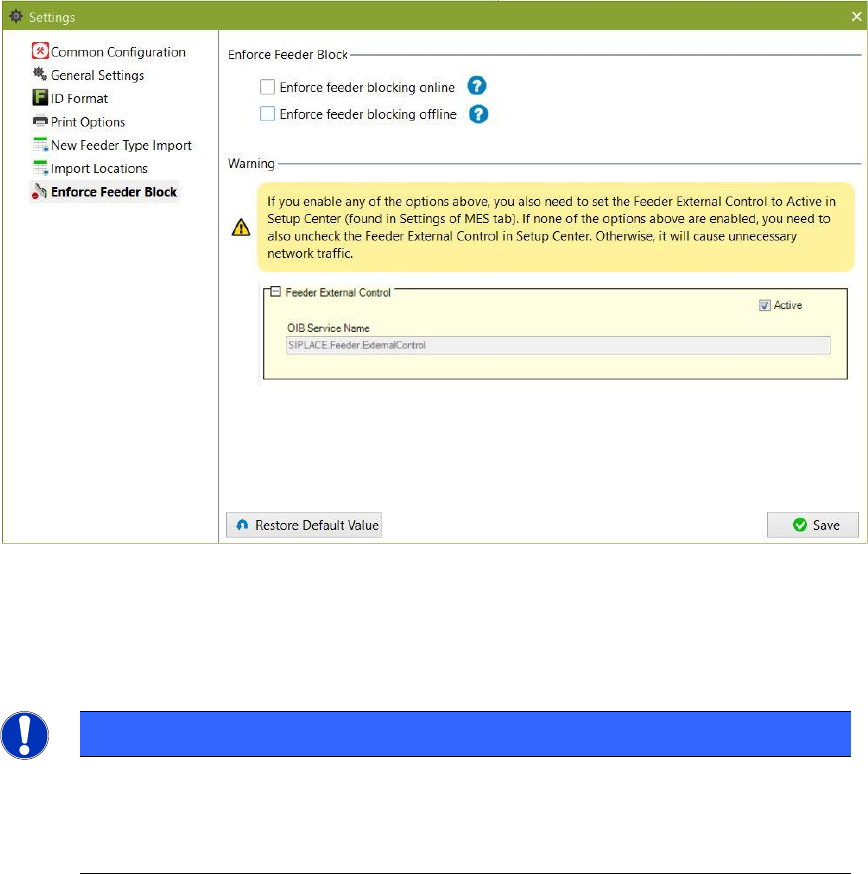
In order to make use of this feature, the user must first enable this option inside Feeder
Manager Client Settings Enforce Feeder Block. See below.
Figure 9-30 Enabling the Enforce Feeder Block Function
The user can choose to enable the Enforce Feeder Block at either online, offline, or both
locations.
NOTE
In order for this feature to function properly, user must first activate the “Feeder
External Control” option inside Setup Center’s Settings page. Otherwise, not only will
this feature not be available, there will also be unnecessary network traffics caused.